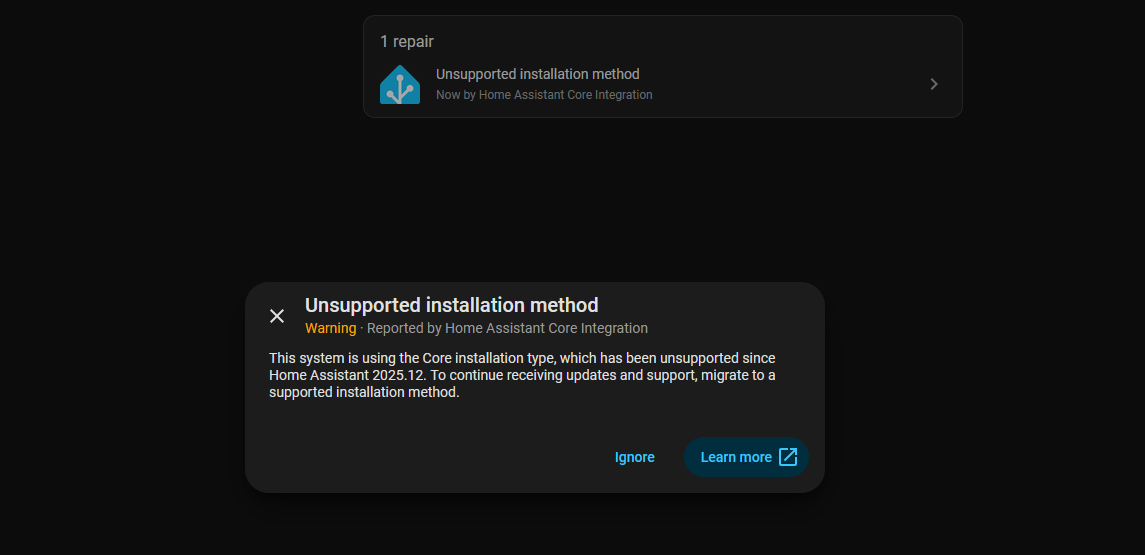
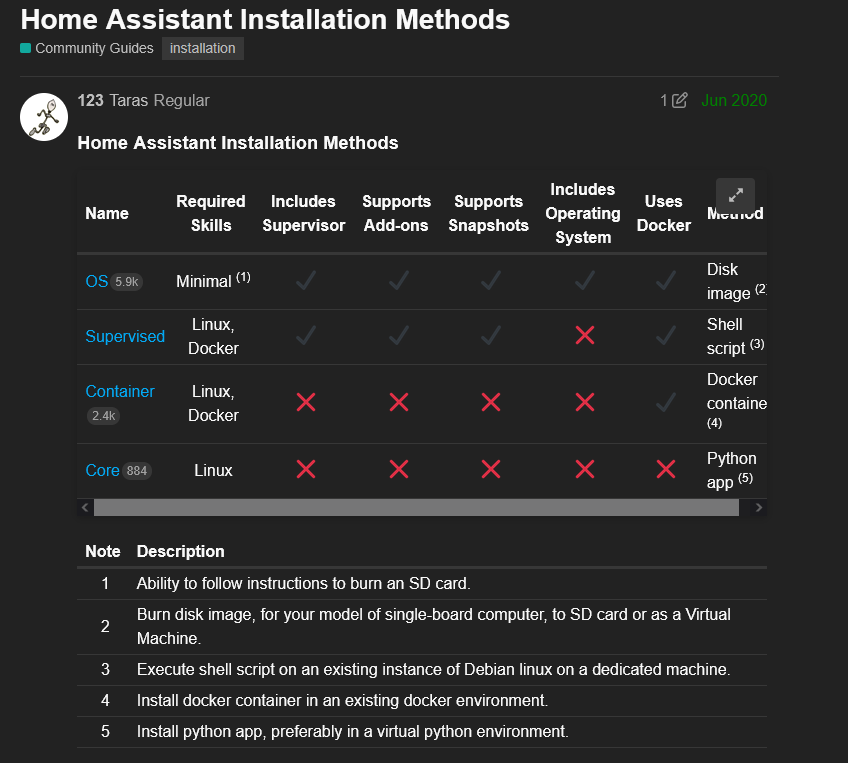
The topic around HA support for the core python version has been discussed on this forum and on GitHub already. It’s should be possible to continue using HA as we implement it. Only thing missing, will be missing support on HA forum aso. The application itself will continue working.
I’ll probably just keep using it then. I don’t really ever need to go into their support.. I may try to install it supervised sometime.. I don’t really like docker..
what about transmission? is there a way to install a normal build instead of the beta?
ok I checked the install code and we install the regular Debian apt package transmission-daemon from global Debian package repository. There is no magic or anything on this. And yes, latest version available on Debian side is 4.1.0~beta2
That’s interesting, indeed. Maybe the beta contained an important change/fix they wanted to have, when the freeze for Debian Trixie happened.
Anyway, among Debian (and any large distro) repo packages, versions strings don’t say anything about stability and security of the software: They patch bug fixes and security fixes into their package sources. So their v4.1.0~beta2 is probably more stable then the upstream v4.1.0, containing fixes from v4.1.1, v4.1.2 etc.
i wouldnt even care but a few places already warned me that i could get banned for using this beta client. also to me this client seems way more stable then all the other versions i tried..
Who should ban you from where for using a beta client?
The BitTorrent protocol has fields which usually contain client software + version, when talking to trackers and peers. But there is no “you use a beta version, hence we ban you” with any serious tracker. This is an official package from the latest stable Debian release, there is nothing more stable than that. Anyone sending out warnings about this, obviously has no clue about the topic.
Also, at least the client ID field for the tracker is 20 bytes only, and should be TR4100-xxxxxxxxxxxx with the remainder being random. So there should be no info whether it is v4.1.0 beta or v4.1.0 stable.
EDIT: Ah btw, backports provide v4.1.3 (stable). So you could do:
But while backports are generally safe and stable to use, they are less tested. So would be generally seen less stable than the package from the main suite.
Due to issues in 4.1.1 (some were in 4.1.0 and 4.0.6), we won’t be allowing 4.1.1 either.
Included are issues with files being stuck at 99.9%, some crashes (in not very rare circumstances), failure to reload session (and dropping everything after the fault), not able to handle trackers with no sub domain.
We’ll monitor for 4.1.2, which has fixes for many of these, including a bug in 4.0.6 that can cause it to spam the tracker. When a version with that fix goes live, we’ll drop 4.0.6
WTF. But this is not about beta vs non-beta, but looks like v4.1.0 and v4.1.1 were both affected by some kind of request flood towards trackers, which v4.1.2 solved (?).
There is a related bug report: https://bugs.debian.org/cgi-bin/bugreport.cgi?bug=1111040
But like here, the interpretation seems wrong: Not the “beta” is the issue, but the two stable versions. If someone finds the related commit, the fix could be patched into the Debian package, but that won’t prevent trackers from blocking those versions, as they cannot see how a build was patched from the client ID field, like they cannot see whether it is a beta or stable version.
While Debian could patch the underlying bug, their policy prevents the version string from being raised. So trackers would still block it, which is why blocking by version string is generally a bad idea, though I understand the reason if those clients cause(d) significant overhead for the trackers.
But the backports are there to bypass the policy restrictions.
um it says transmission was installed but i cant go to its webclient thing. it just says forbidden. also i see the transmission clients service in the services it says its running..
When installed via dietpi scripts, the whitelist option is disabled. But since you installed the backported version via purely apt, I guess whitelisting is now enabled by default and you would need to add your device IP into the whitelist or disable whitelisting in the config.
A package upgrade won’t usually touch /etc/transmission-daemon/settings.json, or any file below /etc that was changed. You should see some notice during the package upgrade, that the old version of the config file is kept, and the new version is installed to /etc/transmission-daemon/settings.json.dpkg-dist instead, for reference.
If Transmission was not installed via dietpi-software before, of course settings need to be changed to allow access from a remote system, including setting rpc-username and rpc-password (as salted SHA1 hash).
i set whitelist to false and its still giving me the error 403. i also changed the username and password just in case that was required.
EDIT: i just looked at the json and its not saving the changes..why is it not saving?
EDIT: i used your command it didnt work then i used nano to edit and it still didnt save..
EDIT: I don’t know what happened but the 10th time I tried changing to false it worked. ill reboot and see if it stays that way… looks like it
EDIT: having a new problem with transmission.. the files that it downloads are not appearing right…its all slow. normally when i download something the folder pops up then after its done the files are able to be looked at.. its done downloading in transmission but its showing a “part” file.
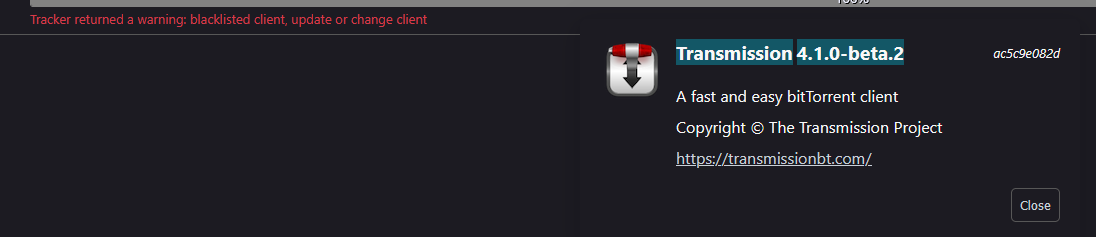
 next time I see the weird thing where it said it would ban me I’ll screenshot it an post it.


 having a new problem with transmission.. the files that it downloads are not appearing right…its all slow. normally when i download something the folder pops up then after its done the files are able to be looked at.. its done downloading in transmission but its showing a “part” file.