and ran a filecheck
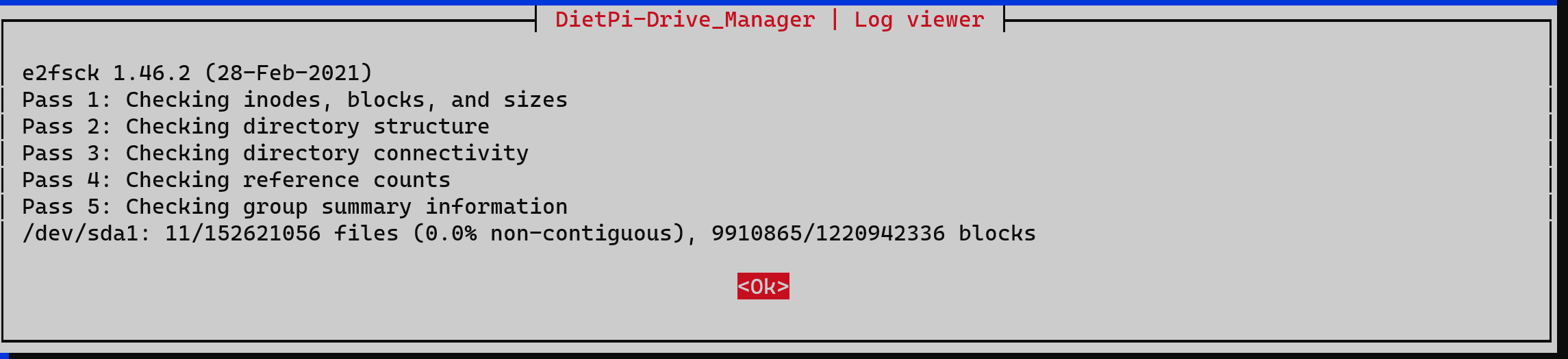
ok disk seems to be fine.
Yes, that’s good news!
Hi guys,
installed Dietpi Bookworm and Nextcloud with Apache2.
Set my subdomain nextcloud.mydomain.com with a A-record on my DNS server
How to set nextcloud / apache that ‘nextcloud’ on Dietpi is only reachable via nextcloud.mydomain.com?
I tried
/etc/apache2/sites-enabled/000-default-le-ssl.conf
with
#<IfModule mod_ssl.c>
#SSLStaplingCache shmcb:/var/run/apache2/stapling_cache(128000)
#<VirtualHost *:443>
#       ServerName nextcloud.YourDomain.com
#
#SSLCertificateFile /etc/letsencrypt/live/nextcloud.YourDomain.com/fullchain.pem
#SSLCertificateKeyFile /etc/letsencrypt/live/nextcloud.YourDomain.com/privkey.pem
#Include /etc/letsencrypt/options-ssl-apache.conf
#SSLUseStapling on
#</VirtualHost>
#</IfModule>
#
<IfModule mod_ssl.c>
SSLStaplingCache shmcb:/var/run/apache2/stapling_cache(128000)
<VirtualHost *:443>
        ServerName nextcloud.YourDomain.com
DocumentRoot /var/www/nextcloud
SSLCertificateFile /etc/letsencrypt/live/nextcloud.YourDomain.com/fullchain.pem
SSLCertificateKeyFile /etc/letsencrypt/live/nextcloud.YourDomain.com/privkey.pem
Include /etc/letsencrypt/options-ssl-apache.conf
SSLUseStapling on
</VirtualHost>
</IfModule>
Now i’m getting the error:
Internal Server Error
The server encountered an internal error or misconfiguration and was unable to complete your request.
Please contact the server administrator at [no address given] to inform them of the time this error occurred, and the actions you performed just before this error.
More information about this error may be available in the server error log.
Got it running again
<IfModule mod_ssl.c>
SSLStaplingCache shmcb:/var/run/apache2/stapling_cache(128000)
<VirtualHost *:443>
        ServerName nextcloud.YourDomain.com

SSLCertificateFile /etc/letsencrypt/live/nextcloud.YourDomain.com/fullchain.pem
SSLCertificateKeyFile /etc/letsencrypt/live/nextcloud.YourDomain.com/privkey.pem
 Include /etc/letsencrypt/options-ssl-apache.conf
SSLUseStapling on
</VirtualHost>
</IfModule>