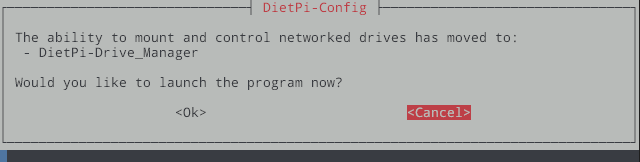
Just a note to say it seems like the following message has been around for quite a while now:
The ability to mount and control networked drives has moved to:
- DietPi-Drive_Manager
Should Drive Manager instead appear as its own item in the Dietpi-Config menu, rather than within Network Options Misc, and then within Network Drives… which after all that just returns the above message to go seek it out elsewhere?
And as well, should DietPi-Drive_Manager also be part of the main list of commands alongside diet pi-launcher, dietpi-config, etc?
I was just curious if it’s important enough to be listed alongside these:
dietpi-launcher : All the DietPi programs in one place dietpi-config : Feature rich configuration tool for your device dietpi-software : Select optimised software for installation htop : Resource monitor cpu : Shows CPU information and stats
And I think my point is that having to find it in three different places isn’t perhaps the best approach. But everyone has their opinions on what good or efficient design is of course. Thanks for the reply.
I like the idea of having dietpi-drive_manager in the list when logging in. It’s a common task, and it acts as a reminder that the command exists so I don’t have to look around in various menus.
But where do you stop? There are many tools available, and the list would eventually become very long. Everyone has their own preferences. They are all listed in the launcher, and if you are unsure, you can also look in the documentation. DietPi Launcher - DietPi.com Docs
I suppose I’d stop at the end of the most important commands / tools. As a user I figured Drive Manager might qualify.
That said, the idea to highlight DM on the “Home Screen” was of course born out of the more puzzling issue of why you need to step down into a menu a couple of times only to be told to go find what you were looking for elsewhere. The message literally states that something was moved at one point, and so that message reads like a temporary bit of guidance that was never gone back to for a tidy up.
Anyway Joulinar, if you have some insight to my other recent post about a security warning, that would be awesome: SSH warning - post-quantum key exchange . That one certainly feels far more important