Everything was fine until a recent update, sometime in the past 6 months, no idea what update caused the backup behavior to change. How do I revert to non-incremental backups?
DietPi-Tools | DietPi-Backup If multiple backups are created (and kept), the rsync--link-dest option is now used to create files which did not change between last and current backup iteration as hard links to the last iteration. This usually leads to massively reduced effective disk usage and backup speedups, since unchanged files do not need to be copied, while every backup iteration however remains fully self-contained. Many thanks to @nicojx for making us aware of rsnapshot, which uses the same technique: MichaIng/DietPi?7711
There is no way back, why would you wanna go back?
I guess Windows does not handle ext4 with hard links well. 33GB * 39 is roughly 1.2 TB, but in fact, you have only stored files “worth” of 39GB. You can now save a lot more backups, I don’t get why you want the old behavior back
Thanks for your answer, I will have to adjust my backup strategy then. My main concern with incremental backups is: If the drive develops bad sectors where the first backup data is stored all subsequent backups are rendered useless. That seems unlikely though since SSDs tend to just die outright.
Is it possible for dietpi-backup to have multiple locations?
$2 = optional directory location to use with backup/restore input:
	# - dietpi-backup -1 /path/to/target = Restore
	# - dietpi-backup  1 /path/to/target = Backup
If you are using the daily backup feature, you would need to deactivate it and and create a custom script which execute it daily (or howoften you want) with cron or systemd timers.
You could also try to duplicate the backup script and just remove this line, which creates the hard linkes, so you would get full backups again. (I did not test this, so I don’t know if this has other side effects. Pls test this before using it on working systems)
(see also: https://github.com/MichaIng/DietPi/discussions/7711#discussioncomment-14341469)
On the logical layer they are full backups each, but on the physical layer incremental via hardlinks. The concern that one corrupted sector/inode hence can render related files in all backups broken is valid , at least for those files which did not change.
The backup path is stored in /boot/dietpi/.dietpi-backup_settings. So one could also e.g. alternate between 2 locations with another daily cron job that just swaps the location back and forth, so if a file is corrupted in one of the series, and on the live system, there is one other copy guaranteed.
But this is an argument to give some more control of this feature, like assuring one new set of all inodes every X runs or so. But before that, I want to have dedicated weekly/monthly backups .
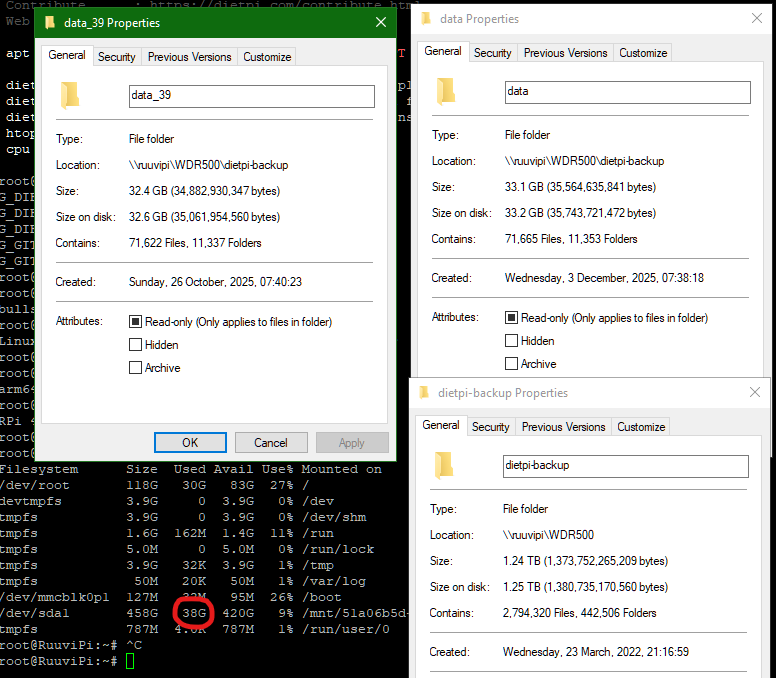

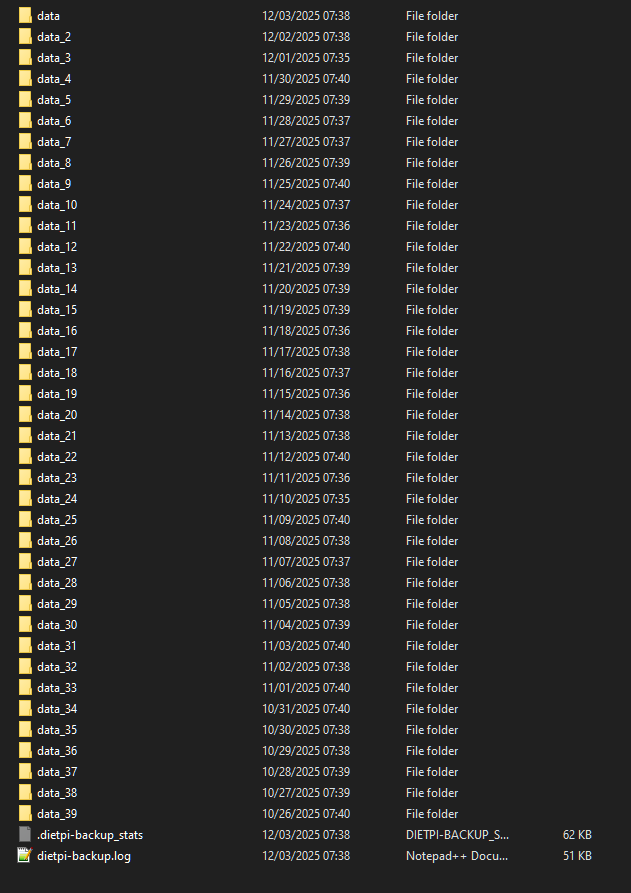

 , at least for those files which did not change.
 .
.