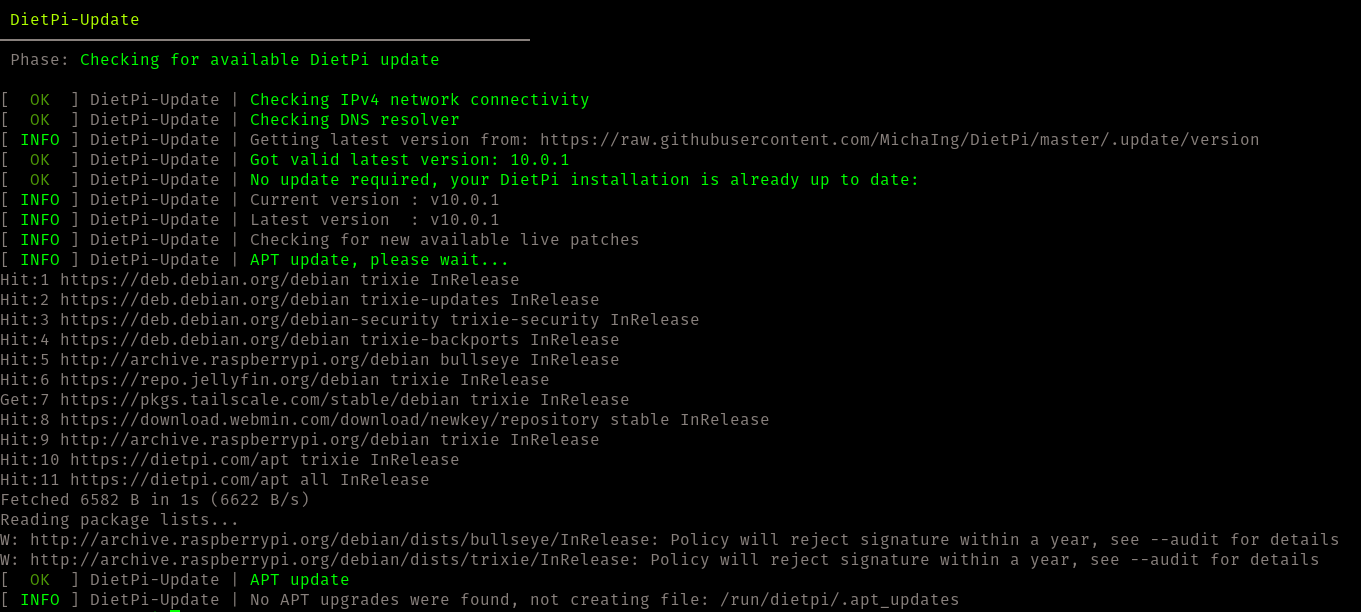
I am running DietPi OS (v10.0.1) on a Raspberry Pi 4 (4GB) as a headless server for various LAN services (Jellyfin, Samba, Pi-hole, Unbound, Tailscale), and when updating, I see the following warnings:
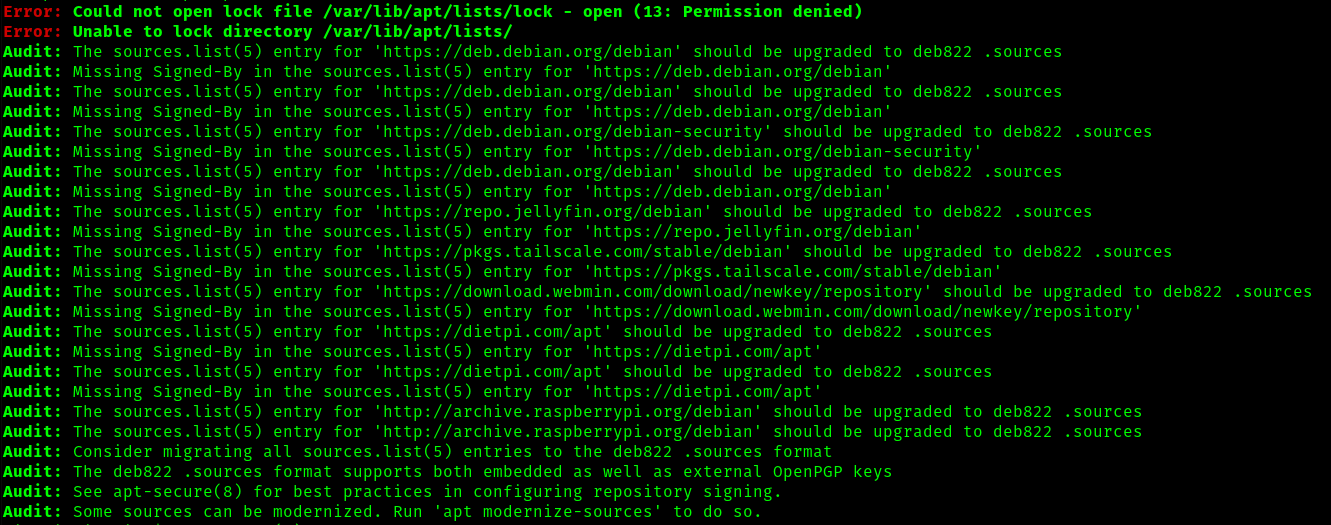
Thanks, Jappe, for the explanation regrading how to view the audit, which I have attached as an image (since new users can’t post more than two links at a time).
Joulinar is saying I do not need to to anything, but the audit recommends that I consider migrating all sources.list(5) entries to the deb822 .sources format, and that some sources can be modernized with the “apt modernize-sources” command. Will this refresh these signatures so that future APT versions will not refuse them?
And how do I “See apt-secure(8) for best practices in configuring repository signing“?
Thanks @Joulinar! Doing nothing is my specialty! However, I still wonder:
Why am I getting updates both from Bullseye (which is like 3 versions behind) and Trixie (which is the latest)? Shouldn’t I only have one?
I am on DietPi 10.0.1, which I understand is Bookworm, so why do I have Bullseye and Trixie and not just Bookworm?
because this is how your Debian source files are configured. Maybe the Bullseye source is a leftover from past or you configured it manually.
depends on Debian source file configuration
Wrong understanding. DietPi version has nothing to do with Debian version. They are unrelated. Even DietPi is not an own operating system (os). It’s a set of bash scripts on top of Debian base
depends on Debian source file configuration
seems you updated your system to Trxie or you used a Trxie image right from start
Let’s check your source files
for i in /etc/apt/sources.list{,.d/*.list}; do echo "$i:"; cat "$i"; done
Btw there is absolutely no need to do screen prints. Simply copy / past the output from SSH terminal
Many thanks, I sincerely appreciate the quick responses here. At this stage, “wrong understanding” seems to be my default setting.
I joined the forum yesterday, thus when I try to simply copy/past terminal output, I get this warning: An error occurred: Sorry, new users can only put 2 links in a post.
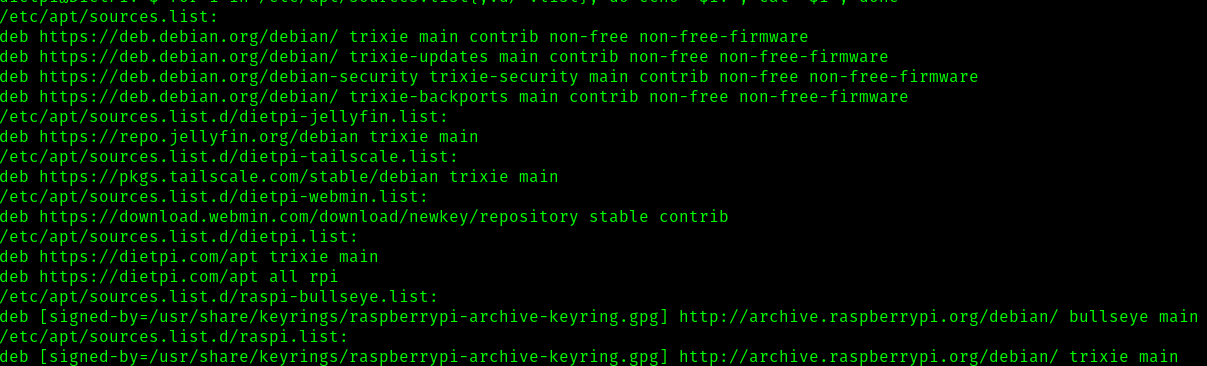
If there is another way to post this without a screen print, please let me know. For now, here is the source file output:
/etc/apt/sources.list:
deb https://deb.debian.org/debian/ trixie main contrib non-free non-free-firmware
deb https://deb.debian.org/debian/ trixie-updates main contrib non-free non-free-firmware
deb https://deb.debian.org/debian-security trixie-security main contrib non-free non-free-firmware
deb https://deb.debian.org/debian/ trixie-backports main contrib non-free non-free-firmware
/etc/apt/sources.list.d/dietpi-jellyfin.list:
deb https://repo.jellyfin.org/debian trixie main
/etc/apt/sources.list.d/dietpi-tailscale.list:
deb https://pkgs.tailscale.com/stable/debian trixie main
/etc/apt/sources.list.d/dietpi-webmin.list:
deb https://download.webmin.com/download/newkey/repository stable contrib
/etc/apt/sources.list.d/dietpi.list:
deb https://dietpi.com/apt trixie main
deb https://dietpi.com/apt all rpi
/etc/apt/sources.list.d/raspi-bullseye.list:
deb [signed-by=/usr/share/keyrings/raspberrypi-archive-keyring.gpg] http://archive.raspberrypi.org/debian/ bullseye main
/etc/apt/sources.list.d/raspi.list:
deb [signed-by=/usr/share/keyrings/raspberrypi-archive-keyring.gpg] http://archive.raspberrypi.org/debian/ trixie main
Understood–and thanks again! I ran the command with sudo but this is the output:
rm: cannot remove ‘/etc/apt/sources.list.d/raspi-bullseye.list’: No such file or directory
Again, thanks a million. I appreciate your patience with my confusion.
After updating, the file (and Bullseye-related warning) have indeed disappeared.
As for the other:
Warning: http://archive.raspberrypi.org/debian/dists/trixie/InRelease: Policy will reject signature within a year, see --audit for details
My understanding is that this is just a heads-up, no need to do anything!
Final question: The audit suggested I consider migrating all sources.list(5) entries to the deb822 .sources format, as well as running the ‘apt modernize-sources’ command. The migration sounds potentially difficult for me, but do you recommend I run the modernize sources command, and are there any (breakage) risks involved?
I did it yesterday on my system, you can just run apt modernize-sources, it will create backups of all of your .list files and convert them to .sources. There is then no /etc/apt/sources.list anymore, this one will then live at /etc/apt/sources.list.d/debian.sources.