I tried http://xx2.56.x.xx:80 through my phone browser using phone data and it still didn’t work.
Hmm in this case something not working on port forwarding. You are sure IP address of your DietPi device you confirm in your router is correct? And you set TCP, not UDP.
Yes i double-checked it. It actually match my dietpi ip address with tcp protocol. I also checked my public address to see if it match each other And it matched. I even tried to switch from No-IP to DuckDns but it didn’t work as well.
curl icanhazip.com
I think there is something wrong with my router firewall. Is it possible that my ISP set up another layer of firewall on my network?
We know from some ISP that they are blocking communication on port 80. Something you would need to check with them.
Hey Joulinar, I contacted my ISP they said they didn’t filter any ports. But they gave me a remote
ip x0x.5x.x.x
port 10232
Router port: 8000
So what can it be used of?
I also suspect my dietpi for having it run tailscale server. Could be the main problem here?
Tailscale will not have any influence on this
Not sure what this is about. Seems to be specific for your ISP. At least a different IP compared to yours.
My network might stuck behind CGNAT or something. I also use Huawei router which it was provided to me. Perhaps getting a static IP for extra charge is the only solution.
https://www.reddit.com/r/HomeNetworking/comments/v7o5xw/comment/iblp7z9/
maybe @trendy has an idea.
I hope @trendy come up with a great workaround to bypass NAT my ISP has in place.
Have you try 192.168.100.10/nextcloud instead of 192.168.100.10:80 ?
Or xxxxx.zapto.org/nextcloud ? if you have dns already setup , I am using no-ip without any problem.
Are you using your ISP modem without any router like Asus / Netgear / D-link ? If so you need to get a router connect to the modem then you have fully control .
Yes i tried 192.168.100.10/nextcloud and it works perfectly fine while connecting to my local WiFi.
I am currently using modem provided by my ISP. Do we normally need isp to configure a new router connecting to modem?
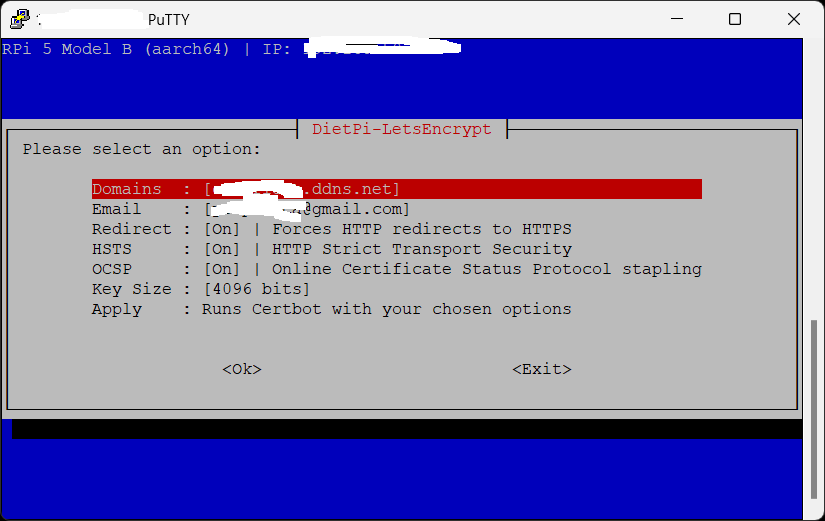
You modem setting pretty much the same as my ISP’s modem setting and there is nothing you can do , I am highly recommend to get a ASUS router and setup Bridge mode then you can fully control , ASUS the best it’s easy to use you can also setup letsencrypt and no-ip inside the router .
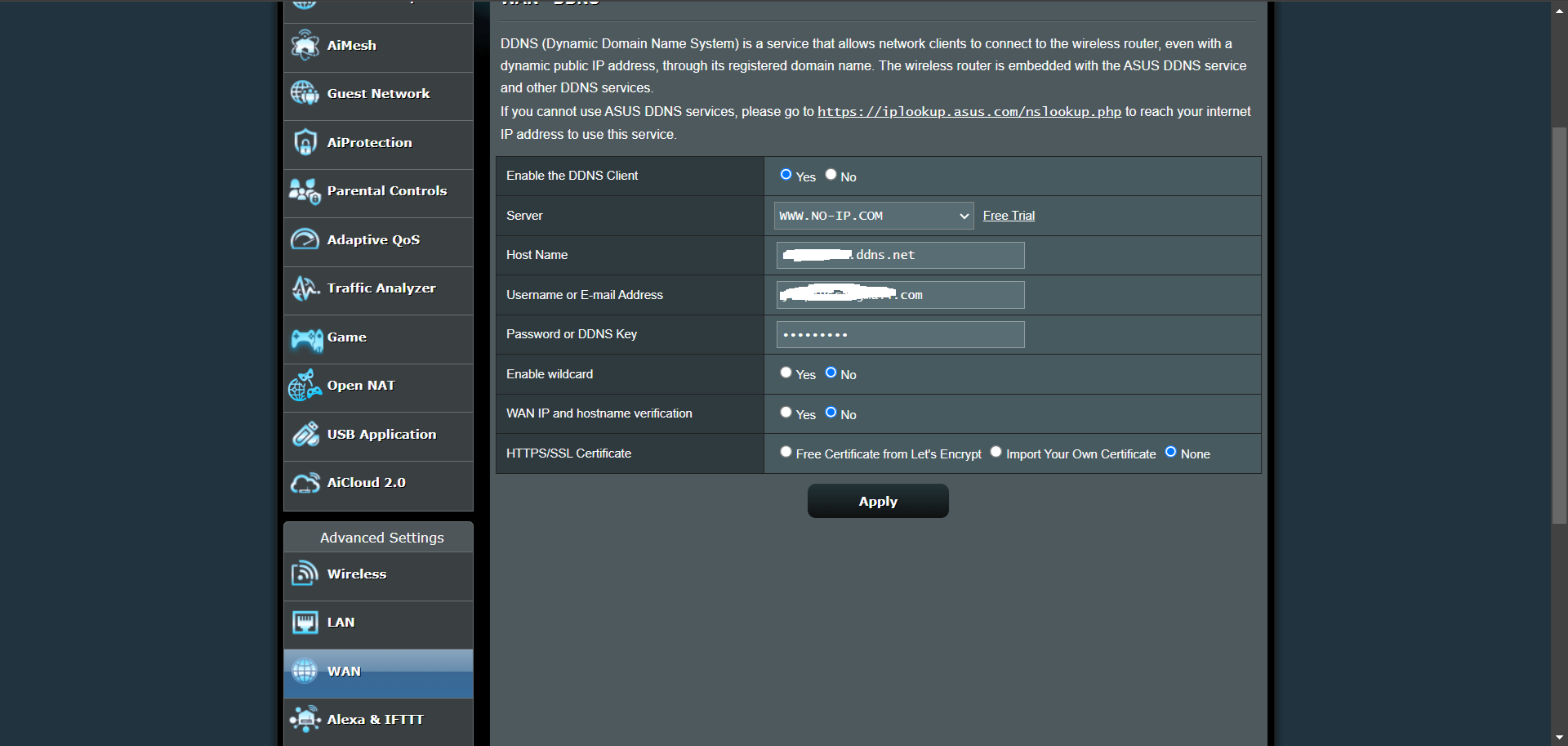
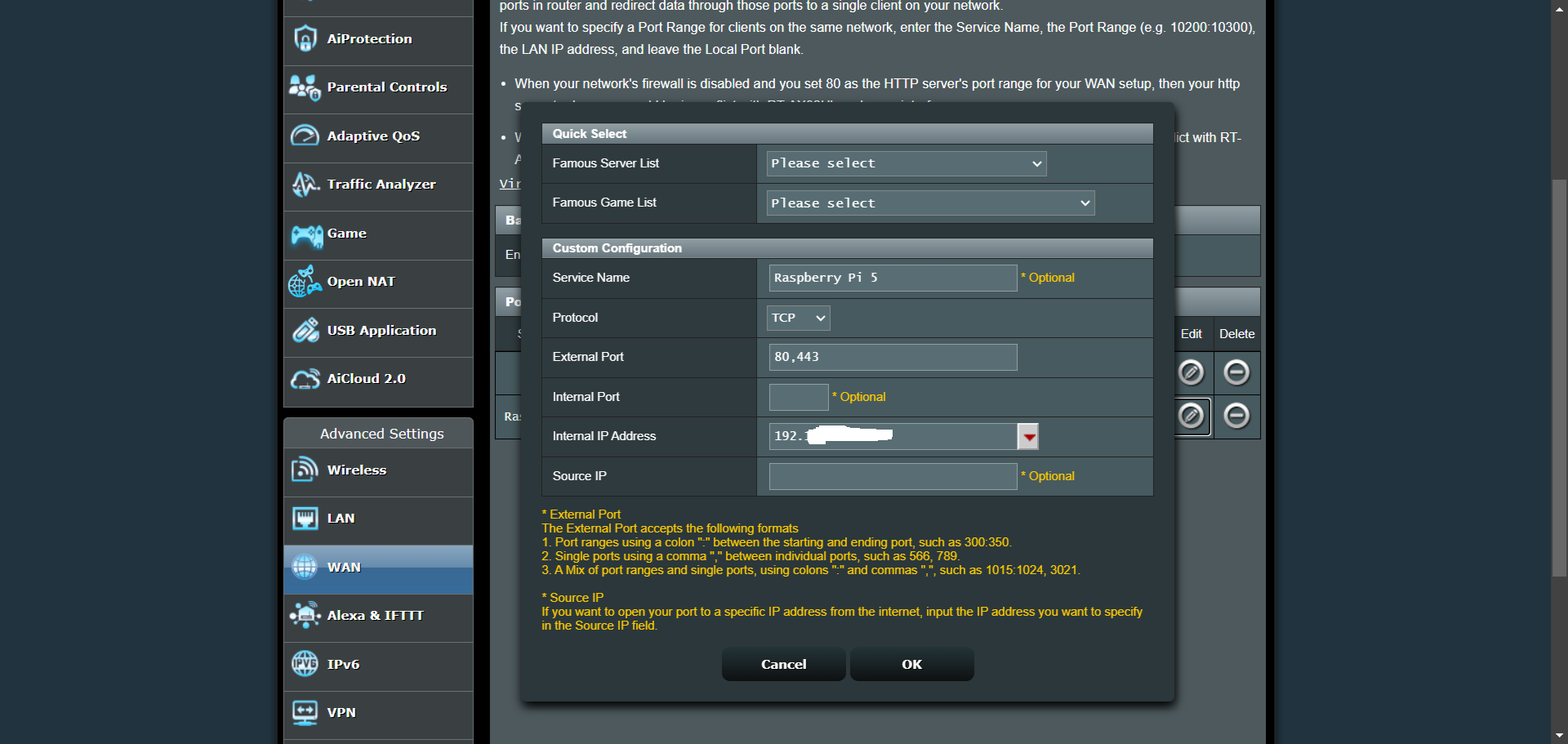
My modem is a modem/router combo. Do i still need a new router?
Which Asus router you are currently using?
Which model should i go with based on your recommendation?
be careful with this. some ISP don’t like other device except their own one. Check with your provider beforehand.
Maybe your ISP has a support forum, you can ask other users how so get external access on port 80.
One thing we could try in addition. You can create a new port forwarding on your router for testing purposes. Setup external port 80808 and forward it to your internal DietPi device on port 80. From external internet, try to reach your external IP address on http://aa.bb.cc.dd:80808
Sure i’ll check with them. Unfortunately they don’t even have a support forum.
I tried port:3030 for testing as port:80808 is invalid. Tested it. no luck.
ok just to check other options, what is the reason to connect back home? Just to access NextCloud? Maybe you can describe the use case.
I want to use an app called Passwords on nextcloud, password for nextcloud on ios which is required me to have secure https.
I guess this also apply to vaultwarden.
oh ok, in this case you need to find a way to get port forwarding working.