Kernel version | Linux DietPi 6.18.5-current-meson64 #1 SMP PREEMPT Sun Jan 11 14:26:20 UTC 2026 aarch64 GNU/Linux
Architecture | arm64
Hardware model | Odroid HC4 (aarch64) (ID=17)
Power supply | (EG: RAVPower 5V 1A)
SD card | (EG: SanDisk Ultra 16 GB)
Steps to reproduce:
…
…
Expected behaviour:
…
Actual behaviour:
…
Extra details:
…
Additional logs:
Hit:1 https://deb.debian.org/debian trixie InRelease
Hit:2 https://deb.debian.org/debian trixie-updates InRelease
Hit:3 https://deb.debian.org/debian-security trixie-security InRelease
Hit:4 https://deb.debian.org/debian trixie-backports InRelease
Get:5 https://downloads.plex.tv/repo/deb public InRelease [7099 B]
Get:6 https://pkgs.tailscale.com/stable/debian trixie InRelease
Hit:7 https://dietpi.com/apt trixie InRelease
Hit:8 https://repo.mosquitto.org/debian trixie InRelease
Hit:9 https://dietpi.com/apt all InRelease
Reading package lists...
W: https://downloads.plex.tv/repo/deb/dists/public/InRelease: Policy will reject signature within a year, see --audit for details
E: Repository 'https://downloads.plex.tv/repo/deb public InRelease' changed its 'Origin' value from 'Artifactory' to 'Plex Media Server Repository'
E: Repository 'https://downloads.plex.tv/repo/deb public InRelease' changed its 'Label' value from 'Artifactory' to 'Plex Media Server Repository'
It seems plex screwed it but have a look at it guys.
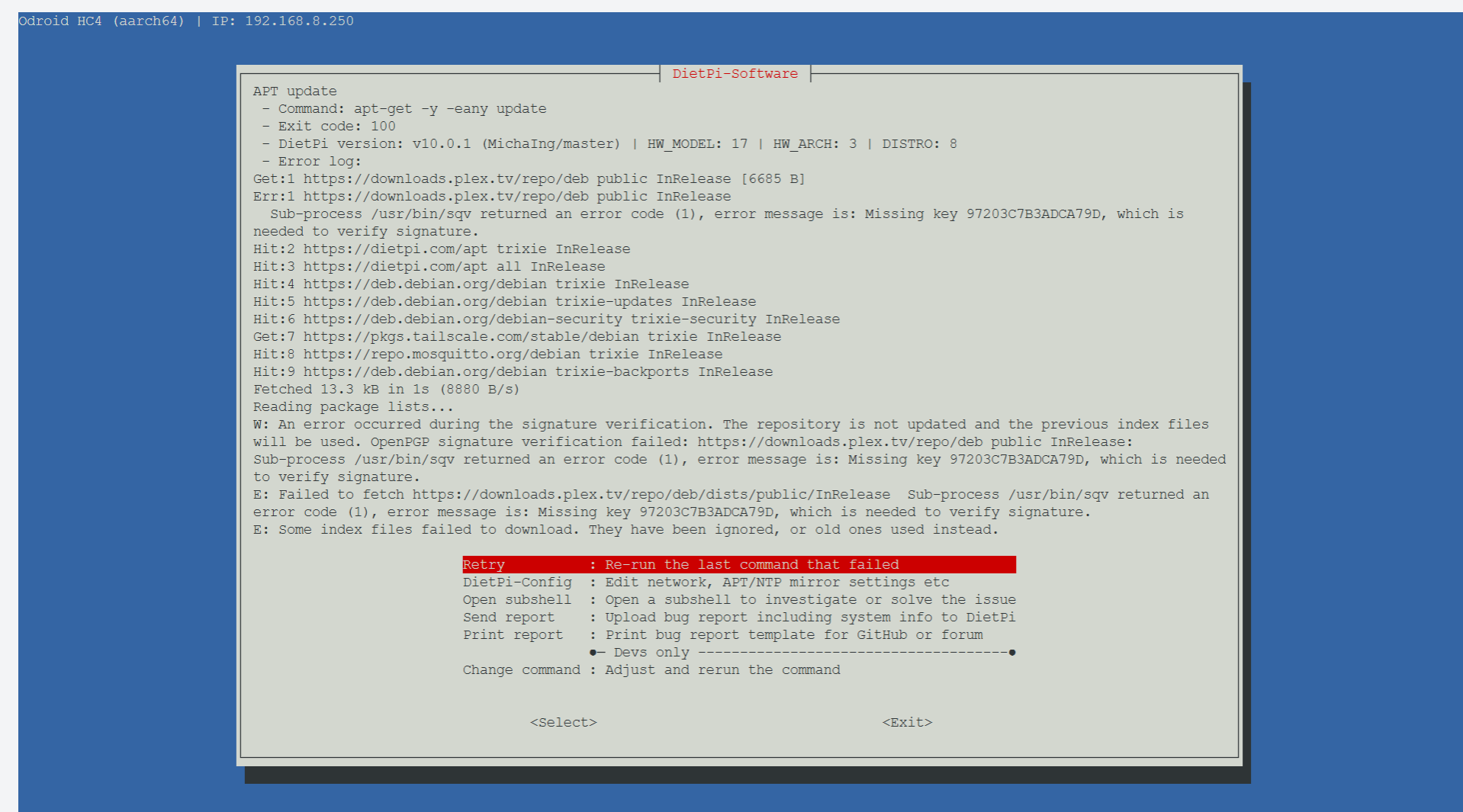
I tried to replicate this but I got another error:
APT update                                                                                                           │
  │  - Command: apt-get -y -eany update                                                                                  │
  │  - Exit code: 100                                                                                                    │
  │  - DietPi version: v10.-1.0 (MichaIng/master) | HW_MODEL: 20 | HW_ARCH: 10 | DISTRO: 8                               │
  │  - Error log:                                                                                                        │
  │ Hit:1 https://deb.debian.org/debian trixie InRelease                                                                 │
  │ Hit:2 https://deb.debian.org/debian trixie-updates InRelease                                                         │
  │ Hit:3 https://deb.debian.org/debian-security trixie-security InRelease                                               │
  │ Hit:4 https://deb.debian.org/debian trixie-backports InRelease                                                       │
  │ Hit:5 https://dietpi.com/apt trixie InRelease                                                                        │
  │ Hit:6 https://downloads.plex.tv/repo/deb public InRelease                                                            │
  │ Err:6 https://downloads.plex.tv/repo/deb public InRelease                                                            │
  │   Sub-process /usr/bin/sqv returned an error code (1), error message is: Missing key                                 │
  │ CD665CBA0E2F88B7373F7CB997203C7B3ADCA79D, which is needed to verify signature.                                       │
  │ Reading package lists...                                                                                             │
  │ W: An error occurred during the signature verification. The repository is not updated and the previous index files   │
  │ will be used. OpenPGP signature verification failed: https://downloads.plex.tv/repo/deb public InRelease:            │
  │ Sub-process /usr/bin/sqv returned an error code (1), error message is: Missing key                                   │
  │ CD665CBA0E2F88B7373F7CB997203C7B3ADCA79D, which is needed to verify signature.                                       │
  │ E: Failed to fetch https://downloads.plex.tv/repo/deb/dists/public/InRelease  Sub-process /usr/bin/sqv returned an   │
  │ error code (1), error message is: Missing key CD665CBA0E2F88B7373F7CB997203C7B3ADCA79D, which is needed to verify    │
  │ signature.                                                                                                           │
  │ E: Some index files failed to download. They have been ignored, or old ones used instead.
E: Repository 'https://downloads.plex.tv/repo/deb public InRelease' changed its 'Origin' value from 'Artifactory' to 'Plex Media Server Repository'
E: Repository 'https://downloads.plex.tv/repo/deb public InRelease' changed its 'Label' value from 'Artifactory' to 'Plex Media Server Repository'
Hmm can you share
ls /etc/apt/sources.list.d/
cat  /etc/apt/sources.list.d/plexmediaserver.list
root@DietPi:\~# ls /etc/apt/sources.list.d/
dietpi-mosquitto.list  dietpi.list  plexmediaserver.list  tailscale.list
root@DietPi:\~# cat  /etc/apt/sources.list.d/plexmediaserver.list
deb \[arch=arm64 signed-by=/usr/share/keyrings/plexmediaserver.gpg\] https://downloads.plex.tv/repo/deb public main
root@DietPi:\~# apt update
Hit:1 https://deb.debian.org/debian trixie InRelease
Get:2 https://deb.debian.org/debian trixie-updates InRelease \[47.3 kB\]
Hit:3 https://deb.debian.org/debian-security trixie-security InRelease
Get:4 https://deb.debian.org/debian trixie-backports InRelease \[54.0 kB\]
Hit:5 https://dietpi.com/apt trixie InRelease
Get:6 https://pkgs.tailscale.com/stable/debian trixie InRelease
Get:7 https://downloads.plex.tv/repo/deb public InRelease \[7099 B\]
Error: Repository ‘https://downloads.plex.tv/repo/deb public InRelease’ changed its ‘Origin’ value from ‘Artifactory’ to ‘Plex Media Server Repository’
Error: Repository ‘https://downloads.plex.tv/repo/deb public InRelease’ changed its ‘Label’ value from ‘Artifactory’ to ‘Plex Media Server Repository’
Notice: This must be accepted explicitly before updates for this repository can be applied. See apt-secure(8) manpage for details.
Do you want to accept these changes and continue updating from this repository? \[y/N\]
But it should also work to just remove the existing local package lists
/boot/dietpi/func/dietpi-set_software apt clean
Hence also this is not an issue on a fresh install. The list info is stored in the respective /var/lib/apt/lists/*_InRelease file. If it exists, and info does not match, one gets the warning. Else, it is freshly downloaded without warning.
This happened at the attempt to update to DietPi v10.1?
If so did you install PMS via dietpi-software?
If so where is the Plex .list file now stored?
ls -l /etc/apt/sources.list.d
The update fixes this (prior to the apt-get update attempt) only if Plex was installed via dietpi-software. It removes all known possible locations of the list (and keys), from Plex docs and different versions of their DEB package, an creates them freshly in new format for the new repo. Possible that we missed another location used or suggested in the curse of this issue.
EDIT: Ah I see this is from a dietpi-software execution, not an update. So yeah, run dietpi-update to fix it.
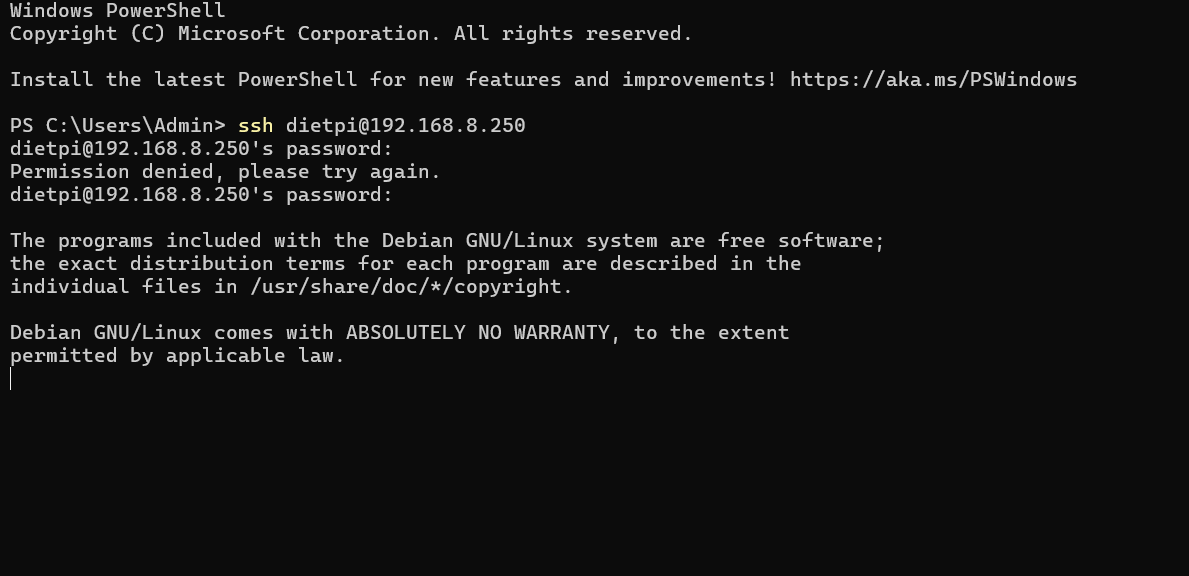
Ok trauble again. I had done all upgrades till. 10.2.1 and now i did 10.2.3 (plexserver was there) and not I can not log in into root or dietpi via ssh ;-(.
However I can load Plex via web and it seems working. But Radarr, Sonarr, Bazarr, Sabnzb do not load. HA also do not load at all, Dashboard works to File manager, and Stats. So I can remover maybe some files.
I pawer off and on, no luck.