Creating a bug report/issue
I have searched the existing open and closed issues
Required Information
- DietPi version |
cat /boot/dietpi/.version - Distro version |
echo $G_DISTRO_NAME $G_RASPBIAN - Kernel version |
uname --all - Architecture |
dpkg --print-architecture - SBC model |
echo $G_HW_MODEL_NAMEor (EG: RPi3) - Power supply used | (EG: 5V 1A RAVpower)
- SD card used | (EG: SanDisk ultra)
Additional Information (if applicable)
- Software title | (EG: Nextcloud)
- Was the software title installed freshly or updated/migrated?
- Can this issue be replicated on a fresh installation of DietPi?
← If you sent a “dietpi-bugreport”, please paste the ID here → - Bug report ID |
echo $G_HW_UUID
Steps to reproduce
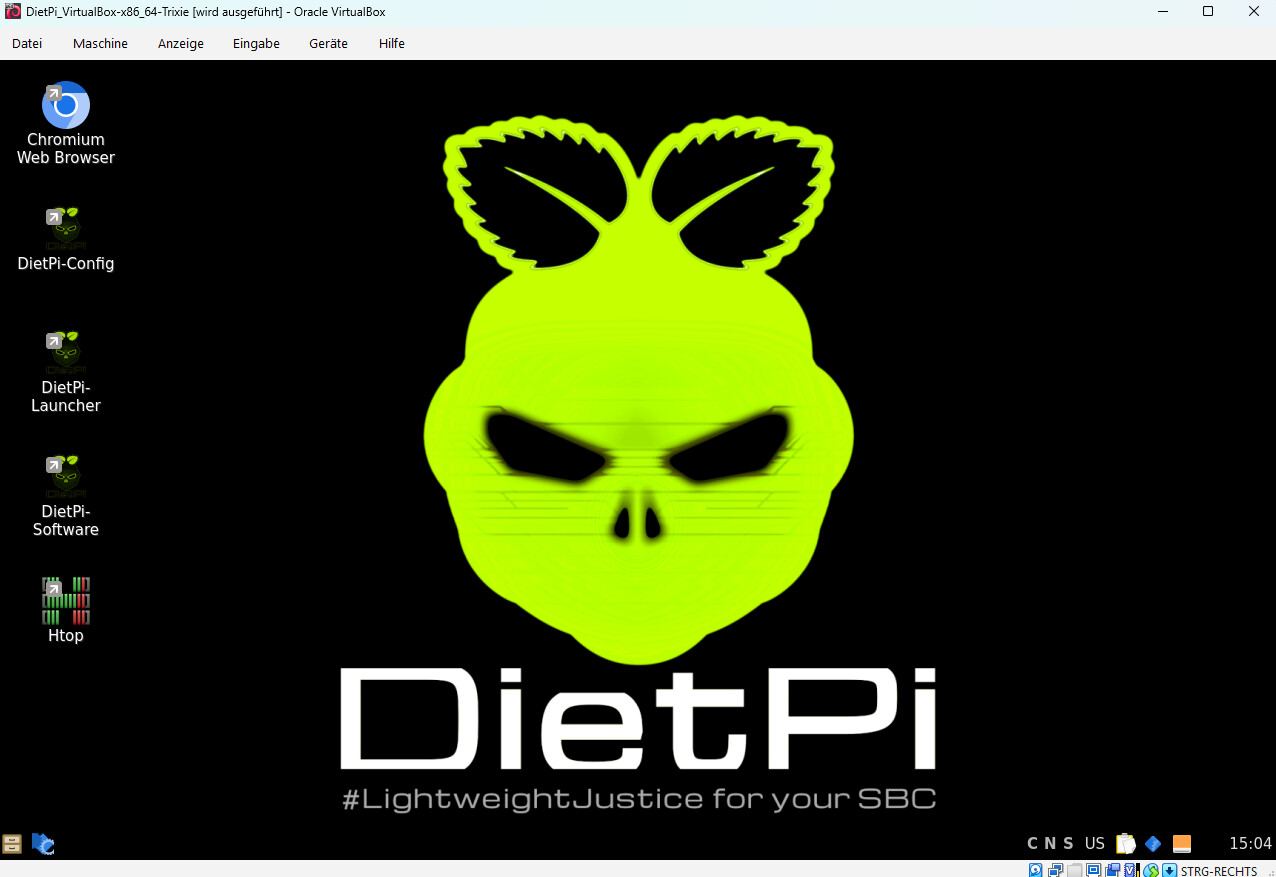
- … Go to dietpi-software
- … Select LXQT
Expected behaviour
- … A usable LXQT Gui should be installed
Actual behaviour
- … A unusable LXQT is installed, no menu, etc.
Extra details
- … I decided to install XFCE4 instead as long as LXQT will remain like it is