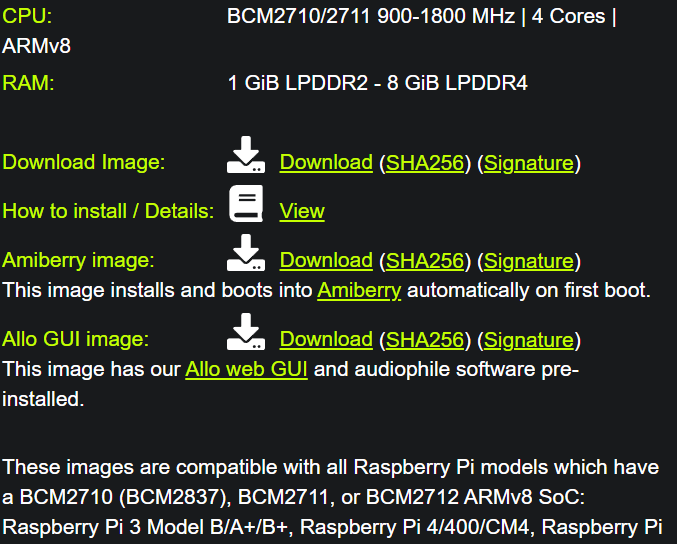
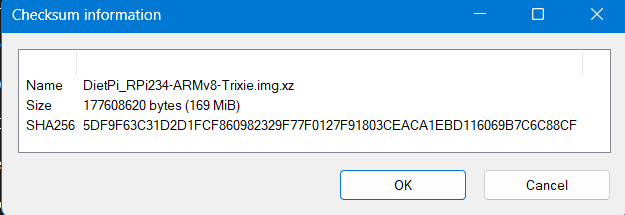
So, I downloaded (1st image) from the web page and checked the hash - I didn’t get a Warm fuzzy:
85cf0b586abc3be2cb10277f5c5156ab32f81413c97d8eaec358153237ca1bc3 DietPi_RPi234-ARMv8-Trixie.img.xz
5DF9F63C31D2D1FCF860982329F77F0127F91803CEACA1EBD116069B7C6C88CF SHA256: as given Win11
Ideas?
Thanks! Form search failed for me. Cloudflare
I will be trying the following:
How to Fix / Avoid Hash Mismatches
Nothing you can do your end.
As mentioned in the GitHub issue, the hash on our server is correct, matches also the one in your screenshot, but only the Cloudflare cache still serves an outdated version, besides a cache purge has been requested. We could purge the cache again, which would solve it, but lowers the chance the Cloudflare is (able to) investigating the underlying issue, why their edge server(s) ignored the API request in the first place. So we are leaving it like that intentionally for now.
This weekend, DietPi v9.19 is released, after which new images are built, which solves the issue naturally. We are using a different recursive/prefix purge API request in this case, which seems to not suffer from the issue. This happened only since we updated RPi images in between due to an important package update affecting first boot, and used single file cache purge requests afterwards, which is affected by the bug.