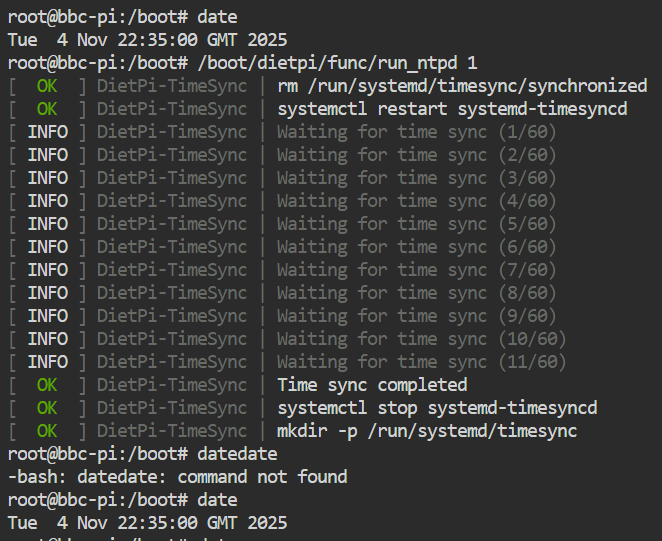
My PI 3 was running slow by 20 seconds. That was a bit of a surprise. (v9.18 diet-pi)
Qu: How can I force an update of the time “now”?
I can read time with “date”, but not “timedatectl status”. Was getting lost with other options.
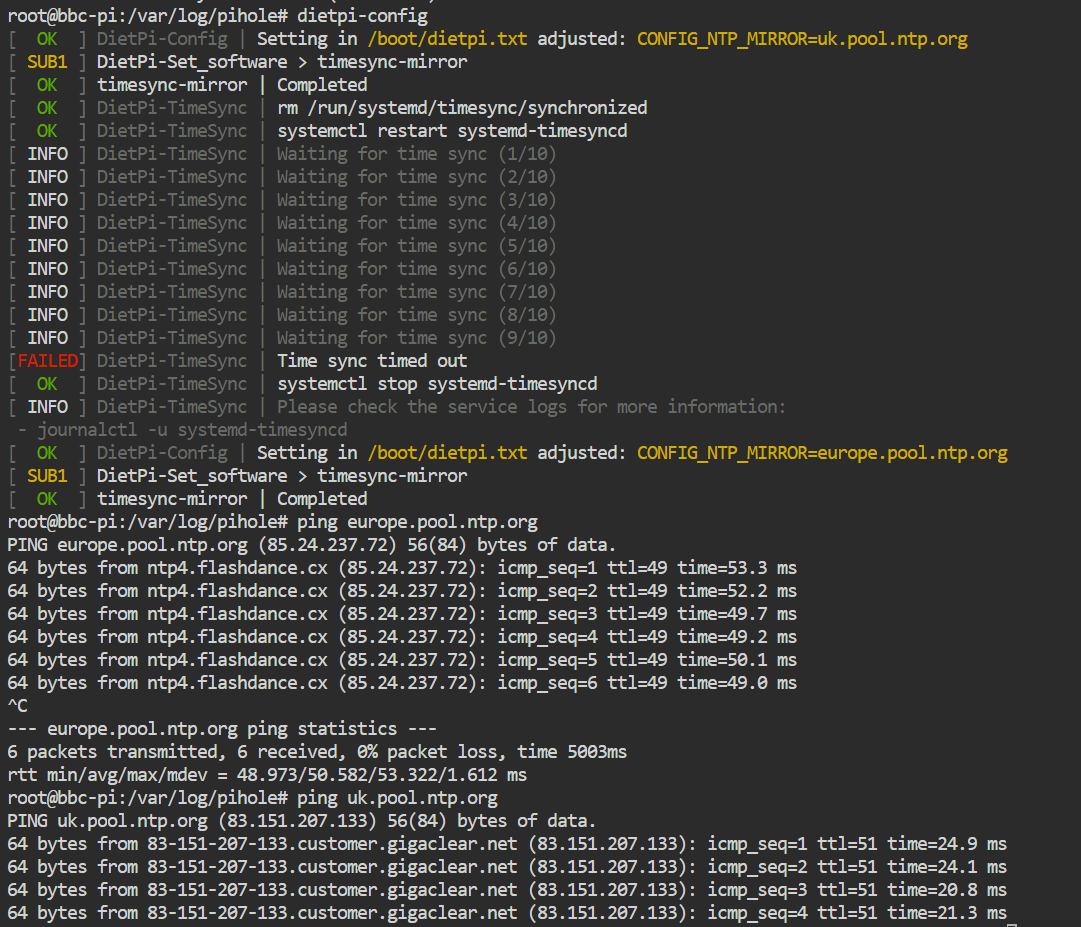
Tried going into dietpi-config to update the timeservers to the uk.pool.ntp.org but that failed on me as it said it could not set the time.
Next I checked for a dietpi-update. Bonus, first thing it does is force the time to sync. (And I didn’t need an update) Now my time is correct again. Time corrected by the attempted update.
Puzzle - why can I now go into dietpi-config and set the time servers to uk.pool.ntp.org? Is that due to my clock now being accurate?
Do I guess that the original attempt to change the time servers failed due to my clock being so far out? What was different about how the clock was sync’d during the dietpi-update check?
Is that a bug?
And it would still be good to know how to actually set the time on a PI…
#  This file is part of systemd.
#
#  systemd is free software; you can redistribute it and/or modify it
#  under the terms of the GNU Lesser General Public License as published by
#  the Free Software Foundation; either version 2.1 of the License, or
#  (at your option) any later version.
#
# Entries in this file show the compile time defaults.
# You can change settings by editing this file.
# Defaults can be restored by simply deleting this file.
#
# See timesyncd.conf(5) for details.

[Time]
#NTP=
#FallbackNTP=0.debian.pool.ntp.org 1.debian.pool.ntp.org 2.debian.pool.ntp.org 3.debian.pool.ntp.org
#RootDistanceMaxSec=5
#PollIntervalMinSec=32
#PollIntervalMaxSec=2048
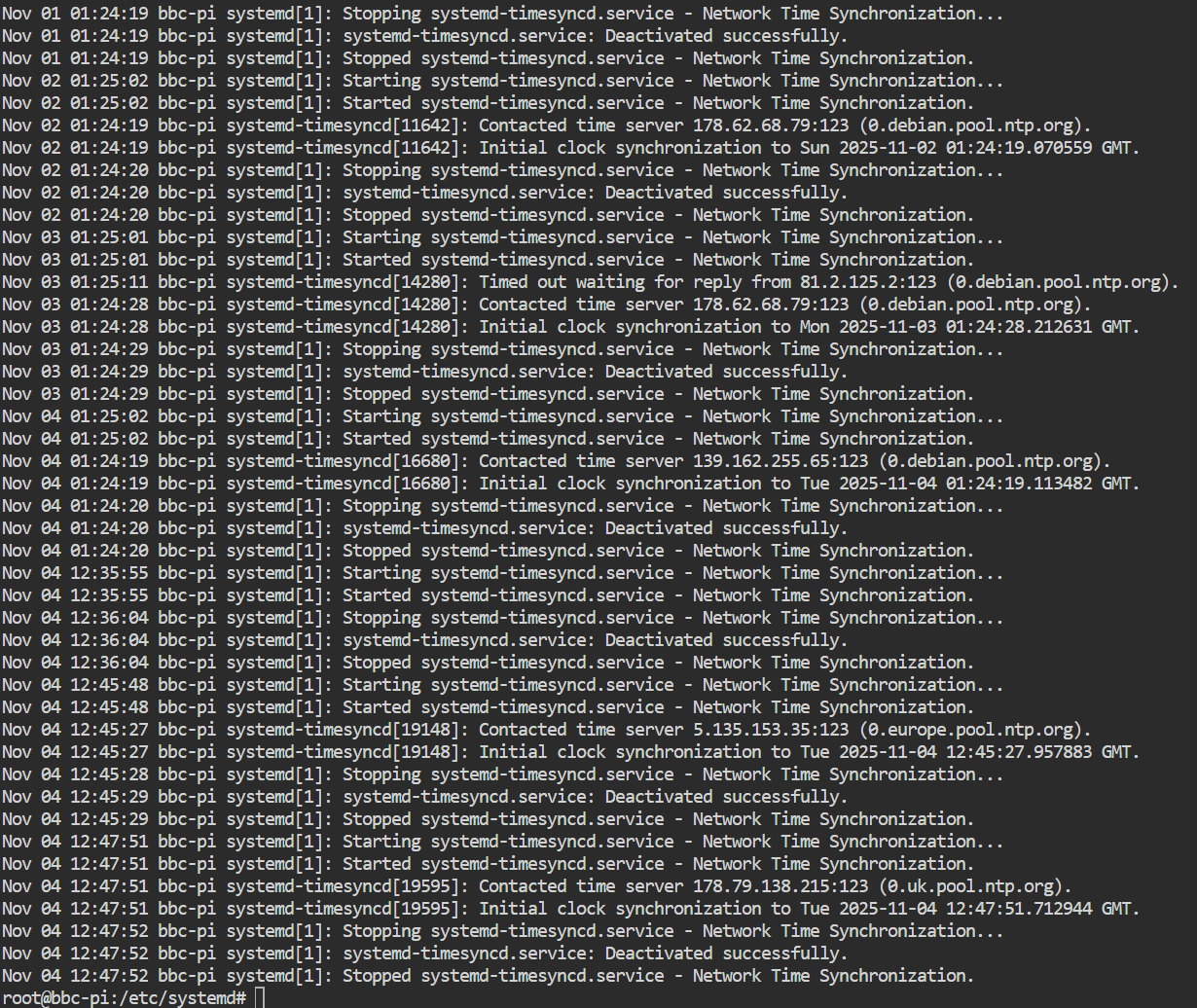
So ignore what I said before. I guess this is why Debian as still on a default from somewhere… but don’t know where the Europe came from in dietpi-config
Thanks. I had read that bit about debian being the default, but was a little confused as old memory of mine told me I had setup this up on a more local NTP pool. Guess maybe not.
I’m going to keep an eye on this PI3 now. A drift of 20 seconds in 12 hours seems a bit extreme.
I have not touched those kinds of settings. Intentionally left things at stock. On an official PSU. This only really runs Pi-Hole and acts as house DNS.
I have no idea what those should be set at. So have left well alone.
It is only because I tried to use it as an NTP server on the network did I start looking at this stuff. Seeing large jitter\offset values when compared with external NTP made me start digging. Which is when I found the 20second discrepancy.
This PI3 is shockingly badly off with the clock. I checked just now, 10 hours later. And it is another 20 seconds out. Thanks to the command supplied I can now request a sync… but that fails on the first 10 attempts. Which kinda matches the earlier situation where it only tried 9 times before giving up.
The funny part of the above image is the clock was 20 seconds out at the start… and then the fix took 20 seconds to complete. So it looks like time stood still while the clock corrected
What makes me curious are the 11 attempts required to sync. This explains why that initial attempt of changing the NTP server fails as it is just too slow to respond for ten tries.
Don’t know why it is so slow… a second attempt gets a reply on the first try.
Next question to self - do I swap to a PI4, which would mean scrapping the PI3? Or do I get it a RTC chip? As it stands this thing is loosing two seconds an hour.
Hmm what do you run on the RPi 3? Do you have an external drive connected by any chance or something which could draw some power, which could influence the device?
Since the RPi 3 has no RTC, the precision of the SoC clock is influenced by CPU temperature and voltage fluctuations. So some seconds drift per hour are expected. Maybe you are a bit unlucky with your device.
Because of this problem, a sync is executed on boot and on daily basis (by default). You can change this behaviour within /boot/dietpi.txt file.
With RPi 3 in particular, also from other RPi models but less often/critical, we know that reducing the min/idle CPU frequency too much causes the clock to run too slow. We already raised the possible minimum that can be set in dietpi-config to 300 MHz, but there are individual boards which have issues with that as well, and rare cases even show this behavior with default idle clock. There are some good and some bad chips, sadly.
You can address this with hourly time sync mode, or daemon mode, depending on how precise it needs to be. Or of course raise the minimum frequency … oh, I just recognized we removed the option completely for anything below RPi 4, for this reason … and I remember there were even more critical issues in a few cases: RPi hangs and crashes with lowered idle/min clock on Linux 5.4.51+ · Issue #3690 · MichaIng/DietPi · GitHub
… if I remember correctly it is even ignored by the RPi firmware on these models.
for i in /sys/devices/system/cpu/cpufreq/policy[0-9]*
do echo 900000 > "$i/scaling_min_freq"
done
Applies 900 MHz min/idle frequency. See whether it changes something. Of course might not be a great solution due to higher power consumption => heat emission.
To check which frequencies are available:
for i in /sys/devices/system/cpu/cpufreq/policy[0-9]*
do cat "$i/scaling_available_frequencies"; echo
done
AFAIK there is more possible between 600 and 900. Maybe 700 and maybe this solves the issue already.
I had seen that option and was considering it. Would still be out by two seconds at the end of the hour, but would keep things closer.
This PI has no external items attached. Ethernet, no wifi. Runs Pi-Hole and Unbound. Is the DNS for this geeky house with between six to twelve devices. Something is constantly chattering at it. Decent power supply. Shares a UPS. Temps shown above at 42C. Got to 50 in the summer but then stuck a laptop cooling pad under it.
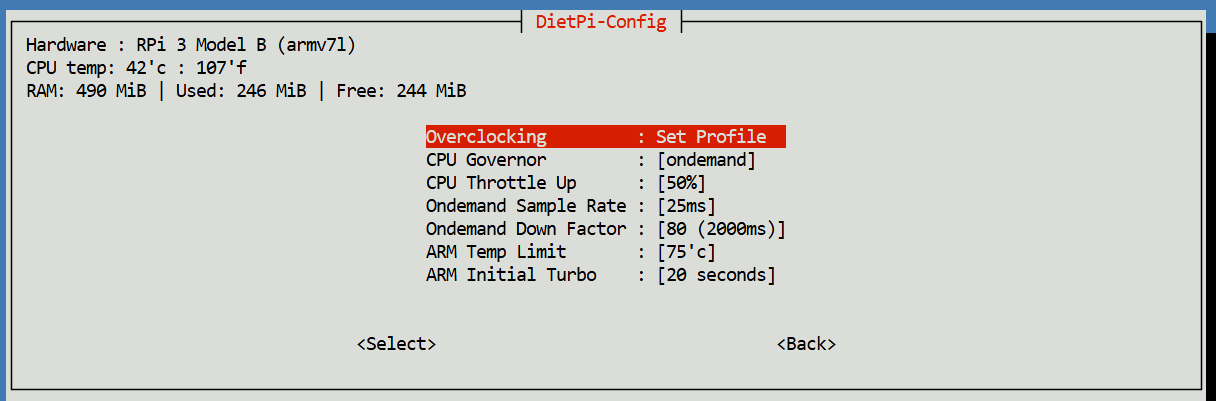
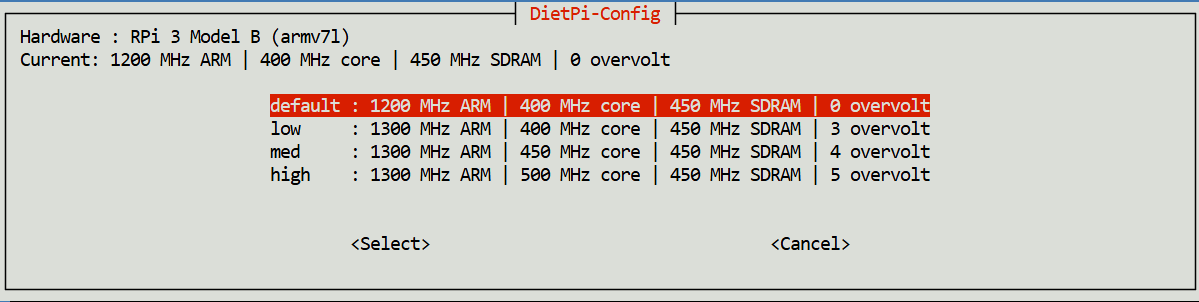
@MichaIng you mention about not reducing the CPU frequency. As far as I know this is still left on stock (screenshots above). I have never actually touched it so don’t know what is should be.
I tested for which CPU frequencies are available and it listed 600000 to 1200000. So I have made a tweak of trying 700000 for now and see what happens.
Doing a quick check now of the slippage since I last looked it is consistent. @07:35 it is 12 seconds out since the daily OS sync at @01:24.
Thanks for the assistance from both of you. Digging into stuff like this always means learning something new. The fun part of a PI.
An RTC chip is cheap will grab one and hack that into place. Following a combo of this and this
I don’t really want to scrap this old board yet if I can avoid it.
I don’t think you need the RTC chip. My Pi3 runs the same things as you. In addition, I’ve made it NTP server on my network using Chrony. Keeps time well, needing to resync every 1040 seconds to maintain accuracy.
As said, there were some cases where the clock ran too slow even with stock idle frequency. Not only on RPi 3, but I remember a case with RPi 4 as well. Hence the test to raise it a bit.
Otherwise running systemd-timesyncd in daemon mode (mode 4) is really standard as well. It is a DietPi-specific thing to run it only daily by default, to save those few MiB of memory, hence these slow clock issues they stand out here, but not so much on e.g. RPi OS. Chrony as mentioned by jetspeed is an alternative, usually gives higher sub-seconds precision, but is usually overkill. IMO makes sense only when using its sync across LAN feature with multiple Chrony instances. Anyway before paying money for another piece of hardware which requires batteries again to do its job, as long as you do have commonly Internet access, I would go with any time sync daemon. Start with time sync mode 4, utilizing the native system tool in daemon mode, and see how it goes.
Unless you have a reason (running out of RAM or have extreme power saving needs) set it to 4. Even if you are running out of RAM, it is less than 1MB.
I’d vote for ‘4’ to be put back as default but my vote doesn’t count for anything.
The description in dietpi-config isn’t really accurate,
“systemd-timesyncd will run as a background daemon/service. Differences in time will be gradually adjusted over time, rather than instantly.”
makes it sound like the clock will be incorrect for long periods of time. When started after a reboot it corrects the time instantly, then while running, it calculates the system’s drift and adjusts the clock with the drift so it runs accurately.
As a chip is only a fiver, it is in the post somewhere. One of those EBay purchases that says it is in the UK, but takes the same length of time as if it came from China…
Tried tweaking the processor speed, but didn’t really change the time slip. Bumped up to the hourly but this is still losing a second or more an hour. Which is relatively large.
Ah, so that is what option 4 means? Okay. I’ll give that a go now before putting the RTC chip in. Even when I was doing my dumb “what’s the time now” tests and comparing to other devices the loss was consistent.
Indeed, it is somewhat misleading. The aim was to explain the difference between systemd-timesyncd and a full NTP daemon, or essentially SNTP vs NTP. While differences could fill a full page, this sentence from the manpage might be sufficient for our menu:
This minimalistic service will step the system clock for large offsets or slowly adjust it for smaller deltas.
So this smaller drift adjustment vs continuous full sync is what can cause a larger diff, but usually all within a fraction of a second. So full NTP is needed only for real high precision applications where sub-seconds/milliseconds precision is required.
More like 5-10 MiB (e.g. 8 MiB on our server at time of writing), but yeah, usually not a problem.