Creating a bug report/issue
I have searched the existing open and closed issues
Required Information
- DietPi version |
cat /boot/dietpi/.version9 - Distro version |
echo $G_DISTRO_NAME $G_RASPBIANTrixie - Kernel version |
uname --all Linux DietPI 6.12.57current-rockchip64 #1 SMP PREEMPT - Architecture |
dpkg --print-architecture ARM64 - SBC model |
echo $G_HW_MODEL_NAMEor (EG: RPi3) Radxa Zero 3 aarch64 - Power supply used | (EG: 5V 1A RAVpower) 5v 1A
- SD card used | (EG: SanDisk ultra) eMMC 8GB
Additional Information (if applicable)
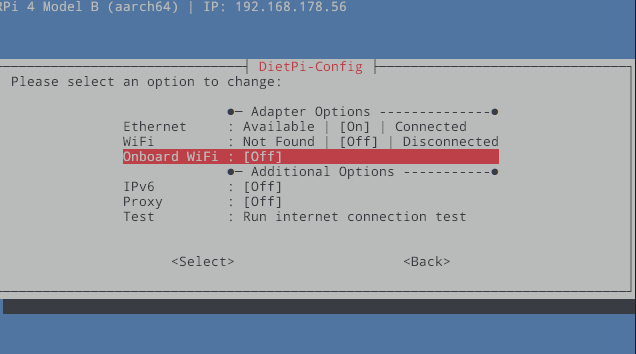
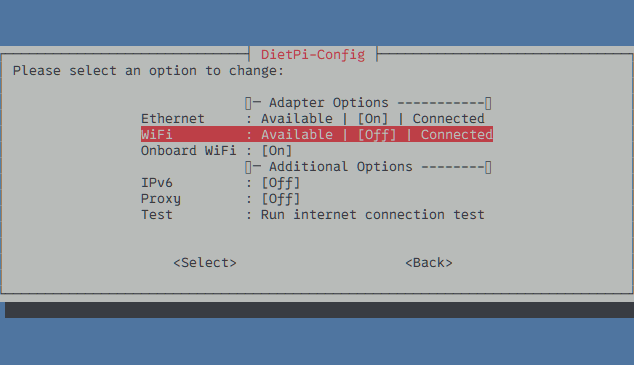
So I have an 8x Radxa Zero 3 all running Diet Pi Trixie and its awesome. But I set those up a few months ago and now I have gone to setup some new ones and when I go to dietpi-config and network adpaters it won’t turn on the wifi, wants to delete a bunch of wifi related packages. I tried downloading Porky and Bookworm DietPi_RadxaZero-ARMv7-Trixie.img.xz but I’m not sure if v7 was a thing or not. Is there a possible fix for this issue on v8 , or does anyone have a link for v7?
Steps to reproduce
-
Enter Maskrom mode by powering up and holding down the button
-
Flash Boot Loader with rkdeveloptool & I used this one as I have used it previously without issue: rk356x_spl_loader_ddr1056_v1.12.109_no_check_todly.bin
3.UNXZ DietPi_RadxaZero-ARMv8-Trixie.img.xz
4.Flash device with DietPi_RadxaZero-ARMv8-Trixie.img
5.Reboot device up it will fail loading beacuse of no wifi and you can selected dietpi-config goto network adapters and then you will be stuck in infinite loop of not getting it to even turn on let alone scan. -
…
-
…
Expected behaviour
Wifi to turn on and then scan for wifi network and carry on with the install/setup
- …
Actual behaviour
cannot get wifi
- …
Extra details
Sorry I am a moron and its probably something simple.
- …