Proper way to move from vendor to mainline kernel?

Hey all, I have a 32GB Orange Pi 5 + I use to run a bunch of docker containers. I was reading through the github issue about CVE-2026-31431 (“Copy-Fail”) and saw this:

for RK3588 SBCs, one would need to switch to mainline Linux, which is strongly 
recommended anyway (and includes tons of more closed CVEs since 6.1.115), 
unless certain features are needed, e.g. missing WiFi driver for some of 
the Orange Pi 5 variants.

and figure that given that I am not using anything beyond the ethernet PHY and the CPU, there’s no reason to continue running a very old vendor kernel, I just stuck with what diet pi came with when I switched from Armbian. That said, I am not sure what the “right” way to do this in diet pi land is and want to avoid breaking anything or making upgrades a nightmare later.

Side note: if I hadn’t gotten this board for well under retail a year or so ago, I would be furious at how bad rockchip hardware support is. I am annoyed as it is but given that they are listed at $499 some places… yikes.

Thanks in advance!

something @MichaIng can answer I guess.

See the edit in the first post: linux-image-vendor-rk35xx was built with the affected driver disabled, hence no action needed there.

But switching to mainline Linux is recommended regardless. Naturally, the ancient Linux 6.1.115 has tons of other (less several) unpatched CVEs. The Orange Pi 5 Plus also does not use an onboard WiFi chip that wouldn’t be supported by mainline Linux (like Orange Pi 5 Max and Ultra).

To switch:

packages=()
dpkg-query -l | grep -q '^ii[[:blank:]]*linux-headers-vendor-rk35xx[[:blank:]:]' && packages+=('linux-headers-current-rockchip64')
dpkg-query -l | grep -q '^ii[[:blank:]]*linux-libc-dev-vendor-rk35xx[[:blank:]:]' && packages+=('linux-libc-dev-current-rockchip64')
G_AGI linux-image-current-rockchip64 "${packages[@]}" linux-u-boot-orangepi5-plus-current
G_AGP linux-{image,dtb,headers,libc-dev}-vendor-rk35xx
[[ -d '/boot/dtb' ]] || sudo dpkg-reconfigure linux-image-current-rockchip64
/boot/dietpi/func/dietpi-set_hardware flash-u-boot-mmc
sudo sed --follow-symlinks -i 's/ttyFIQ0/ttyS2/' /boot/dietpiEnv.txt
if systemctl -q is-enabled serial-getty@ttyFIQ0
then
	/boot/dietpi/func/dietpi-set_hardware serialconsole 0 ttyFIQ0
	/boot/dietpi/func/dietpi-set_hardware serialconsole 1 ttyS2
fi

And if you boot from M.2 or USB, flash U-Boot to SPI storage as well via dietpi-config Advanced Options.

I saw that it isn’t impacted but the other CVEs and my lack of dependence on things that still aren’t well supported in the mainline kernel makes me think it’s the right call.

Appreciate the really detailed response, I just wanted to make sure there wasn’t some foot gun waiting around the corner. I know you guys try hard to keep things as close to standard debian as possible to avoid things breaking but I wanted to check just in case™

I wanted to clarify the U-boot, I am not running the vendor supplied bootloader to boot from eMMC now, (I believe I am using the diet pi one but it may be from Armbian and a year or so old) does the vendor U-boot not play nicely with the mainline kernel? My experience with U-boot is limited to routers and chromebooks so I just want to make sure before I go in half-informed and fully confident and nuke my system and stay up until 3am getting it reconfigured.

Thanks again for your help!

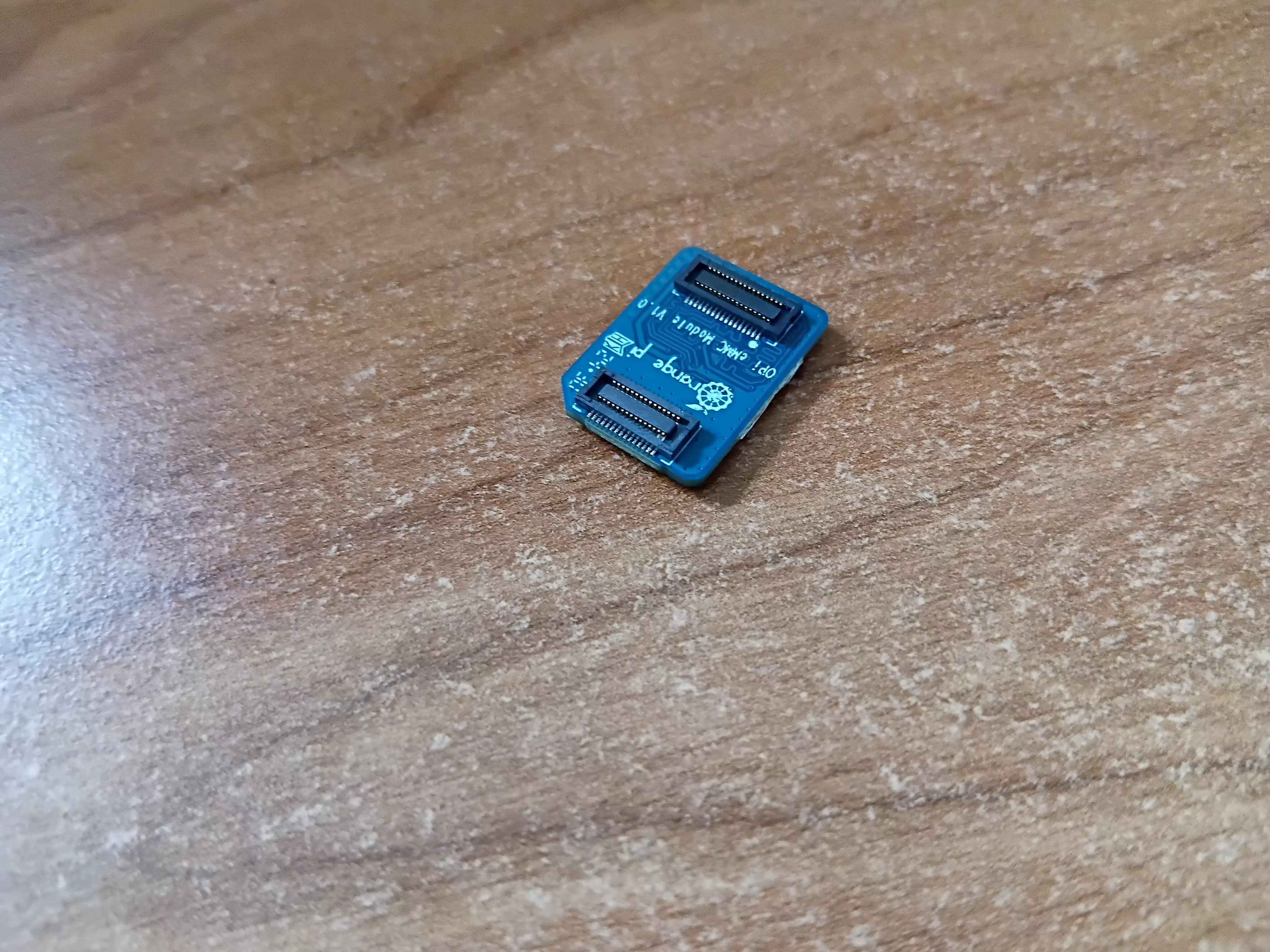
I just tested it, and my Orange Pi 5 Plus boots fine from eMMC with mainline Linux and the new U-Boot. Interestingly, that bootloader even dynamically loads the correct device tree for different Orange Pi 5 variants: Since I have a single eMMC module with those two connector rows only, attached to the Orange Pi 5 Ultra, I switched to mainline kernel + U-Boot for Orange Pi 5 Plus there. And out of interest, I rebooted, and it did still load the Orange Pi 5 Ultra device tree. Plugging that eMMC module to the Orange Pi 5 Plus, it booted the Orange Pi 5 Plus device tree, without me defining it explicitly anywhere. For mainline U-Boot, such is very uncommon, hence I thought it would be still vendor U-Boot, but:

U-Boot SPL 2026.01_armbian-2026.01-S127a-P9249-He141-V7dfd-B1ec4-R448a (May 01 2026 - 22:27:13 +0000)
Trying to boot from SPI
## Checking hash(es) for config config-1 ... OK
## Checking hash(es) for Image atf-1 ... sha256+ OK
## Checking hash(es) for Image u-boot ... sha256+ OK
## Checking hash(es) for Image fdt-1 ... sha256+ OK
## Checking hash(es) for Image atf-2 ... sha256+ OK
## Checking hash(es) for Image atf-3 ... sha256+ OK
NOTICE:  BL31: v2.13.0(release):armbian
NOTICE:  BL31: Built : 22:25:59, May  1 2026
INFO:    GICv3 without legacy support detected.
INFO:    ARM GICv3 driver initialized in EL3
INFO:    Maximum SPI INTID supported: 511
INFO:    BL31: Initializing runtime services
INFO:    BL31: Preparing for EL3 exit to normal world
INFO:    Entry point address = 0x800000
INFO:    SPSR = 0x3c9


U-Boot 2026.01_armbian-2026.01-S127a-P9249-He141-V7dfd-B1ec4-R448a (May 01 2026 - 22:27:13 +0000)

Model: Xunlong Orange Pi 5 Plus

And Armbian explicitly chooses mainline U-Boot for non-vendor branch: build/config/boards/orangepi5-plus.conf at 3ae63519fd2dffcd7d5654e4b51b8bc666415e76 · armbian/build · GitHub

This is a quite big help for me testing new kernel versions on those two SBCs. Another thing I recognized (with mainline kernel), is that the Ethernet interfaces seem to be assigned consistently now:

[    2.626717] r8169 0003:31:00.0 eth0: RTL8125B, c0:74:2b:ff:5b:f2, XID 641, IRQ 130
[    2.627388] r8169 0003:31:00.0 eth0: jumbo features [frames: 16362 bytes, tx checksumming: ko]
[    2.659883] r8169 0004:41:00.0 eth1: RTL8125B, c0:74:2b:ff:5b:f3, XID 641, IRQ 131
[    2.660553] r8169 0004:41:00.0 eth1: jumbo features [frames: 16362 bytes, tx checksumming: ko]

So the outer port is always eth0, the inner one always eth1, without /etc/udev/rules.d/99-dietpi-orangepi5plus.rules. If you do the switch, it would be great if you could test this as well, that after (re)moving that file, the interface names remain attached to the same Ethernet ports. So we could then remove those udev rules on mainline Linux.

One negative thing, though currently not sure whether this was better with vendor kernel: The blue and green LEDs have no trigger applied by default, i.e. only the red power LED remains lid, and one cannot see when the kernel has been loaded, aside of a single short green LED flash. Can be done with dietpi-led_control, but I want to assign heartbeat as default trigger for one of them: If at all, which one is doing the heartbeat with vendor kernel, the green or the blue one? Or any preference about which of the two should blink?

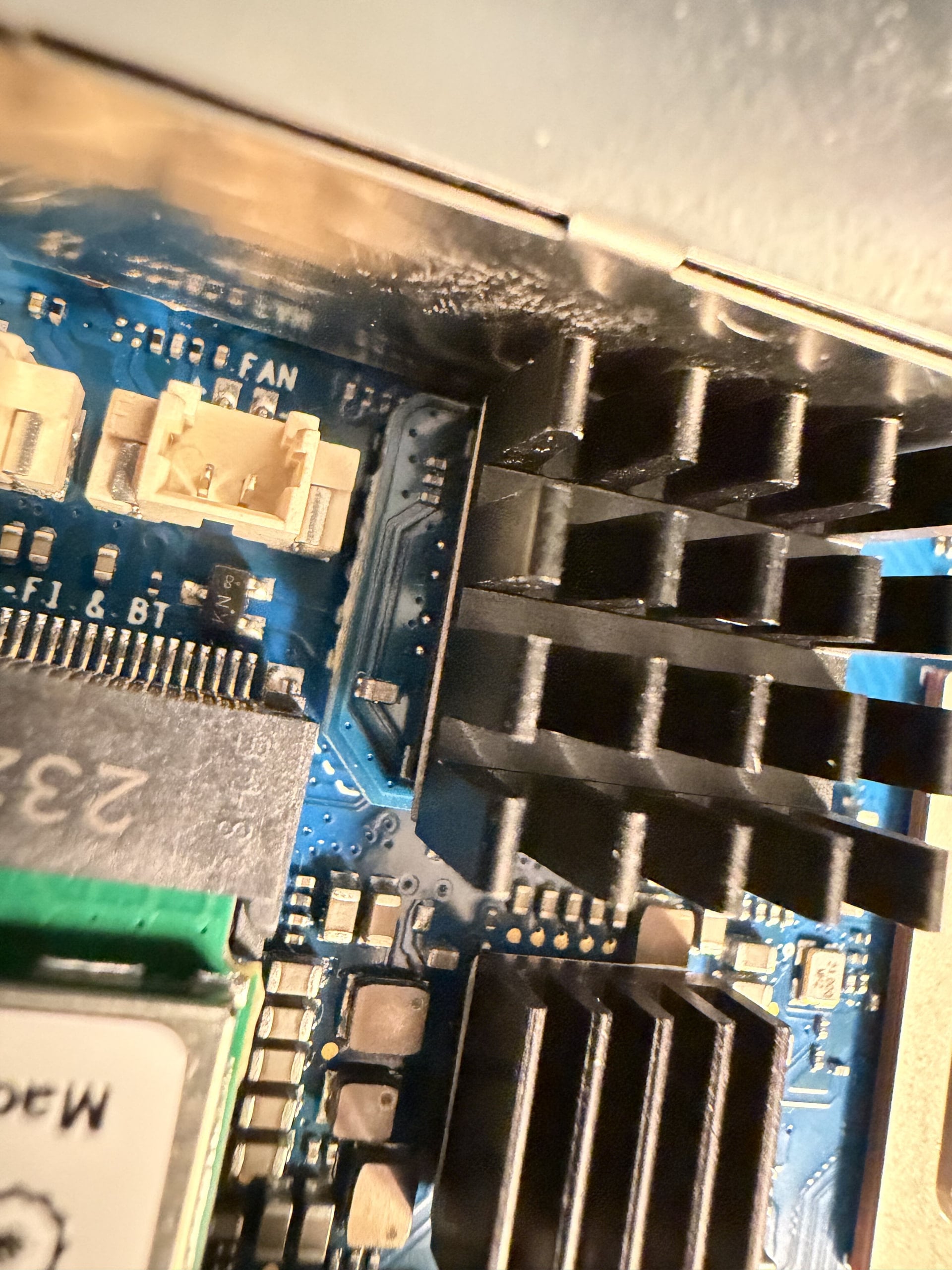
Another hardware question, out of interest: I am not able to attach the eMMC module a way that it looks fully safely plugged with both connector rows. The one at the FAN connector side always stays a bit higher than the one on the other side. It does work, no errors or so, but I have the impression that the FAN connector is located too close to the eMMC slot, preventing the module from being fully plugged without high pressure. Would probably need to file the either the FAN connector or the eMMC module a bit, so that it fully fits :thinking:. Is this the same for you?
That is interesting that it automatically loads the correct tree. Definitely would make developing for the inexplicably high number of OPi5 platforms much easier. Particularly since I just looked earlier and the 256GB eMMC module is now over $70 USD. I was thinking about grabbing a bigger eMMC for my RockPro64 but.. I will wait lol. 32GB is fine.

I’d be happy to do that once I switch over, hoping to have some time tomorrow to do so. Would be great to just have things assigned consistently without needing to have udev rules (I guess I don’t have to tell you that, maintaining large numbers of systems that all need their own little special behavior just to work properly is super frustrating from my personal experience contributing to OpenWRT)

Vendor kernel behavior has the green LED acting as the heartbeat. That fricking red LED lol. I was perplexed when I learned it cannot be controlled or turned off. :melting_face:

I don’t recall having any issue getting it seated on both the actual live port side or the other one (which is just structural iirc. I don’t think there are any traces runing to it and it worked fine in my eMMC programmer I got from Pine64 which only has the one connector). I can pop it open and look though because now I am curious if I:

  1. Missed that and I have the same issue
  2. I don’t have that issue and the pick and place machine went a little wild on some boards.
    Given my experience with Orange Pi, I could see the latter being the case. :lol-sob:

Okay, I’ll add a patch to set heartbeat as default trigger for the green LED. Yeah, usually the red LED just switches from lit to heartbeat, which I also prefer, since it is a less disturbing light color. But sadly not possible in this case.

Apologies for the delay. Finally got a chance to test.

The port nearest the power input is eth0 without the udev rule and the other is eth1. My PCI device IDs match what you have:

~# udevadm info /sys/class/net/eth0 | grep DEVPATH
E: DEVPATH=/devices/platform/a40c00000.pcie/pci0003:30/0003:30:00.0/0003:31:00.0/net/eth0
~# udevadm info /sys/class/net/eth1 | grep DEVPATH
E: DEVPATH=/devices/platform/a41000000.pcie/pci0004:40/0004:40:00.0/0004:41:00.0/net/eth1

I did pull apart my OPI and check, the eMMC module on mine clears the fan connector without issue.

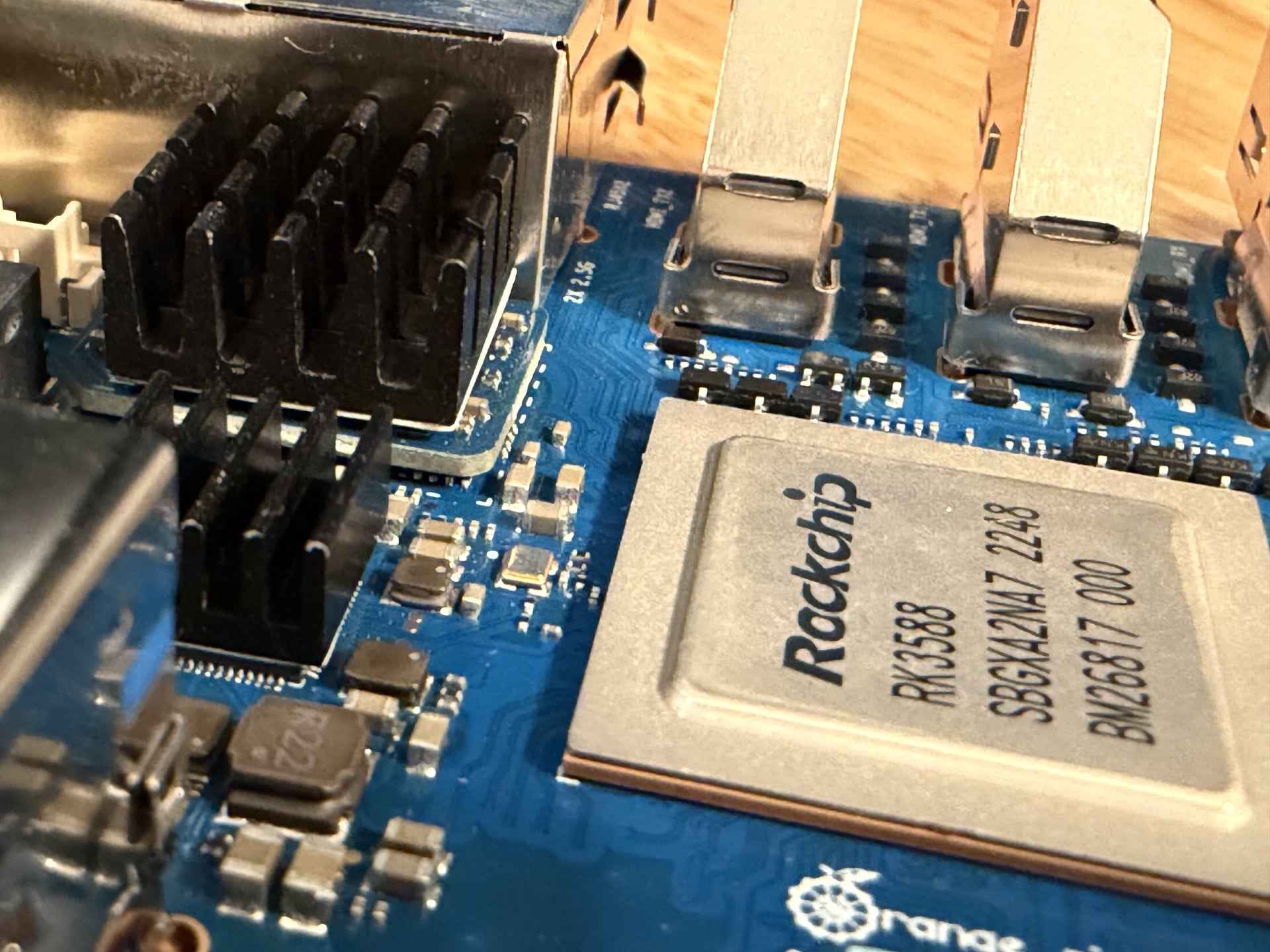
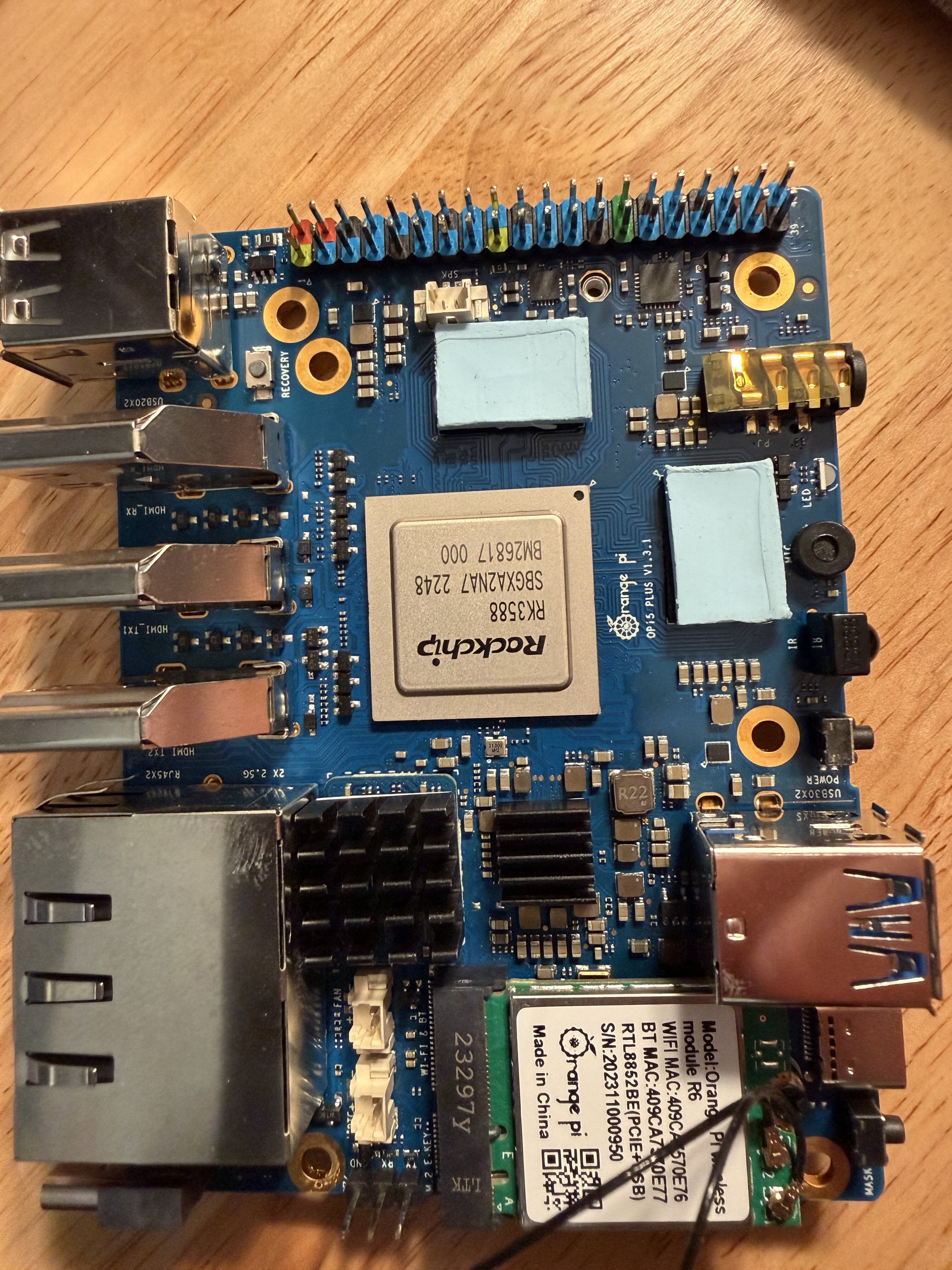
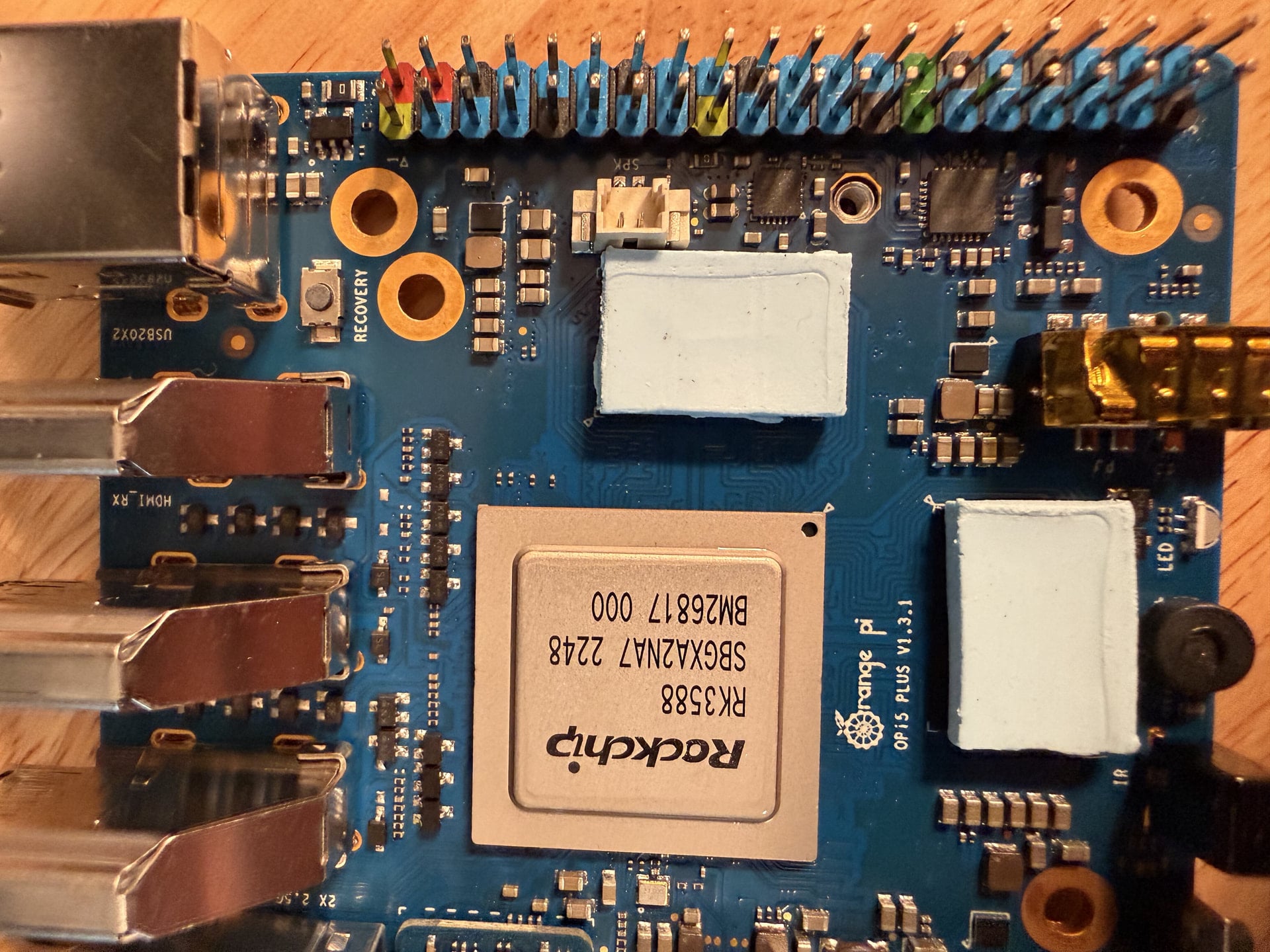
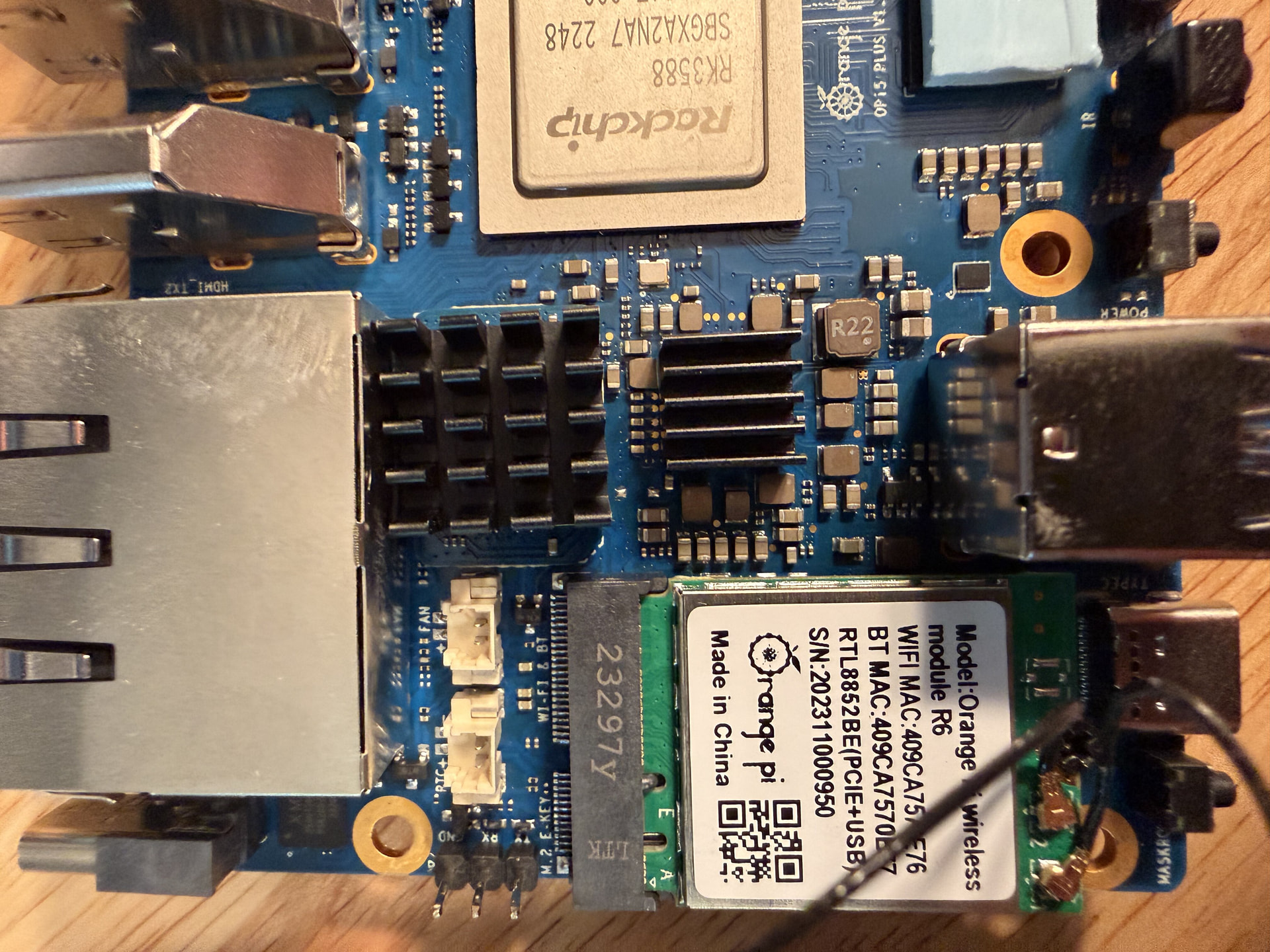
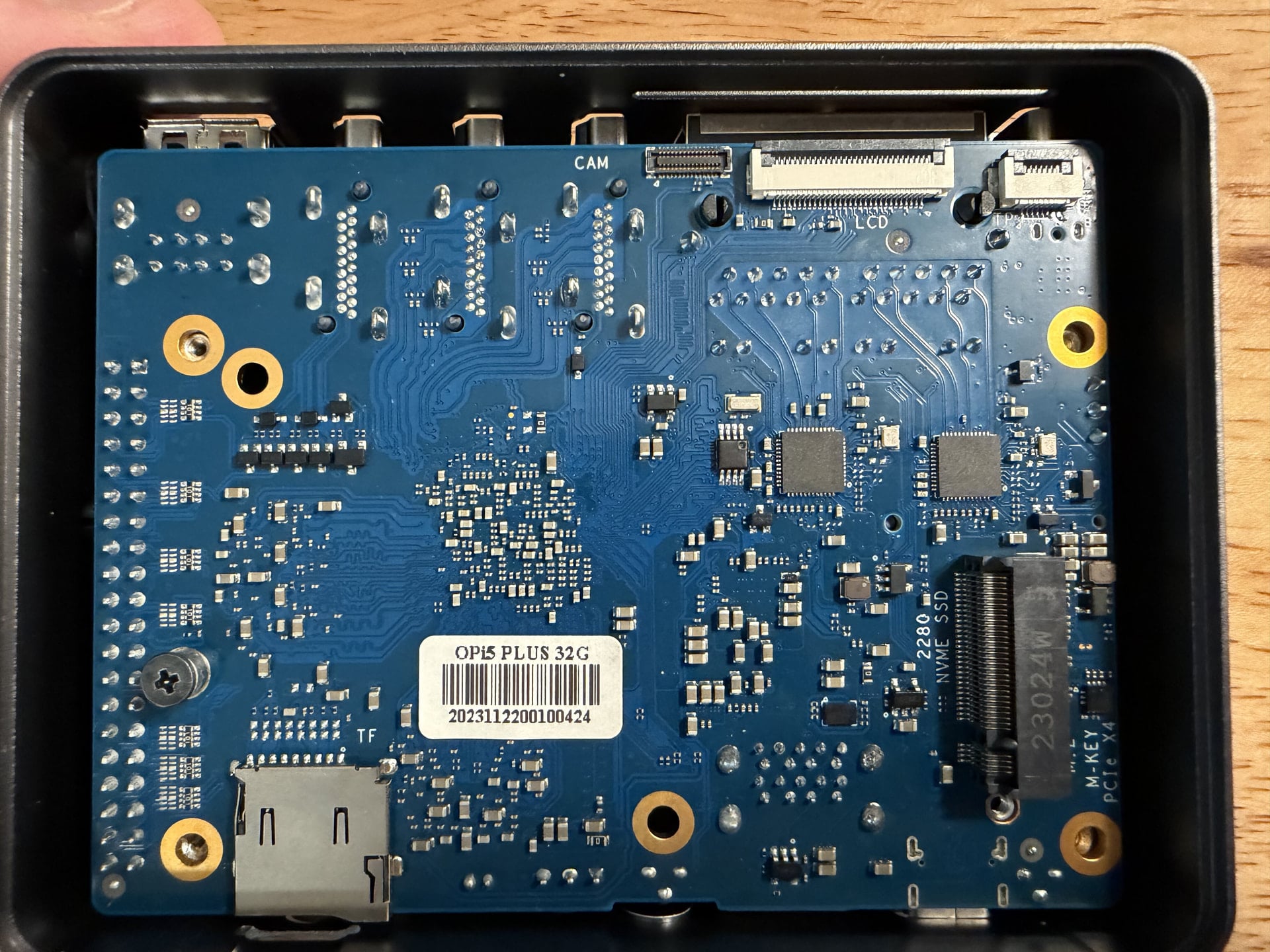
The first two photos should give you a good idea but TLDR is that it fits in there.

Also attached a few more photos I took just in case™ you wanted to compare something else on your board since I already had it apart.

I think I covered all the stuff we talked about. If there is anything else I can check, please let me know. Appreciate the work you do. :raising_hands:

I see, your eMMC module is a different one, with rounded edges. Mine has a sharp rectengular PCB. IIRC that SBC and eMMC module were an early revision, probably a sample, as I got it as dev sample. They probably reduced the eMMC PCB size a bit to make it fit better for release or in a later revision.

Ah! That explains it then. Mine does have corners that are beveled off.
I am not quite sure when this was produced, I bought it on eBay from one of those places that sells package content that were undeliverable. They had it listed as an 8GB model but I could see the tag on the bottom so I took a gamble. Came with everything — I have never used the wifi card but I didn’t want holes in the side of the case so I mounted the antennas and I didn’t want the antennas to not be hooked up. :sweat_smile:

Anyways, really appreciate all your help with this. :clinking_beer_mugs:

Are you running RK3588 without a heat sink? Please have mercy for it!

The official enclosure has a machined aluminum block that is attacked to the case and then the exterior of the case is used as a heatsink. I just stuck small heatsinks I had on the eMMC and the PMU to give them a little bit more thermal dissipation. Not super helpful without a fan but not useless either.

Under a stress test load it hits 62ºC after about 4.5 minutes and it appears to level off there in my 23ºC office. The warmest part of the chassis, right over the chip, hits 48ºC (118.4ºF) and the rest of the top hits 47ºC (116.6ºF). These run HOT and can pull a lot of power. Unfortunately, I think we are past the days where any modern/powerful SBC can run without a heatsink under any real load. :cry:

Ah, mine is the official Orange Pi eMMC module V1.0: Orange Pi - Orangepi

I mixed it up with the ones from FriendlyELEC in my earlier reply, which are the really sharp rectangular ones: eMMC Module for M6 / Zero2 / NEO3 Plus

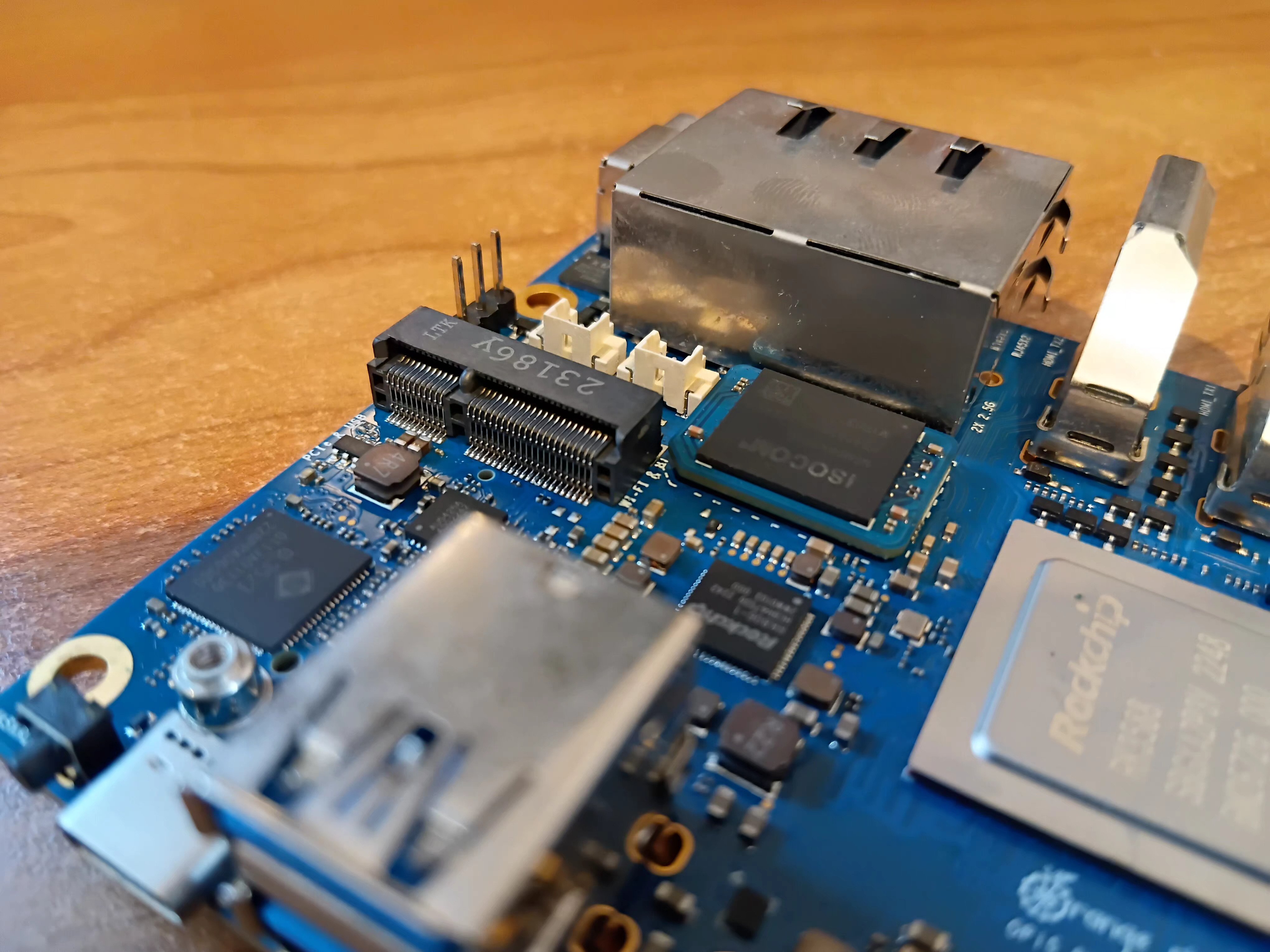
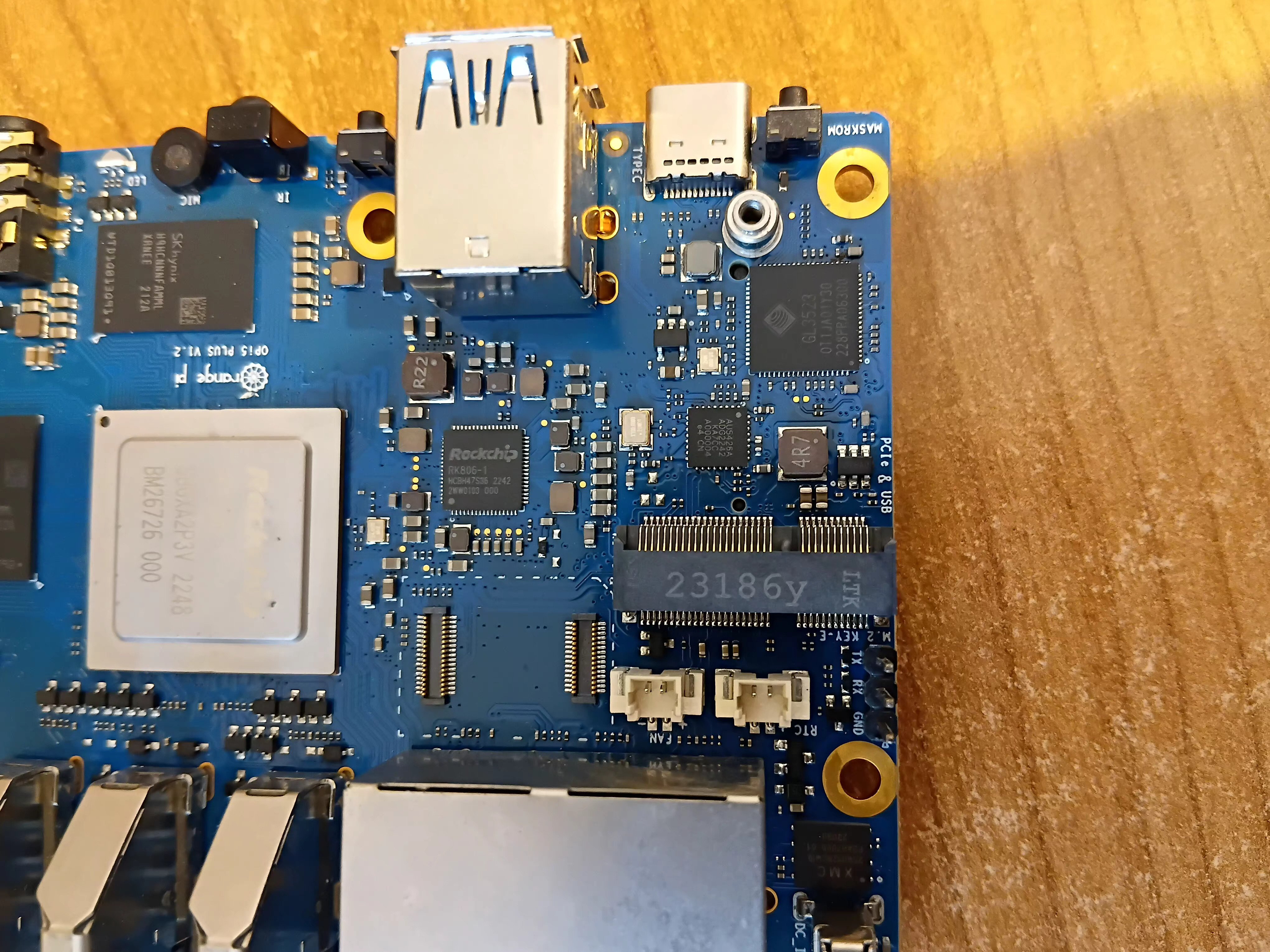
Anyway, even that the ones from Xunlong have rounded edges as well, it is really tight on my board. With some more pressure, I can reduce the lift, but one can still see the larger shadow at the left side:

And it is not the module’s fault, as its connector is already at the max possible side:

So I guess the layout of the PCB changed slightly. Looking at the FAN connectors, they moved ~1 mm to the side in your case. See where the inner one is connected to the PCB, with the two lanes pretty much aligned with the “FAN” text on the PCB, while in your case, the “N” is not in front of the lane anymore.

Luckily, it does work regardless.

I do :sweat_smile:. But so far I never got it to any higher temperature, for the rather short testing sessions.

At least the RK3588 do not require active cooling like the Raspberry Pi 4 and 5, thanks to the quite efficient big.LITTLE/DynamIQ mix of stronger and weaker cores. Raspberry Pi clearly missed an IMO mandatory opportunity, rendering their SBCs to be among the most power-consuming (and heat-emitting) ones, while behind in regards of performance. And then no H.264 decoder on the RPi 5 adding to this.

Apologies for hijacking the thread, but since the topic is closely related and recently made, I would like to ask whether kernel overlays are supported in the mainline kernel for enabling alternate PCIe functions.

Specifically, on the Rock 5, the RK3588 SATA controller is routed through the PCIe 2.0 interface and can be enabled via a kernel overlay, allowing SATA to be exposed using a passive adapter.

I am currently running the vendor 5.10 kernel, which is why I am asking: is this kind of PCIe-to-SATA overlay supported in mainline kernels, or is it still vendor-kernel–specific? Has anyone looked into this or has up-to-date information?