Problems again with DSD

Creating a bug report/issue

I have searched the existing open and closed issues

Required Information

  • DietPi version | cat /boot/dietpi/.version
  • Distro version | echo $G_DISTRO_NAME $G_RASPBIAN
  • Kernel version | uname --all
  • Architecture | dpkg --print-architecture
  • SBC model | echo $G_HW_MODEL_NAME or (EG: RPi3)
  • Power supply used | (EG: 5V 1A RAVpower)
  • SD card used | (EG: SanDisk ultra)

Additional Information (if applicable)

  • Software title | (EG: Nextcloud)
  • Was the software title installed freshly or updated/migrated?
  • Can this issue be replicated on a fresh installation of DietPi?
    ← If you sent a “dietpi-bugreport”, please paste the ID here →
  • Bug report ID | echo $G_HW_UUID

Steps to reproduce

Try to play music:
dietpi@DietPi-Odroid:~$ pw-dsdplay -vd /mnt/dietpi_userdata/Music/Musik-SD-Karte/dsd-testfiles/03\ -\ \(David\ Elias\)\ Morning\ Light\ \ Western\ Town.dsf
dsffile: opened file "/mnt/dietpi_userdata/Music/Musik-SD-Karte/dsd-testfiles/03 - (David Elias) Morning Light  Western Town.dsf" channels:2 rate:2822400 samples:1014136832 bitorder:lsb
rate:0 latency:0 (0,000s)
connecting playback stream; target=(null)
stream state changed unconnected -> connecting
stream param change: Spa:Enum:ParamId:Latency
stream param change: Spa:Enum:ParamId:Tag
stream properties:
	application.name = "pw-dsdplay"
	node.name = "pw-dsdplay"
	media.type = "Audio"
	media.category = "Playback"
	media.role = "Music"
	media.filename = "/mnt/dietpi_userdata/Music/Musik-SD-Karte/dsd-testfiles/03 - (David Elias) Morning Light  Western Town.dsf"
	media.name = "/mnt/dietpi_userdata/Music/Musik-SD-Karte/dsd-testfiles/03 - (David Elias) Morning Light  Western Town.dsf"
	stream.is-live = "true"
	node.want-driver = "true"
	node.autoconnect = "true"
	node.loop.class = "main"
	node.async = "true"
	media.class = "Stream/Output/Audio"
remote 0 is named "pipewire-0"
stream state changed connecting -> paused...
  1. …

Expected behaviour

Music ist playing.;)
  • …

Actual behaviour

No music is playing.
  • …

Extra details

I've tried two DACs: iFi Zen DAC V2 and Topping D10s. No problem on Linux Mint 22.2. But no chance to play DSD with the Odroid N2 and dietpi.
  • …
paste lines of logs or code into such code fences here

What do you mean with “again”, did it work before the last DietPi/kernel update?

I am no DSD expert, and we do not use PipeWire. Not sure how it accesses the audio devices. I do not see which device it tries to use, and whether/which PCM alias PireWire sets up (this pipewire-0).

In any case, assure they are detected at all:

lsusb
aplay -l

And if the DAC is listed, does it play audio when just using ALSA tools, like speaker-test?

again = other people had problems with DSD too.

dietpi@DietPi-Odroid:\~$ lsusb
Bus 001 Device 001: ID 1d6b:0002 Linux Foundation 2.0 root hub
Bus 001 Device 002: ID 05e3:0610 Genesys Logic, Inc. Hub
Bus 001 Device 003: ID 0bda:c811 Realtek Semiconductor Corp. 802.11ac NIC
Bus 001 Device 004: ID 20b1:3008 XMOS Ltd iFi (by AMR) HD USB Audio = this is the DAC
Bus 002 Device 001: ID 1d6b:0003 Linux Foundation 3.0 root hub
Bus 002 Device 002: ID 05e3:0620 Genesys Logic, Inc. GL3523 Hub
dietpi@DietPi-Odroid:\~$ aplay -l
\*\*\*\* Liste der Hardware-Geräte (PLAYBACK) \*\*\*\*
Karte 0: ODROIDN2 \[ODROID-N2\], Gerät 0: fe.dai-link-0 (*) \[\]
Sub-Geräte: 1/1
Sub-Gerät* #0: *subdevice* #0\*
Karte 0: ODROIDN2 \[ODROID-N2\], Gerät 1: fe.dai-link-1 (\*) [ ]
Sub-Geräte: 1/1
Sub-Gerät #0: subdevice #0
Karte 0: ODROIDN2 \[ODROID-N2\], Gerät 2: fe.dai-link-2 (\*) [ ]
Sub-Geräte: 1/1
Sub-Gerät #0: subdevice #0
Karte 1: Audio \[iFi (by AMR) HD USB Audio\], Gerät 0: USB Audio \[USB Audio\]
Sub-Geräte: 1/1
Sub-Gerät #0: subdevice #0

I don’t normally use Pipewire either; I only installed it for a quick test. I usually use ConvoProxy. And so far, that programme hasn’t been able to output native DSD. I’m working on that now. :wink:

I suspect ConvoProxy has taken over the DAC and Pipewire can’t access it because of that. I don’t have any evidence to back up this assumption, though.

PCM plays without any problems.

So you need to use card 1, since card 0 is the onboard one.

Does speaker-test -D 'hw:1,0' work? If that throws some “device is busy” error or so, then indeed something else is blocking access. In case stop ConvoProxy while debugging.

So pw-dsdplay is just a CLI tool to test DSD, got it. Not as large as e.g. mpv, and speaker-test/alsa-utils do not seem to support DSD.

dietpi@DietPi-Odroid:\~$ speaker-test -D 'hw:1,0'

speaker-test 1.2.14

Wiedergabe-Gerät ist hw:1,0
Stream-Parameter sind 48000 Hz, S16_LE, 1 Kanäle
Verwende 16 Oktaven rosa Rauschen
Sample-Format nicht unterstützt: Das Argument ist ungültig
Fehler beim Setzen der Hardware-Parameter: Das Argument ist ungültig

Sorry for the German output.

So at least the device does not seem to be blocked. You might need to tweak with the format, or use speaker-test -D 'plughw:1,0' to have the format converted to whatever the DAC supports. But since it answers, it is accessible.

If pw-dsdplay keeps failing, then it is either that tool, or indeed DSD. But as said, I don’t know much about that. If it works on Linux Mint, compare the loaded driver:

lsmod

and Linux version. I assume Linux mint uses a mainline Linux based kernel, just as we do. If the driver is the same, but e.g. Linux Mint uses a newer kernel, you could try our edge branch kernel. If the driver is a different one, maybe a config flag is missing our end, which we could then check based on the driver.

dietpi@DietPi-Odroid:\~$ speaker-test -D 'plughw:1,0'

speaker-test 1.2.14

Wiedergabe-Gerät ist plughw:1,0
Stream-Parameter sind 48000 Hz, S16_LE, 1 Kanäle
Verwende 16 Oktaven rosa Rauschen
Rate ist 48000 Hz (angefordert: 48000 Hz)
Puffergröße von 16 bis 96000
Periodengröße von 8 bis 48000
Perioden = 4
gesetzt: period_size = 12000
gesetzt: buffer_size = 48000
0 - Front Left
Zeit pro Periode = 1,994387
0 - Front Left
Zeit pro Periode = 2,999812
0 - Front Left
Zeit pro Periode = 2,999842
0 - Front Left
Zeit pro Periode = 2,999832
0 - Front Left

I can hear a hissing sound in my headphones.

Here lsmod on odroid/dietpi and linux mint:

lsmodmint.txt (9,6 KB)

lsmod.txt (4,2 KB)

Did you have the same USB DAC attached to that Linux Mint system? I do not see any related kernel module loaded:

  • snd_sof_pci_intel_tgl Intel Tiger Lake audio controller
  • snd_hda_codec_realtek analogue speaker/jack codec
  • snd_hda_codec_hdmi digital HDMI codec

No sign of a USB DAC.

On the DietPi system I see the generic snd_usb_audio. When attaching the USB DAC to the Linux Mint system, the snd_* kernel modules popping up at the top of the list would be interesting, to see whether it is anything different than this stack:

snd_usb_audio         364544  1
snd_usbmidi_lib        36864  1 snd_usb_audio
snd_hwdep              20480  1 snd_usb_audio
snd_rawmidi            36864  1 snd_usbmidi_lib
snd_seq_device         12288  1 snd_rawmidi

EDIT: Please also check this:

cat /proc/asound/card1/stream0

Sorry, my mistake. Let’s try again:

lsmod.txt (4,2 KB)

stream0mint.txt (1,1 KB)

stream0dietpi.txt (1,1 KB)

lsmodmint.txt (9,8 KB)

Identical between DietPi and Mint, and the DAC announced DSD support with all common rates in both cases:

    Format: SPECIAL DSD_U32_BE
    ...
    Rates: 44100, 48000, 88200, 96000, 176400, 192000, 352800, 384000

So the kernel/driver does not seem to be the issue.

Can you check the stream parameters while trying to play DSD:

cat /proc/asound/card1/pcm0p/sub0/hw_params

stream0dietpi-convoproxyplayingdsd.txt (1,3 KB)

Topping D10s at usb-xhci-hcd.1.auto-1.3, high speed : USB Audio

Playback:
  Status: Running
    Interface = 1
    Altset = 1
    Packet Size = 272
    Momentary freq = 176406 Hz (0x16.0d00)
    Feedback Format = 16.16
  Interface 1
    Altset 1
    Format: S32_LE
    Channels: 2
    Endpoint: 0x01 (1 OUT) (ASYNC)
    Rates: 44100, 48000, 88200, 96000, 176400, 192000, 352800, 384000
    Data packet interval: 125 us
    Bits: 32
    Channel map: FL FR
    Sync Endpoint: 0x81 (1 IN)
    Sync EP Interface: 1
    Sync EP Altset: 1
    Implicit Feedback Mode: No
  Interface 1
    Altset 2
    Format: S32_LE
    Channels: 2
    Endpoint: 0x01 (1 OUT) (ASYNC)
    Rates: 44100, 48000, 88200, 96000, 176400, 192000, 352800, 384000
    Data packet interval: 125 us
    Bits: 24
    Channel map: FL FR
    Sync Endpoint: 0x81 (1 IN)
    Sync EP Interface: 1
    Sync EP Altset: 2
    Implicit Feedback Mode: No
  Interface 1
    Altset 3
    Format: SPECIAL DSD_U32_BE
    Channels: 2
    Endpoint: 0x01 (1 OUT) (ASYNC)
    Rates: 44100, 48000, 88200, 96000, 176400, 192000, 352800, 384000
    Data packet interval: 125 us
    Bits: 32
    DSD raw: DOP=0, bitrev=0
    Channel map: FL FR
    Sync Endpoint: 0x81 (1 IN)
    Sync EP Interface: 1
    Sync EP Altset: 3
    Implicit Feedback Mode: No

linux mint is playing DSD:

dietpi with Convoproxy tries DSD:

stream0mint-dsdplaying.txt (1,4 KB)

dsd-playing with:
pw-dsdplay -d Musik/tmp/dsd-testfiles/02\ -\ \(David\ Elias\)\ Rodeo\ On\ A\ Ridge.dsf

Topping D10s at usb-0000:00:14.0-2, high speed : USB Audio

Playback:
  Status: Running
    Interface = 1
    Altset = 3
    Packet Size = 136
    Momentary freq = 88199 Hz (0xb.0660)
    Feedback Format = 16.16
  Interface 1
    Altset 1
    Format: S32_LE
    Channels: 2
    Endpoint: 0x01 (1 OUT) (ASYNC)
    Rates: 44100, 48000, 88200, 96000, 176400, 192000, 352800, 384000
    Data packet interval: 125 us
    Bits: 32
    Channel map: FL FR
    Sync Endpoint: 0x81 (1 IN)
    Sync EP Interface: 1
    Sync EP Altset: 1
    Implicit Feedback Mode: No
  Interface 1
    Altset 2
    Format: S32_LE
    Channels: 2
    Endpoint: 0x01 (1 OUT) (ASYNC)
    Rates: 44100, 48000, 88200, 96000, 176400, 192000, 352800, 384000
    Data packet interval: 125 us
    Bits: 24
    Channel map: FL FR
    Sync Endpoint: 0x81 (1 IN)
    Sync EP Interface: 1
    Sync EP Altset: 2
    Implicit Feedback Mode: No
  Interface 1
    Altset 3
    Format: SPECIAL DSD_U32_BE
    Channels: 2
    Endpoint: 0x01 (1 OUT) (ASYNC)
    Rates: 44100, 48000, 88200, 96000, 176400, 192000, 352800, 384000
    Data packet interval: 125 us
    Bits: 32
    DSD raw: DOP=0, bitrev=0
    Channel map: FL FR
    Sync Endpoint: 0x81 (1 IN)
    Sync EP Interface: 1
    Sync EP Altset: 3
    Implicit Feedback Mode: No

stream0dietpi-pw-dsdplay.txt (1,2 KB)

Convoproxy is stopped:
sudo systemctl stop convoproxy

Topping D10s at usb-xhci-hcd.1.auto-1.3, high speed : USB Audio

Playback:
  Status: Stop
  Interface 1
    Altset 1
    Format: S32_LE
    Channels: 2
    Endpoint: 0x01 (1 OUT) (ASYNC)
    Rates: 44100, 48000, 88200, 96000, 176400, 192000, 352800, 384000
    Data packet interval: 125 us
    Bits: 32
    Channel map: FL FR
    Sync Endpoint: 0x81 (1 IN)
    Sync EP Interface: 1
    Sync EP Altset: 1
    Implicit Feedback Mode: No
  Interface 1
    Altset 2
    Format: S32_LE
    Channels: 2
    Endpoint: 0x01 (1 OUT) (ASYNC)
    Rates: 44100, 48000, 88200, 96000, 176400, 192000, 352800, 384000
    Data packet interval: 125 us
    Bits: 24
    Channel map: FL FR
    Sync Endpoint: 0x81 (1 IN)
    Sync EP Interface: 1
    Sync EP Altset: 2
    Implicit Feedback Mode: No
  Interface 1
    Altset 3
    Format: SPECIAL DSD_U32_BE
    Channels: 2
    Endpoint: 0x01 (1 OUT) (ASYNC)
    Rates: 44100, 48000, 88200, 96000, 176400, 192000, 352800, 384000
    Data packet interval: 125 us
    Bits: 32
    DSD raw: DOP=0, bitrev=0
    Channel map: FL FR
    Sync Endpoint: 0x81 (1 IN)
    Sync EP Interface: 1
    Sync EP Altset: 3
    Implicit Feedback Mode: No

What can be seen, is that the wrong Altset 1 is used on DietPi, instead of Altset 3. This should be correctly selected by the driver or ALSA.

However, instead of cat /proc/asound/card1/stream0, please check cat /proc/asound/card1/pcm0p/sub0/hw_params during a playback attempt on DietPi. This will show the actual format, probably S32_LE instead of the intended DSD_U32_BE.

Do you use the same ConvoProxy for DietPi and Linux Mint? And you did select a bare sound card for DietPi, with native DSD, no ALSA PCM (which can change the format via plugin), DoP, or any such?

I’ve gone one step further: I installed PicorePlayer on a rpi3, connected the Topping-DAC and PcP plays DSD native without any problems.

pi3b-pcp-11.1-stream0.txt (1,3 KB)

pi3b-pcp-11.1-hwparams.txt (128 Bytes)

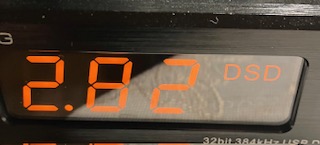
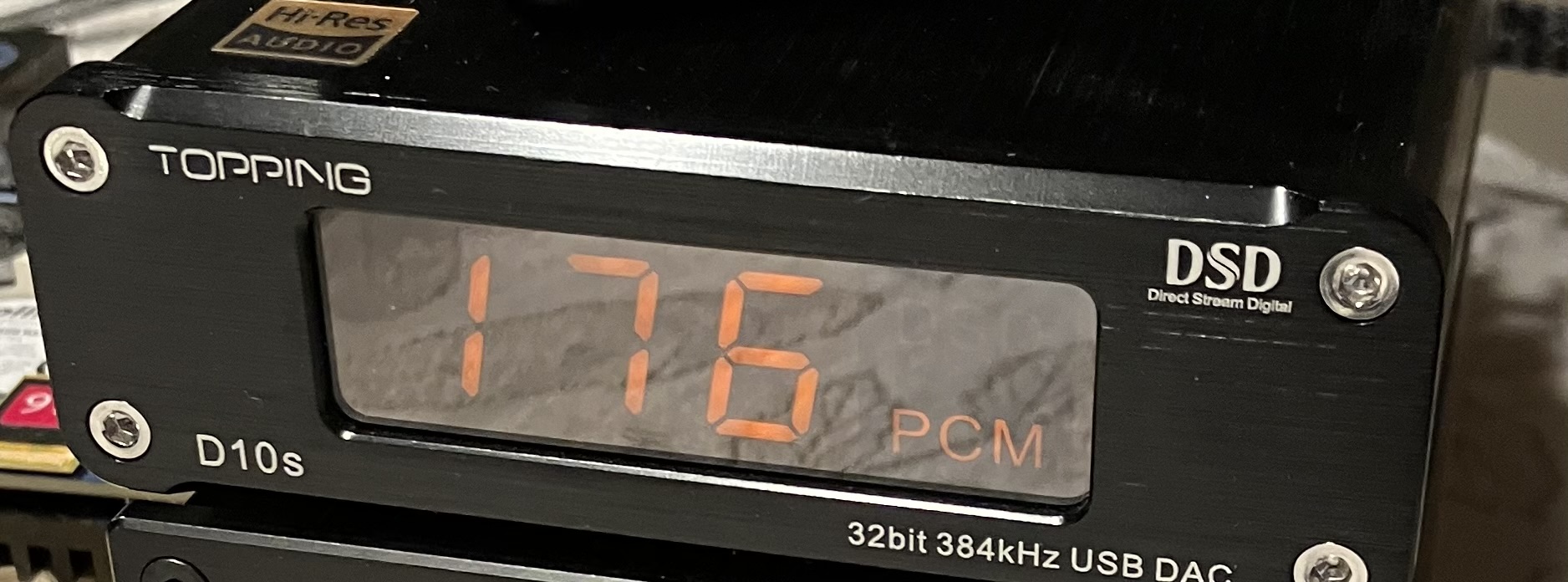
Then I installed dietpi on a new SDCard without convoproxy. And I could play DSD native = the DAC is showing DSD-Format:

sudo aplay -D hw:CARD=1,DEV=0 -v -f DSD_U32_BE -c 2 -r 88200 /mnt/dietpi_userdata/Music/dsd-testfiles/01\ -\ (David\ Elias)\ Vision\ of\ Her.dsf

odroid-dietpi-hwparams.txt (129 Bytes)

odroid-dietpi-streams.txt (1,3 KB)

It still needs a bit of fine-tuning before playback works without any noise. But in principle, DSD playback is possible.

Ah, on my Linux-Mint-Laptop is no convoproxy installed.

OK, if Picoreplayer can do it, so can I: I’ve installed Lyrion Media Server – and no more problems with DSD Native.

Many thanks again for your support. :slight_smile:

Great, so finally ConvoProxy was the issue.

Interesting that aplay can play DSD as well, I didn’t know that.