Creating a bug report/issue
I have searched the existing open and closed issues
Required Information
- DietPi version |
cat /boot/dietpi/.version
- Distro version |
echo $G_DISTRO_NAME $G_RASPBIAN
- Kernel version |
uname --all
- Architecture |
dpkg --print-architecture
- SBC model |
echo $G_HW_MODEL_NAME or (EG: RPi3)
- Power supply used | (EG: 5V 1A RAVpower)
- SD card used | (EG: SanDisk ultra)
Additional Information (if applicable)
- Software title | (EG: Nextcloud)
- Was the software title installed freshly or updated/migrated?
- Can this issue be replicated on a fresh installation of DietPi?
← If you sent a “dietpi-bugreport”, please paste the ID here →
- Bug report ID |
echo $G_HW_UUID
Steps to reproduce
- …
- …
Expected behaviour
Actual behaviour
Extra details
- …
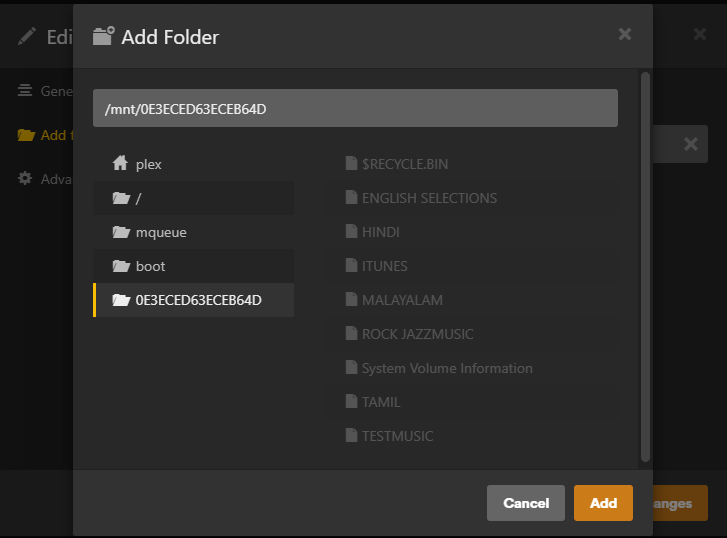
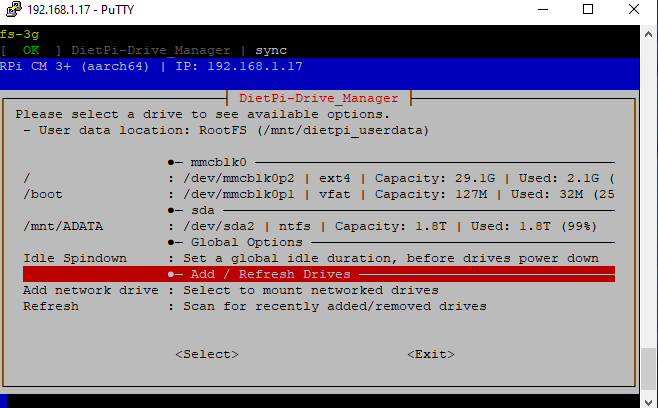
- My USB hard drive is showing on dietpi
- Mount target: /mnt/0E3ECED63ECEB64D
- but the inside music folders are not added to the Plex music server as well as navidrome music folder
Even in Navdrome i have given same path for music folder stil music files are not added
Which file system format the usb stick has?
hmm ntfs did not support file system permissions. Probably that’s why the apps are not able to read files correctly
can you share
ls -la /mnt/0E3ECED63ECEB64D
root@DietPi:~# ls -la /mnt/0E3ECED63ECEB64D
ls: cannot access '/mnt/0E3ECED63ECEB64D': No such file or directory
root@DietPi:~# ls -la /mnt/ADATA
total 708
drw-r--r-- 1 root root       0 Jan 16 12:34 '$RECYCLE.BIN'
drw-r--r-- 1 1001 staff   4096 Jan 30 17:21  .
drwxr-xr-x 7 root root    4096 Jan 30 15:52  ..
drw-r--r-- 1 1001 staff 393216 Jan 17 09:08 'ENGLISH SELECTIONS'
drwxrwxrwx 1 1001 staff  40960 Jan 17 09:13  HINDI
drwxrwxrwx 1 1001 staff  61440 Jan 16 12:43  ITUNES
drwxrwxrwx 1 1001 staff  45056 Dec 14 13:48  MALAYALAM
drwxrwxrwx 1 root root  147456 Jan 16 12:52 'ROCK JAZZMUSIC'
drwx------ 1 root staff   4096 Jul  8  2024 'System Volume Information'
drwxrwxrwx 1 1001 staff  16384 Jan 16 12:37  TAMIL
drwxrwxrwx 1 root root    8192 Jun  9  2022  TESTMUSIC
root@DietPi:~#
problem solved by using the below command
sudo chmod -R o+rwx /mnt/ADATA
ga  ve everyone permission:
good if this works now, but please keep in mind that ntfs does not really support Linux file system permission. Just in case there are similar problems in the future