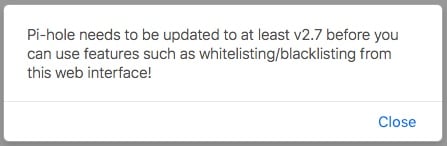
When I go to the web interface for pi-hole, which is running just fine, I’m informed that there is an update available for pi-hole AND for the web interface. I un-installed and re-installed pi-hole in Dietpi, but it still reports there are updates available. I thought Dietpi would pull the latest versions off github?
<!-- Update alerts  -->
              <!-- DISABLE UPDATE WARNING
                  <div id="alPiholeUpdate" class="alert alert-info alert-dismissible fade in" role="alert" hidden>
                     <a class="alert-link" href="https://github.com/pi-hole/pi-hole/releases">There's an update available for this Pi-hole!</a>
                     </div>
                        <div id="alWebUpdate" class="alert alert-info alert-dismissible fade in" role="alert" hidden>
                          <a class="alert-link" href="https://github.com/pi-hole/AdminLTE/releases">There's an update available for this Web Interface!</a>
                         </div>
                -->
No, Fourdee make a fork of pi-hole and AdminLTE, because we want to get it run for all DietPi supported devices and with any supported web server stack.
Fixed! Now Pi-Hole v2.9 with AdminLTE v1.4 without update warning and Temp-readout-fix is check in testing branch.
Thanks to Fourdee for his quick reaction!
After DietPi v130 is out, update your device to v130 and reboot. Backup your /etc/pihole/adlists.list if you needed.
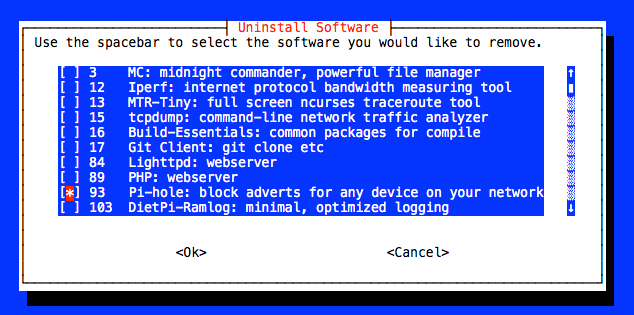
You have to uninstall Pi-Hole via dietpi-software = > Uninstall
After reinstall it via dietpi-software = > Software Optimized
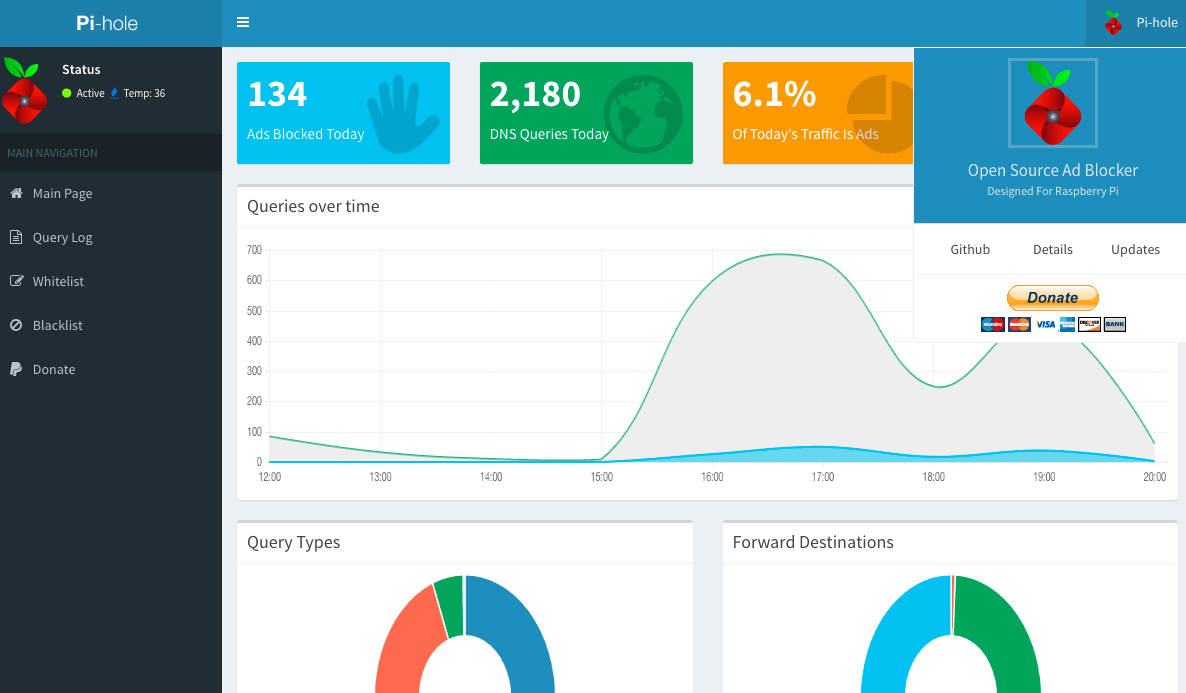
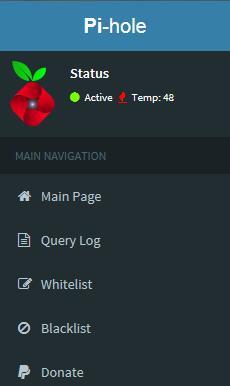
The new Pi-Hole version has a new logo on web interface.
Thanks for the heads up and explanation, I think I will wait for the next update and then do as described regarding removing and then installing Pi-hole. It’s not that I’m afraid to get my hands dirty at the cl… its more of a “I’d have to get up off the sofa and drag myself down to the computer room in the basement, if it hangs” kind of thing.
A tip of the hat for the quick and detailed replies as well as FourDee’s hard work.
I updated tonight and I have no issues… updated Dietpi, un-installed Pi Hole, reinstalled Pi Hole and added a couple of domains to the whitelist, edited /etc/dsnmask.conf so Pi Hole uses Opendns for DNS resolution and all appears as before, except for no more update reminders in the Pi Hole admin console.
I’m using a Raspberry Pi 2 in case it matters. I did have issues using a Banana Pro (crashed a lot) but using Lubuntu doing rsync tasks has the Pro running for days on end with no issues… perhaps a recent update of Dietpi has fixed the problem?
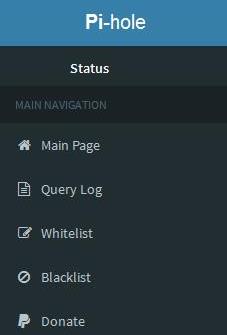
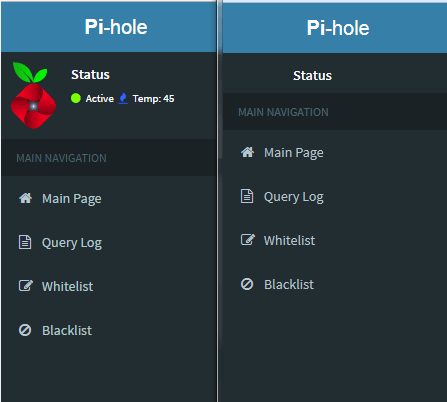
I updated tonight from v128 and now notice that I don’t see the Pi-Hole logo at the Status screen. It just says “Status”. Also, it doesn’t show “Active” or “Temp”. Further searching on my end seems to show I only have this issue with Firefox.
When I view the screen via Internet Explorer, everything shows fine.
Is this an issue with my install or is there a browser incompatibility somewhere in the Pi-hole scripting? I notice when the logo was changed, some of the coding was as well – logo went from .img to .svg for example.
lighttp – initially selected when configuring the DietPi installation; chosen based on reading the options presented. I don’t recall being prompted for this once launching the Pi-Hole installation (if that matters).