Hi, So when i looking on diet pi download, so i see orange pi 4 pro is now supported by diet pi, just wanna ask is there all working or maybe have some bug or driver that not yet working ? like a gpu(gpu accleration) driver, npu driver or something else ? Thanks guys for making diet pi support this board
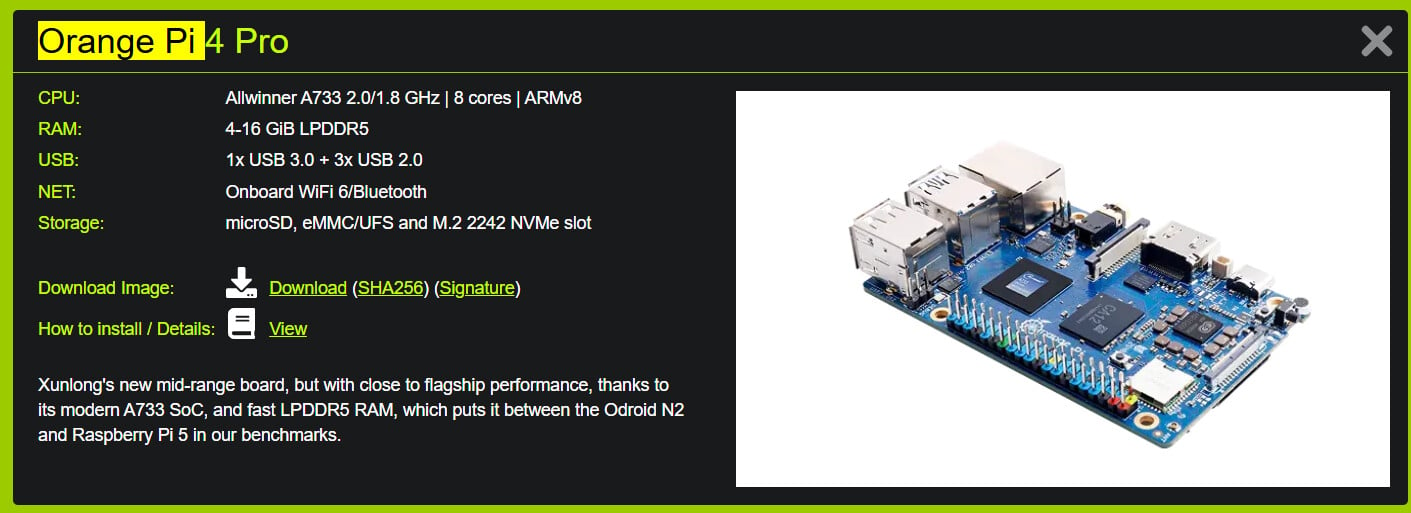
After i tested this dietpi, seems GPU Driver and Vidio Codec is not yet supported,
Our kernel builds use Xunlong’s own sources, so from that end, it should work like their Debian images. But I am not sure about userland support, particularly Mesa, and whether the VPU (driver) is already widely support, or requires special builds. How did you test GPU and VPU support?
Generally, backports can betested, which might enhance support. E.g. below should upgrade all installed Mesa packages:
apt install -t trixie-backports libegl-mesa0
E.g. v25.3.0 added “device info” for the Imagination BXM-4-64 GPU: Mesa 25.3.0 Release Notes / 2025-11-14 — The Mesa 3D Graphics Library latest documentation
Here it says “in active development”: PowerVR — The Mesa 3D Graphics Library latest documentation
I couldn’t find much about the VPU, not even sure which driver it uses. Sources are here, but since Xunlong didn’t pull the commit history into their repo, it cannot be eaily seen whether/which VPU drivers have been added/changed: linux-orangepi/drivers/media/platform at orange-pi-6.6-sun60iw2 · orangepi-xunlong/linux-orangepi · GitHub
Theoretically it is possible that the driver is in the sources but not enabled/compiled in our build. That would be easy to solve, but we’d need to know which driver. Maybe check lsmod about video related modules. Or flash Xunlong’s Debian, check whether GPU+VPU support works there as expected, then check lsmod, and compare with what you see on DietPi. If not a driver is missing, then watch out for custom packages or binaries on the image that do not come from Debian, like things below /usr/local or other uncommon directories.
EDIT: Their build system sources might reveal something: orangepi-build/external/config/boards/orangepi4pro.conf at bdba421984211da19191dc6ac6818a247817335f · orangepi-xunlong/orangepi-build · GitHub
Try to load that driver manually: sudo modprobe pvrsrvkm … ah, looks like this (version of the driver) is not in the kernel sources, as it is copied into the image from a tmp dir: orangepi-build/external/config/sources/families/sun60iw2.conf at bdba421984211da19191dc6ac6818a247817335f · orangepi-xunlong/orangepi-build · GitHub
If they copy a blob which is not in the repo, then we wouldn’t have a way to fix this, aside of copying it from their images (without even knowing whether we are allowed to).
And as you can see, there is also a custom Firefox build. This indicates that userland support for that GPU and/or VPU might not yet fully there.
Hi, I checked this on DietPi. For the GPU vendor and renderer, it shows Mesa and llvmpipe. I also tested it using an OpenGL benchmark, but it only got a score of around 80. Because of this, I think the GPU hardware acceleration is not working properly.
However, when I use the image provided by Orange Pi, it detects Imagination Technologies as the GPU vendor and uses PowerVR B-Series BMX-4-64 as the renderer. When I run the same benchmark, it gets a score of around 500, so I believe hardware acceleration is working properly with the Orange Pi image
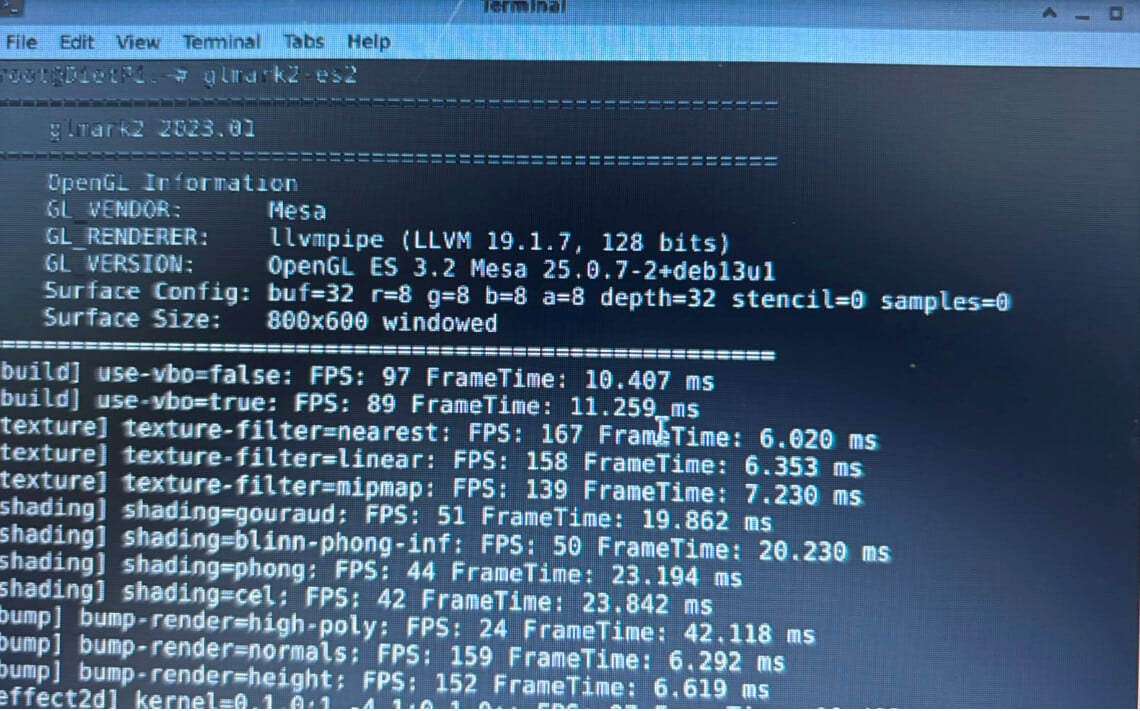
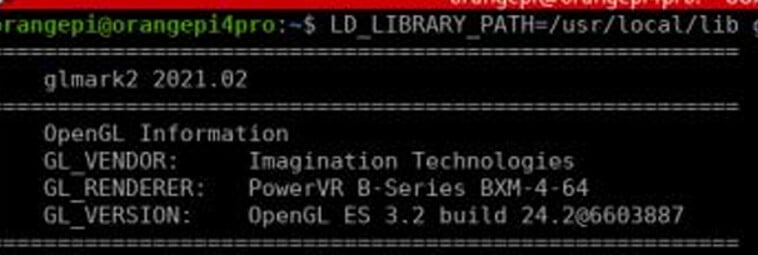
That you use LD_LIBRARY_PATH=/usr/local/lib indicates that you do load a custom library from there, which would match my assumption.
Take those + the pvrsrvkm.ko from the path shown in modinfo pvrsrvkm, and it should work on DietPi as well. But also worth testing with Mesa 26 from trixie-backports, as mentioned.
Mainline Linux btw seems to support that GPU since at least v6.17: power: sequencing: Add T-HEAD TH1520 GPU power sequencer driver · torvalds/linux@d4c2d9b · GitHub
It does not support the A733 chip yet, but good to know that the GPU driver itself does not seem another issue, at least. VPU is a different topic.
It seems I can’t get this GPU driver working right now, but that’s not the main issue at the moment. The urgent problem is that I checked DietPi and it doesn’t have the TUN kernel module enabled. Because of this, I can’t use Tailscale or other VPN services.
I still looking way to fix it,
root@DietPi:\~# zgrep CONFIG_TUN /proc/config.gz 2>/dev/null ||
grep CONFIG_TUN /boot/config-$(uname -r) 2>/dev/null ||
find /boot -type f -name '*config*' -exec grep CONFIG_TUN {} ; 2>/dev/null

# CONFIG_TUN is not set

# CONFIG_TUN_VNET_CROSS_LE is not set

root@DietPi:\~# modprobe tun
ls -l /dev/net/tun
modprobe: FATAL: Module tun not found in directory /lib/modules/6.6.98-vendor-sun60iw2
ls: cannot access '/dev/net/tun': No such file or directory
root@DietPi:\~#
for the sake of completeness:
root@OPi4Pro:~# uname -a
Linux OPi4Pro 6.6.98-vendor-sun60iw2 #1 SMP PREEMPT Tue Apr  7 02:28:35 UTC 2026 aarch64 GNU/Linux

root@OPi4Pro:~# grep CONFIG_WIREGUARD /proc/config.gz 2>/dev/null || \
grep CONFIG_WIREGUARD /boot/config-$(uname -r) 2>/dev/null
# CONFIG_WIREGUARD is not set
There is also an existing issue in xulong github issues about this, but for their vendor 5.15 kernel
https://github.com/orangepi-xunlong/orangepi-build/issues/316
For now i can use TUN/TAP after whole time compile this kernel(6.6.98-vendor-sun60iw2), for now i using tail scale and it worked fine, also now working to active overlay, cifs feature, damn this xulong kernel is shit of feature

btw here is the xunlong build config
# Allwinner A733 quad core 2GB/4GB/8GB/16GB RAM
BOARD_NAME="Orange Pi 4 Pro"
BOARDFAMILY="sun60iw2"
BOOTCONFIG="sun60iw2p1_t736_defconfig"
BOOT_LOGO="desktop"
BOOT_FDT_FILE="allwinner/sun60i-a733-orangepi-4-pro.dtb"
MODULES="aic8800_fdrv aic8800_btlpm pvrsrvkm"
KERNEL_TARGET="current legacy"
DISTRIB_TYPE_CURRENT="bookworm jammy bullseye"
DISTRIB_TYPE_LEGACY="bookworm jammy bullseye"
SKIP_BOOTSPLASH="yes" # Skip boot splash patch, conflicts with CONFIG_VT=yes
REVISION="1.0.8"
After all settle i will create package so other can use this feature, but let me test it first for this
Indeed. Our config sets CONFIG_TUN=m, but the resulting built has it disabled, and I am not yet sure why. All dependencies are at =y also in the resulting config.
… oh now I see, it was enabled after our build was done: sun60iw2: enable CONFIG_TUN as module for VPN support (Tailscale/Wire… · MichaIng/build@f79de71 · GitHub
I’ll enable WireGuard, too, and trigger new kernel builds. Its about time anyway.
New kernel ready:
G_DEV_TEST_FIRMWARE
I’ll do a session to test the new kernel and bootloader builds on all my SBCs, before merging it into the APT repo at once. Might take until tomorrow, hence above command to upgrade now.
Dastanzzzz/OrangePi-4-Pro: Fix and Add Tun / Tap Driver & and UTF-8
Can try this, if you want tun/tap working on Debian Trixie Orangepi
Hello. I can’t get Bluetooth to work. I enable it in dietpi-config, but the bluetoothctl command list doesn’t output anything. Has anyone managed to get it working?
Not sure yet, maybe driver not yet instaled or active with this kernel
For Bluetooth, please try this:
hciattach -n -s 1500000 /dev/ttyS1 any
Hello, the USB 3.0 no detecting HD and SSD drives now he detects HD but not SSD drives
I am now using the stable version.
USB 3.0 drives work fine here. Are you sure it is not related to undervoltage, if the drive consumes too much power on the USB port? 2.5" drives generally cannot be reliably powered from SBCs USB ports alone, but need a dedicated PSU to run stable, or at all.
Check dmesg as well for errors, when attaching or trying to access the drive. And check lsusb whether it is detected as USB device at all.