Kernel version | Linux OctoPi 6.12.47+rpt-rpi-v8 #1 SMP PREEMPT Debian 1:6.12.47-1+rpt1 (2025-09-16) aarch64 GNU/Linux
Architecture | arm64
SBC model | RPi 4 Model B (aarch64)
Power supply used | Pi4 official PSU 5V 3A
SD card used | SanDisk ultra 16GB
Additional Information (if applicable)
Software title | Octoprint
Was the software title installed freshly or updated/migrated? Freshly installed
Can this issue be replicated on a fresh installation of DietPi? I think so
← If you sent a “dietpi-bugreport”, please paste the ID here →
Bug report ID | echo $G_HW_UUID
Steps to reproduce
Freshly install DietPi
Install Octoprint
Try to install a plugin from the repository
Expected behaviour
Plugin installs
Actual behaviour
Plugin installation fails with this error:
Installing plugin "Bed Level Visualizer" from https://github.com/jneilliii/OctoPrint-BedLevelVisualizer/archive/master.zip...
/usr/bin/python3 -m pip --disable-pip-version-check install file:///tmp/tmpxcxa_gm5/OctoPrint-BedLevelVisualizer-master.zip --no-cache-dir --user
Processing /tmp/tmpxcxa_gm5/OctoPrint-BedLevelVisualizer-master.zip
Installing build dependencies: started
Installing build dependencies: finished with status 'done'
Getting requirements to build wheel: started
error: subprocess-exited-with-error

× Getting requirements to build wheel did not run successfully.
│ exit code: 255
╰─> [1 lines of output]
Could not import OctoPrint's setuptools, are you sure you are running that under the same python installation that OctoPrint is installed under?
[end of output]

note: This error originates from a subprocess, and is likely not a problem with pip.
ERROR: Failed to build 'file:///tmp/tmpxcxa_gm5/OctoPrint-BedLevelVisualizer-master.zip' when getting requirements to build wheel
Getting requirements to build wheel: finished with status 'error'
Error!
Could not parse output from pip, see plugin_pluginmanager_console.log for generated output
Extra details
This happens regardless of the plugin I choose. I tried sudo pip install wheel and sudo pip3 install wheel but it is already there.
Octoprint says: [Using pip of “/usr/bin/python3”, Version 25.3](javascript:void(0)) Installation directory: /usr/lib/python3/dist-packages (“–user” flag: yes)
Thank you Jappe, running the command you mentioned gives the same error:
root@OctoPi:~# sudo runuser -u octoprint – /usr/bin/python3 -m pip install --user --no-warn-script-location https://github.com/jneilliii/OctoPrint-BedLevelVisualizer/archive/master.zip
Collecting https://github.com/jneilliii/OctoPrint-BedLevelVisualizer/archive/master.zip
Downloading https://github.com/jneilliii/OctoPrint-BedLevelVisualizer/archive/master.zip (5.1 MB)
━━━━━━━━━━━━━━━━━━━━━━━━━━━━━━━━━━━━━━━━ 5.1/5.1 MB 10.0 MB/s  0:00:00
Installing build dependencies … done
Getting requirements to build wheel … error
error: subprocess-exited-with-error

× Getting requirements to build wheel did not run successfully.
│ exit code: 255
╰─> [1 lines of output]
Could not import OctoPrint’s setuptools, are you sure you are running that under the same python installation that OctoPrint is installed under?
[end of output]

note: This error originates from a subprocess, and is likely not a problem with pip.
ERROR: Failed to build ‘https://github.com/jneilliii/OctoPrint-BedLevelVisualizer/archive/master.zip’ when getting requirements to build wheel
Which i think makes sense as Octoprint states:
Using pip of “/usr/bin/python3”, Version 25.3](javascript:void(0))Installation directory: /usr/lib/python3/dist-packages (“–user” flag: yes)
But to make it happen with the webinterface we need to change some stuff in the service file, I think.
I will test this and report back. But for now you can use the command to install the plugin.
I found a solution without fiddling with the service file (but maybe it would be a good idea to install it in it’s own virtual environment in the future)
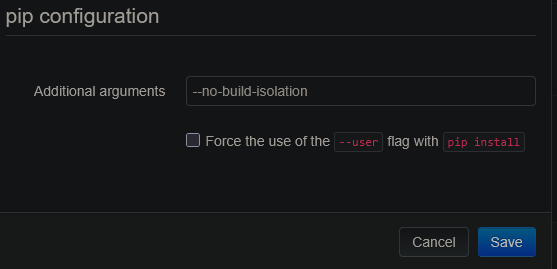
You need to set the --no-build-isolation flag in the plugin manager settings.
With this settings you can install it via the web panel.
Unfortunately, if you wanna delete it via web panel, it also uses --no-build-isolation for the removal, but this will not work. So before deinstallation you need to clear the Additional arguments field. All of this hassle can be avoided when using a virtual enviroment, I will have a look into that, but not today
Interesting that the --user flag alone is not enough, since this should point to the correct Python site already. It seems that OctoPrint itself does not enforce build isolation, but some plugins do? Or is there another flag used by OctoPrint when installing plugins? Though you tested the same from console, so obviously not. Other explanation, is that build isolation allows to install only into “empty” sites, i.e. if there was no other package installed already, or otherwise merges with existing sites only within a venv?
However, regardless, maybe we should take this as encouragement to start migrating Python software into venv’s now. Needed anyway to prevent collisions between APT packages an pip.
EDIT: Read a bit, and funnily, --no-build-isolation should only break cases which otherwise work, not “fix” then, as far as I understand: It forces pip to install dependencies needed only temporarily for the wheel build, not for runtime, into the permanent Python site. Otherwise they are installed to and made available from a temporary isolated site, to reduce interference and possible dependency conflicts with runtime dependencies. However, setuptools might be a special case: it is a build dependency, bit still needs to be available in the runtime site. Probably the version installed in the OctoPrint site is incompatible with the one needed for the plugin, so it requires the correct version to be installed ar the bare OctoPrint site instead of within the isolated one, which it only does with the flag. But not sure how a venv would fix it in that case.
Checking the plugin: It uses old standards indeed, and the error is not coming from setuptools but some dedicated octoprint_setuptools indeed:
There were some issues around this in the past:
So right now, OctoPrint itself provides it internally:
For now to me it looks like an issue with the particular plugin, trying to load octoprint_setuptools without declaring it as build dependency. Makes sense that it is not available in the isolated build environment then. Let’s see how other OctoPrint plugins handle this.
Does installing the MfaTotp plugin work without --no-build-isolation?
Yes, I recognized the very same just now, not being able to replicate the issue, foosel said v1.12 will fix it, and then I saw that 1.11.4 did already.
So using an isolated environment by default for build dependencies, which does not make use of the runtime site at all, but installs every (build) dependency freshly, is new in recent pip, though I could not find a related changelog entry (“constraints” are not used here): Changelog - pip documentation v25.3
Hence to everyone else: Remove --no-build-isolation from your settings and, just update to latest OctoPrint … wtf our docs are missing how to do that :

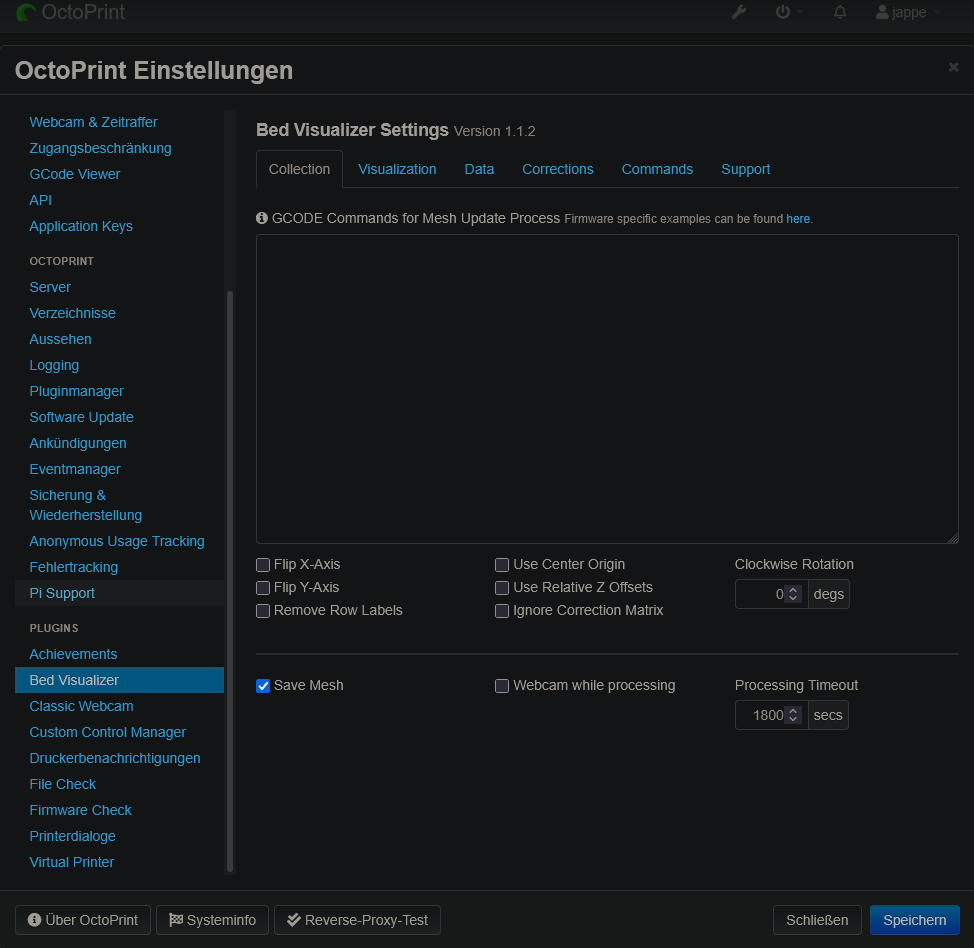

 :
: