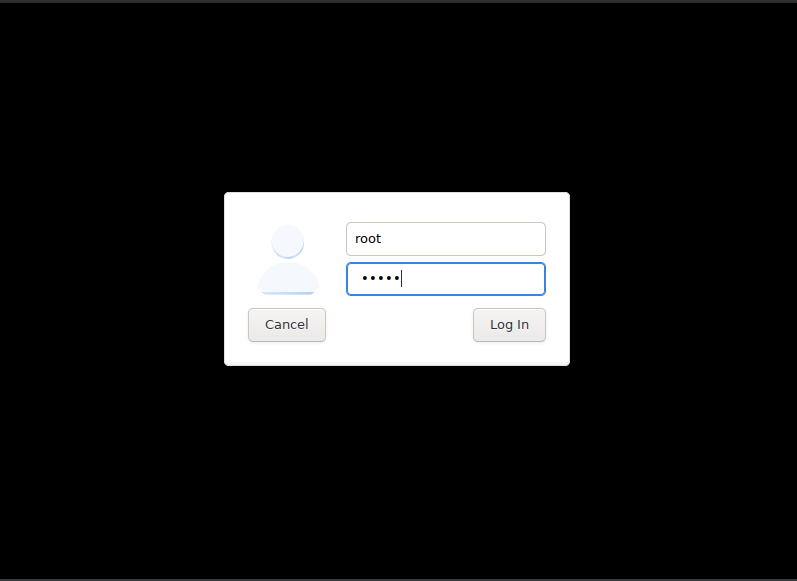
Yes I did installed activate that. I see in the boot note that the graphical target is reached. And I think I see a small flicker on the screen on reaching that target.
I sticked with the defaults and did not even try wayland.
[23.849]
X.Org X Server 1.21.1.16
X Protocol Version 11, Revision 0
[23.849] Current Operating System: Linux DietPi 6.1.115-vendor-rk35xx #1 SMP Tue Nov 4 14:07:09 UTC 2025 aarch64
[23.849] Kernel command line: root=UUID=f97b8785-9d14-473e-8147-3095ad97c1d0 rootfstype=ext4 rootwait console=ttyFIQ0,1500000 console=tty1 consoleblank=0 coherent_pool=2M ubootpart=59cabfaf-7896-47eb-80fd-d353065793a8 fsck.repair=yes net.ifnames=0 video=HDMI-A-1:1920x1080 androidboot.fwver=ddr-v1.09-2f85f4b2d4,spl-v1.07,bl31-v1.20,uboot-rmbian-201-10/16/2025
[23.850] xorg-server 2:21.1.16-1.3+deb13u1 (https://www.debian.org/support)
[23.851] Current version of pixman: 0.44.0
[23.851] 	Before reporting problems, check http://wiki.x.org
to make sure that you have the latest version.
[23.851] Markers: (--) probed, (**) from config file, (==) default setting,
	(++) from command line, (!!) notice, (II) informational,
	(WW) warning, (EE) error, (NI) not implemented, (??) unknown.
[23.852] (==) Log file: "/var/log/Xorg.0.log", Time: Wed Nov 19 21:00:21 2025
[23.861] (==) Using config directory: "/etc/X11/xorg.conf.d"
[23.861] (==) Using system config directory "/usr/share/X11/xorg.conf.d"
[23.865] (==) No Layout section.  Using the first Screen section.
[23.865] (==) No screen section available. Using defaults.
[23.865] (**) |-->Screen "Default Screen Section" (0)
[23.865] (**) |   |-->Monitor "<default monitor>"
[23.867] (==) No monitor specified for screen "Default Screen Section".
	Using a default monitor configuration.
[23.867] (**) Option "BlankTime" "0"
[23.867] (**) Allowing byte-swapped clients
[23.868] (==) Automatically adding devices
[23.868] (==) Automatically enabling devices
[23.868] (==) Automatically adding GPU devices
[23.868] (==) Automatically binding GPU devices
[23.868] (==) Max clients allowed: 256, resource mask: 0x1fffff
[23.875] (WW) The directory "/usr/share/fonts/X11/cyrillic" does not exist.
[23.875] 	Entry deleted from font path.
[23.875] (WW) The directory "/usr/share/fonts/X11/100dpi/" does not exist.
[23.875] 	Entry deleted from font path.
[23.875] (WW) The directory "/usr/share/fonts/X11/75dpi/" does not exist.
[23.875] 	Entry deleted from font path.
[23.879] (WW) The directory "/usr/share/fonts/X11/100dpi" does not exist.
[23.879] 	Entry deleted from font path.
[23.879] (WW) The directory "/usr/share/fonts/X11/75dpi" does not exist.
[23.879] 	Entry deleted from font path.
[23.879] (==) FontPath set to:
	/usr/share/fonts/X11/misc,
	/usr/share/fonts/X11/Type1,
	built-ins
[23.879] (==) ModulePath set to "/usr/lib/xorg/modules"
[23.879] (**) Extension "DPMS" is disabled
[23.879] (II) The server relies on udev to provide the list of input devices.
	If no devices become available, reconfigure udev or disable AutoAddDevices.
[23.879] (II) Loader magic: 0xaaaad07c0ef0
[23.879] (II) Module ABI versions:
[23.879] 	X.Org ANSI C Emulation: 0.4
[23.879] 	X.Org Video Driver: 25.2
[23.880] 	X.Org XInput driver : 24.4
[23.880] 	X.Org Server Extension : 10.0
[23.887] (++) using VT number 1

[23.902] (II) systemd-logind: took control of session /org/freedesktop/login1/session/_31
[23.908] (II) xfree86: Adding drm device (/dev/dri/card1)
[23.908] (II) Platform probe for /sys/devices/platform/27700000.npu/drm/card1
[23.912] (II) systemd-logind: got fd for /dev/dri/card1 226:1 fd 13 paused 0
[23.914] (II) xfree86: Adding drm device (/dev/dri/card2)
[23.914] (II) Platform probe for /sys/devices/platform/27800000.gpu/drm/card2
[23.919] (II) systemd-logind: got fd for /dev/dri/card2 226:2 fd 14 paused 0
[23.921] (II) xfree86: Adding drm device (/dev/dri/card0)
[23.921] (II) Platform probe for /sys/devices/platform/display-subsystem/drm/card0
[23.928] (II) systemd-logind: got fd for /dev/dri/card0 226:0 fd 15 paused 0
[23.937] (II) no primary bus or device found
[23.937] 	falling back to /sys/devices/platform/27700000.npu/drm/card1
[23.937] (II) LoadModule: "glx"
[23.941] (II) Loading /usr/lib/xorg/modules/extensions/libglx.so
[23.987] (II) Module glx: vendor="X.Org Foundation"
[23.987] 	compiled for 1.21.1.16, module version = 1.0.0
[23.987] 	ABI class: X.Org Server Extension, version 10.0
[23.987] (==) Matched modesetting as autoconfigured driver 0
[23.988] (==) Matched fbdev as autoconfigured driver 1
[23.988] (==) Assigned the driver to the xf86ConfigLayout
[23.988] (II) LoadModule: "modesetting"
[23.991] (II) Loading /usr/lib/xorg/modules/drivers/modesetting_drv.so
[23.998] (II) Module modesetting: vendor="X.Org Foundation"
[23.998] 	compiled for 1.21.1.16, module version = 1.21.1
[23.998] 	Module class: X.Org Video Driver
[23.998] 	ABI class: X.Org Video Driver, version 25.2
[23.998] (II) LoadModule: "fbdev"
[23.999] (II) Loading /usr/lib/xorg/modules/drivers/fbdev_drv.so
[24.003] (II) Module fbdev: vendor="X.Org Foundation"
[24.003] 	compiled for 1.21.1.16, module version = 0.5.0
[24.003] 	Module class: X.Org Video Driver
[24.003] 	ABI class: X.Org Video Driver, version 25.2
[24.004] (II) modesetting: Driver for Modesetting Kernel Drivers: kms
[24.004] (II) FBDEV: driver for framebuffer: fbdev
[24.004] (WW) Falling back to old probe method for modesetting
[24.005] (II) modeset(0): using default device
[24.005] (WW) Falling back to old probe method for fbdev
[24.005] (II) Loading sub module "fbdevhw"
[24.005] (II) LoadModule: "fbdevhw"
[24.005] (II) Loading /usr/lib/xorg/modules/libfbdevhw.so
[24.009] (II) Module fbdevhw: vendor="X.Org Foundation"
[24.010] 	compiled for 1.21.1.16, module version = 0.0.2
[24.010] 	ABI class: X.Org Video Driver, version 25.2
[24.010] (II) FBDEV(1): using default device
[24.011] (II) modeset(G0): using drv /dev/dri/card0
[24.011] (EE)
Fatal server error:
[24.011] (EE) Cannot run in framebuffer mode. Please specify busIDs for all framebuffer devices
[24.011] (EE)
[24.011] (EE)
Please consult the The X.Org Foundation support at http://wiki.x.org
 for help.
[24.012] (EE) Please also check the log file at "/var/log/Xorg.0.log" for additional information.
[24.012] (EE)
[24.046] (EE) Server terminated with error (1). Closing log file.
The other commands do not give any results. startx gives the same error messages.
So if it’s falling back to card1, which is the NPU, you can not see anythung because the NPU has no display output.
Can you try to select a display under dietpi-config → display options → DietPi-Display mode and rotation. But I guess it has already the correct one since you can see the tty output. @MichaIng what’s going on here?
Annoying that the NPU appears as DRM device. X11 probes them in order and since all of them seem to work, it just picks the first, I assume. Means, I guess we’ll need an X11 config to define the preferred DRM device explicitly. Something like this:
To verify that this is the correct driver match, see here the example of my Orange Pi 5:
root@DietPi:~# ls -l /sys/class/drm/card1/device/
...
lrwxrwxrwx 1 root root    0 Nov 21 01:25 driver -> ../../../bus/platform/drivers/RKNPU
...
root@DietPi:~# ls -l /sys/class/drm/card0/device/
...
lrwxrwxrwx 1 root root    0 Nov 21 01:25 driver -> ../../../bus/platform/drivers/rockchip-drm
...
It shows the driver name for DRM card0 as rockchip-drm, hence I used this for MatchDriver. The NPU driver name is RKNPU, also card1 in my case. But I am too tired now to check whether X11 picks the wrong here as well. Will test tomorrow.