Creating a bug report/issue
I have searched the existing open and closed issues
Required Information
- DietPi version | CORE=10, SUB=2, RC=3, branch=master
- Distro version |
TRIXIE
- Kernel version | Linux DietPi 6.12.74+deb13+1-amd64 #1 SMP PREEMPT_DYNAMIC Debian 6.12.74-2 (2026-03-08) x86_64 GNU/Linux
- Architecture |
amd64
- SBC model | Native PC (x86 64)
- Power supply used | n/a
- SD card used | n/a
Additional Information (if applicable)
- Software title | mpd (controlled by Cantata v2.3.2 via network/ Win10 laptop
- issue began after deleting “/mnt/dietpi_userdata/.mpd_cache/db_file”
Steps to reproduce
- stop mpd
- rm /mnt/dietpi_userdata/.mpd_cache/db_file
- start mpd
Expected behaviour
- mpd should create a fresh db_file and rescan the entire music_directory defined in mpd.conf
Actual behaviour
- rescan begins (as seen by journalctl log entries), but hangs after some time
- new db_file is NOT created in /mnt/dietpi_userdata/.mpd_cache directory
Extra details
- curiously, Cantata will get mpd to play files that have been newly scanned (according to log output), but cannot play other “phantom” albums in the list (scanned from the previous network source library).
Q: where is mpd storing the results of the current ongoing rescan, such that it can retrieve this data for playback ?
mpc shows it is updating the database (and playing music)…
root@DietPi:~# mpc
Art Tatum (Zenph Studios) - Sophisticated Lady [Stereo Surround Version]
[playing] #4/27   2:07/3:20 (63%)
Updating DB (#1) ...
volume: n/a   repeat: on    random: off   single: off   consume: off
…yet the last “update: “ entry in the log was from hours ago…
root@DietPi:~# journalctl -u mpd --no-pager | grep 'update'
Apr 11 18:47:33 DietPi mpd[726]: update: added _WAV/Alan Parsons/Alan Parsons - Tales Of Mystery And Imagination D1 [1976.orig].wav
 ...
Apr 11 18:49:10 DietPi mpd[726]: update: added _WAV/City Boy/City Boy - Book Early [1978].wav
Apr 11 18:49:10 DietPi mpd[726]: update: added _WAV/FGTH/FGTH - Welcome To The Pleasuredome - custom (1984, cinram.CID-101).wav
Apr 11 18:49:10 DietPi mpd[726]: update: added _WAV/Harmonium/Harmonium - En Tournee D1 [1980_2006.JP.remaster].wav
Apr 11 18:49:11 DietPi mpd[726]: update: added _WAV/Harmonium/Harmonium - En Tournee D2 [1980_2006.JP.remaster].wav
root@DietPi:~#
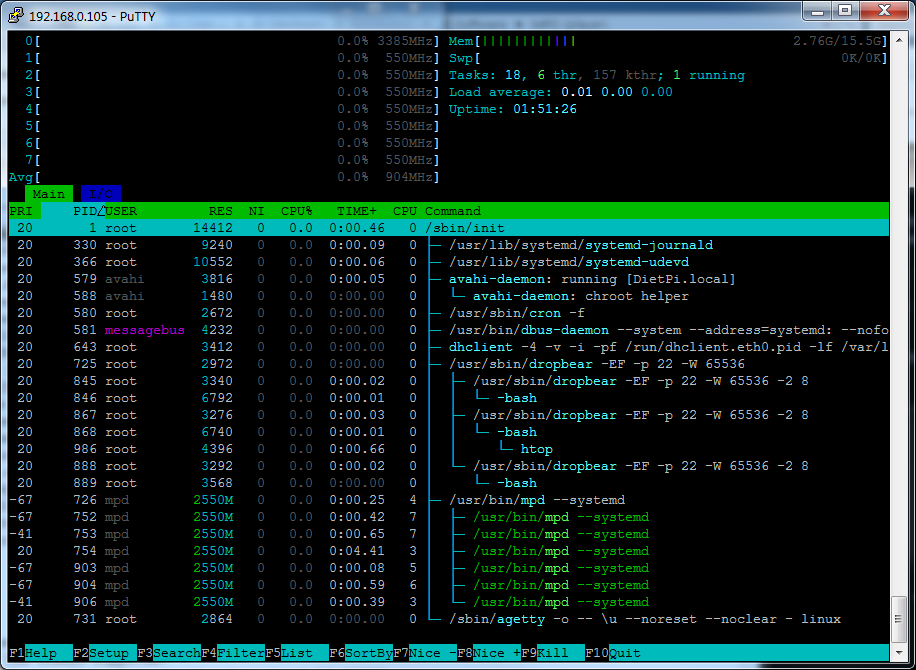
More curiously, htop shows huge RAM usage compared to the usual consumption…
FYI: I am a rank newbie in understanding the finer points of the linux/dietpi environment. I have built this machine as a single purpose unit - to play 2-CH music files, in a HiFi listening room situation. It has worked amazingly well for 18 months.
Last week the file server died, and my attempt to substitute an alternate (subset) music source, over the network, has not yet been 100% successful (evidenced by this post for help  ).
Any ideas/ directions would be greatly appreciated.
Thanks so much,
Grant
probably something you would need to check with mpd developer as we don’t manage or develop the application itself.
@Joulinar thanks for rapid reply. Despite the usual “but, it used to work until…” thing, I’m wondering if removing MPD (via DietPi-Software) and then reinstalling it again will reset whatever conflict is hiding plain view.
Does the DietPi-Software remove dialog clean up everything from the install process ?
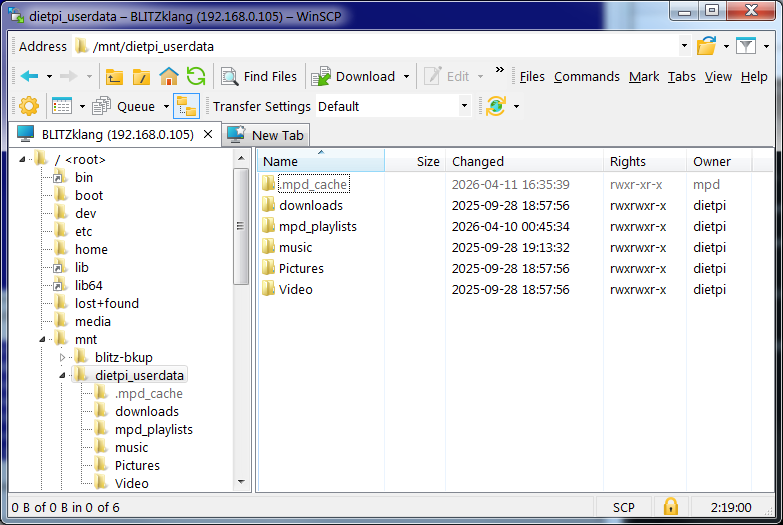
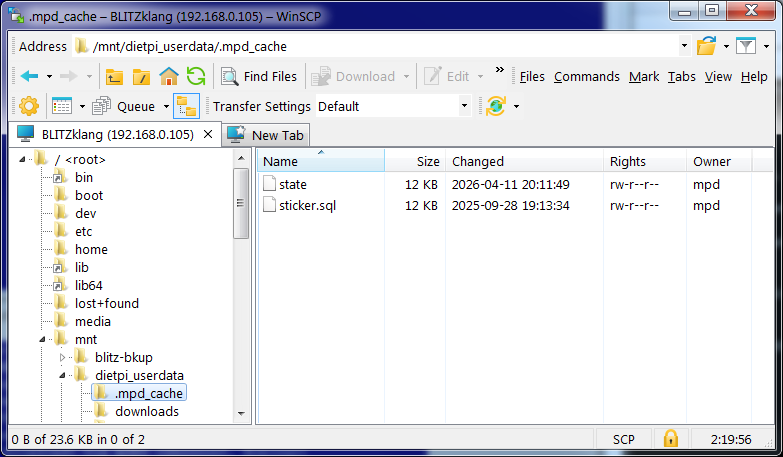
Is there some permission oddity preventing the mpd user from creating a new db_file in the same directory it used before ? The owner is shown as “mpd’“ in WinSCP…
…and the state file has been successfully updated today…
Thanks again for ideas.
UPDATE: RE-installing MPD over top of the current install seems to have allowed the db_file to be created.
nb: thanks to the clever script writers of DietPi-Software, it was suggested to reinstall the package instead of removing it completely. It seems that was the right choice.
root@DietPi:~# ls -l /mnt/dietpi_userdata/.mpd_cache
total 20
-rw-r--r-- 1 dietpi dietpi   347 Apr 11 21:42 db_file
-rw-r--r-- 1 dietpi dietpi   187 Apr 11 22:32 state
-rw-r--r-- 1 dietpi dietpi 12288 Apr 11 21:42 sticker.sql
One step forward. The true issue is not solved until a full scan of the music library completes  .
More info to follow…
## - six hours later - ##
root@DietPi:~# ls -l /mnt/dietpi_userdata/.mpd_cache
total 24
-rw-r--r-- 1 mpd audio   347 Apr 11 21:42 db_file
-rw-r--r-- 1 mpd audio  4359 Apr 12 05:14 state
-rw-r--r-- 1 mpd audio 12288 Apr 11 21:42 sticker.sql
Despite setting all permissions the same as in a previous backup (known to work with the original TrueNAS file source), MPD is still failing to write results of scanning to the db_file.
Repeated scan attempts all hang at the same album folder. Then, I moved that folder out of the library structure. Next scan attempt hung at another album, after processing approximately the same number of entries.
After a scan/hang opration, Cantata displays the scanned items in it’s folder view, and will actually play the files it lists. After a reboot, the phantom list is NOT available to Cantata.
…time for DESPERATION moves…
I restored the previous db_file from a backup and ran mpc rescan to put the index in sync with the content of the “new” music library. It did a lot of free-spooling stuff (monitored real time by journalctl -u mpd -f ), then eventually did hang too.
Laughingly, the list that Cantata displays (after another reboot) does not connect to most of the titles - though the ones it touched during the rescan do connect and play !
With MPD logging set to verbose, there are no lines marked error during scanning, only during an attempt to play a track that’s “not there”.
Quite a disaster… any ideas/help would be most appreciated.
Thanks.
- ================== The Next Day ================= *
Uninstall MPD completely, Reinstall MPD… and exactly the same behaviour and results:
- library rescan hangs, and the process fails to update the (newly fresh) db_file.
Perhaps the latest MPD v0.24.9 will behave better than the v0.24.4 packaged with DietPi ?
@Joulinar
DietPi-Software currently installs MPD v0.24.4, while the latest version is v0.24.9. In the MPD user manual - Troubleshooting section - it boldly proclaims…
Do not ask for help unless you have the latest MPD version. The most common excuse is when your distribution ships an old MPD version - in that case, please ask your distribution for help, and not the MPD project.
I am expecting the “…nobody can see the Great Oz! Not nobody, not nohow!” routine when seeking help at the MPD Forum, due to this version disparity. I suspect the error handling of the scanning process is broken, since it just hangs (on different entries).
Can I safely upgrade my installation to the current v0.24.9 ?
Heh-heh, how would a linux-newbie go about such a mission ?
Thanks again…
[I really do LOVE this machine - when it’s working !]
There is no dedicated version we install on DietPi, as we install mpd from global Debian package repository. Paket mpd
Latest version on Debian Trixie is 0.24.4-1
A newer version is available on Debian Forky (testing suite) only 0.24.8-1
Installation procedure is matching official docs User’s Manual — Music Player Daemon documentation
as alternative, you might need to install from source