Hi, I still have problems.  I’m trying to say that it should use the external hard drive. I have the “immich.env” Edited . Now after restarting the services, Immich no longer has any memory. I also tried to move the “Immich” folder, that didn’t work. What am I doing wrong this time.
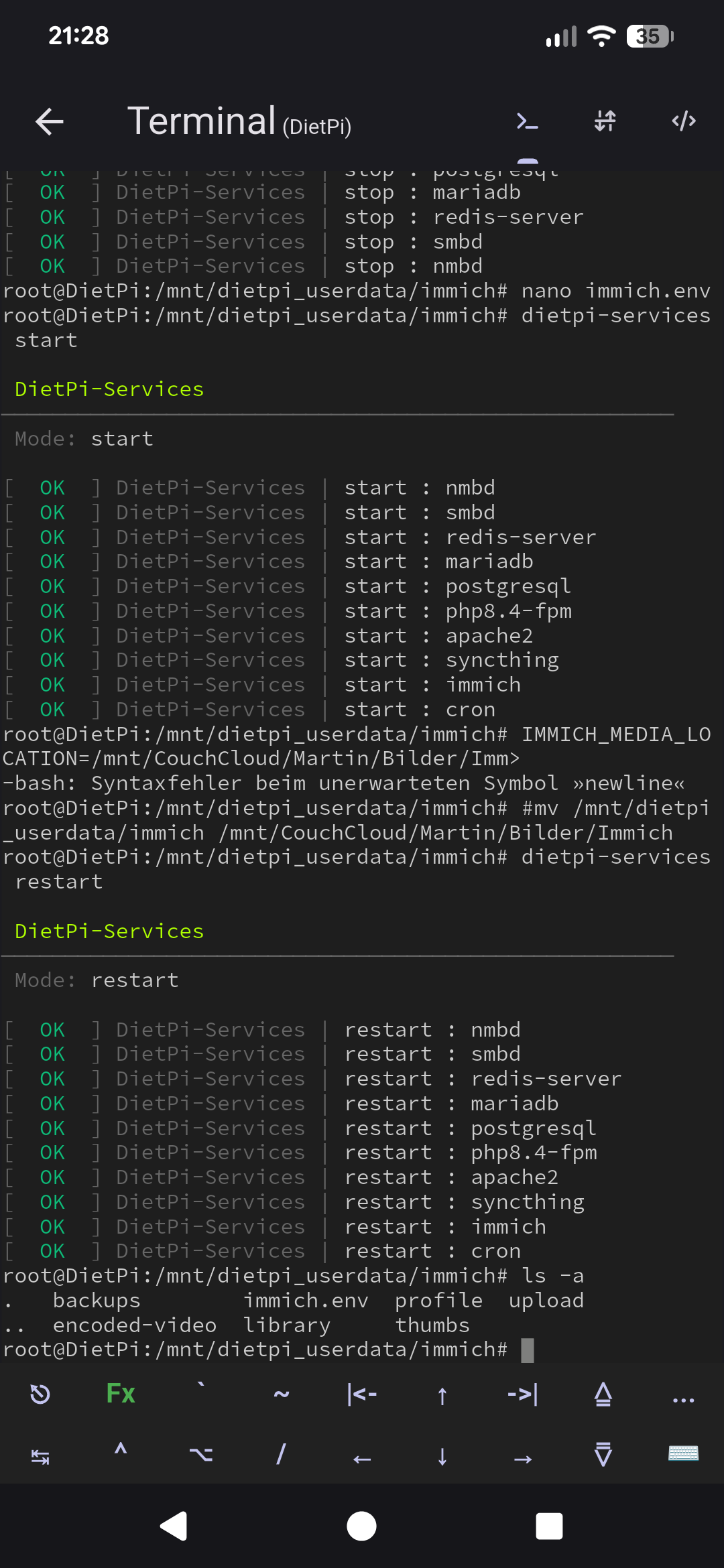
What do you mean, it has no memory?
And where did you move it and why?
Hi, I meant that after my changes “immich” shows no longer a hard drive. I couldn’t move the folder “immich” with the “immich.env” includet from the dietpi_userdata directory.
I installed Dietpi on an SSD and would like to save the images of “Immich” to another hard drive. I can’t get that. in the “immich.env” is no storage directory after installation. When I enter a directory, “Immich” no longer shows me a hard drive.
Got it!
Simplest and recommended method: Using symlinks (works great on DietPi)
This approach is especially useful if you want to move the data to an external hard drive, USB drive, or another mount point (e.g. /mnt/data/images or /mnt/usbdrive/immich) without changing the entire DietPi-Immich installation.
Stop Immich:
sudo systemctl stop immich
Create the new target folder (e.g. on your external drive):
sudo mkdir -p /path/to/new/storage/immich
(Replace /path/to/new/storage/immich with your desired path, for example /mnt/hdd/immich-media.)
Move the files (important: move all relevant subfolders):
sudo mv /mnt/dietpi_userdata/immich/upload/upload /path/to/new/storage/immich/
sudo mv /mnt/dietpi_userdata/immich/upload/encoded-video /path/to/new/storage/immich/   # if it exists
# Move additional folders as needed: thumbs, profile, backups, etc.
Create symlinks so Immich still “sees” the old path:
sudo ln -s /path/to/new/storage/immich/upload /mnt/dietpi_userdata/immich/upload/upload
sudo ln -s /path/to/new/storage/immich/encoded-video /mnt/dietpi_userdata/immich/upload/encoded-video
Start Immich:
sudo systemctl start immich
Check:
sudo systemctl status immich
This worked for me without any problems only via SSH.
why putting all questions you have into the very same topic? Immich has nothing to do with your WebDAV topic.
I split it into an own topic now.
Back to your question.
Currently, we set the IMMICH_MEDIA_LOCATION via the systemd service immich.service. The reason for this is that this directory isn’t just the upload directory, but contains all Immich data. Immich states in its own documentation that you should preferably not change this variable. Therefore we removed it from immich.env.
IMMICH_MEDIA_LOCATION> Media location inside the containerYou probably shouldn’t set this
The Immich folder contains backups, library, profile, thumbs, and the media upload directory.
root@DietPi5:/mnt/dietpi_userdata/immich# ls -la
total 36
drwxr-xr-x 8 immich immich 4096 Mar 31 01:33 .
drwxrwxr-x 8 dietpi dietpi 4096 Mar 31 01:32 ..
drwxr-xr-x 2 immich immich 4096 Mar 31 01:33 backups
drwxr-xr-x 2 immich immich 4096 Mar 31 01:33 encoded-video
-rw-r----- 1 root   immich  521 Mar 31 01:32 immich.env
drwxr-xr-x 2 immich immich 4096 Mar 31 01:33 library
drwxr-xr-x 2 immich immich 4096 Mar 31 01:33 profile
drwxr-xr-x 2 immich immich 4096 Mar 31 01:33 thumbs
drwxr-xr-x 2 immich immich 4096 Mar 31 01:33 upload
The question is what exactly should be moved. Normally, the upload directory is the largest. Currently, the easiest approach is to move the affected directories and then create a symbolic link to them.
And one huge request, pls try to avoid doing screen prints. Pls copy everything from SSH terminal. This simplify thinks for people wo like to read your small images or who like to quote some of your incorrect commands.
Understood. I’m new to the game.
I’ve always asked in the same thread because wont fill the Forum with Garbage Threads. 
Thank you for refining my solution so beautifully!
I hope I’ll contribute a little something to Dietpi for newcomers.
Actually, the exact opposite is more likely to be the case. The more clearly you organize the topics, the easier it is for other users to find the information they need. If you cram everything into a single post, it becomes hard to keep track of things, and discussions or troubleshooting become confusing because it’s no longer clear where each piece of information belongs.