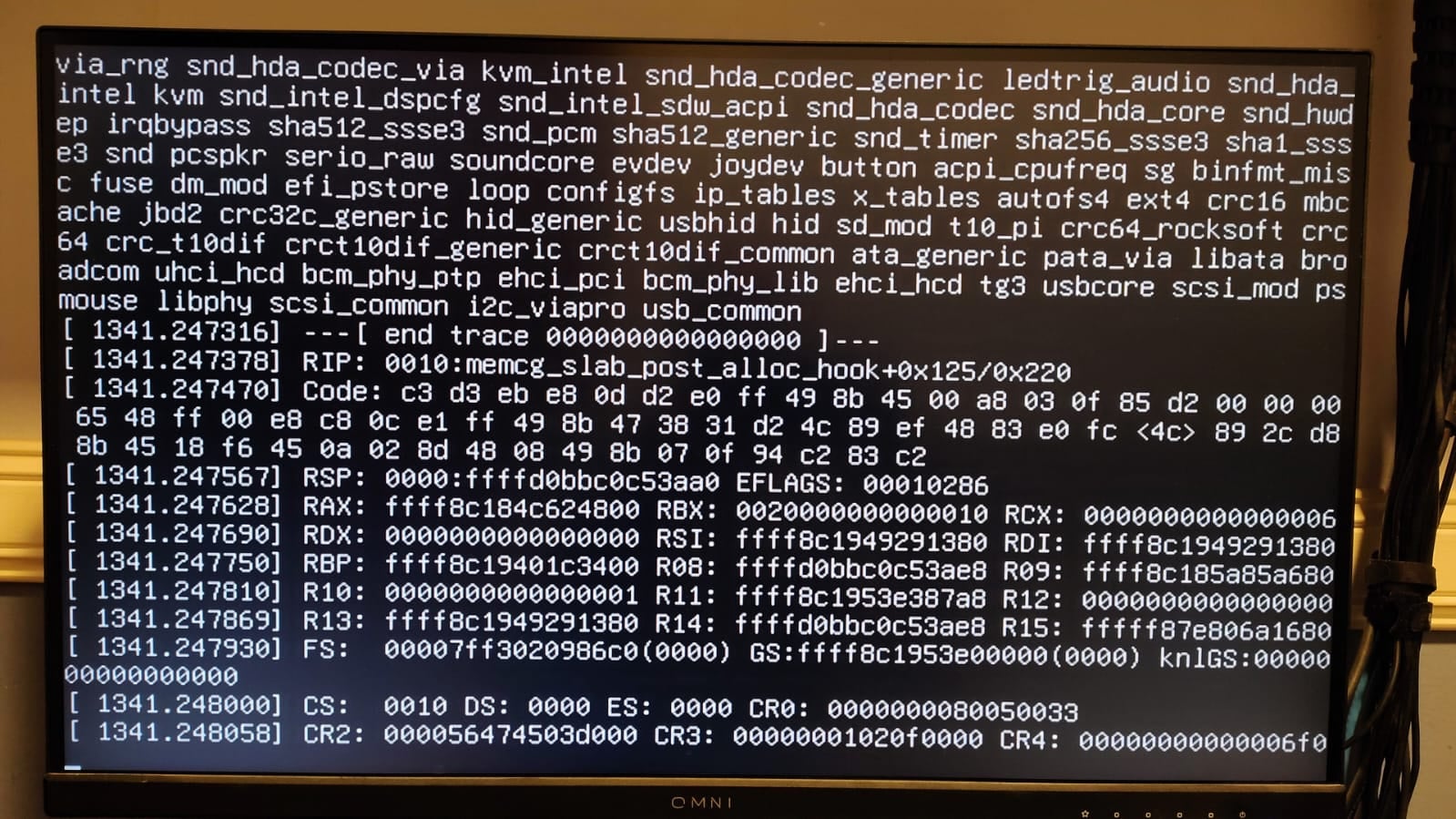
Cant run DietPi Trixi (crashes when bootup), so no access to logs, only some error on screen (should’ve taken a picture…) It happened to my with every release of trixie. So its not specific to 10.1.
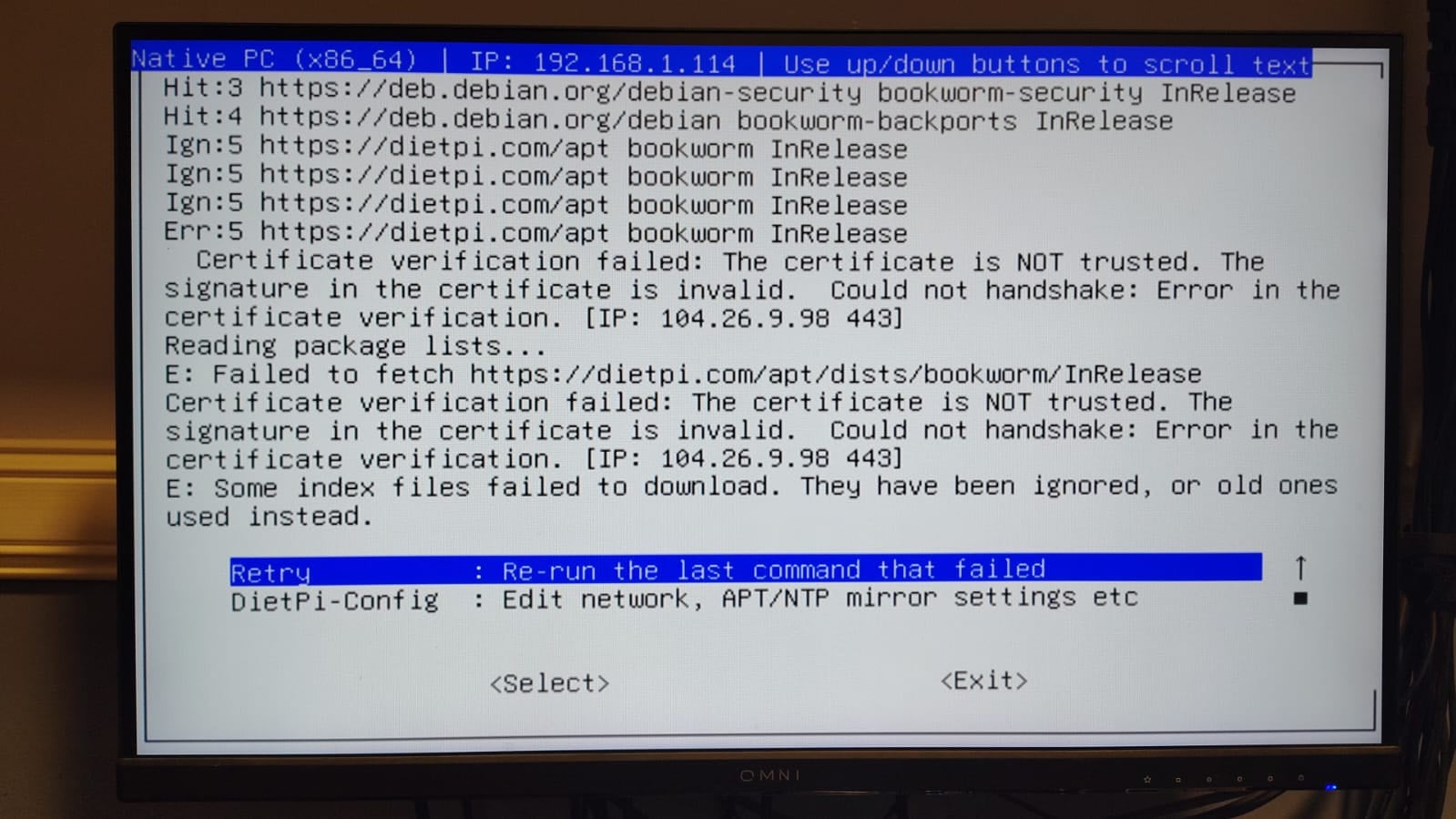
Can run Bookworm, but can’t update, here is the pic:
Thanks to chatgpt, I seemed to fix the fatal crash. I managed to copy 100gb (1 file!) and 30 700mb files without a crash.
Here is the solution:
Kernel Panic Under Heavy Samba Load on VIA Eden (Fixed)
Problem:
On a VIA Eden 3500U system running DietPi (Debian kernel 6.x), the server crashed during large file transfers (30–100GB over Samba). The kernel panic occurred in:
memcg_slab_post_alloc_hook
This indicates a crash in the memory cgroup (memcg) subsystem under heavy I/O and slab allocator activity.
Cause:
Kernel 6.x memory cgroups are unstable on some legacy VIA hardware under sustained load. Not a RAM or disk failure.
Kernel version | Linux DietPi-Thin 6.1.0-43-amd64 #1 SMP PREEMPT_DYNAMIC Debian 6.1.162-1 (2026-02-08) x86_64 GNU/Linux
Architecture | amd64
Hardware model | Native PC (x86_64) (ID=21)
Additional logs:
Ign:1 https://dietpi.com/apt bookworm InRelease
Hit:2 https://deb.debian.org/debian bookworm InRelease
Hit:3 https://deb.debian.org/debian bookworm-updates InRelease
Hit:4 https://deb.debian.org/debian-security bookworm-security InRelease
Hit:5 https://deb.debian.org/debian bookworm-backports InRelease
Ign:1 https://dietpi.com/apt bookworm InRelease
Ign:1 https://dietpi.com/apt bookworm InRelease
Err:1 https://dietpi.com/apt bookworm InRelease
  Certificate verification failed: The certificate is NOT trusted. The signature in the certificate is invalid.  Could not handshake: Error in the certificate verification. [IP: 2606:4700:20::ac43:4539 443]
Reading package lists...
E: Failed to fetch https://dietpi.com/apt/dists/bookworm/InRelease  Certificate verification failed: The certificate is NOT trusted. The signature in the certificate is invalid.  Could not handshake: Error in the certificate verification. [IP: 2606:4700:20::ac43:4539 443]
E: Some index files failed to download. They have been ignored, or old ones used instead.
This is a simple certificate issue for apt package manager. It has nothing to do with a system crash. As already requested by @Jappe, did you verified your system time?
for me the certificate is correct and working. Might be something local or on the way between your and our server. As well you are the only one reporting this. I would experte more users to have the issue if it would be on our server.
Can you try to open Index of /apt on a local browser and check the certificate?