So I’m a new DietPi and Linux user and probably doing most things wrong. Apologies for that.
However, I think this is a good use case to see how things will behave with an average Windows OS user trying its way onto DietPi.
I really like the “DietPi Dashboard” implementation since it provides a UI over the browser, reducing the need to meddle with the terminal over ssh frequently.
However, here are some things I’ve noticed so far:
Under “/software,” you can uninstall several packages using the [Uninstall] button at the bottom. However, it seems that if some of those packages have a popup uninstallation window (like MariaDB saying it will create a backup of the configuration files and so on), since there is no actual terminal visualization and no one will press the ‘Ok’ button on those events (I presume), the uninstallation process will be stuck forever.
I had this problem several times and was forced to use the “dietpi-software” manager inside the terminal with the bulk uninstall option, and this works every time. However, in the terminal, I’m also seeing those popup messages saying Nextcloud will keep some backup configs somewhere and so on and when i press OK, then the setup finished successfully.
The “Terminal” tab has a dark secret. If you type “dietpi-software” there, it will open the software manager. However, if you then click on some of the other tabs inside the “DietPi Dashboard,” such as “Services,” you are somewhat screwed.
It seems that this action still keeps the “dietpi-software” process running, and when you attempt to access the “Software” tab, it fails to open. Attempting to access “dietpi-software” from the terminal simply returns:
And with my level of Linux knowledge, the only way I know of fixing this is to restart the whole machine.
The “Services” tab also hangs quite a lot, and I think this is somehow related to the “dietpi-services” menu from the terminal, similar to the idea I mentioned in point 2.
Right now, I don’t have any “dietpi-services” open anywhere and I can also access them inside the terminal. However, the services tab is once again not accessible for some reason:
P.S. Well… it seems that while trying to bring all those edge cases to your attention, I’ve actually managed to somehow mess up the DietPi Dashboard even more, and now the general page of it won’t even load as well.
Every other service I have works, so it’s only the web Dashboard.
What are the general rules I can follow or actions I can take to reduce these problematic events, or at least be able to restart this dashboard via the terminal instead of restarting the whole machine like a chump?
Hello, thank you for noticing all these edge cases!
When using the software page to un/install things, it should automatically select “no” on any prompt. This is part of dietpi-software itself, and not the dashboard.
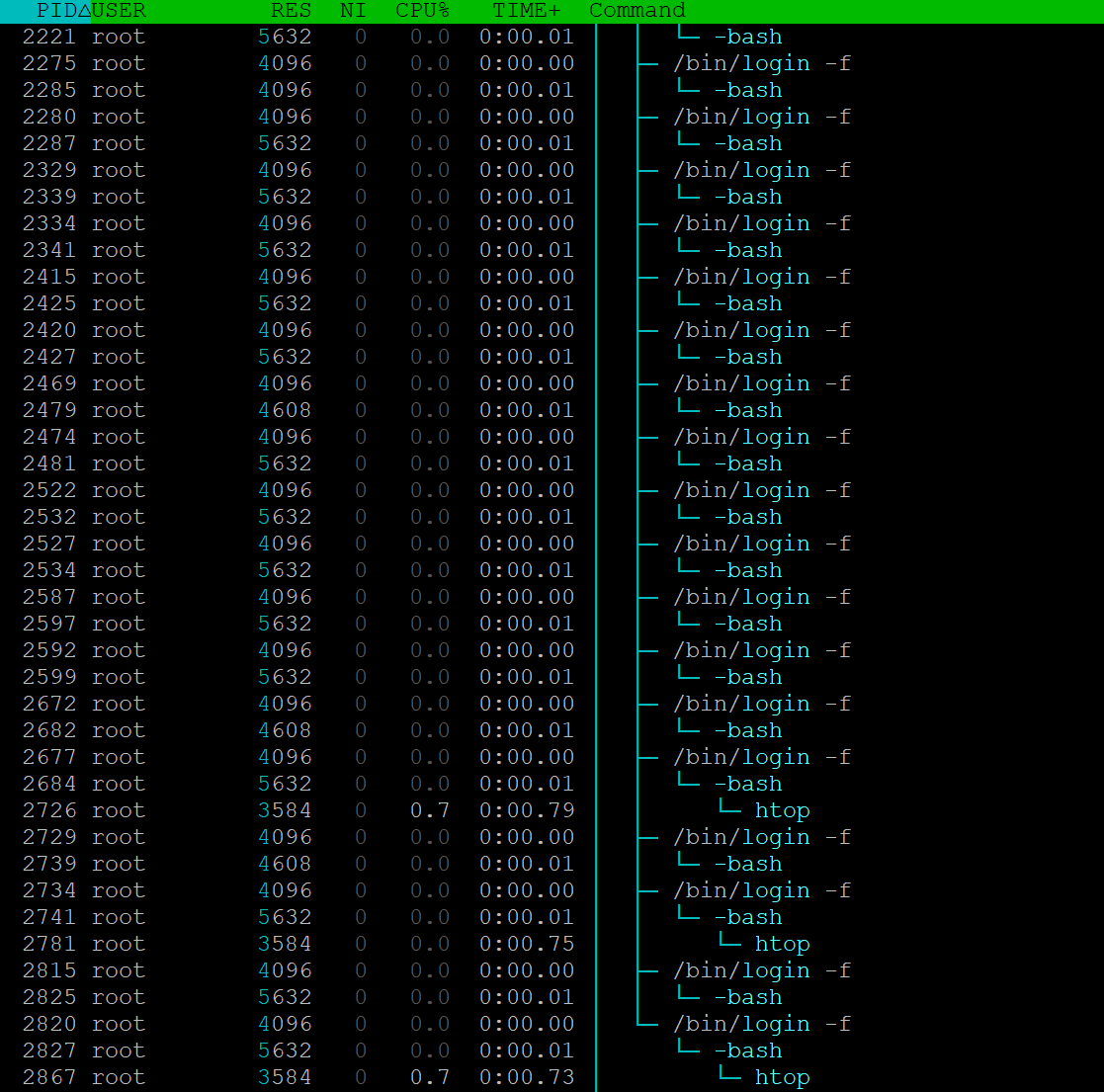
When exiting the terminal page, it does expect that you’re back on the bash shell, otherwise it does fail to quit the process. This is something that needs to be fixed.
As far as the other broken pages, could you post the output of systemctl status dietpi-dashboard? It might have some useful error information.
Doing this command returned a massive chunk of stuff on the terminal.
Posting them on pastebin, since if i dump them here directly, somebody will probably freak out
Well yes, rebooting the systems fixes the dietpi-dashboard problem until i stumble upon it again.
The using “systemctl restart dietpi-dashboard” wont actually help as the tabs will be still broken (unless i do another machine reboot).
I can record a video if you want - will make things more visual ?
I don’t know about many…since for me, it gets stuck even if I execute ‘dietpi-software’ once inside the dashboard’s terminal and then click away to another tab. From that point onward, it remains stuck, and if I try to return to the dashboard’s terminal, it won’t allow me to do so.
Such a shame, since this dashboard is currently my favorite dietpi tool due to how it visualizes everything, but the following behavior makes it quite unstable.
Is there a way around this behaviors ?
Like for example, starting a second instance of “dietpi-software” kicks the first one so i can actually continue using it ?
worse comes to worse…just restart the entire docker service…or reboot
always type “exit” when you want to back completely out of a terminal shell…otherwise they could hang, it’s a pain…but it keeps you from having terminal just sitting there idle consuming system resources
(UNLESS…you want to keep a terminal running a program/script in the background…then use screen and learn the hotkeys to detatch/attach to the terminal instance)
dietpi-dashboard does not terminate the login session when exiting the terminal, but does not reattach to it either when it is opened again. I opened an issue at the dashboard repo about his.
dietpi-software does not allow concurrent executions, even when just listing available software titles, which the dashboard makes use of on the software page.
whiptail menus are difficult to terminate (directly), they tend to remain as zombie process if not exited from the dialogue itself. And dietpi-software shows a whiptail dialogue when a concurrent execution is detected.
The concurrent execution is detected based on whether the /tmp/DietPi-Software dir is present. This is removed on regular terminations, also via SIGINT and SIGTERM, but not when hard killed via SIGKILL, which can be required when it hangs on a whiptail dialogue.
I will fix the 2nd and 4th point. I hope ravenclaw can fix the 1st. The 3rd is something I’ll report to the Debian bug tracker. But I have not much hope that this is solver anytime soon, as another whiptail bug report is unanswered since years.