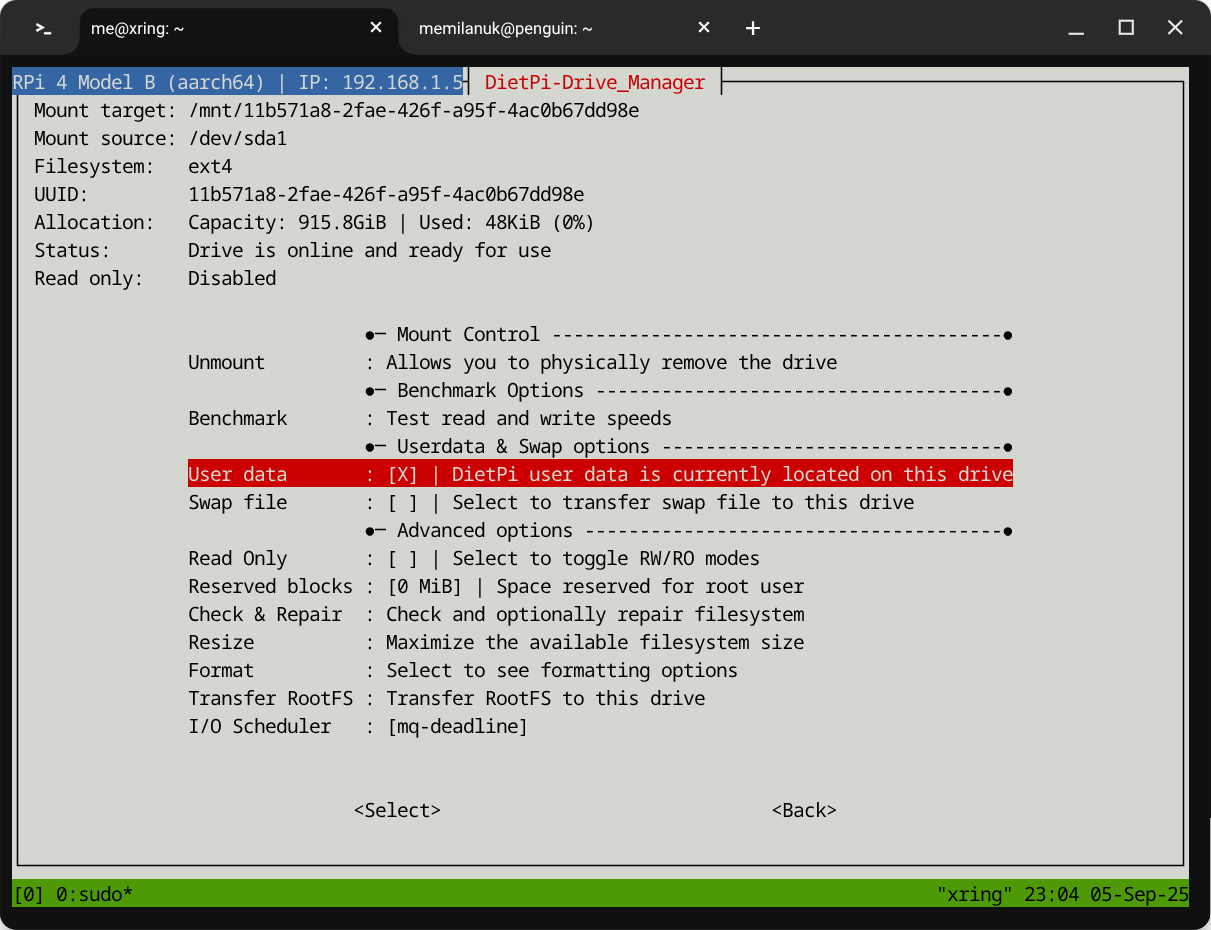
Been playing around with dietpi-drivemanager for the first time. Kinda neat, saves mucking about directly with /etc/fstab, among other things.
Along the way I mounted a 1TB external Samsung T5 SSD via USB, formatted it, and checked the box to move dietpi-userdata there.
For various reasons, I’d like to undo/change some of that. But it appears I can’t move dietpi-userdata back, at least not using the drivemanager tool?
Specifically, I can’t unmount the drive, because dietpi-userdata is located there. Okay, so I try to uncheck the menu option to put that folder on the USB drive and… nothing. Just stays checked.
I’ve found at least one other, older thread that seems to hint that it should be possible to reverse that step, but right now I’m not having a lot of luck.
What am I missing?