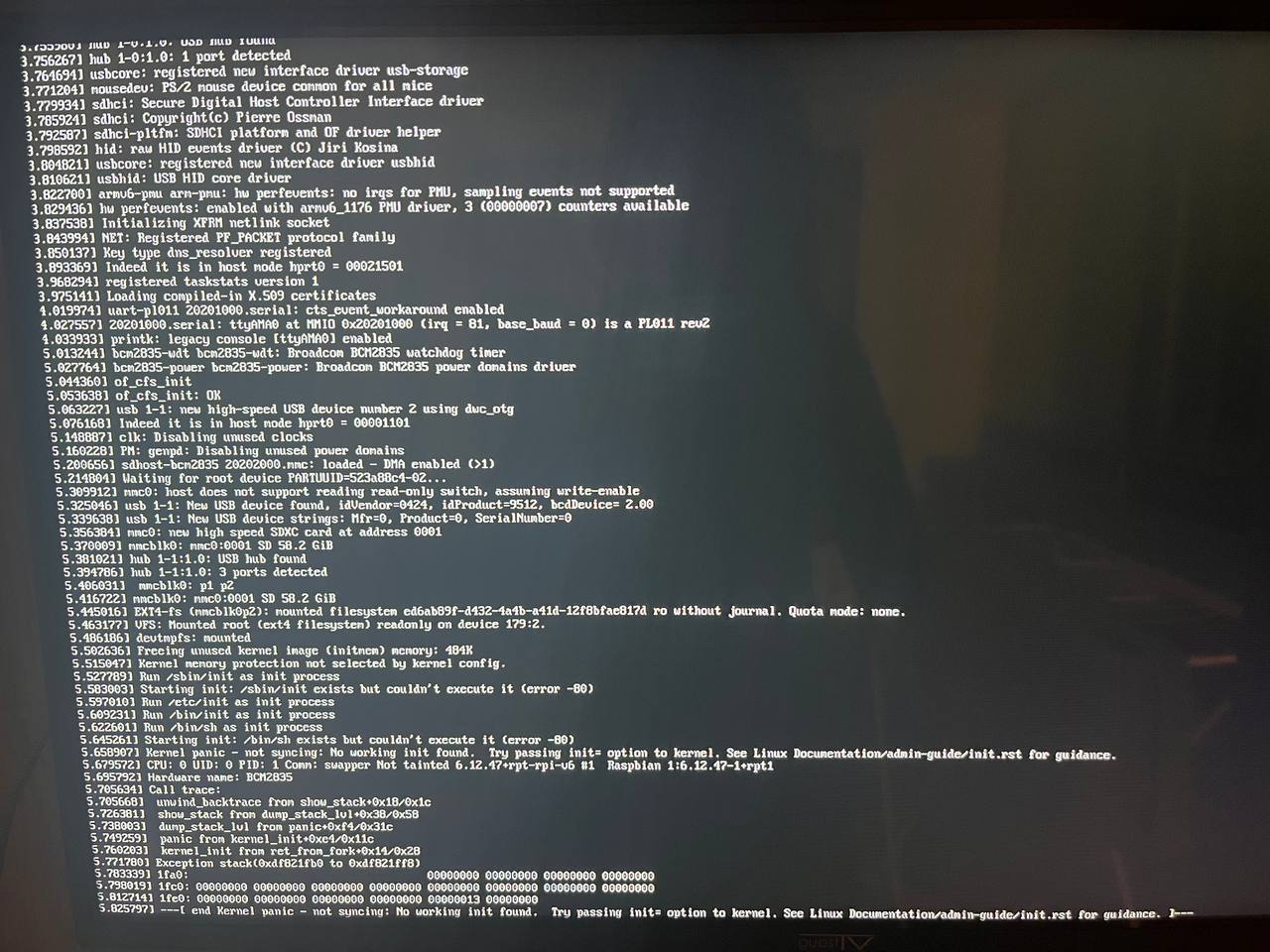
Priviously on the version 9.19 everything was fine, but since version 9.20 I can’t boot anymore, because init file can’t be executed.
Here is the console output:
I also tried booting on alpine linux and everything worked, so I hope the problem is not in the hardware
Device
Raspberry PI model B version 2.0 (armv6)
Image - DietPi_RPi1-ARMv6-Trixie.img
DietPi version
G_DIETPI_VERSION_CORE=9
G_DIETPI_VERSION_SUB=20
G_DIETPI_VERSION_RC=1
G_GITBRANCH=‘master’
G_GITOWNER=‘MichaIng’
Power supply used
Micro USB type B
SD card used
SanDisk ultra 64 GB
Steps to reproduce
- Flash SD Card using Balena Etcher
- Power on rpi
Is this a fresh installation? Or an updated system?
It’s fresh instalation. I haven’t tried to update it when I was on 9.19
Maybe a challenge with the original Raspberry kernel.
@MichaIng are you able to verify this?
/sbin/init would be systemd, not the kernel. But it also fails to just load into a shell  . I am doing an upgrade excluding the kernel, and indeed systemd gets upgraded. Let’s see …
So far so good, still boots, now upgrading the kernel …
Ah actually that is unnecessary. It boots with the kernel that fails for you just now:
root@RPiZeroW:~# uname -a
Linux RPiZeroW 6.12.47+rpt-rpi-v6 #1 Raspbian 1:6.12.47-1+rpt1 (2025-09-16) armv6l GNU/Linux
But also the latest kernel works for me:
root@RPiZeroW:~# uname -a
Linux RPiZeroW 6.12.62+rpt-rpi-v6 #1 Raspbian 1:6.12.62-1+rpt1 (2025-12-18) armv6l GNU/Linux
If you tried it with a different SD card already, wait for the new DietPi v10.0 images, which should be ready tomorrow. Maybe the new kernel solves it.
So I tried another sd card and the problem remained, but on the verison 10.0 everything works like a charm. Thank you very much!
1 Like