# Use a Raspberry Pi5 (16 GB RAM 512 GB NVMe) to transcribe phone calls etc locally

**URL:** https://dietpi.com/forum/t/use-a-raspberry-pi5-16-gb-ram-512-gb-nvme-to-transcribe-phone-calls-etc-locally/25489
**Category:** General Discussion
**Created:** [14 September 2026 19:40 UTC](https://dietpi.com/forum/t/use-a-raspberry-pi5-16-gb-ram-512-gb-nvme-to-transcribe-phone-calls-etc-locally/25489 "2026-09-14T19:40:17Z")
**Posts on this page:** 8
**Page:** 1

<div class="post-metadata">

### Author: ![mydogteddy](https://dietpi.com/forum/user_avatar/dietpi.com/mydogteddy/32/7352_2.png) [@mydogteddy](https://dietpi.com/forum/u/mydogteddy)
#### Post date: [14 September 2026 19:40 UTC](https://dietpi.com/forum/t/use-a-raspberry-pi5-16-gb-ram-512-gb-nvme-to-transcribe-phone-calls-etc-locally/25489/1 "2026-09-14T19:40:17Z")

</div>

### Creating a software or image request, pls use GitHub

I want to upload a .md file in a tutorial to show the steps I took to enable transcribing audio files on my raspberry pi5

> **[MichaIng DietPi · Discussions](https://github.com/MichaIng/DietPi/discussions)**
>
> Explore the GitHub Discussions forum for MichaIng DietPi. Discuss code, ask questions & collaborate with the developer community.

There people have the possibility to vote on your request 😉

---

<div class="post-metadata">

### Author: ![Joulinar](https://dietpi.com/forum/user_avatar/dietpi.com/joulinar/32/57_2.png) [@Joulinar](https://dietpi.com/forum/u/Joulinar)
#### Post date: [15 September 2026 06:29 UTC](https://dietpi.com/forum/t/use-a-raspberry-pi5-16-gb-ram-512-gb-nvme-to-transcribe-phone-calls-etc-locally/25489/2 "2026-09-15T06:29:43Z")

</div>

Could you be a little more specific about what you want to upload and where? If it’s supposed to be a community tutorial, you can post it here in the forum in the appropriate category.

---

<div class="post-metadata">

### Author: ![mydogteddy](https://dietpi.com/forum/user_avatar/dietpi.com/mydogteddy/32/7352_2.png) [@mydogteddy](https://dietpi.com/forum/u/mydogteddy)
#### Post date: [15 September 2026 11:43 UTC](https://dietpi.com/forum/t/use-a-raspberry-pi5-16-gb-ram-512-gb-nvme-to-transcribe-phone-calls-etc-locally/25489/3 "2026-09-15T11:43:24Z")

</div>

Yes, I have recently, with the help of AI been able to configure my raspberry Pi5 (16G) so it transcribes audio such as phone calls. Also if you choose to do so it can use diarization if you want Speaker 1 Speaker 2.

I asked AI to compile a list of instructions, I have not tried them myself, but the steps ought to be a reasonable guide for anyone else who might like to do the same, that are contained in an .md file.

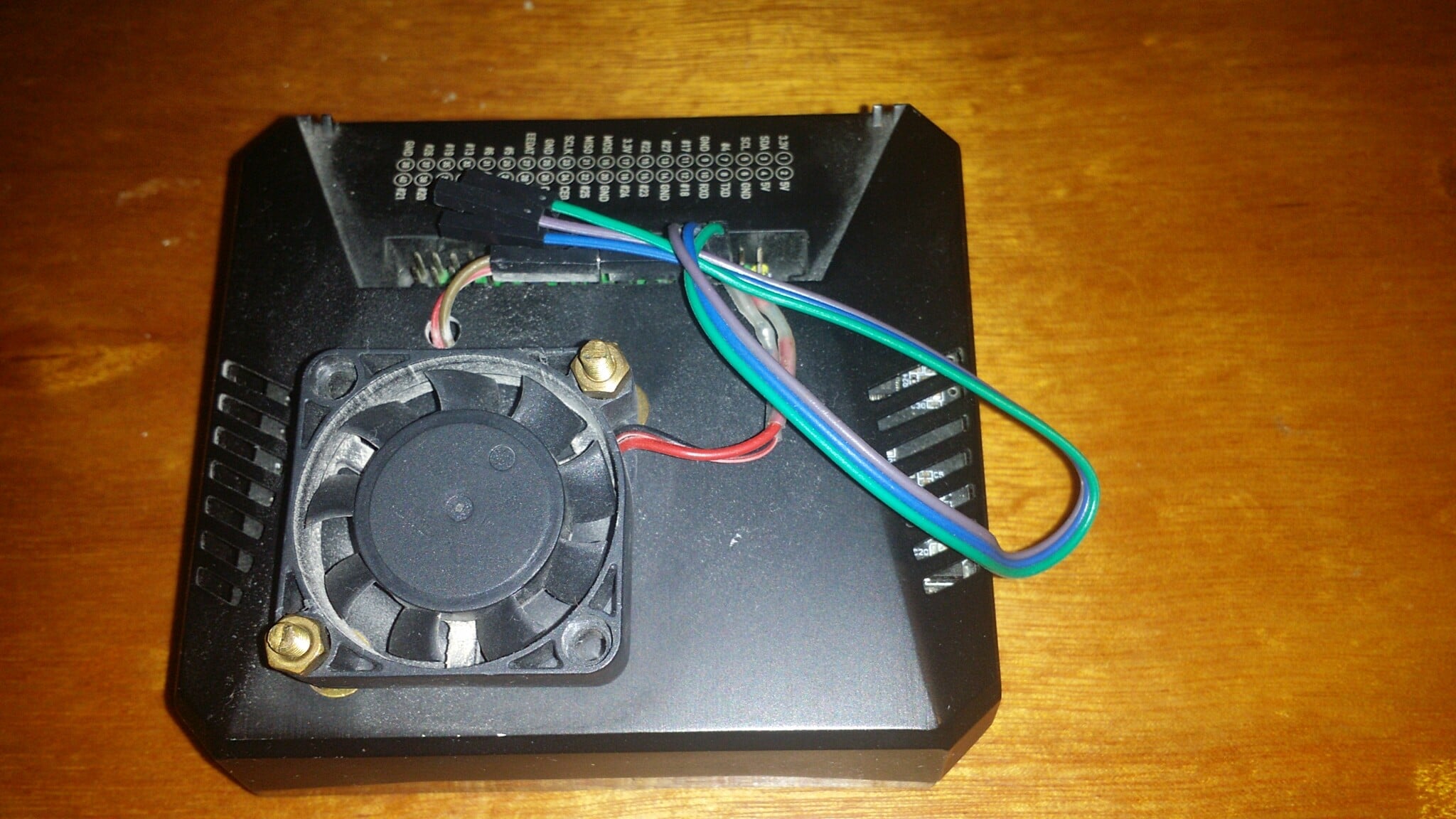
It all seems to work very well but I would add I have added much more cooling because the raspberry runs hot at around 69C when doing this task. If necessary you can also choose to use less cores to keep things cooler.

The installation uses sherpa\_onnx environment, all the transcription is done locally on the Pi5

 ![RP5](https://dietpi.com/forum/uploads/default/original/2X/5/5353da08180091452a7bb4d69f88f15c422f5f77.jpeg)

# Raspberry Pi 5 + DietPi 10.x Local Call Transcription + Speaker Diarization Setup Guide

## DietPi 10.x assumptions

This guide is specifically written for a **Raspberry Pi 5 running 64-bit DietPi 10.x**.

- Use `dietpi-update` for DietPi and operating-system updates.
- Use `apt-get` for installing the Debian packages required by this project.
- The transcription pipeline itself does not require a different script because the OS is DietPi.
- The commands assume an ARM64/aarch64 installation.
- DietPi configuration prompts can vary slightly between releases; use the normal/default choices unless a step below says otherwise.

## Purpose

This guide allows another person to recreate the local Raspberry Pi 5  
call-transcription system.

When complete:

- `transcribe` = local transcription + two-speaker diarization
- `transcribe --no-diarization` = local transcription only
- WAV, MP3 and AMR are supported
- `optimized/` is ignored
- original recordings are never modified
- completed recordings are skipped
- TXT and JSON transcripts are written to `transcripts/`

The reference system used a Raspberry Pi 5, ARM64/aarch64, 16 GB RAM,  
DietPi/Debian, whisper.cpp, the Whisper `medium.en` model, and  
sherpa-onnx.

## 1. Check the Pi

```bash
uname -m
cat /boot/dietpi/.version 2>/dev/null || true
cat /etc/os-release
df -h

```

Architecture should normally be:

```plaintext
aarch64

```

Use a 64-bit Debian-based Raspberry Pi OS/DietPi installation.

## 2. Update DietPi

Because this is a DietPi installation, use DietPi’s own update mechanism:

```bash
dietpi-update

```

Follow the prompts and reboot if DietPi requests it.

## 3. Install system packages

```bash
sudo apt-get install -y git cmake g++ make ffmpeg python3-venv

```

Check:

```bash
git --version
cmake --version
g++ --version
ffmpeg -version
python3 --version

```

whisper.cpp supports Raspberry Pi and its CLI uses 16-bit WAV input;  
ffmpeg is therefore used to normalize source audio.

## 4. Choose the recordings directory

Example:

```plaintext
/mnt/eass-calls

```

Create it:

```bash
sudo mkdir -p /mnt/eass-calls

```

Example layout:

```plaintext
/mnt/eass-calls/
├── call1.wav
├── call2.mp3
├── call3.amr
└── optimized/
    └── duplicate.wav

```

Only files directly in the main directory are processed. `optimized/` is  
deliberately ignored.

If another Pi uses a different directory, change `INPUT_DIR` in Step 13.

## 5. Build whisper.cpp

```bash
sudo git clone https://github.com/ggml-org/whisper.cpp.git /opt/whisper.cpp
cd /opt/whisper.cpp
sudo cmake -B build
sudo cmake --build build -j4

```

Test:

```bash
/opt/whisper.cpp/build/bin/whisper-cli --help

```

The official project documents this CMake build and `whisper-cli`  
workflow.

## 6. Download the Whisper model

```bash
cd /opt/whisper.cpp
./models/download-ggml-model.sh medium.en

```

Verify:

```bash
ls -lh /opt/whisper.cpp/models/ggml-medium.en.bin

```

The production configuration uses `medium.en` for better accuracy rather  
than maximum speed.

## 7. Test Whisper

Convert a short recording:

```bash
ffmpeg -y -i /path/to/test-recording.mp3 -ar 16000 -ac 1 -c:a pcm_s16le /tmp/test.wav

```

Run:

```bash
/opt/whisper.cpp/build/bin/whisper-cli -m /opt/whisper.cpp/models/ggml-medium.en.bin -f /tmp/test.wav -otxt -oj -ojf -l en -t 4

```

If this works, the Whisper stage is ready.

## 8. Create the sherpa-onnx environment

```bash
python3 -m venv /opt/sherpa-onnx-env
/opt/sherpa-onnx-env/bin/pip install --upgrade pip
/opt/sherpa-onnx-env/bin/pip install sherpa-onnx sherpa-onnx-bin

```

The official sherpa-onnx documentation provides CPU wheels for Linux  
`aarch64`, so a Raspberry Pi 5 can use the CPU package.

Verify:

```bash
/opt/sherpa-onnx-env/bin/python -c "import sherpa_onnx; print(sherpa_onnx. __version__ )"

```

## 9. Create the diarization model directory

```bash
sudo mkdir -p /opt/sherpa-onnx-models

```

## 10. Install the pyannote segmentation model

Create:

```bash
sudo mkdir -p /opt/sherpa-onnx-models/sherpa-onnx-pyannote-segmentation-3-0

```

Download the official sherpa-onnx pyannote segmentation model and place:

```plaintext
model.int8.onnx

```

at:

```plaintext
/opt/sherpa-onnx-models/sherpa-onnx-pyannote-segmentation-3-0/model.int8.onnx

```

Verify:

```bash
ls -lh /opt/sherpa-onnx-models/sherpa-onnx-pyannote-segmentation-3-0/model.int8.onnx

```

## 11. Install the speaker embedding model

Use:

```plaintext
3dspeaker_speech_eres2net_base_sv_zh-cn_3dspeaker_16k.onnx

```

Place it at:

```plaintext
/opt/sherpa-onnx-models/3dspeaker_speech_eres2net_base_sv_zh-cn_3dspeaker_16k.onnx

```

Verify:

```bash
ls -lh /opt/sherpa-onnx-models/3dspeaker_speech_eres2net_base_sv_zh-cn_3dspeaker_16k.onnx

```

## 12. Verify sherpa-onnx and models

```bash
/opt/sherpa-onnx-env/bin/python - <<'PY'
import sherpa_onnx
from pathlib import Path

seg = Path("/opt/sherpa-onnx-models/sherpa-onnx-pyannote-segmentation-3-0/model.int8.onnx")
emb = Path("/opt/sherpa-onnx-models/3dspeaker_speech_eres2net_base_sv_zh-cn_3dspeaker_16k.onnx")

print("sherpa-onnx:", sherpa_onnx. __version__ )
print("segmentation:", seg.exists())
print("embedding:", emb.exists())
PY

```

Both model checks must be `True`.

## 13. Create the production script

Create:

```bash
sudo nano /opt/transcribe_calls.py

```

Paste the complete production script from Appendix A.

Change only this value if the recording directory differs:

```python
INPUT_DIR = Path("/mnt/eass-calls")

```

The important fixed paths are:

```python
WORK_DIR = INPUT_DIR / ".transcription_work"
OUTPUT_DIR = INPUT_DIR / "transcripts"

WHISPER_BIN = Path("/opt/whisper.cpp/build/bin/whisper-cli")
WHISPER_MODEL = Path("/opt/whisper.cpp/models/ggml-medium.en.bin")

SEGMENTATION_MODEL = Path(
    "/opt/sherpa-onnx-models/"
    "sherpa-onnx-pyannote-segmentation-3-0/model.int8.onnx"
)

EMBEDDING_MODEL = Path(
    "/opt/sherpa-onnx-models/"
    "3dspeaker_speech_eres2net_base_sv_zh-cn_3dspeaker_16k.onnx"
)

```

## 14. Check the script

```bash
python3 -m py_compile /opt/transcribe_calls.py

```

No output means the syntax check passed.

## 15. Create the wrapper

```bash
sudo mkdir -p /opt/call-pipeline
sudo nano /opt/call-pipeline/run-calls.sh

```

Put:

```sh
#!/bin/sh
exec /opt/sherpa-onnx-env/bin/python /opt/transcribe_calls.py "$@"

```

Then:

```bash
sudo chmod +x /opt/call-pipeline/run-calls.sh

```

## 16. Create the `transcribe` command

```bash
sudo ln -sf /opt/call-pipeline/run-calls.sh /usr/local/bin/transcribe

```

Check:

```bash
ls -l /usr/local/bin/transcribe

```

## 17. Test the command

```bash
transcribe --help

```

It should show:

```plaintext
--no-diarization

```

and explain that normal operation performs transcription plus  
two-speaker diarization.

## 18. Test transcription-only mode

Put a short recording in the input directory and run:

```bash
transcribe --no-diarization

```

Check:

```bash
ls -lh /mnt/eass-calls/transcripts/

```

Adjust the path if `INPUT_DIR` is different.

## 19. Test the complete pipeline

Run:

```bash
transcribe

```

This enables two-speaker diarization.

Test with a short recording before processing important long calls.

## 20. Run production processing

Once testing is successful:

```bash
transcribe

```

Supported files:

```plaintext
.wav
.mp3
.amr

```

Only top-level recordings are processed.

## 21. Use transcription without speaker diarization

```bash
transcribe --no-diarization

```

This skips speaker identification but still creates timestamped  
transcription.

## 22. Output structure

Example:

```plaintext
/mnt/eass-calls/
├── call.wav
├── optimized/
├── .transcription_work/
└── transcripts/
    ├── call.txt
    └── call.json

```

`optimized/` is ignored.

`.transcription_work/` stores intermediate work.

`transcripts/` stores final results.

## 23. TXT output

Example:

```plaintext
[00:00.00 - 00:05.44] Speaker 2:
Hello, we'd like to speak to you, John. Speaking.

[00:05.44 - 00:09.24] Speaker 2:
Hi, my name is Terri, I'm calling to ask you if you'd like to speak to me?

[00:09.24 - 00:16.04] Speaker 1:
Oh, hello. Yeah, I was just on my way out but I'll come back in again to speak to you.

```

## 24. JSON output

Each entry contains:

```json
{
  "start": 0.0,
  "end": 5.44,
  "speaker": 1,
  "speaker_label": "Speaker 2",
  "speaker_overlap": 1.5018751621246338,
  "text": "Hello, we'd like to speak to you, John. Speaking."
}

```

`Speaker 1` and `Speaker 2` are anonymous diarization labels, not real  
identities.

## 25. Understand the two-speaker setting

The production configuration uses:

```plaintext
num_clusters=2

```

It is intended for two-person calls.

If a recording has three or more speakers, assignments can be wrong.

## 26. Understand restartability

If both final files already exist:

```plaintext
transcripts/<name>.txt
transcripts/<name>.json

```

the recording is skipped.

Example:

```plaintext
SKIP: call.wav (completed)

```

Therefore it is safe to run:

```bash
transcribe

```

again after adding new recordings.

## 27. Original recordings are protected

The original WAV/MP3/AMR files are not overwritten.

ffmpeg creates normalized audio inside:

```plaintext
.transcription_work/

```

## 28. Run long jobs safely over SSH

Install tmux:

```bash
sudo apt-get install -y tmux

```

Start:

```bash
tmux new -s transcription

```

Run:

```bash
transcribe

```

Detach with:

```plaintext
Ctrl+B
D

```

Later:

```bash
tmux attach -t transcription

```

## 29. Do not run two jobs simultaneously

Do not start two `transcribe` processes against the same input  
directory.

Use one production process at a time.

## 30. Monitor disk space

```bash
df -h

```

Long recordings create temporary normalized audio and require space for  
the model and final outputs.

## 31. Monitor memory

```bash
free -h

```

The reference setup used 16 GB RAM.

## 32. Keep the Pi cool

Use active cooling and good ventilation for long transcription jobs.

## 33. Check all important components

```bash
test -x /opt/whisper.cpp/build/bin/whisper-cli && echo "whisper-cli OK"
test -f /opt/whisper.cpp/models/ggml-medium.en.bin && echo "Whisper model OK"
test -f /opt/sherpa-onnx-models/sherpa-onnx-pyannote-segmentation-3-0/model.int8.onnx && echo "Segmentation OK"
test -f /opt/sherpa-onnx-models/3dspeaker_speech_eres2net_base_sv_zh-cn_3dspeaker_16k.onnx && echo "Embedding OK"
test -x /opt/call-pipeline/run-calls.sh && echo "Wrapper OK"
test -L /usr/local/bin/transcribe && echo "Command OK"

```

## 34. Troubleshoot a missing command

```bash
ls -l /usr/local/bin/transcribe

```

If necessary:

```bash
sudo ln -sf /opt/call-pipeline/run-calls.sh /usr/local/bin/transcribe
hash -r
transcribe --help

```

## 35. Troubleshoot sherpa-onnx

```bash
/opt/sherpa-onnx-env/bin/python -c "import sherpa_onnx; print(sherpa_onnx. __version__ )"

```

If missing:

```bash
/opt/sherpa-onnx-env/bin/pip install --upgrade sherpa-onnx sherpa-onnx-bin

```

## 36. Troubleshoot models

```bash
ls -lh /opt/whisper.cpp/models/ggml-medium.en.bin
ls -lh /opt/sherpa-onnx-models/sherpa-onnx-pyannote-segmentation-3-0/model.int8.onnx
ls -lh /opt/sherpa-onnx-models/3dspeaker_speech_eres2net_base_sv_zh-cn_3dspeaker_16k.onnx

```

## 37. Troubleshoot an audio file

```bash
ffprobe /path/to/file.wav

```

The pipeline normalizes audio to:

```plaintext
16 kHz
mono
16-bit PCM WAV

```

## 38. Troubleshoot diarization

If transcription works but diarization fails:

1. Check both diarization model files.
2. Check the sherpa-onnx import.
3. Test a short call.
4. Read the error message.
5. Only then retry long calls.

## 39. Privacy

The processing path is local:

```plaintext
recording
  -> local ffmpeg
  -> local whisper.cpp
  -> local sherpa-onnx
  -> local TXT/JSON

```

No OpenRouter audio-transcription credit is required.

Keep API keys/tokens out of the script and guide.

## 40. Back up the configuration

```bash
sudo tar -czf /root/call-transcription-config.tar.gz /opt/transcribe_calls.py /opt/call-pipeline/run-calls.sh

```

If offline rebuilding is important, also preserve the model files.

## 41. Record versions

```bash
uname -m
python3 --version
ffmpeg -version | head -n 1
cmake --version | head -n 1
/opt/sherpa-onnx-env/bin/python -c "import sherpa_onnx; print('sherpa-onnx', sherpa_onnx. __version__ )"

```

Also:

```bash
cd /opt/whisper.cpp
git rev-parse HEAD

```

## 42. Final test

Put one short test call in the input directory.

Run:

```bash
transcribe

```

Confirm:

```plaintext
transcripts/test-call.txt
transcripts/test-call.json

```

Then:

```bash
transcribe --no-diarization

```

The Pi is ready when both modes work.

## 43. Normal operation

Default:

```bash
transcribe

```

Transcription only:

```bash
transcribe --no-diarization

```

Help:

```bash
transcribe --help

```

# Appendix A — Production script

Paste this into `/opt/transcribe_calls.py`:

```python
#!/usr/bin/env python3

import argparse
import json
import subprocess
import sys
from pathlib import Path

import numpy as np
import sherpa_onnx

INPUT_DIR = Path("/mnt/eass-calls")
WORK_DIR = INPUT_DIR / ".transcription_work"
OUTPUT_DIR = INPUT_DIR / "transcripts"

WHISPER_BIN = Path("/opt/whisper.cpp/build/bin/whisper-cli")
WHISPER_MODEL = Path("/opt/whisper.cpp/models/ggml-medium.en.bin")

SEGMENTATION_MODEL = Path(
    "/opt/sherpa-onnx-models/"
    "sherpa-onnx-pyannote-segmentation-3-0/model.int8.onnx"
)

EMBEDDING_MODEL = Path(
    "/opt/sherpa-onnx-models/"
    "3dspeaker_speech_eres2net_base_sv_zh-cn_3dspeaker_16k.onnx"
)

SUPPORTED_EXTENSIONS = {".wav", ".mp3", ".amr"}

def die(message):
    print(f"ERROR: {message}", file=sys.stderr)
    raise SystemExit(1)

def run_command(command):
    print("+", " ".join(str(x) for x in command))
    subprocess.run(command, check=True)

def prepare_audio(source, destination):
    destination.parent.mkdir(parents=True, exist_ok=True)
    if destination.exists():
        return
    run_command([
        "ffmpeg", "-y", "-i", str(source),
        "-ar", "16000", "-ac", "1",
        "-c:a", "pcm_s16le", str(destination)
    ])

def run_whisper(audio_path, whisper_work):
    whisper_work.mkdir(parents=True, exist_ok=True)
    json_path = whisper_work / "whisper.json"
    if json_path.exists():
        return json_path
    prefix = whisper_work / "whisper"
    run_command([
        str(WHISPER_BIN),
        "-m", str(WHISPER_MODEL),
        "-f", str(audio_path),
        "-otxt", "-oj", "-ojf",
        "-of", str(prefix),
        "-l", "en",
        "-t", "4",
    ])
    if not json_path.exists():
        die(f"Whisper did not create {json_path}")
    return json_path

def load_whisper_segments(json_path):
    with json_path.open("r", encoding="utf-8") as f:
        data = json.load(f)
    segments = []
    for item in data.get("transcription", []):
        start = float(item.get("offsets", {}).get("from", 0)) / 1000.0
        end = float(item.get("offsets", {}).get("to", 0)) / 1000.0
        text = item.get("text", "").strip()
        if text and end > start:
            segments.append({"start": start, "end": end, "text": text})
    return segments

def load_audio_samples(wav_path):
    import wave
    with wave.open(str(wav_path), "rb") as wf:
        channels = wf.getnchannels()
        sample_width = wf.getsampwidth()
        sample_rate = wf.getframerate()
        frames = wf.readframes(wf.getnframes())
    if channels != 1:
        die(f"Expected mono audio, got {channels} channels")
    if sample_width != 2:
        die(f"Expected 16-bit PCM audio, got {sample_width * 8}-bit")
    if sample_rate != 16000:
        die(f"Expected 16 kHz audio, got {sample_rate} Hz")
    return np.frombuffer(frames, dtype=np.int16).astype(np.float32) / 32768.0

def make_diarization_config():
    seg_config = sherpa_onnx.OfflineSpeakerSegmentationPyannoteModelConfig(
        model=str(SEGMENTATION_MODEL),
        window_shift_ratio=0.1,
    )
    seg_base = sherpa_onnx.OfflineSpeakerSegmentationModelConfig(
        pyannote=seg_config
    )
    emb_config = sherpa_onnx.SpeakerEmbeddingExtractorConfig(
        model=str(EMBEDDING_MODEL),
        num_threads=4,
        provider="cpu",
    )
    cluster_config = sherpa_onnx.FastClusteringConfig(
        num_clusters=2,
        threshold=0.5,
    )
    return sherpa_onnx.OfflineSpeakerDiarizationConfig(
        segmentation=seg_base,
        embedding=emb_config,
        clustering=cluster_config,
        min_duration_on=0.3,
        min_duration_off=0.5,
    )

def run_diarization(audio_path):
    samples = load_audio_samples(audio_path)
    diarization = sherpa_onnx.OfflineSpeakerDiarization(
        make_diarization_config()
    )
    result = diarization.process(samples)
    segments = []
    for segment in result:
        start = float(segment.start)
        end = float(segment.end)
        speaker = int(segment.speaker)
        if end > start:
            segments.append({
                "start": start,
                "end": end,
                "speaker": speaker,
            })
    return segments

def overlap(a_start, a_end, b_start, b_end):
    return max(0.0, min(a_end, b_end) - max(a_start, b_start))

def assign_speaker(transcript_segment, diarization_segments):
    best_speaker = None
    best_overlap = 0.0
    for diar in diarization_segments:
        amount = overlap(
            transcript_segment["start"],
            transcript_segment["end"],
            diar["start"],
            diar["end"],
        )
        if amount > best_overlap:
            best_overlap = amount
            best_speaker = diar["speaker"]
    return best_speaker, best_overlap

def speaker_label(speaker):
    return None if speaker is None else f"Speaker {speaker + 1}"

def write_outputs(source, transcript_segments, diarization_segments):
    OUTPUT_DIR.mkdir(parents=True, exist_ok=True)
    txt_path = OUTPUT_DIR / f"{source.stem}.txt"
    json_path = OUTPUT_DIR / f"{source.stem}.json"
    final = []
    for item in transcript_segments:
        speaker, speaker_overlap = assign_speaker(
            item, diarization_segments
        )
        final.append({
            "start": item["start"],
            "end": item["end"],
            "speaker": None if speaker is None else speaker,
            "speaker_label": speaker_label(speaker),
            "speaker_overlap": speaker_overlap,
            "text": item["text"],
        })
    with json_path.open("w", encoding="utf-8") as f:
        json.dump(final, f, ensure_ascii=False, indent=2)
    with txt_path.open("w", encoding="utf-8") as f:
        for item in final:
            start = item["start"]
            end = item["end"]
            sm = int(start // 60)
            ss = start - sm * 60
            em = int(end // 60)
            es = end - em * 60
            f.write(
                f"[{sm:02d}:{ss:05.2f} - {em:02d}:{es:05.2f}] "
                f"{item['speaker_label']}:
"
            )
            f.write(item["text"])
            f.write("

")
    return txt_path, json_path

def write_transcription_only_outputs(source, transcript_segments):
    OUTPUT_DIR.mkdir(parents=True, exist_ok=True)
    txt_path = OUTPUT_DIR / f"{source.stem}.txt"
    json_path = OUTPUT_DIR / f"{source.stem}.json"
    final = [{
        "start": item["start"],
        "end": item["end"],
        "speaker": None,
        "speaker_label": None,
        "speaker_overlap": 0.0,
        "text": item["text"],
    } for item in transcript_segments]
    with json_path.open("w", encoding="utf-8") as f:
        json.dump(final, f, ensure_ascii=False, indent=2)
    with txt_path.open("w", encoding="utf-8") as f:
        for item in final:
            start = item["start"]
            end = item["end"]
            sm = int(start // 60)
            ss = start - sm * 60
            em = int(end // 60)
            es = end - em * 60
            f.write(f"[{sm:02d}:{ss:05.2f} - {em:02d}:{es:05.2f}]:
")
            f.write(item["text"])
            f.write("

")
    return txt_path, json_path

def process_recording(source, diarize):
    WORK_DIR.mkdir(parents=True, exist_ok=True)
    OUTPUT_DIR.mkdir(parents=True, exist_ok=True)

    txt_path = OUTPUT_DIR / f"{source.stem}.txt"
    json_path = OUTPUT_DIR / f"{source.stem}.json"

    if txt_path.exists() and json_path.exists():
        print(f"SKIP: {source.name} (completed)")
        return

    work = WORK_DIR / source.stem
    audio_path = work / "audio-16k-mono.wav"
    whisper_work = work / "whisper"

    print()
    print("=" * 70)
    print(f"PROCESSING: {source.name}")
    print("=" * 70)

    prepare_audio(source, audio_path)
    whisper_json = run_whisper(audio_path, whisper_work)
    transcript_segments = load_whisper_segments(whisper_json)

    if not transcript_segments:
        die(f"No transcript segments found for {source}")

    if diarize:
        print("Running 2-speaker diarization...")
        diarization_segments = run_diarization(audio_path)
        txt, js = write_outputs(
            source, transcript_segments, diarization_segments
        )
    else:
        print("Diarization disabled.")
        txt, js = write_transcription_only_outputs(
            source, transcript_segments
        )

    print(f"TXT: {txt}")
    print(f"JSON: {js}")

def main():
    parser = argparse.ArgumentParser(
        description="Transcribe and diarize WAV, MP3, and AMR call recordings."
    )
    parser.add_argument(
        "--no-diarization",
        action="store_true",
        help="Transcribe only; skip speaker diarization.",
    )
    args = parser.parse_args()

    if not INPUT_DIR.exists():
        die(f"Input directory does not exist: {INPUT_DIR}")
    if not WHISPER_BIN.exists():
        die(f"Whisper executable not found: {WHISPER_BIN}")
    if not WHISPER_MODEL.exists():
        die(f"Whisper model not found: {WHISPER_MODEL}")

    if not args.no_diarization:
        if not SEGMENTATION_MODEL.exists():
            die(f"Segmentation model not found: {SEGMENTATION_MODEL}")
        if not EMBEDDING_MODEL.exists():
            die(f"Embedding model not found: {EMBEDDING_MODEL}")

    recordings = sorted(
        p for p in INPUT_DIR.iterdir()
        if p.is_file() and p.suffix.lower() in SUPPORTED_EXTENSIONS
    )

    print(f"Found {len(recordings)} recording(s).")
    print(
        "Mode: transcription only"
        if args.no_diarization
        else "Mode: transcription + diarization"
    )

    for source in recordings:
        process_recording(source, diarize=not args.no_diarization)

    print()
    print("=" * 70)
    print("ALL DONE")
    print("=" * 70)

if __name__ == " __main__":
    main()

```

# Appendix B — Final checklist

Run:

```bash
uname -m
/opt/whisper.cpp/build/bin/whisper-cli --help
ls -lh /opt/whisper.cpp/models/ggml-medium.en.bin
/opt/sherpa-onnx-env/bin/python -c "import sherpa_onnx; print(sherpa_onnx. __version__ )"
python3 -m py_compile /opt/transcribe_calls.py
transcribe --help

```

Then test:

```bash
transcribe

```

and:

```bash
transcribe --no-diarization

```

## Quick reference

Default:

```bash
transcribe

```

Transcription only:

```bash
transcribe --no-diarization

```

Help:

```bash
transcribe --help

```

Final results:

```plaintext
<INPUT_DIR>/transcripts/

```

Temporary processing:

```plaintext
<INPUT_DIR>/.transcription_work/

```

Original recordings are left untouched.

---

<div class="post-metadata">

### Author: ![MichaIng](https://dietpi.com/forum/user_avatar/dietpi.com/michaing/32/7_2.png) [@MichaIng](https://dietpi.com/forum/u/MichaIng)
#### Post date: [15 September 2026 13:27 UTC](https://dietpi.com/forum/t/use-a-raspberry-pi5-16-gb-ram-512-gb-nvme-to-transcribe-phone-calls-etc-locally/25489/4 "2026-09-15T13:27:40Z")

</div>

This is a native Markdown forum, so you can/should just copy&paste the content of the md file into a comment/topic. A round trip through downloading the md file first here makes things unnecessarily complicated, and it cannot be edited like a post, only reuploaded, and not searched with the forum search.

---

<div class="post-metadata">

### Author: ![MichaIng](https://dietpi.com/forum/user_avatar/dietpi.com/michaing/32/7_2.png) [@MichaIng](https://dietpi.com/forum/u/MichaIng)
#### Post date: [16 September 2026 11:43 UTC](https://dietpi.com/forum/t/use-a-raspberry-pi5-16-gb-ram-512-gb-nvme-to-transcribe-phone-calls-etc-locally/25489/6 "2026-09-16T11:43:58Z")

</div>

You copied the text, but not the Markdown syntax. Try to open the `.md` file with a simple text editor, which show the syntax, and copy that into the post.

---

<div class="post-metadata">

### Author: ![mydogteddy](https://dietpi.com/forum/user_avatar/dietpi.com/mydogteddy/32/7352_2.png) [@mydogteddy](https://dietpi.com/forum/u/mydogteddy)
#### Post date: [16 September 2026 21:58 UTC](https://dietpi.com/forum/t/use-a-raspberry-pi5-16-gb-ram-512-gb-nvme-to-transcribe-phone-calls-etc-locally/25489/7 "2026-09-16T21:58:09Z")
</div>

![RP5](https://dietpi.com/forum/uploads/default/original/2X/5/5353da08180091452a7bb4d69f88f15c422f5f77.jpeg)

---

<div class="post-metadata">

### Author: ![MichaIng](https://dietpi.com/forum/user_avatar/dietpi.com/michaing/32/7_2.png) [@MichaIng](https://dietpi.com/forum/u/MichaIng)
#### Post date: [18 September 2026 14:50 UTC](https://dietpi.com/forum/t/use-a-raspberry-pi5-16-gb-ram-512-gb-nvme-to-transcribe-phone-calls-etc-locally/25489/8 "2026-09-18T14:50:27Z")

</div>

Some remarks:

- You do not need to run `apt-get update` at all. `dietpi-update` implies this in any case.
- You do not need to use `sudo` for our scripts. They internally re-exec themselves with `sudo`, if the user is not root already.
- You do not need to install `python3-pip`. `python3-venv` includes the pip wheel, and installs it to generated venv’s automatically. `python3-pip` is for a global system pip instance, which doesn’t really work anymore. So that package is mostly obsolete.
- Step 5 will fail if the user is not root already: You clone the repo as root, so `/opt/whisper.cpp` will be owned by root. Then you attempt to build it as parent user in a build subdir, which it has no permissions to create. The build needs to be done as root/sudo, too, or in the current user’s home dir. It can be moved to `/opt` after cloned and built elsewhere.

---

<div class="post-metadata">

### Author: ![mydogteddy](https://dietpi.com/forum/user_avatar/dietpi.com/mydogteddy/32/7352_2.png) [@mydogteddy](https://dietpi.com/forum/u/mydogteddy)
#### Post date: [18 September 2026 15:48 UTC](https://dietpi.com/forum/t/use-a-raspberry-pi5-16-gb-ram-512-gb-nvme-to-transcribe-phone-calls-etc-locally/25489/9 "2026-09-18T15:48:10Z")

</div>

Hi [MichaIng](https://dietpi.com/forum/u/michaing), Thank you for your input, please feel free to change tutorial to make it work successfully. The tutorial was originally made for Debian.

I have all this running perfectly on my Rpi5.

Thanks
