# Upgrading to kernel version 6 from 5.10
**URL:** https://dietpi.com/forum/t/upgrading-to-kernel-version-6-from-5-10/20210
**Category:** General Discussion
**Created:** [28 May 2024 17:08 UTC](https://dietpi.com/forum/t/upgrading-to-kernel-version-6-from-5-10/20210 "2024-05-28T17:08:06Z")
**Posts on this page:** 20
**Page:** 1
### Author:  [@adamb](https://dietpi.com/forum/u/adamb)
#### Post date: [28 May 2024 17:08 UTC](https://dietpi.com/forum/t/upgrading-to-kernel-version-6-from-5-10/20210/1 "2024-05-28T17:08:06Z")
Hi,
This may be a mile process for a simple question, but I always get nervos messing around with lower-level stuff. I’ve got DietOi 9.4 running on kernel 5.10.160-legacy-rk35xx and I’d love to upgrade to whatever the latest compatible and relatively stable kernel (6.1.xx) in order to take advantage some of the hardware utilization that it allows. I’m running on an Orange Pi 5 Plus.
To be clear everything I currently have has been quite stable and I’m extremely happy with the and DietPi, so if there is a lot of risk of breakage, I’d rather avoid. But if the process is pretty straightforwas, would anyone be able to help out with the upgrade process, inluding the necessary commands and upgrading to the latest stable version of kernel 6.
Any help would be greatly appreciated.
Thank yoy!
Kind Regards,
AB
---
### Author:  [@Joulinar](https://dietpi.com/forum/u/Joulinar)
#### Post date: [28 May 2024 18:19 UTC](https://dietpi.com/forum/t/upgrading-to-kernel-version-6-from-5-10/20210/2 "2024-05-28T18:19:30Z")
Best to my knowledge @MichaIng is planning to switch kernel for a couple of devices. But no ETA so far.
---
### Author:  [@adamb](https://dietpi.com/forum/u/adamb)
#### Post date: [28 May 2024 18:23 UTC](https://dietpi.com/forum/t/upgrading-to-kernel-version-6-from-5-10/20210/3 "2024-05-28T18:23:01Z")
Okay, thank you. I’ve seen mention of it being possible to switch out kernels in place, but I’ve never done it and would rather not break too much (I don’t mind a little collateral damage that I may have to work through though, as long as it’s possible to do that upgrade ultimately).
Still, you know how to get that itch to scratch to have the latest and greatest, and it sounds like there may be some significant performance improvements in a few key areas.
---
### Author:  [@MichaIng](https://dietpi.com/forum/u/MichaIng)
#### Post date: [1 June 2024 17:30 UTC](https://dietpi.com/forum/t/upgrading-to-kernel-version-6-from-5-10/20210/4 "2024-06-01T17:30:46Z")
Jep, can be easily done:
```sh
apt install linux-{image,dtb}-vendor-rk35xx
```
And also easily reverted, in case.
---
### Author:  [@boxer](https://dietpi.com/forum/u/boxer)
#### Post date: [4 June 2024 09:30 UTC](https://dietpi.com/forum/t/upgrading-to-kernel-version-6-from-5-10/20210/5 "2024-06-04T09:30:04Z")
> [@adamb](#):
>
> kernel 5.10.160-legacy-rk35xx
> **[Migration to rk35xx LINUXFAMILY](https://forum.armbian.com/topic/29087-migration-to-rk35xx-linuxfamily/)**
>
> Rk3588 boards now share the same linuxfamily as rk3568 and rk3566 boards. It means rockchip-rk3588 kernel won't get update longer. Here is some steps for migration: sudo sed -i 's/LINUXFAMILY=rockchip-rk3588/LINUXFAMILY=rk35xx/g' /etc/armbian-release...
---
### Author:  [@Jappe](https://dietpi.com/forum/u/Jappe)
#### Post date: [4 June 2024 13:16 UTC](https://dietpi.com/forum/t/upgrading-to-kernel-version-6-from-5-10/20210/6 "2024-06-04T13:16:46Z")
A bit off-topic:
Why does my RPi 4 stays on Kernel 6.1.21 and does not get an upgrade to the patches kernels?
---
### Author:  [@MichaIng](https://dietpi.com/forum/u/MichaIng)
#### Post date: [4 June 2024 13:36 UTC](https://dietpi.com/forum/t/upgrading-to-kernel-version-6-from-5-10/20210/7 "2024-06-04T13:36:42Z")
Because of the new kernel/firmware package stack from RPi implied with it: [Image | Raspberry Pi 5: Testing and firmware migration script · Issue #6676 · MichaIng/DietPi · GitHub](https://github.com/MichaIng/DietPi/issues/6676)
It currently breaks parts of `dietpi-config`. Nothing critical, but I want to fix this before doing the migration for all RPi systems and moving the images to our download page. I’ll try to give this some attention for DietPi v9.6.
---
### Author:  [@adamb](https://dietpi.com/forum/u/adamb)
#### Post date: [19 June 2024 08:22 UTC](https://dietpi.com/forum/t/upgrading-to-kernel-version-6-from-5-10/20210/8 "2024-06-19T08:22:41Z")
> [@MichaIng](#):
>
> `apt install linux-{image,dtb}-vendor-rk35xx`
Ran this and it seemed to work, but upon reboot I get nothing but the attached screenshot and the device will not boot.
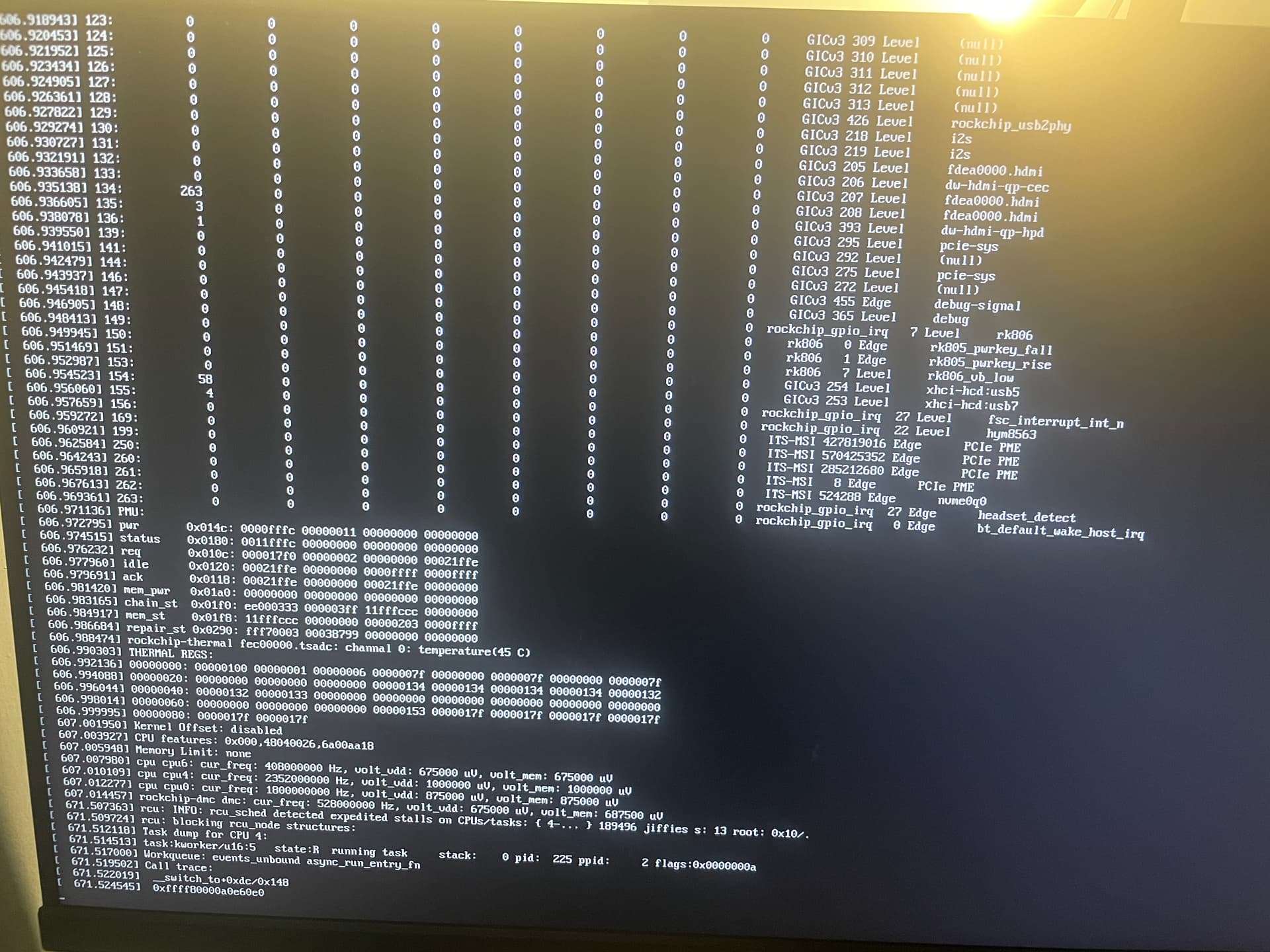
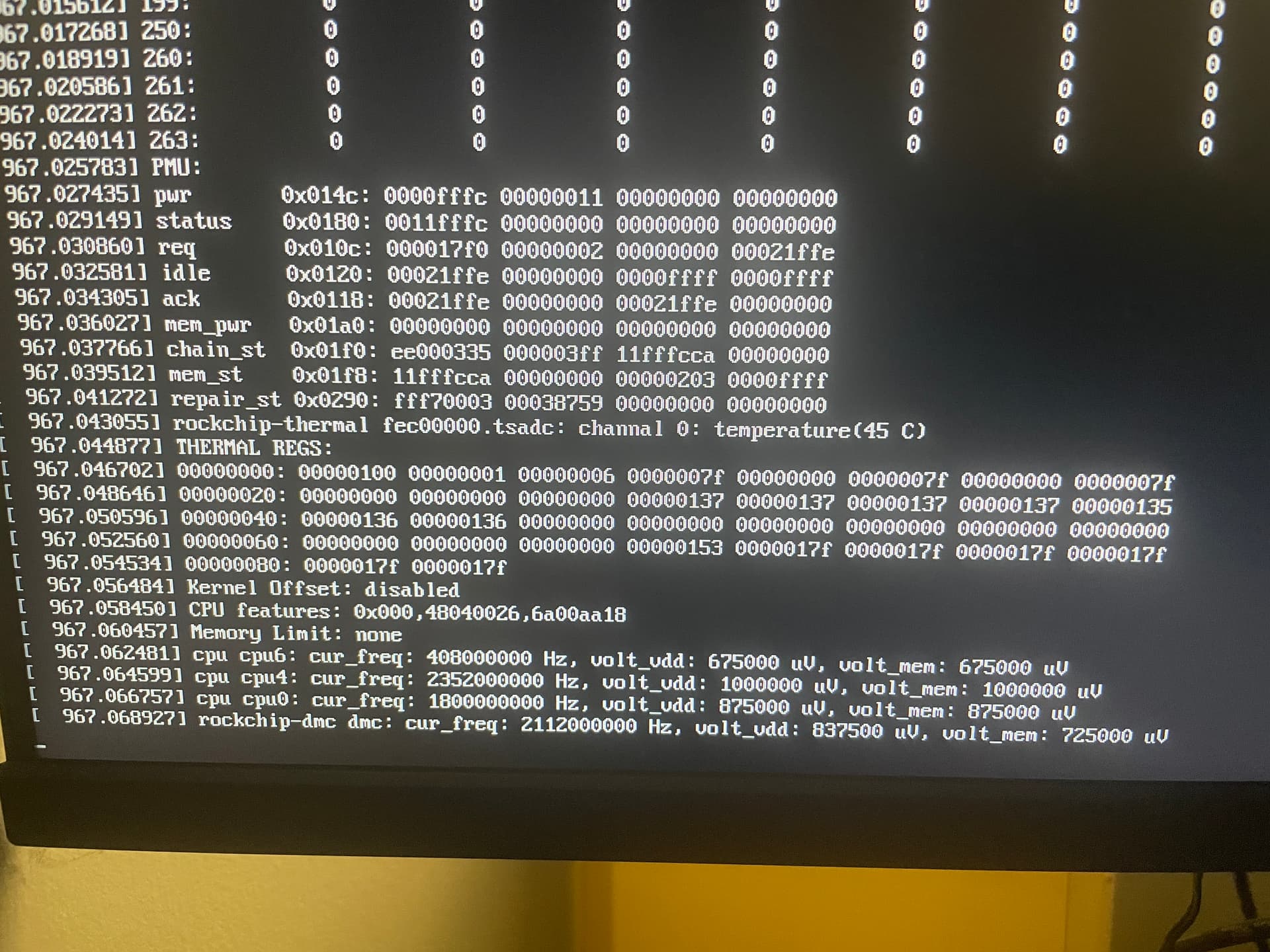
Any idea what could be causing this? Or, how I can revert back to the old kernel in order to get booted again?
Thank you again!
Kind Regards,
AB
---
### Author:  [@urostor](https://dietpi.com/forum/u/urostor)
#### Post date: [19 June 2024 08:27 UTC](https://dietpi.com/forum/t/upgrading-to-kernel-version-6-from-5-10/20210/9 "2024-06-19T08:27:25Z")
This has been broken for a while. The only way I know to get the system to be bootable again is to use an earlier image of the /boot partition and reflash it. Or use a /boot partition image from a fresh install.
This might be not working because of diversion stuff not being implemented (not sure).
---
### Author:  [@adamb](https://dietpi.com/forum/u/adamb)
#### Post date: [19 June 2024 08:43 UTC](https://dietpi.com/forum/t/upgrading-to-kernel-version-6-from-5-10/20210/10 "2024-06-19T08:43:43Z")
Is there a way to get into the GRUB boot menu so that I can choose the old kernel? I tried holding down shift at boot but that doesn’t get me there.
---
### Author:  [@urostor](https://dietpi.com/forum/u/urostor)
#### Post date: [19 June 2024 10:39 UTC](https://dietpi.com/forum/t/upgrading-to-kernel-version-6-from-5-10/20210/11 "2024-06-19T10:39:26Z")
There is no GRUB menu on ARM unless you use UEFI (which is, sadly, uncommon).
---
### Author:  [@adamb](https://dietpi.com/forum/u/adamb)
#### Post date: [19 June 2024 11:23 UTC](https://dietpi.com/forum/t/upgrading-to-kernel-version-6-from-5-10/20210/12 "2024-06-19T11:23:41Z")
Hmmm…so is there no way to revert back to my old kernel so I can get this thing to boot in that case? Apologies for my ignorance, but I don’t know much about this low-level stuff.
---
### Author:  [@adamb](https://dietpi.com/forum/u/adamb)
#### Post date: [19 June 2024 11:26 UTC](https://dietpi.com/forum/t/upgrading-to-kernel-version-6-from-5-10/20210/13 "2024-06-19T11:26:20Z")
I do have a copy of the old hard drive dumped with dietpi-backup on an external drive. Although, the drive is encrypted, so I’d need to find a way to mount it somewhere to copy old stuff off of it.
Assuming I could do that and get files from the old boot partition, how would I flash a new image and then copy all of that back on there so it would be bootable?
---
### Author:  [@urostor](https://dietpi.com/forum/u/urostor)
#### Post date: [19 June 2024 11:31 UTC](https://dietpi.com/forum/t/upgrading-to-kernel-version-6-from-5-10/20210/14 "2024-06-19T11:31:10Z")
I don’t know much either, that’s why my method might not be ideal.
You can probably revert to the old kernel by making and initializing a new dietpi SD card and copying the `/boot` partition over the “broken” one - I had a backup image. You need to give it the same UUID. All of this can be done using gparted.
I’m not sure if just copying the files will work, but it would be easier of course.
There’s also a way to use `chroot` to your old install and install that package from an external system but I’m not the one to ask how.
---
### Author:  [@MichaIng](https://dietpi.com/forum/u/MichaIng)
#### Post date: [19 June 2024 18:03 UTC](https://dietpi.com/forum/t/upgrading-to-kernel-version-6-from-5-10/20210/15 "2024-06-19T18:03:48Z")
> [@urostor](#):
>
> This has been broken for a while.
On Orange Pi 5 Plus in general? It worked fine when I tested on mine a few weeks ago 🤔. So another reason to not migrate to vendor kernel yet.
> [@urostor](#):
>
> The only way I know to get the system to be bootable again is to use an earlier image of the /boot partition and reflash it. Or use a /boot partition image from a fresh install.
@adamb
It can be easily reverted when you have another Linux system, since the `legacy` kernel package is still installed. Mount the drive, check the `/boot` partition, there are 3 symlinks: `Image`, `dtb` and `uInitrd`, which are pointing to the 6.1 Linux image, device tree dir and initramfs image. Just re-create them to point to the 5.10 variants again.
---
### Author:  [@adamb](https://dietpi.com/forum/u/adamb)
#### Post date: [19 June 2024 18:44 UTC](https://dietpi.com/forum/t/upgrading-to-kernel-version-6-from-5-10/20210/16 "2024-06-19T18:44:11Z")
Okay, thank you for that. GOod to know for future reference. Unfortunately, it won’t help much in my case as my root and boot partitions are on the eMMC drive on the Orange Pi itself and thus can’t be easily accessed directly on another machine.
I suppose I could try making the necessary symlinks by booting off of an SD card and accessing the drive in that way, but I feel as though I’m walking on thin ice with this kinds of stuff.
Thank you for you suggestions, though. If I were to do a fresh install of the OS on the eMMC drive and wanted to test out one of Joshua Reik’s images, would I then be able to “convert” the system to dietpi in order to have access to all of you nice tools and such once the system is back up and running.
Or, would you just recommend I do a fresh install of dietpi itself from scratch?
---
### Author:  [@urostor](https://dietpi.com/forum/u/urostor)
#### Post date: [19 June 2024 18:51 UTC](https://dietpi.com/forum/t/upgrading-to-kernel-version-6-from-5-10/20210/17 "2024-06-19T18:51:14Z")
I’ve tried upgrading the kernel to this version (not 6.1 but 35xx) on Rock 5B but that failed. This was about a year ago so may not be that relevant…
---
### Author:  [@MichaIng](https://dietpi.com/forum/u/MichaIng)
#### Post date: [19 June 2024 19:03 UTC](https://dietpi.com/forum/t/upgrading-to-kernel-version-6-from-5-10/20210/18 "2024-06-19T19:03:31Z")
> [@adamb](#):
>
> root and boot partitions are on the eMMC drive on the Orange Pi itself
Don’t you have an eMMC-USB adapter to attach it elsewhere?
> [@adamb](#):
>
> I suppose I could try making the necessary symlinks by booting off of an SD card and accessing the drive in that way, but I feel as though I’m walking on thin ice with this kinds of stuff.
Even easier, yes exactly that way then, just flash a fresh DietPi image to an SD card and boot from that one to mount the eMMC and adjust the symlinks.
> [@urostor](#):
>
> I’ve tried upgrading the kernel to this version (not 6.1 but 35xx) on Rock 5B but that failed. This was about a year ago so may not be that relevant…
“rk35xx” is not a version but a kernel family. `legacy-rk35xx` is the currently well functional, but old Linux 5.10.160 from Rockchip sources. `vendor-rk35xx` is the newer Linux 6.1 from Rockchip sources, which obviously still has issues. It was added just 3 months ago, hence whatever you tried to install a year ago, it was not this kernel branch or version 😉: [rk35xx/rockchip-rk3588: vendor: the unthinkable! add `vendor` branch … · armbian/build@ddcd68d · GitHub](https://github.com/armbian/build/commit/ddcd68d)
I’ll test it on my Orange Pi 5 Plus again now.
---
### Author:  [@MichaIng](https://dietpi.com/forum/u/MichaIng)
#### Post date: [19 June 2024 19:41 UTC](https://dietpi.com/forum/t/upgrading-to-kernel-version-6-from-5-10/20210/19 "2024-06-19T19:41:48Z")
Hmm, the vendor branch kernel works fine here:
```auto
root@OrangePi5Plus:~# uname -a
Linux OrangePi5Plus 6.1.43-vendor-rk35xx #1 SMP Wed May 29 01:45:25 UTC 2024 aarch64 GNU/Linux
```
@adamb
Probably there was some I/O error in your case?
Also, compared to my last test, there is no udev loop with constant 5% CPU load anymore: [Orange Pi 5+ should we have switched kernel? - #51 by MichaIng](https://dietpi.com/forum/t/orange-pi-5-should-we-have-switched-kernel/19929/51)
---
### Author:  [@adamb](https://dietpi.com/forum/u/adamb)
#### Post date: [19 June 2024 23:31 UTC](https://dietpi.com/forum/t/upgrading-to-kernel-version-6-from-5-10/20210/20 "2024-06-19T23:31:04Z")
Okay, thank you for checking on that. Yeah, probably my luck that a write got corrupted or something. Admittedly, I don’t have the machine secured well in like a rack or anything, it’s just sitting on end table shelf and thus is subject to bangs on occasion. well, I guess these are always opportunities to learn something. Those symlinks that need to be switched out are all on the boot filesystem then?
If I wanted to manually install and update a kernel image, would be as simple as coping the image files to a folder on the boot partition and then pointing those symlinks to those files? Or is it more involved than that?
[Next page](https://dietpi.com/forum/t/upgrading-to-kernel-version-6-from-5-10/20210.md?page=2)