# Updating syncthing breaks it
**URL:** https://dietpi.com/forum/t/updating-syncthing-breaks-it/622
**Category:** Troubleshooting
**Created:** [15 October 2016 15:24 UTC](https://dietpi.com/forum/t/updating-syncthing-breaks-it/622 "2016-10-15T15:24:53Z")
**Posts on this page:** 12
**Page:** 1
### Author:  [@Sciamano](https://dietpi.com/forum/u/Sciamano)
#### Post date: [15 October 2016 15:24 UTC](https://dietpi.com/forum/t/updating-syncthing-breaks-it/622/1 "2016-10-15T15:24:53Z")
Hello,
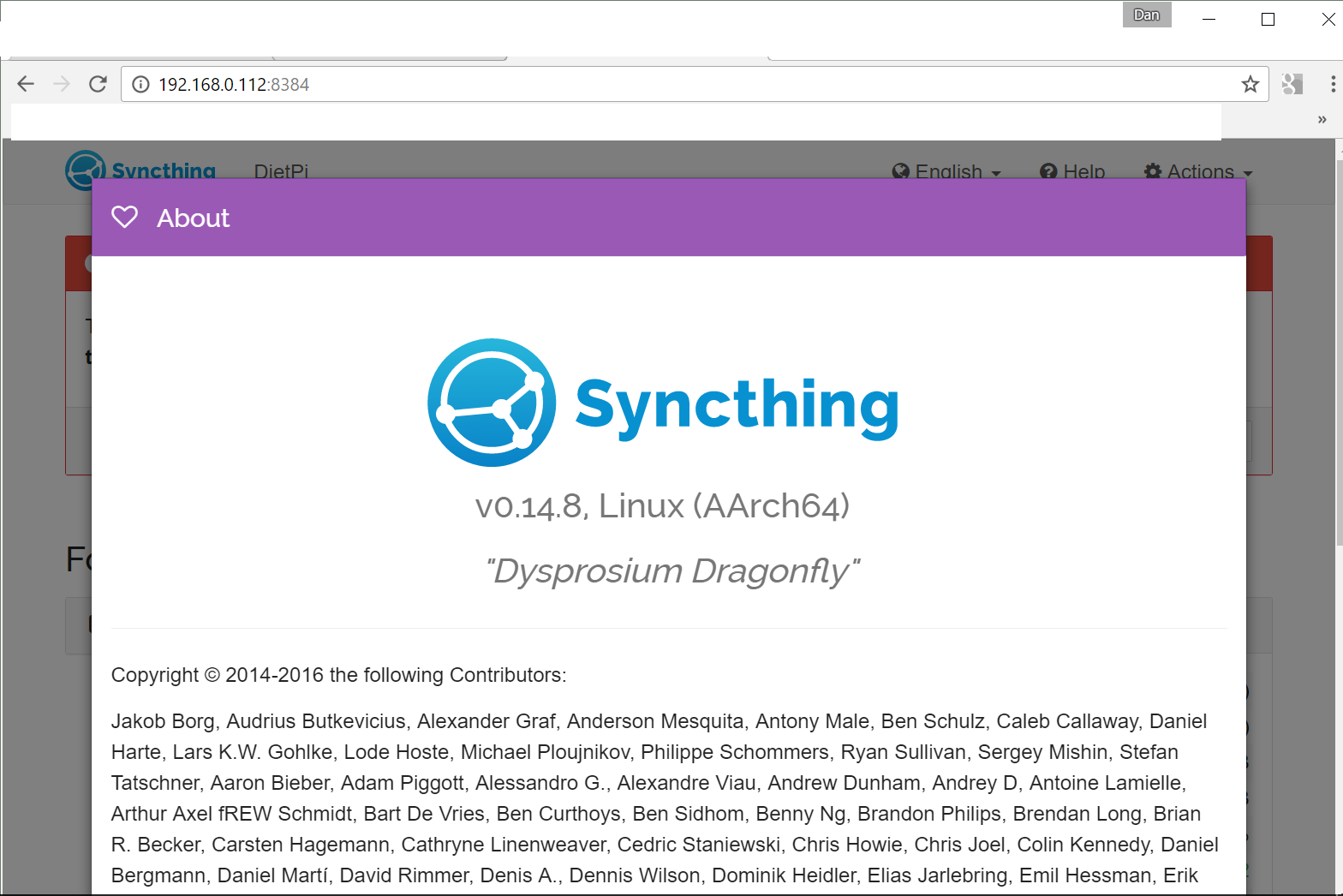
I have installed syncthing on my RPi 2 model B, and it worked perfectly until I clicked the “upgrade to v14.8” button on the top (all my other nodes already run this version, actually)
After I did that, something broke: no more syncthing GUI, and when rebooting, the syncthing demon disappears after a while.
Running the command by hand errors out (something about panic Error 2 or something).
I uninstalled it and installed it again because I needed it up and running quick, but the question is: why did it break?
I’m now scared about upgrading it, so I’m keeping the default 14.0 installation, although I would like all the nodes to run the same syncthing version.
Any suggestions? Am I the only one encountering this problem?
Thanks
---
### Author:  [@Fourdee](https://dietpi.com/forum/u/Fourdee)
#### Post date: [15 October 2016 17:39 UTC](https://dietpi.com/forum/t/updating-syncthing-breaks-it/622/2 "2016-10-15T17:39:46Z")
Hi,
Upgrade went fine for me. Possibly a bug in Syncthing, or its update system.
After the daemon stops, lets find out its status, please paste results of:
```nohighlight
systemctl status syncthing -l
```
---
### Author:  [@Sciamano](https://dietpi.com/forum/u/Sciamano)
#### Post date: [15 October 2016 21:42 UTC](https://dietpi.com/forum/t/updating-syncthing-breaks-it/622/3 "2016-10-15T21:42:53Z")
I don’t know what the problem is but syncthing acts strangely.
After I reinstalled it and re-added my other devices and shares it seemed to be working (v0.14.0). But then I had to reboot and now the GUI won’t show up anymore, and the other nodes see the DietPi as offline, so I guess it’s not working even though it appears in htop.
It worked perfectly in raspbian, on the same raspberry pi, though (even upgrading works).
Here is the output:
```nohighlight
root@DietPi:~# systemctl status syncthing -l
● syncthing.service - Syncthing
Loaded: loaded (/etc/systemd/system/syncthing.service; disabled)
Active: active (exited) since Sat 2016-10-15 21:27:11 UTC; 10min ago
Process: 5925 ExecStart=/bin/bash -c /usr/bin/syncthing > /var/log/syncthing.log & (code=exited, status=0/SUCCESS)
Main PID: 5925 (code=exited, status=0/SUCCESS)
Oct 15 21:27:11 DietPi systemd[1]: Started Syncthing.
```
I love the idea behind DietPi, and I hope we can solve this problem because I really need syncthing working.
Thanks for your help.
EDIT:
If it helps, here is the content of one of the myriads of panic-XXX.log files found in .config/syncthing:
```nohighlight
root@DietPi:~/.config/syncthing# cat panic-20161015-215019.log
[V7RHP] 21:49:53 INFO: syncthing v0.14.0 "Dysprosium Dragonfly" (go1.6.3 linux-arm) unknown-user@lx-buildslave.syncthing.net 2016-07-17 21:45:22 UTC
[V7RHP] 21:49:53 INFO: My ID: V7RHPPJ-XXXXXXX-XXXXXXX-XXXXXXX-XXXXXXX-64RB5A6
[V7RHP] 21:49:54 INFO: Single thread hash performance is ~4.6 MB/s
...
Panic at 2016-10-15T21:50:19Z
panic: leveldb/table: corruption on data-block (pos=218900): checksum mismatch, want=0x0 got=0x8fd92734 [file=000127.ldb]
goroutine 1 [running]:
panic(0x66dc28, 0x123f4160)
/usr/local/go/src/runtime/panic.go:481 +0x330
github.com/syncthing/syncthing/lib/db.(*Instance).checkGlobals(0x111bc340, 0x115141f8, 0x7, 0x8, 0x113f3ca4)
/home/buildslave/workspace/syncthing-release/src/github.com/syncthing/syncthing/lib/db/leveldb_dbinstance.go:611 +0x504
github.com/syncthing/syncthing/lib/db.NewFileSet(0x111af610, 0x7, 0x111bc340, 0x10e2f3f8)
/home/buildslave/workspace/syncthing-release/src/github.com/syncthing/syncthing/lib/db/set.go:105 +0x268
github.com/syncthing/syncthing/lib/model.(*Model).AddFolder(0x10e5c000, 0x111af610, 0x7, 0x111af620, 0x7, 0x112314b0, 0xd, 0x0, 0x111a3400, 0x3, ...)
/home/buildslave/workspace/syncthing-release/src/github.com/syncthing/syncthing/lib/model/model.go:1347 +0xf8
main.syncthingMain(0x0, 0x0, 0x0, 0x0, 0x0, 0x0, 0x0, 0x709fe0, 0x1, 0x0, ...)
/home/buildslave/workspace/syncthing-release/src/github.com/syncthing/syncthing/cmd/syncthing/main.go:689 +0x193c
main.main()
/home/buildslave/workspace/syncthing-release/src/github.com/syncthing/syncthing/cmd/syncthing/main.go:364 +0x748
```
---
### Author:  [@Fourdee](https://dietpi.com/forum/u/Fourdee)
#### Post date: [16 October 2016 11:34 UTC](https://dietpi.com/forum/t/updating-syncthing-breaks-it/622/4 "2016-10-16T11:34:22Z")
> panic: leveldb/table: corruption on data-block (pos=218900): checksum mismatch, want=0x0 got=0x8fd92734 [file=000127.ldb]
Corrupt database ^^. Possible bug in Syncthing or hardware failure (eg: psu).
**I’d like to see the logfile we redirect in the service to see if there is any more info, please do the following:**
- Reboot system
- Wait for syncthing to start, and exit. (you can check this with systemctl status syncthing and look for Active: active (exited))
- Paste results of cat /var/log/syncthing.log
---
### Author:  [@Sciamano](https://dietpi.com/forum/u/Sciamano)
#### Post date: [16 October 2016 15:16 UTC](https://dietpi.com/forum/t/updating-syncthing-breaks-it/622/5 "2016-10-16T15:16:15Z")
I don’t know, but a hardware failure looks strange to me: if I swap sd cards and go back using the old raspbian installation everything works fine, synchting included.
Here is the dump:
> root@DietPi:~# cat /var/log/syncthing.log
> [monitor] 15:13:16 INFO: Starting syncthing
> [V7RHP] 15:13:16 INFO: syncthing v0.14.0 “Dysprosium Dragonfly” (go1.6.3 linux-arm) \> [unknown-user@lx-buildslave.syncthing.net](mailto:unknown-user@lx-buildslave.syncthing.net) \> 2016-07-17 21:45:22 UTC
> [V7RHP] 15:13:16 INFO: My ID: V7RHPPJ-XXXXXXX-XXXXXXX-XXXXXXX-XXXXXXX-XXXXXXX-64RB5A6
> [V7RHP] 15:13:17 INFO: Single thread hash performance is ~4.6 MB/s
> [monitor] 15:13:39 INFO: Signal 15 received; exiting
Thanks!
---
### Author:  [@Fourdee](https://dietpi.com/forum/u/Fourdee)
#### Post date: [16 October 2016 18:42 UTC](https://dietpi.com/forum/t/updating-syncthing-breaks-it/622/6 "2016-10-16T18:42:35Z")
> [monitor] 15:13:39 INFO: Signal 15 received; exiting
Yep, Syncthing is closing due to the corrupt database and cant recover or start:
```plaintext
panic: leveldb/table: corruption on data-block (pos=218900): checksum mismatch, want=0x0 got=0x8fd92734 [file=000127.ldb]
```
> It worked perfectly in raspbian, on the same raspberry pi, though (even upgrading works).
Updating works perfectly fine for me on DietPi. As above, most likely a bug in the Syncthing update procedure that corrupted its own database.
If you believe your hardware is not at fault, I’d suggest making a bug report with Syncthing as this appears to an issue at their end.
If they request how you installed it, give them these links:
- Git pull and extract [DietPi/dietpi/dietpi-software at f09ee2108ebe963399647f2cd2e444b91992e032 · Fourdee/DietPi · GitHub](https://github.com/Fourdee/DietPi/blob/f09ee2108ebe963399647f2cd2e444b91992e032/dietpi/dietpi-software#L4612-L4649)
- Configuration [DietPi/dietpi/dietpi-software at f09ee2108ebe963399647f2cd2e444b91992e032 · Fourdee/DietPi · GitHub](https://github.com/Fourdee/DietPi/blob/f09ee2108ebe963399647f2cd2e444b91992e032/dietpi/dietpi-software#L7844-L7881)
---
### Author:  [@Sciamano](https://dietpi.com/forum/u/Sciamano)
#### Post date: [16 October 2016 19:29 UTC](https://dietpi.com/forum/t/updating-syncthing-breaks-it/622/7 "2016-10-16T19:29:05Z")
Let me clarify the situation a little. These are actually two separate problems:
1. after updating syncthing it stopped working, so I reinstalled and didn’t upgrade anymore
2. after reinstalling, database got corrupted
I have read around that this problem often arises after a “non clean” shutdown, and considering that it showed up after I rebooted, couldn’t this be the reason?
Could there be a shutdown issue here?
Also, this could also be the reason behind the update failure (maybe the problem is not the update but the corruption of the database during shutdown, which I wrongly interpreted as an issue with the upgrading process)
---
### Author:  [@Fourdee](https://dietpi.com/forum/u/Fourdee)
#### Post date: [16 October 2016 19:41 UTC](https://dietpi.com/forum/t/updating-syncthing-breaks-it/622/8 "2016-10-16T19:41:32Z")
> [@Sciamano](#):
>
> corruption of the database during shutdown
Possible, can you confirm if the device has ever had a loss of power (eg: power loss without shutdown)?
And can you remember the RPi image version you originally installed (eg: DietPi\_v133\_RPi\*.img)
> 1. after updating syncthing it stopped working, so I reinstalled and didn’t upgrade anymore
> 2. after reinstalling, database got corrupted
Ah, ok, did you have any backups created before updating Syncthing?
---
### Author:  [@Sciamano](https://dietpi.com/forum/u/Sciamano)
#### Post date: [16 October 2016 21:48 UTC](https://dietpi.com/forum/t/updating-syncthing-breaks-it/622/9 "2016-10-16T21:48:12Z")
> [@Fourdee](#):
>
> > [@Sciamano](#):
> >
> > corruption of the database during shutdown
>
> Possible, can you confirm if the device has ever had a loss of power (eg: power loss without shutdown)?
> And can you remember the RPi image version you originally installed (eg: DietPi\_v133\_RPi\*.img)
No power outages, I’m sure of that.
I installed this file: DietPi\_v133\_RPi-armv6-(Jessie).img
> > 1. after updating syncthing it stopped working, so I reinstalled and didn’t upgrade anymore
>
> 1. after reinstalling, database got corrupted
>
> Ah, ok, did you have any backups created before updating Syncthing?
No, all this happened right after I installed DietPi… I installed it, set it up, installed samba for sharing of files, installed syncthing, tried it and all this happened.
---
### Author:  [@Fourdee](https://dietpi.com/forum/u/Fourdee)
#### Post date: [17 October 2016 12:11 UTC](https://dietpi.com/forum/t/updating-syncthing-breaks-it/622/10 "2016-10-17T12:11:08Z")
**Ok, so I ran the following tests, in this order (RPi 3):**
- Install syncthing
```nohighlight
dietpi-software install 50
```
- Upgrade syncthing in web interface
- Reboot system
At this stage, it appears to be running fine.
**Next I tried:**
- Uninstall Syncthing
```nohighlight
dietpi-software uninstall 50
```
- Install Syncthing
```nohighlight
dietpi-software install 50
```
At this stage its working fine, update is also available. Database is located in:
```nohighlight
"$HOME"/.config/syncthing/*.db
```
**What I did notice:**
As soon as Syncthing is installed, it updates the database for /mnt/dietpi\_userdata folder as per this image:

I’am just wondering if possibly you clicked the update button, whilst this was still running? Maybe this corrupted the database while the update was taking place.
If you can remember anything else from the issue you experienced, or can replicate it again, let me know. Aside from that, i’am at a bit of a loss and again edging towards a possible bug with Syncthing, or, unstable PSU.
---
### Author:  [@Sciamano](https://dietpi.com/forum/u/Sciamano)
#### Post date: [18 October 2016 14:38 UTC](https://dietpi.com/forum/t/updating-syncthing-breaks-it/622/11 "2016-10-18T14:38:16Z")
> I’am just wondering if possibly you clicked the update button, whilst this was still running? Maybe this corrupted the database while the update was taking place.
>
> If you can remember anything else from the issue you experienced, or can replicate it again, let me know. Aside from that, i’am at a bit of a loss and again edging towards a possible bug with Syncthing, or, unstable PSU.
I honestly don’t remember when I clicked the update button, but I don’t think this should be relevant because after syncthing stopped working I uninstalled it and reinstalled it from scratch.
Once reinstalled I DID NOT update, but after rebooting, syncthing stopped working anyway.
I can try again using a new DietPi installation on a different SD card to see if this changes anything.
I’ll report back.
---
### Author:  [@Sciamano](https://dietpi.com/forum/u/Sciamano)
#### Post date: [18 October 2016 19:56 UTC](https://dietpi.com/forum/t/updating-syncthing-breaks-it/622/12 "2016-10-18T19:56:48Z")
Ok, I installed the DietPi image on another SD card, then installed syncthing and updated it. Everything went fine.
Then I added a shared folder, synced with the other devices in my network, rebooted and everything still looks fine.
I guess something went horribly wrong in my original installation.
I’ll test some more, and see what happens.