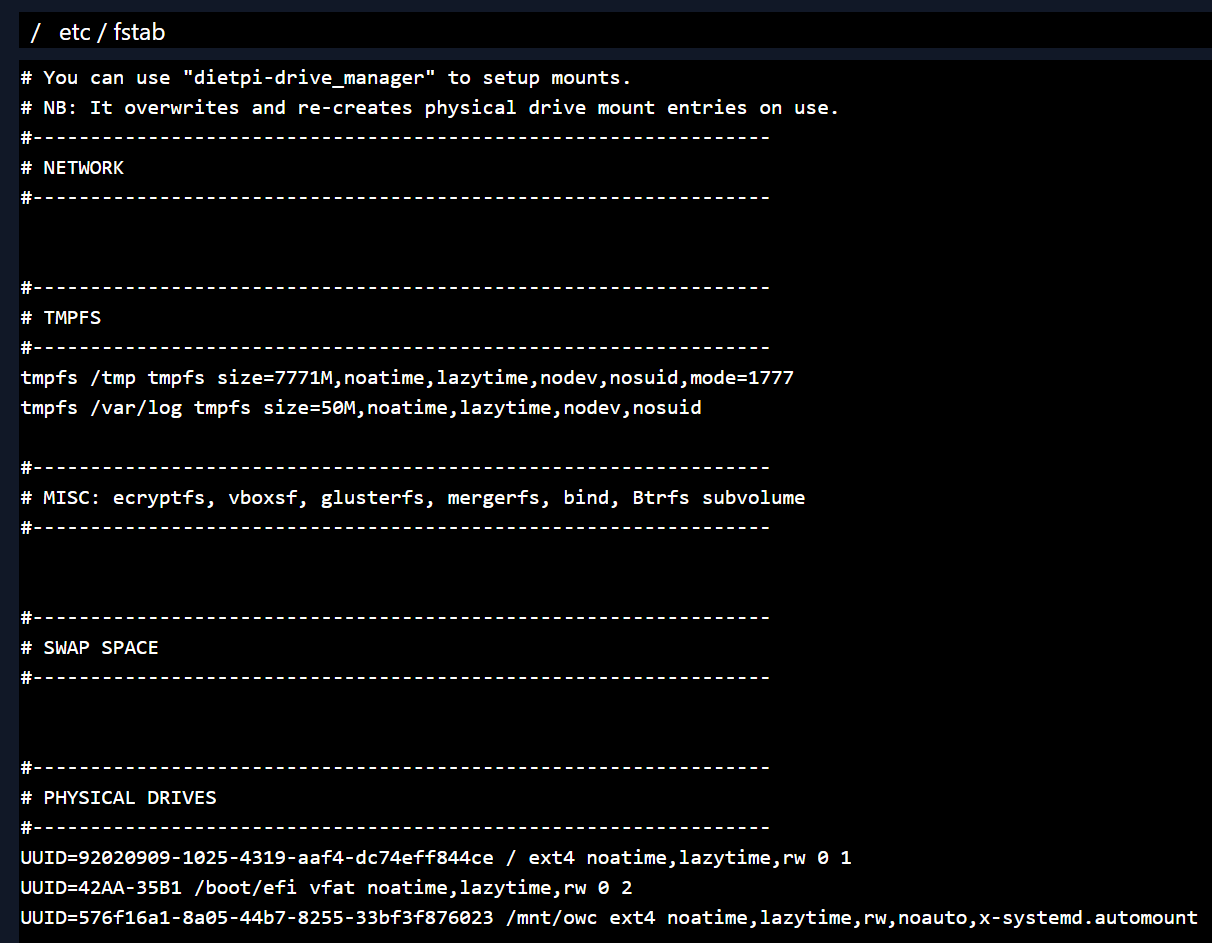
Some how I can’t get “9ded361a-9c68-4d9a-9075-4c39f22ea794” removed
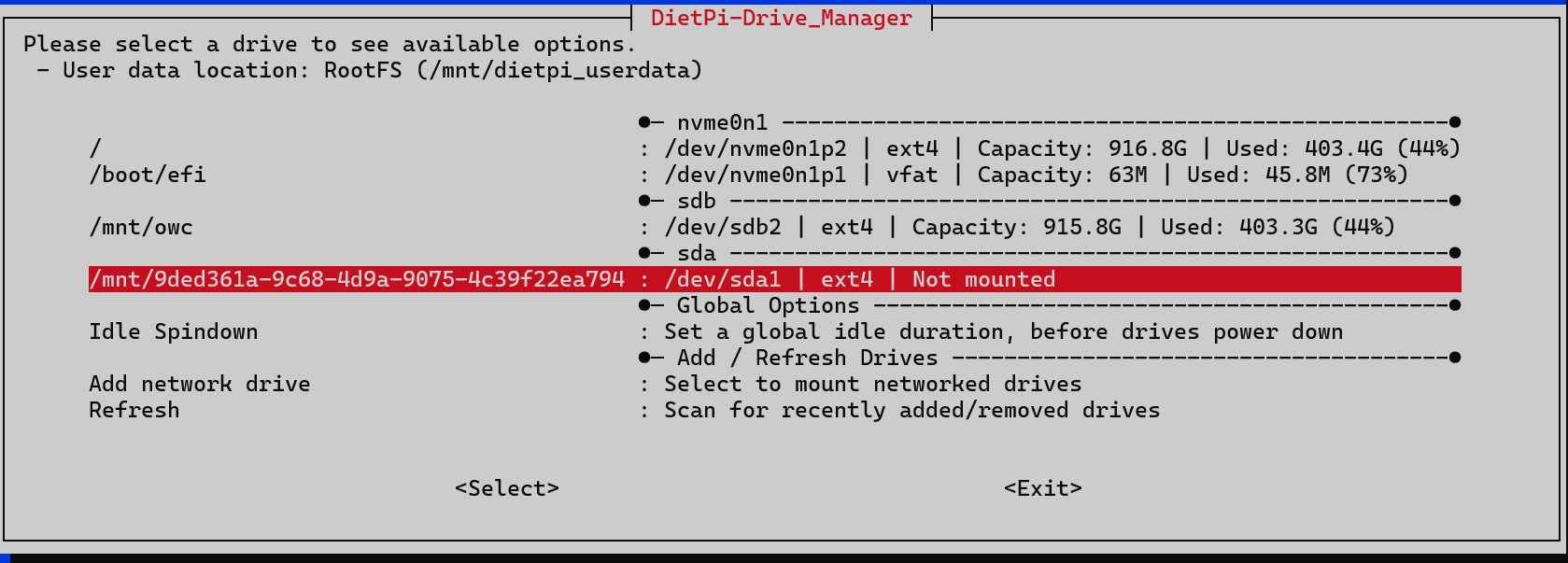
The drive is not attached and has been unmounted a long time ago.
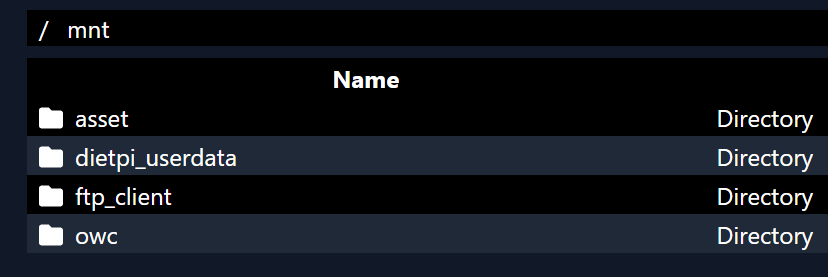
It don’t show up here - no folder:
Thanks
Some how I can’t get “9ded361a-9c68-4d9a-9075-4c39f22ea794” removed
The drive is not attached and has been unmounted a long time ago.
It don’t show up here - no folder:
Thanks
Can you check /etc/fstab
can you share following
lsblk -o name,fstype,label,size,ro,type,mountpoint,partuuid,uuid
Btw there is no needs to do screen prints. You can copy everything from SSH terminal directly.
root@DietPi:~# lsblk -o name,fstype,label,size,ro,type,mountpoint,partuuid,uuid
NAME    FSTYPE LABEL   SIZE RO TYPE MOUNTPOINT PARTUUID                             UUID
sda                  931.5G  0 disk
└─sda1  ext4         931.5G  0 part            d26c9881-4eb5-4dcb-8706-1f2c7d4ba341 9ded361a-9c68-4d9a-9075-4c39f22ea794
sdb                  931.5G  0 disk
├─sdb1                  16M  0 part            ca4b832d-da33-4b93-be33-bf9014111145
└─sdb2  ext4         931.5G  0 part /mnt/owc   c2ab53cd-a538-44d3-a86a-578d7e4b0159 576f16a1-8a05-44b7-8255-33bf3f876023
nvme0n1              931.5G  0 disk
├─nvme0n1p1
│       vfat            64M  0 part /boot/efi  b4a718c3-a129-4eee-9e21-606de281bae1 42AA-35B1
└─nvme0n1p2
        ext4         931.4G  0 part /          de6f2b33-1b83-4ec4-a4de-a3c56e3f3727 92020909-1025-4319-aaf4-dc74eff844ce
root@DietPi:~#
the drive seems to be attached still as is detected by the system.
At the moment your system has 2 drives (HDD/SSD) and 1 nvme.
THX,
The NUC has:
Samsung 990 EVO 1 TB M.2
Samsung 870 QVO 1 TB SATA
Attached to the NUC:
OWC Express 1M2 with Samsung 990 PRO NVMe M.2 SSD
But why do this show up:
/mnt/9ded361a-9c68-4d9a-9075-4c39f22ea794 : /dev/sda1 | ext4 |
as Not mounted
root@DietPi:~# df -h
Filesystem      Size  Used Avail Use% Mounted on
udev            7.6G     0  7.6G   0% /dev
tmpfs           1.6G   14M  1.6G   1% /run
/dev/nvme0n1p2  917G  404G  467G  47% /
tmpfs           7.6G     0  7.6G   0% /dev/shm
efivarfs        192K  116K   72K  62% /sys/firmware/efi/efivars
tmpfs           5.0M  8.0K  5.0M   1% /run/lock
tmpfs           1.0M     0  1.0M   0% /run/credentials/systemd-journald.service
tmpfs           7.6G     0  7.6G   0% /tmp
tmpfs            50M   16K   50M   1% /var/log
/dev/nvme0n1p1   63M   46M   18M  73% /boot/efi
tmpfs           1.0M     0  1.0M   0% /run/credentials/getty@tty1.service
/dev/sdb2       916G  404G  513G  45% /mnt/owc
root@DietPi:~#
because it is not mounted nor configured to be mounted
Maybee I have done something wrong under the installation a year ago.
Not sure if I would damage something when mounting the drive (/mnt/9ded361a-9c68-4d9a-9075-4c39f22ea794 : /dev/sda1 | ext4 | Not mounted)
simply have a look
ls -la /mnt/9ded361a-9c68-4d9a-9075-4c39f22ea794
THX for your support  Somehow I am lost
root@DietPi:~# ls -la /mnt/9ded361a-9c68-4d9a-9075-4c39f22ea794
ls: cannot access '/mnt/9ded361a-9c68-4d9a-9075-4c39f22ea794': No such file or directory
root@DietPi:~#
And:
root@DietPi:~# ls -la /mnt/
total 28
drwxr-xr-x   6 root   root   4096 Sep  6 16:19 .
drwxr-xr-x  18 root   root   4096 Aug 24 03:13 ..
drwxr-xr-x   3 root   root   4096 Mar 16 09:39 asset
drwxrwxrwx+ 10 dietpi dietpi 4096 Sep 10 13:11 dietpi_userdata
drwxrwxr-x   2 dietpi dietpi 4096 Oct 29  2024 ftp_client
drwxr-xr-x   3 root   root   4096 Aug 28 07:01 owc
root@DietPi:~#
you should be able to mount the drive using drive manager
THX - did mount it “tor”
Currently /dev/nvme0n1p2 is used for "DietPi user data "
Mount target: /
│ Mount source: /dev/nvme0n1p2
│ Filesystem: ext4
│ UUID: 92020909-1025-4319-aaf4-dc74eff844ce
│ Allocation: Capacity: 916.8GiB | Used: 403.4GiB (44%)
Mount source: /dev/nvme0n1p2
User data: | is currently located on this drive
So I could use the /mnt/to as back-up disk
Mount target: /mnt/tor
│ Mount source: /dev/sda1
│ Filesystem: ext4
│ UUID: 9ded361a-9c68-4d9a-9075-4c39f22ea794
│ Allocation: Capacity: 915.8GiB | Used: 12KiB (0%)
User data: | Select to transfer DietPi user data to this drive
Hope this will work.
THX
you can do whatever you like with /dev/sda1 it was unused before
@Joulinar - Thanks for your help.
This topic was automatically closed 178 days after the last reply. New replies are no longer allowed.