I have no idea why anyone would directly install a microservice into a heavy LXC, VM, or worse, on bare-metal. I guess some people like wasting resources and giving themselves maintenance nightmares.
Running a pihole container on a macvlan network is totally normal, supported, and widely implemented. Lots of people do it. It’s also smarter to do it this way on a local network service like pihole. You are skipping a network hop and placing the service squarely on the subnet that you intended it to function on, rather than the default bridge docker network (172.x.x.x)
Other benefits to macvlan:
- Running multiple containers that use identical port numbers that you can’t or don’t want to change
- Having a directly accessible, static IP for a service running on your private subnet
- Further isolating services from the docker host
There can be direct communication between docker host and containers. See this page
Your issue is that you aren’t creating an interface and route on the docker host so that it can see the macvlan subnet you are defining.
Anyone who doesn’t fully understand docker networking should watch this video for a better understanding of docker network types - just a primer to scratch the surface.
Anyways, this is how I do it.
My setup:
- FriendlyElec NanoPi R6S
- DietPi is the OS the device boots to
- ProxMox (PiMox) v7.2-7 is my hypervisor installed in DietPi
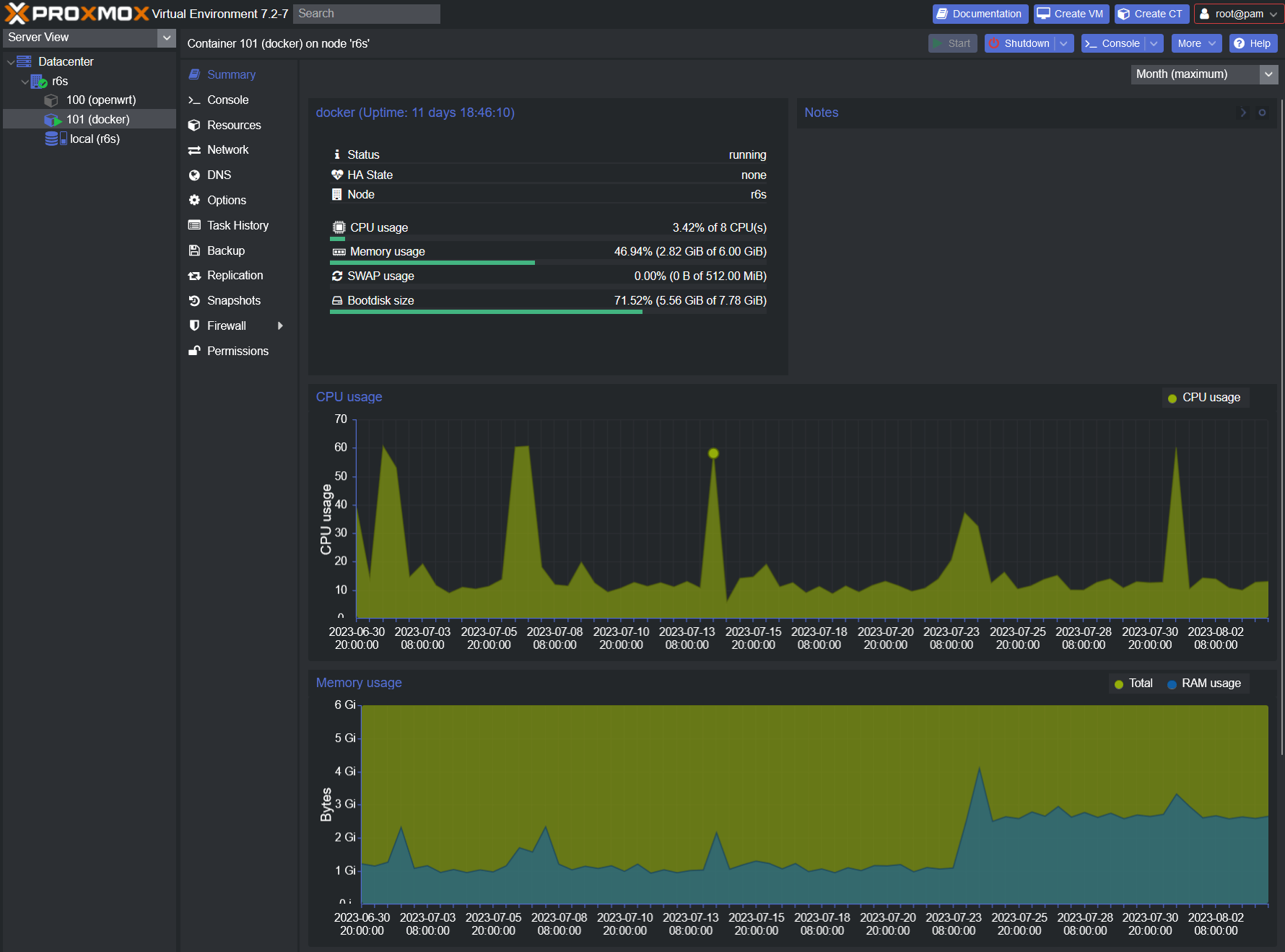
- 2 LXC’s
- 100: OpenWRT (my router) - Can see both 2.5Gbps network interfaces on the r6s
- 101: Ubuntu 22.04.2 LTS - Only sees the internal 2.5Gbps int
- The Ubuntu container is my dedicated docker host for microservices
- USB external HDD for persistent storage, config backup, container backups, etc.
I will add a 3rd LXC for owncloud infinite scale, which requires direct installation to OS. Therefore, it gets its own dedicated LXC to trash. I’ll give it a mount on the external drive to store all files, DB’s, and configuration files.
Why do it this way?
- Immediately restore from any of my numerous container backups if needed.
- Immediately and easily upgrade to the latest version of a dockerized microservice with almost zero potential for conflict. And guess how easy it is to revert to the last working version of a dockerized service and restore my config if there are issues? Yes, it’s a 60 second ordeal.
- Minimal config in the OS that is running Proxmox. I can restore my proxmox config on a fresh install in minutes. I saved everything I did in a bash script when I set the device up.
- If the device fails or the EMMC or mSD card fails, all my configuration files and complete backups of my containers are stored on an external USB RAID 1. If you are installing all your microservices on bare metal… all I can say is “have fun with that”
- Absolutely zero issues over the last 6 years running things like this. I had to recover an LXC once due to a misconfiguration issue I created myself with openwrt. I used to run a raspberry pi4 (8GB) prior to the r6s, and although it didn’t have as much horsepower, it still got the job done. I never have to reboot the devices once they are up. I have scheduled chron jobs in the docker LXC that automatically reboot my docker containers daily at staggered times after 5AM. Once a week, it takes the container down, prunes the storage to delete all the old container files, then grabs the latest version and brings it up. Less then 2 minutes of downtime for any container. I will be replacing the R6S with an R6T later this month.
dietpi@r6s:~$ uptime
 16:01:05 up 88 days, 59 min,  1 user,  load average: 1.99, 2.14, 2.16
ubuntu@docker:~$ dcinfo
NAMES              CONTAINER ID   STATE     STATUS                  SIZE
heimdall           22df06462afa   running   Up 12 hours             51.6MB (virtual 195MB)
sabnzbd            ea245edb93da   running   Up 12 hours             23kB (virtual 191MB)
doublecommander    e264143172bb   running   Up 12 hours             328kB (virtual 1.35GB)
qbittorrent        a08e825a2308   running   Up 12 hours             21kB (virtual 241MB)
radarr             1519c57dfac9   running   Up 12 hours             21.1kB (virtual 219MB)
prowlarr           ce1c13702bf2   running   Up 12 hours             21.2kB (virtual 201MB)
plex               73792be6e94c   running   Up 12 hours             3.03MB (virtual 327MB)
pairdrop           afed7c55b30d   running   Up 11 days              22.7kB (virtual 114MB)
unifi-controller   121958dddcc1   running   Up 11 days              605kB (virtual 736MB)
sonarr             972479b28986   running   Up 12 hours             64MB (virtual 362MB)
pihole             cf755d81f8b6   running   Up 12 hours (healthy)   48.1MB (virtual 342MB)
Just throwing all that out there to give others some ideas on how you can do things. Back to your issue and how I am running pihole on macvlan.
My router (OpenWRT) is configured like this
- Assign DHCP addresses starting at 192.168.1.33 and the pool is limited to 190 addresses.
- This gives me a pool of static reservations from 192.168.1.2 - 192.168.1.32 (192.168.1.0/27) - I use this for dedicated physical devices that I prefer have a static IP, like my wireless access points.
- It also gives me a pool of unused addresses from 192.168.1.225 - 192.168.1.254 (192.168.1.224/27) which I use for the macvlan docker subnet.
- DHCP options for the LAN interface are set to 6,192.168.1.254,192.168.1.1 - All DHCP hosts are told to query PiHole (192.168.1.254) first, before failing over to the router for DNS requests. This is kinda important for continuity in the event pihole crashes or your gravity list starts giving you issues. But hey if you like bringing every device on your network to a screeching halt if/when anything is wrong with pihole, feel free to set it as the only DNS server on your network

How to allow comms between docker host and containers assigned an IP on a macvlan network
Follow the link I posted above for a better understanding. Here is how it is configured in my case;
- Docker containers use the docker network I’ve named “frontend”, which is a macvlan reservation pool from 192.168.1.225 - 192.168.1.254 (255.255.255.254 or 192.168.1.224/27)
- Create the frontend network in docker
sudo docker network create -d macvlan -o parent=eth0 --subnet 192.168.1.0/24 --gateway 192.168.1.1 --ip-range 192.168.1.224/27 --aux-address “host=192.168.1.224” frontend
- We need to understand that any bridge interfaces/routes we create on the host are not persistent, so we need to write a script that will recreate them as a service every time the device boots.
- Create a script file on your docker host:
sudo vim /usr/local/bin/macvlan.sh
- Paste the following into your script and save the file:
#!/usr/bin/env bash
sudo ip link add frontend link eth0 type macvlan mode bridge
sudo ip addr add 192.168.1.224/32 dev frontend
sudo ip link set frontend up
ifconfig frontend
sudo ip route add 192.168.1.224/27 dev frontend
- Make the script executable
chmod +x /usr/local/bin/macvlan.sh
- Create a service to run script at startup after network is up
sudo vim /etc/systemd/system/macvlan.service
- Paste the following into your service file and save:
[Unit]
After=network.target

[Service]
ExecStart=/usr/local/bin/macvlan.sh

[Install]
WantedBy=default.target
- Enable your service:
sudo systemctl enable macvlan
Here is my docker compose for Pihole:
version: "3"
services:
  pihole:
    container_name: pihole
    image: pihole/pihole:latest
    hostname: pihole.lan
    environment:
      - PUID=1000
      - PGID=1000
      - TZ=America/New_York
      - WEBPASSWORD=urpwdhere
      - WEBTHEME=default-dark
      - IPv6=false
      - FTLCONF_REPLY_ADDR4=192.168.1.254
    volumes:
      - '/mnt/storage/docker/appdata/pihole/etc-pihole/:/etc/pihole/'
      - '/mnt/storage/docker/appdata/pihole/etc-dnsmasq.d/:/etc/dnsmasq.d/'
    #cap_add:
    #  - NET_ADMIN # Required if you are using Pi-hole as your DHCP server, else not needed
    #   https://github.com/pi-hole/docker-pi-hole#note-on-capabilities
    restart: unless-stopped
    networks:
      frontend:
        ipv4_address: 192.168.1.254

networks:
  frontend:
    external: true
    name: frontend
That’s all there is to it.
edit: fixed compose