# Orange Pi 5 Network Connectivity Lost - Fresh SD Card Also Fails to Connect
**URL:** https://dietpi.com/forum/t/orange-pi-5-network-connectivity-lost-fresh-sd-card-also-fails-to-connect/24613
**Category:** Troubleshooting
**Created:** [29 October 2025 06:30 UTC](https://dietpi.com/forum/t/orange-pi-5-network-connectivity-lost-fresh-sd-card-also-fails-to-connect/24613 "2025-10-29T06:30:59Z")
**Posts on this page:** 20
**Page:** 1
### Author:  [@Renoria](https://dietpi.com/forum/u/Renoria)
#### Post date: [29 October 2025 06:30 UTC](https://dietpi.com/forum/t/orange-pi-5-network-connectivity-lost-fresh-sd-card-also-fails-to-connect/24613/1 "2025-10-29T06:30:59Z")
### Creating a bug report/issue
I have searched the existing open and closed issues
#### Required Information
- DietPi version | `Unable to determine, device doesn't show in list of devices`
- Distro version | `Unable to determine, device doesn't show in list of devices`
- Kernel version | `Unable to determine, device doesn't show in list of devices`
- Architecture | `ARMv8 (Orange Pi 5)`
- SBC model | `Orange Pi 5`
- Power supply used | `5V 4A USB Type-C`
- SD card used | `4GB SD card (generic)`
#### Additional Information (if applicable)
- Was the software title installed freshly or updated/migrated?
#### Steps to reproduce
1. Installed DietPi on Orange Pi 5 in November 2024, initially on SD card
2. Followed the forum guide to migrate system from SD card to internal NVMe SSD
3. Successfully migrated and the system was working perfectly for several months with regular updates
4. While away at work, SSH connection suddenly dropped (also lost Tailscale connection). I think I tried to update
5. Returned home and found device no longer appears in router’s list of connected devices
6. Restarted the Orange Pi 5 but the issue persisted
7. Decided to attempt fresh install via SD card (previously only had NVMe, no SD card installed)
8. Flashed latest DietPi image to a 4GB SD card and inserted into Orange Pi 5 (NVMe SSD remained installed internally)
9. Waited 15-20 minutes for system to boot and network to initialize but the device still didn’t appear in router’s device list
10. Checked again this morning however the device still does not appear in router’s device list
#### Expected behaviour
- After flashing fresh DietPi to SD card, Orange Pi 5 should boot from SD card (taking priority over NVMe)
- Device should obtain DHCP address and appear in router’s connected devices list
- Should be able to access device via SSH once network is configured
#### Actual behaviour
- Red LED: solid/constant
- Green LED: Flashing continuously
- Ethernet port on Orange Pi 5: Solid green LED after SD install (previously it was flashing green)
- Router’s Ethernet port: Solid green LED in both cases
- Device does not appear in router’s DHCP client list
- Cannot ping or access device on network since I don’t even know the IP
- No hostname visible (previously was visible as “dietpi”)
#### Extra details
- System was running DietPi perfectly fine from NVMe for several months
- Was accessible via SSH and Tailscale
- Network connection was stable
- Regular system and app updates were applied successfully
- Currently unable to access serial console, don’t have an adapter
---
### Author:  [@Joulinar](https://dietpi.com/forum/u/Joulinar)
#### Post date: [29 October 2025 10:12 UTC](https://dietpi.com/forum/t/orange-pi-5-network-connectivity-lost-fresh-sd-card-also-fails-to-connect/24613/2 "2025-10-29T10:12:04Z")
just checked on my OrangePi 5 (without C / Plus / Pro / Max / Ultra) and it is working without issues. Usually my OPi5 is booting of nvme and as soon as I insert a SD card, this one is taken. Also the Trixie image is booting as expected. Actually I’m not able to replicate your issue.
```auto
root@DietPi:~# lsblk
NAME MAJ:MIN RM SIZE RO TYPE MOUNTPOINTS
mtdblock0 31:0 0 16M 0 disk
mmcblk1 179:0 0 14.8G 0 disk
└─mmcblk1p1 179:1 0 14.8G 0 part /
nvme0n1 259:0 0 119.2G 0 disk
└─nvme0n1p1 259:1 0 119.2G 0 part
root@DietPi:~#
```
---
### Author:  [@Renoria](https://dietpi.com/forum/u/Renoria)
#### Post date: [29 October 2025 10:37 UTC](https://dietpi.com/forum/t/orange-pi-5-network-connectivity-lost-fresh-sd-card-also-fails-to-connect/24613/3 "2025-10-29T10:37:46Z")
that’s great and sad to hear at the same time, any ideas on how to troubleshoot or possibly fix the issue on my end?
---
### Author:  [@Joulinar](https://dietpi.com/forum/u/Joulinar)
#### Post date: [29 October 2025 11:02 UTC](https://dietpi.com/forum/t/orange-pi-5-network-connectivity-lost-fresh-sd-card-also-fails-to-connect/24613/4 "2025-10-29T11:02:37Z")
you would need to connect a screen or UART adapter. Otherwise we don’t know what is happening.
---
### Author:  [@Renoria](https://dietpi.com/forum/u/Renoria)
#### Post date: [29 October 2025 14:59 UTC](https://dietpi.com/forum/t/orange-pi-5-network-connectivity-lost-fresh-sd-card-also-fails-to-connect/24613/5 "2025-10-29T14:59:39Z")
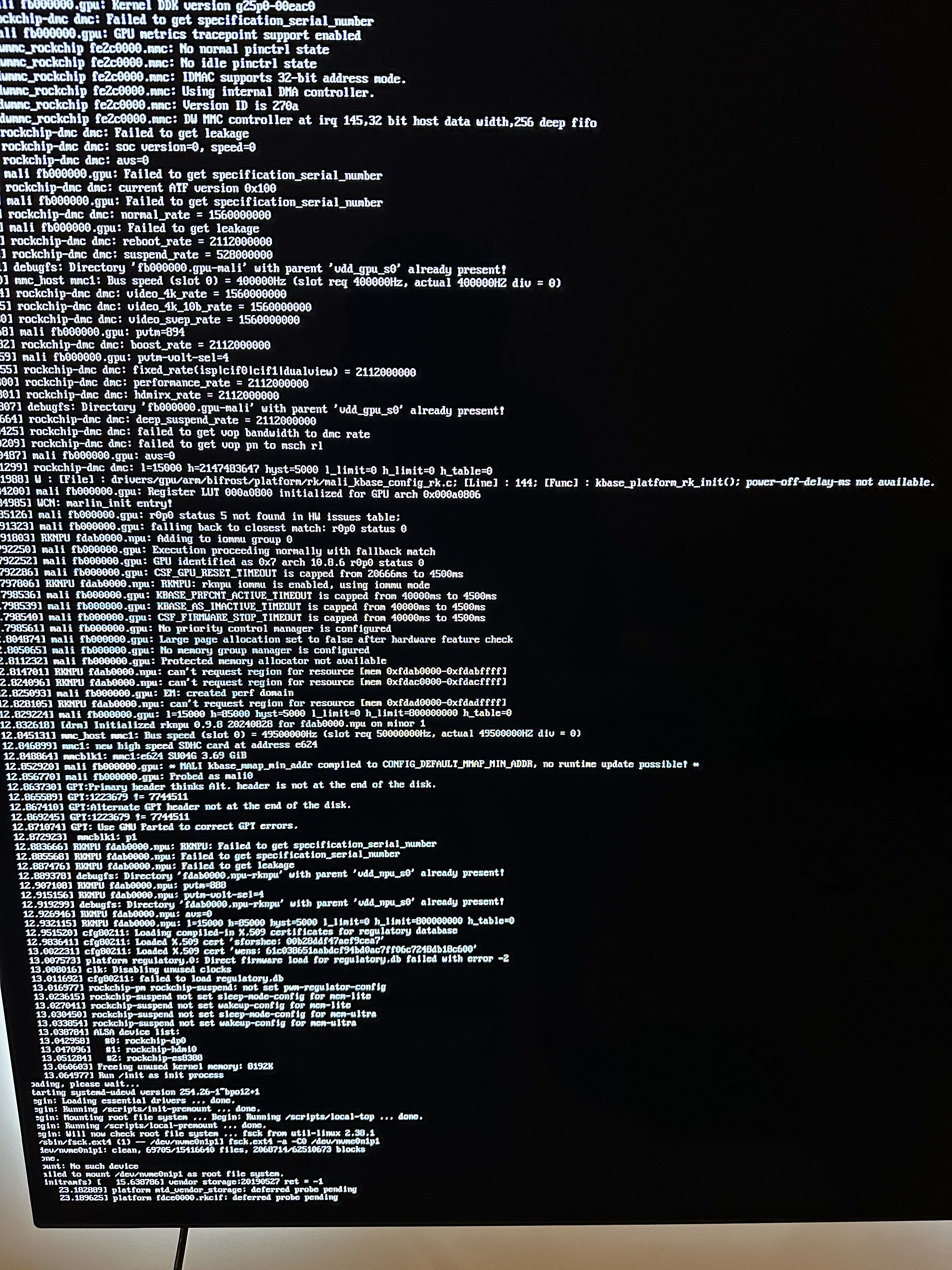
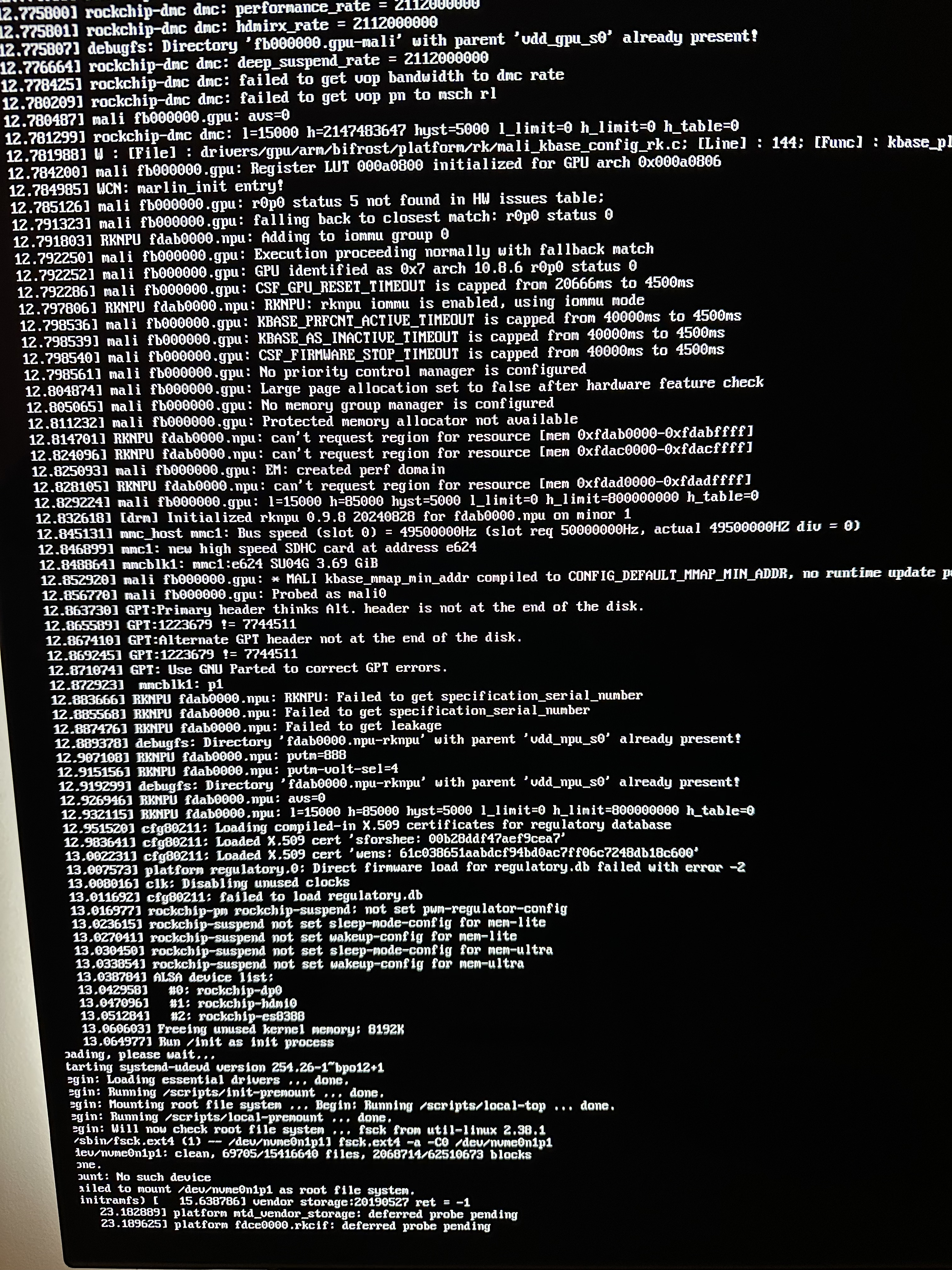
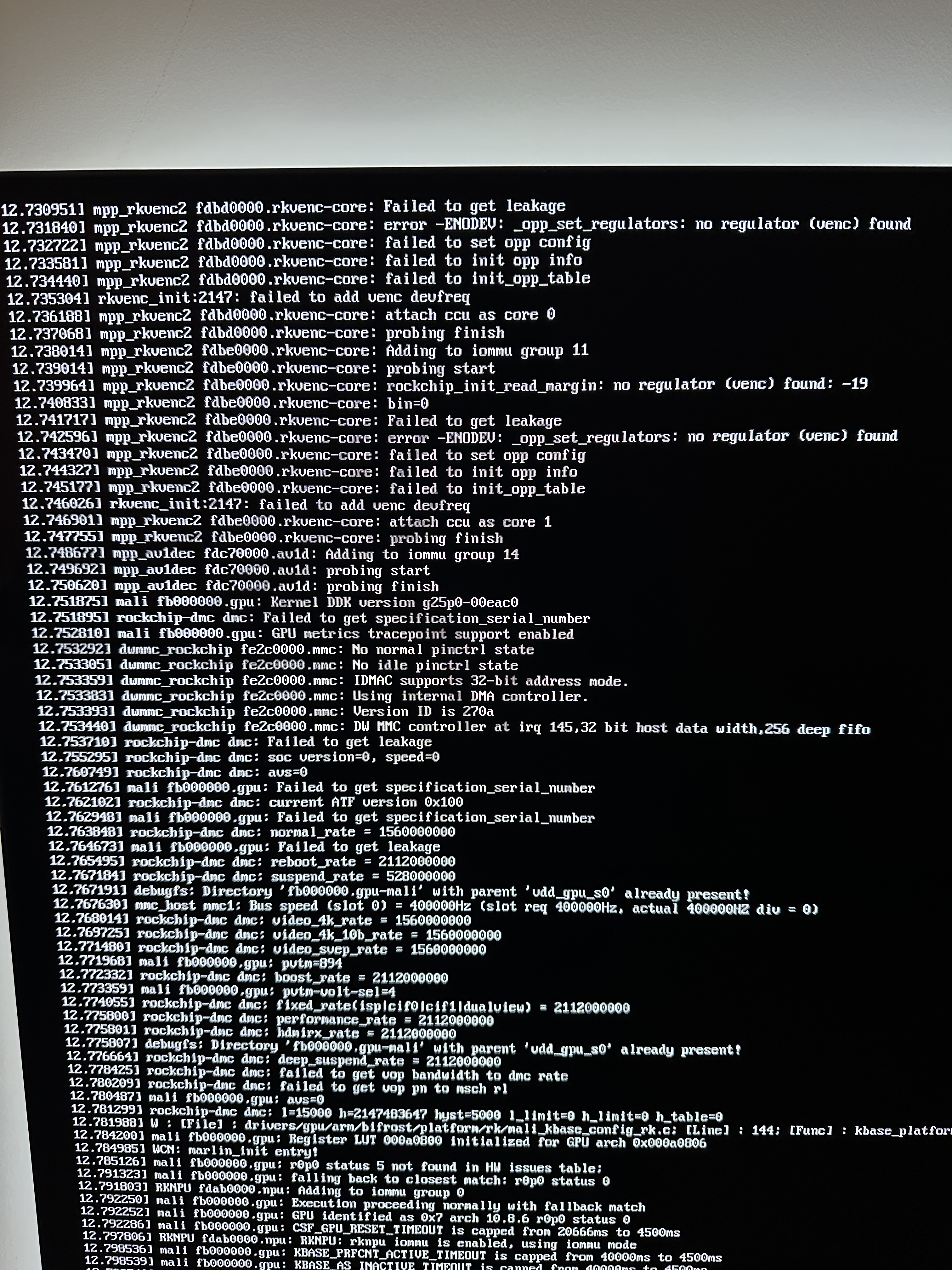
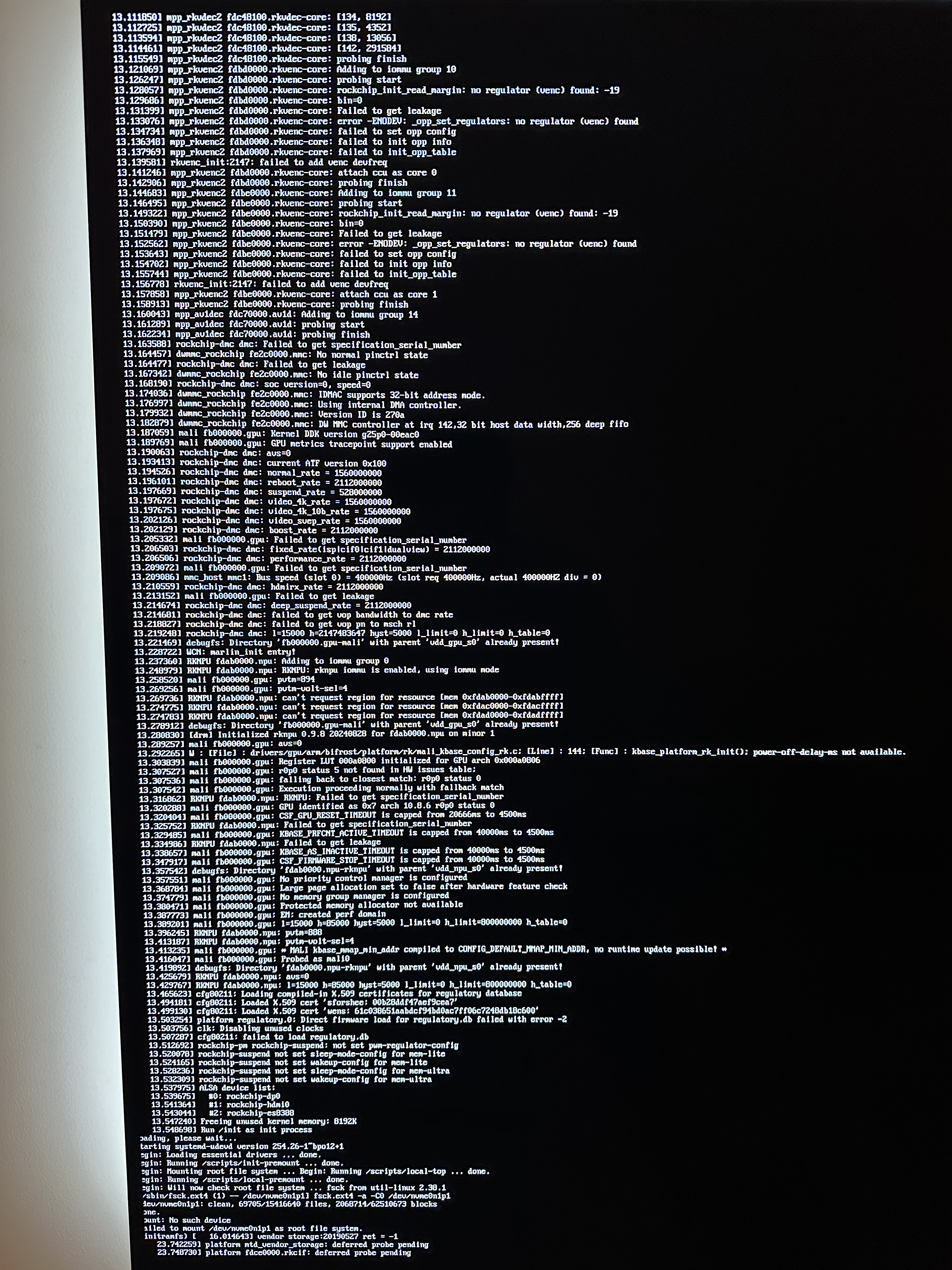
Thanks for the suggestion, just did that both with SD inserted and without. Attached the screenshots (sorry for length of text), errors are hard to troubleshoot for me.
---
### Author:  [@Joulinar](https://dietpi.com/forum/u/Joulinar)
#### Post date: [29 October 2025 15:17 UTC](https://dietpi.com/forum/t/orange-pi-5-network-connectivity-lost-fresh-sd-card-also-fails-to-connect/24613/6 "2025-10-29T15:17:39Z")
It doesn’t looks like using the SD card. Still trying to mount the nvme in all cases. You might need to revome the nvme
---
### Author:  [@Renoria](https://dietpi.com/forum/u/Renoria)
#### Post date: [29 October 2025 15:33 UTC](https://dietpi.com/forum/t/orange-pi-5-network-connectivity-lost-fresh-sd-card-also-fails-to-connect/24613/7 "2025-10-29T15:33:33Z")
That was my thought process too, so I got started right away. It didn’t boot with the NVMe removed, but swapping to another SD card fixed it. Huge thanks for the help! For switching to NVMe-only boot, should I follow the same steps in the [linked post I shared earlier](https://dietpi.com/forum/t/orange-pi-5-boot-from-nvme/16457/90), or is there a newer method? Thanks again.
---
### Author:  [@Joulinar](https://dietpi.com/forum/u/Joulinar)
#### Post date: [29 October 2025 15:48 UTC](https://dietpi.com/forum/t/orange-pi-5-network-connectivity-lost-fresh-sd-card-also-fails-to-connect/24613/8 "2025-10-29T15:48:57Z")
usually it should be possible to flash the image to nvme directly while connected to a desktop computer
depends how you like to do it. from a desktop computer or booted from SD
---
### Author:  [@Renoria](https://dietpi.com/forum/u/Renoria)
#### Post date: [29 October 2025 16:10 UTC](https://dietpi.com/forum/t/orange-pi-5-network-connectivity-lost-fresh-sd-card-also-fails-to-connect/24613/9 "2025-10-29T16:10:29Z")
booted from SD feels easier
---
### Author:  [@Joulinar](https://dietpi.com/forum/u/Joulinar)
#### Post date: [29 October 2025 16:31 UTC](https://dietpi.com/forum/t/orange-pi-5-network-connectivity-lost-fresh-sd-card-also-fails-to-connect/24613/10 "2025-10-29T16:31:46Z")
in case just follow the approach, you linked above.
---
### Author:  [@Renoria](https://dietpi.com/forum/u/Renoria)
#### Post date: [29 October 2025 17:20 UTC](https://dietpi.com/forum/t/orange-pi-5-network-connectivity-lost-fresh-sd-card-also-fails-to-connect/24613/11 "2025-10-29T17:20:14Z")
back here again unfortunately, so I followed that thread and did
- `dietpi-config → Advanced Options → Update SPI bootloader → rkspi_loader.img`
- `apt update`
- `apt install -y p7zip-full`
- `cd /tmp`
`curl -O ``https://dietpi.com/downloads/images/DietPi_OrangePi5-ARMv8-Trixie.img.xz`
`7zr x DietPi_OrangePi5-ARMv8-Trixie.img.xz`
`dd if=DietPi_OrangePi5-ARMv8-Trixie.img of=/dev/nvme0n1 bs=1M status=progress`
`sync`
- everything went fine so did `poweroff`
- removed SD card, removed power and reconnected and no red LED, nothing
- at this point I removed power again and reconnected and this time red LED turned on however device didn’t connect to network.
- I then moved the device and connected to HDMI, red LED on but no signs from HDMI at all
I feel I did everything right especially since I didn’t get any errors along the way but now I’m totally lost
UPDATE: if I put the SD card back on, its back to normal… it seems it cannot boot through the NVME, something to do wit the SPI bootloader?
---
### Author:  [@Joulinar](https://dietpi.com/forum/u/Joulinar)
#### Post date: [29 October 2025 18:35 UTC](https://dietpi.com/forum/t/orange-pi-5-network-connectivity-lost-fresh-sd-card-also-fails-to-connect/24613/12 "2025-10-29T18:35:21Z")
> [@Renoria](#):
>
> something to do wit the SPI bootloader?
could be, @MichaIng any ideas?
---
### Author:  [@Renoria](https://dietpi.com/forum/u/Renoria)
#### Post date: [30 October 2025 08:27 UTC](https://dietpi.com/forum/t/orange-pi-5-network-connectivity-lost-fresh-sd-card-also-fails-to-connect/24613/13 "2025-10-30T08:27:35Z")
Thanks for your help so far. I’ll try flashing the SPI this afternoon using Armbian, as suggested in some of the other threads/GitHub, and I’ll report back.
---
### Author:  [@Renoria](https://dietpi.com/forum/u/Renoria)
#### Post date: [30 October 2025 16:47 UTC](https://dietpi.com/forum/t/orange-pi-5-network-connectivity-lost-fresh-sd-card-also-fails-to-connect/24613/14 "2025-10-30T16:47:51Z")
tried with Armbian, same issue unfortunately…
---
### Author:  [@Joulinar](https://dietpi.com/forum/u/Joulinar)
#### Post date: [30 October 2025 17:00 UTC](https://dietpi.com/forum/t/orange-pi-5-network-connectivity-lost-fresh-sd-card-also-fails-to-connect/24613/15 "2025-10-30T17:00:44Z")
booting from SD but not from nvme that has been connected via m2 slot?
---
### Author:  [@Renoria](https://dietpi.com/forum/u/Renoria)
#### Post date: [30 October 2025 17:19 UTC](https://dietpi.com/forum/t/orange-pi-5-network-connectivity-lost-fresh-sd-card-also-fails-to-connect/24613/16 "2025-10-30T17:19:05Z")
correct, after doing SPI flash and the dd command. the drive seems fine since I don’t get any errors when I write dietpi into it
---
### Author:  [@Joulinar](https://dietpi.com/forum/u/Joulinar)
#### Post date: [30 October 2025 17:36 UTC](https://dietpi.com/forum/t/orange-pi-5-network-connectivity-lost-fresh-sd-card-also-fails-to-connect/24613/17 "2025-10-30T17:36:09Z")
just for testing, how does it behave flashing plain Armbian to the nvme
---
### Author:  [@Renoria](https://dietpi.com/forum/u/Renoria)
#### Post date: [11 November 2025 06:16 UTC](https://dietpi.com/forum/t/orange-pi-5-network-connectivity-lost-fresh-sd-card-also-fails-to-connect/24613/18 "2025-11-11T06:16:54Z")
tried yesterday (was away from home) and same issue with armbian
---
### Author:  [@Joulinar](https://dietpi.com/forum/u/Joulinar)
#### Post date: [11 November 2025 10:04 UTC](https://dietpi.com/forum/t/orange-pi-5-network-connectivity-lost-fresh-sd-card-also-fails-to-connect/24613/19 "2025-11-11T10:04:47Z")
This means that the problem lies in the bootloader/SPI and not in the actual operating system.
Ping @MichaIng Do you have an idea regarding nvme boot on OPi5
---
### Author:  [@Renoria](https://dietpi.com/forum/u/Renoria)
#### Post date: [13 November 2025 15:52 UTC](https://dietpi.com/forum/t/orange-pi-5-network-connectivity-lost-fresh-sd-card-also-fails-to-connect/24613/20 "2025-11-13T15:52:50Z")
in the meantime I tried moving OS to SSD and kept bootloader in the SD using armbian install option 1 and it works fine…
[Next page](https://dietpi.com/forum/t/orange-pi-5-network-connectivity-lost-fresh-sd-card-also-fails-to-connect/24613.md?page=2)