# Nextcloud problems / questions
**URL:** https://dietpi.com/forum/t/nextcloud-problems-questions/15415
**Category:** Troubleshooting
**Created:** [29 December 2022 13:30 UTC](https://dietpi.com/forum/t/nextcloud-problems-questions/15415 "2022-12-29T13:30:27Z")
**Posts on this page:** 20
**Page:** 2
### Author:  [@Jappe](https://dietpi.com/forum/u/Jappe)
#### Post date: [30 December 2022 12:53 UTC](https://dietpi.com/forum/t/nextcloud-problems-questions/15415/21 "2022-12-30T12:53:25Z")
> [@hemertje](#):
>
> need to run the Certbot multiple times after each other for the main domain and seperate for the wanted subdomain?
Run it only once, the certificate gets replaced every time. Also if you run it too often you get rate limited by let’s encrypt and then you have to wait a certain time before you can renew your certs.
---
### Author:  [@hemertje](https://dietpi.com/forum/u/hemertje)
#### Post date: [30 December 2022 13:12 UTC](https://dietpi.com/forum/t/nextcloud-problems-questions/15415/22 "2022-12-30T13:12:47Z")
> [@hemertje](#):
>
> - Phone number solution \> Seems the config /var/www/nextcloud/config/config.php is missing:
>
> ‘default\_phone\_region’ =\> ‘optional’,
Can this be added in the NextCloud DietPi config by Default?
---
### Author:  [@hemertje](https://dietpi.com/forum/u/hemertje)
#### Post date: [30 December 2022 13:14 UTC](https://dietpi.com/forum/t/nextcloud-problems-questions/15415/23 "2022-12-30T13:14:01Z")
> [@Joulinar](#):
>
> > [@hemertje](#):
> >
> > The PHP modules “gmp” and/or “bcmath” are not enabled
>
> These modules could be ignored if not needed.
>
> > [@hemertje](#):
> >
> > How to update to PHP version 8.1 or 8.2?
>
> You need to wait on the release of Debian Bookworm Summer 2023 or go with a 3rd party installation of PHP.
Ok, clear to me
thx…
---
### Author:  [@hemertje](https://dietpi.com/forum/u/hemertje)
#### Post date: [30 December 2022 13:20 UTC](https://dietpi.com/forum/t/nextcloud-problems-questions/15415/24 "2022-12-30T13:20:26Z")
> [@Jappe](#):
>
> > [@hemertje](#):
> >
> > need to run the Certbot multiple times after each other for the main domain and seperate for the wanted subdomain?
>
> Run it only once, the certificate gets replaced every time. Also if you run it too often you get rate limited by let’s encrypt and then you have to wait a certain time before you can renew your certs.
Hello Jappe,
How to add the maindomain and a subdomain to the Let’s Encrypt Certbot?
Is this config correct?
Yesterday i ran the YourDomain Certbot
Today I ran the nextcloud.YourDomain Certbot
See the config at:
> [@Nextcloud problems / questions](https://dietpi.com/forum/t/nextcloud-problems-questions/15415/14):
>
> nano /etc/nginx/sites-available/default # /etc/nginx/sites-available/default server { root /var/www; index index.php index.html index.htm index.nginx-debian.html; server\_name YourDomain.com; include /etc/nginx/sites-dietpi/\*.conf; location / { try\_files $uri $uri/ =404; } location ~ \.php(?:$|/) { include snippets/fastcgi-php.conf; fastcgi\_pass php; } listen [::]:443 ssl ipv…
At my local IP-Address https:///nextcloud/apps/dashboard/
I get the red http sign that the url is not secure
“certificate is not valid”
---
### Author:  [@hemertje](https://dietpi.com/forum/u/hemertje)
#### Post date: [30 December 2022 13:21 UTC](https://dietpi.com/forum/t/nextcloud-problems-questions/15415/25 "2022-12-30T13:21:20Z")
> [@hemertje](#):
>
> Security & setup warnings
>
> - The PHP module “imagick” is not enabled although the theming app is. For favicon generation to work correctly, you need to install and enable this module.
>
> Is this the proper way to install and enable this module?
>
> ```auto
> cd /var/www/nextcloud
> sudo -u www-data php occ db:add-missing-indices
>
> ```
Is this the correct way to do it?
---
### Author:  [@Joulinar](https://dietpi.com/forum/u/Joulinar)
#### Post date: [30 December 2022 13:30 UTC](https://dietpi.com/forum/t/nextcloud-problems-questions/15415/26 "2022-12-30T13:30:51Z")
> [@hemertje](#):
>
> At my local IP-Address https:///nextcloud/apps/dashboard/
Certificate are issued for the specific domain. On an IP address, you will get cert warning by design. You need to use your DDNS even if at home to avoid cert warning.
---
### Author:  [@Joulinar](https://dietpi.com/forum/u/Joulinar)
#### Post date: [30 December 2022 13:31 UTC](https://dietpi.com/forum/t/nextcloud-problems-questions/15415/27 "2022-12-30T13:31:46Z")
> [@hemertje](#):
>
> > [@hemertje](#):
> >
> > Security & setup warnings
> >
> > - The PHP module “imagick” is not enabled although the theming app is. For favicon generation to work correctly, you need to install and enable this module.
> >
> > Is this the proper way to install and enable this module?
> >
> > ```auto
> > cd /var/www/nextcloud
> > sudo -u www-data php occ db:add-missing-indices
> >
> > ```
>
> Is this the correct way to do it?
where is the relation between `imagick` and `db:add-missing-indices` ??
---
### Author:  [@Jappe](https://dietpi.com/forum/u/Jappe)
#### Post date: [30 December 2022 14:49 UTC](https://dietpi.com/forum/t/nextcloud-problems-questions/15415/28 "2022-12-30T14:49:38Z")
> [@hemertje](#):
>
> Yesterday i ran the YourDomain Certbot
> Today I ran the nextcloud.YourDomain Certbo
I just add every domain I wanna use comma-seperated in `dietpi-letsencrypt`, like
`nextcloud.myddns.net,vpn.myddns.net,another.domain.net`.
I think if you ran yesterday the script with domain1 and today with domain2, domain1 will not get renewed since it’s missing in the list now.
---
### Author:  [@hemertje](https://dietpi.com/forum/u/hemertje)
#### Post date: [30 December 2022 15:06 UTC](https://dietpi.com/forum/t/nextcloud-problems-questions/15415/29 "2022-12-30T15:06:58Z")
> [@Joulinar](#):
>
> Certificate are issued for the specific domain. On an IP address, you will get cert warning by design. You need to use your DDNS even if at home to avoid cert warning.
Ah, ok, thx for clarifying
didn’t know this
another learning moment this week 👊
---
### Author:  [@hemertje](https://dietpi.com/forum/u/hemertje)
#### Post date: [30 December 2022 15:07 UTC](https://dietpi.com/forum/t/nextcloud-problems-questions/15415/30 "2022-12-30T15:07:39Z")
> [@Joulinar](#):
>
> where is the relation between `imagick` and `db:add-missing-indices` ??
have no clue as I’m not an expert
I read it here: [How to Install and Configure Nextcloud Hub 21 - Tech Guides](https://techguides.yt/guides/how-to-install-and-configure-nextcloud-hub-21/#comment-18906)
---
### Author:  [@hemertje](https://dietpi.com/forum/u/hemertje)
#### Post date: [30 December 2022 15:23 UTC](https://dietpi.com/forum/t/nextcloud-problems-questions/15415/31 "2022-12-30T15:23:57Z")
> [@Jappe](#):
>
> I just add every domain I wanna use comma-seperated in `dietpi-letsencrypt`, like
> `nextcloud.myddns.net,vpn.myddns.net,another.domain.net`.
>
> I think if you ran yesterday the script with domain1 and today with domain2, domain1 will not get renewed since it’s missing in the list now.
Hello Jappe, thank you!
Tried it, now I’n getting
```auto
Do you want to expand and replace this existing certificate with the new
certificate?
- - - - - - - - - - - - - - - - - - - - - - - - - - - - - - - - - - - - - - - -
(E)xpand/(C)ancel: e
Renewing an existing certificate for YourDomain.com and nextcloud.YourDomain.com
Deploying Certificate to VirtualHost /etc/nginx/sites-enabled/default
Deploying Certificate to VirtualHost /etc/nginx/sites-enabled/default
Enhancement Strict-Transport-Security was already set.
Enhancement Strict-Transport-Security was already set.
Traffic on port 80 already redirecting to ssl in /etc/nginx/sites-enabled/default
Traffic on port 80 already redirecting to ssl in /etc/nginx/sites-enabled/default
Failed staple-ocsp for nextcloud.YourDomain.com
Unable to set enhancement staple-ocsp for nextcloud.hemertje.com
An error occurred while enabling OCSP stapling for {'nextcloud.YourDomain.com'}.
IMPORTANT NOTES:
- We were unable to set up enhancement staple-ocsp for your server,
however, we successfully installed your certificate.
- Congratulations! Your certificate and chain have been saved at:
/etc/letsencrypt/live/YourDomain.com/fullchain.pem
Your key file has been saved at:
/etc/letsencrypt/live/YourDomain.com/privkey.pem
Your certificate will expire on 2023-03-30. To obtain a new or
tweaked version of this certificate in the future, simply run
certbot again with the "certonly" option. To non-interactively
renew *all* of your certificates, run "certbot renew"
[FAILED] DietPi-LetsEncrypt | Certbot failed, please check its above terminal output. Aborting...
Press any key to return to the DietPi-LetsEncrypt menu ...
```
---
### Author:  [@Joulinar](https://dietpi.com/forum/u/Joulinar)
#### Post date: [30 December 2022 15:53 UTC](https://dietpi.com/forum/t/nextcloud-problems-questions/15415/32 "2022-12-30T15:53:23Z")
> [@hemertje](#):
>
> ```auto
> Renewing an existing certificate for YourDomain.com and nextcloud.YourDomain.com
> Deploying Certificate to VirtualHost /etc/nginx/sites-enabled/default
> Deploying Certificate to VirtualHost /etc/nginx/sites-enabled/default
> Enhancement Strict-Transport-Security was already set.
> Enhancement Strict-Transport-Security was already set.
> Traffic on port 80 already redirecting to ssl in /etc/nginx/sites-enabled/default
> Traffic on port 80 already redirecting to ssl in /etc/nginx/sites-enabled/default
>
> ```
Have a look to your configuration file `/etc/nginx/sites-enabled/default`. Looks like it already contains both domain + sub.domain
> [@hemertje](#):
>
> ```auto
> Failed staple-ocsp for nextcloud.YourDomain.com
> Unable to set enhancement staple-ocsp
>
> ```
have a look if following is already set within default config
```auto
ssl_stapling on;
ssl_stapling_verify on;
```
---
### Author:  [@hemertje](https://dietpi.com/forum/u/hemertje)
#### Post date: [30 December 2022 16:59 UTC](https://dietpi.com/forum/t/nextcloud-problems-questions/15415/33 "2022-12-30T16:59:57Z")
Yes I see the domains multiple times
For the Subdomain the 'includeSubDomains" ’ is also missing
```auto
# /etc/nginx/sites-available/default
server {
root /var/www;
index index.php index.html index.htm index.nginx-debian.html;
server_name YourDomain.com;
include /etc/nginx/sites-dietpi/*.conf;
location / {
try_files $uri $uri/ =404;
}
location ~ \.php(?:$|/) {
include snippets/fastcgi-php.conf;
fastcgi_pass php;
}
listen [::]:443 ssl ipv6only=on; # managed by Certbot
listen 443 ssl; # managed by Certbot
ssl_certificate /etc/letsencrypt/live/YourDomain.com/fullchain.pem; # managed by Certbot
ssl_certificate_key /etc/letsencrypt/live/YourDomain.com/privkey.pem; # managed by Certbot
include /etc/letsencrypt/options-ssl-nginx.conf; # managed by Certbot
ssl_dhparam /etc/letsencrypt/ssl-dhparams.pem; # managed by Certbot
ssl_trusted_certificate /etc/letsencrypt/live/YourDomain.com/chain.pem; # managed by Certbot
ssl_stapling on; # managed by Certbot
ssl_stapling_verify on; # managed by Certbot
add_header Strict-Transport-Security "max-age=31536000; includeSubDomains" always; # managed by Certbot
}
server {
if ($host = YourDomain.com) {
return 301 https://$host$request_uri;
} # managed by Certbot
listen 80 default_server;
listen [::]:80 default_server;
server_name YourDomain.com;
return 404; # managed by Certbot
}
server {
if ($host = YourDomain.com) {
return 301 https://$host$request_uri;
} # managed by Certbot
server_name nextcloud.YourDomain.com; # managed by Certbot
return 404; # managed by Certbot
listen [::]:443 ssl; # managed by Certbot
listen 443 ssl; # managed by Certbot
ssl_certificate /etc/letsencrypt/live/YourDomain.com/fullchain.pem; # managed by Certbot
ssl_certificate_key /etc/letsencrypt/live/YourDomain.com/privkey.pem; # managed by Certbot
include /etc/letsencrypt/options-ssl-nginx.conf; # managed by Certbot
ssl_dhparam /etc/letsencrypt/ssl-dhparams.pem; # managed by Certbot
add_header Strict-Transport-Security "max-age=31536000" always; # managed by Certbot
ssl_trusted_certificate /etc/letsencrypt/live/nextcloud.YourDomain.com/chain.pem; # managed by Certbot
ssl_stapling on; # managed by Certbot
ssl_stapling_verify on; # managed by Certbot
}
server {
if ($host = nextcloud.YourDomain.com) {
return 301 https://$host$request_uri;
} # managed by Certbot
if ($host = YourDomain.com) {
return 301 https://$host$request_uri;
} # managed by Certbot
listen 80 ;
listen [::]:80 ;
server_name nextcloud.YourDomain.com; # managed by Certbot
return 404; # managed by Certbot
}
```
what to remove or edit?
---
### Author:  [@hemertje](https://dietpi.com/forum/u/hemertje)
#### Post date: [30 December 2022 17:05 UTC](https://dietpi.com/forum/t/nextcloud-problems-questions/15415/34 "2022-12-30T17:05:11Z")
When I visit [https://nextcloud.YourDomain.com](https://nextcloud.YourDomain.com) I get an 404 Not Found - nginx Error
I suppose this is related?
---
### Author:  [@mail2rst](https://dietpi.com/forum/u/mail2rst)
#### Post date: [30 December 2022 17:23 UTC](https://dietpi.com/forum/t/nextcloud-problems-questions/15415/35 "2022-12-30T17:23:39Z")
is it preferred to use wild card ssl certificate or individual for each sub domain?
I read somewhere they mentioned wild card ssl certificate is better as with individual we can expose our history of domain like with this tool `https://crt.sh`
---
### Author:  [@Joulinar](https://dietpi.com/forum/u/Joulinar)
#### Post date: [30 December 2022 18:21 UTC](https://dietpi.com/forum/t/nextcloud-problems-questions/15415/36 "2022-12-30T18:21:49Z")
> [@hemertje](#):
>
> When I visit [https://nextcloud.YourDomain.com](https://nextcloud.YourDomain.com) I get an 404 Not Found - nginx Error
Depends how this vhost has been setup. What web root has been defined aso. Usually NC should be reachable on `yourdomain.com/nextcloud`
---
### Author:  [@Joulinar](https://dietpi.com/forum/u/Joulinar)
#### Post date: [30 December 2022 18:25 UTC](https://dietpi.com/forum/t/nextcloud-problems-questions/15415/37 "2022-12-30T18:25:36Z")
> [@mail2rst](#):
>
> Is it preferred to use wild card ssl certificate or individual for each sub domain?
Wildcard cert is something that you can’t create that easy. It requires some more work and is not supported by our tools actually. Just search the web on how to create such cert.
---
### Author:  [@hemertje](https://dietpi.com/forum/u/hemertje)
#### Post date: [30 December 2022 18:41 UTC](https://dietpi.com/forum/t/nextcloud-problems-questions/15415/38 "2022-12-30T18:41:51Z")
> [@Joulinar](#):
>
> Depends how this vhost has been setup. What web root has been defined aso. Usually NC should be reachable on `yourdomain.com/nextcloud`
Can you have a look with me regarding the confog lines in:
> [@Nextcloud problems / questions](https://dietpi.com/forum/t/nextcloud-problems-questions/15415/33):
>
> Yes I see the domains multiple times For the Subdomain the 'includeSubDomains" ’ is also missing # /etc/nginx/sites-available/default server { root /var/www; index index.php index.html index.htm index.nginx-debian.html; server\_name YourDomain.com; include /etc/nginx/sites-dietpi/\*.conf; location / { try\_files $uri $uri/ =404; } location ~ \.php(?:$|/) { include snippets/fastcgi-php.conf; …
With https:///nextcloud/ I get the error:
```auto
Your connection is not private
Cybercriminals may be trying to steal your information from (for example, passwords, messages, or credit card information). More information
NET::ERR_CERT_COMMON_NAME_INVALID
```
and with [https://nextcloud.hemertje.com/](https://nextcloud.hemertje.com/) I get the error:
```auto
404 Not Found
nginx
```

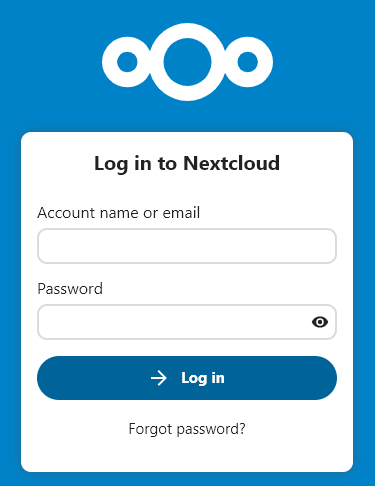
Only with [https://YourDomain.com/nextcloud/login](https://YourDomain.com/nextcloud/login) I see the correct Nextcloud Login page
---
### Author:  [@hemertje](https://dietpi.com/forum/u/hemertje)
#### Post date: [30 December 2022 18:42 UTC](https://dietpi.com/forum/t/nextcloud-problems-questions/15415/39 "2022-12-30T18:42:01Z")
Regarding vhost
If I read here: [Nextcloud server installation with NGINX - Mageia wiki](https://wiki.mageia.org/en/Nextcloud_server_installation_with_NGINX#Sub-domain_address)
#### Sub-domain address
In this section, the server will be reachable thanks to a subdomain of your domain name, forwarded by your router to your machine hosting Nextcloud. Your Nextcloud server will then be reachable at **[http://nextcloud.my\_domain](http://nextcloud.my_domain/)**, for instance.
# Let note the /nextcloud has disappeared.
They refer to /etc/nginx/conf.d/nextcloud.conf
But in DietPi there is no /etc/nginx/conf.d/nextcloud.conf
---
### Author:  [@Joulinar](https://dietpi.com/forum/u/Joulinar)
#### Post date: [30 December 2022 20:09 UTC](https://dietpi.com/forum/t/nextcloud-problems-questions/15415/40 "2022-12-30T20:09:24Z")
You should stop trying to setup these sub domain feature. It could be way more simply.
1. Better to go back to the beginning and start with an empty clean Nginx configuration file.
2. Once done run `dietpi-letsencrypt` and create the 2 cert you like. Doesn’t matter of these are domain and sub domain. Just enter them both commas separated.
3. you should have HTTPS access to Nginx default web site on both, domain and sub domain
4. the `default` config file contains two nearly same looking sections, for each domain one.
5. go to section for your sub domain and adjust the root directory. Should looks like this now
```auto
server {
root /var/www/nextcloud;
index index.php index.html index.htm index.nginx-debian.html;
server_name sub.domain.com; # managed by Certbot
```
1. go to NC config file `/var/www/nextcloud/config/config.php` and adjust value `overwrite.cli.url`
2. remove the sub path `/nextcloud`. Should looks like this now
```auto
'overwrite.cli.url' => 'https://sub.domain.com',
```
1. restart Nginx
2. done, NC is reachable on `https://sub.domain.com` now
This is working fine within my test lab
[Previous page](https://dietpi.com/forum/t/nextcloud-problems-questions/15415.md?page=1)
[Next page](https://dietpi.com/forum/t/nextcloud-problems-questions/15415.md?page=3)