# Loosing network connection on XU4
**URL:** https://dietpi.com/forum/t/loosing-network-connection-on-xu4/1672
**Category:** Troubleshooting
**Created:** [25 November 2017 17:42 UTC](https://dietpi.com/forum/t/loosing-network-connection-on-xu4/1672 "2017-11-25T17:42:00Z")
**Posts on this page:** 6
**Page:** 1
### Author:  [@Allamur](https://dietpi.com/forum/u/Allamur)
#### Post date: [25 November 2017 17:42 UTC](https://dietpi.com/forum/t/loosing-network-connection-on-xu4/1672/1 "2017-11-25T17:42:00Z")
here’s the setup:
- XU4 with Cloudshell2 on a RAID1 with two WD Red 2 TB, dietpi v158, kernel 3.1.106+
I cannot pinpoint the issue but I’m loosing the network connection (static or dhcp - no matter what) after some time.
The router and the display of the cloudshell says, that there’s no network connection whatsoever.
I’ve replaced the ethernet cable with another one, restarted my router (fritzbox 7490) but this didn’t help - restarting the XU4 does help, but I cannot shutdown it safely before, which could be the reason for a damaged database in the future. (And THIS is some bullcrap work to get it working again!)
Does anybody else having this issue?
---
### Author:  [@schnitzelbrain](https://dietpi.com/forum/u/schnitzelbrain)
#### Post date: [26 November 2017 19:46 UTC](https://dietpi.com/forum/t/loosing-network-connection-on-xu4/1672/2 "2017-11-26T19:46:16Z")
I got my xu4 setup also with a 7490, no Cloudshell though.
WLAN has reconnect problems but LAN runs stable.
But to mention I have v158 and kernel 4.9.61+ running.
I think you spare the kernel because of the USB3 HDD problems, but that might be the cause.
For the shutdown, doesnt holding the reset button \> 3sec perfom a normal shutdown ?
Schnitzelbrain
---
### Author:  [@Allamur](https://dietpi.com/forum/u/Allamur)
#### Post date: [27 November 2017 20:23 UTC](https://dietpi.com/forum/t/loosing-network-connection-on-xu4/1672/3 "2017-11-27T20:23:53Z")
Well - it was kinda stable before on 3.x - until I crashed the whole system and had to reinstall everything…
Now it’s mostly in a very unstable state.
I’ve installed the newest kernel from 24.11. and now it remains stable - but in a NOTworking state, even after a restart.
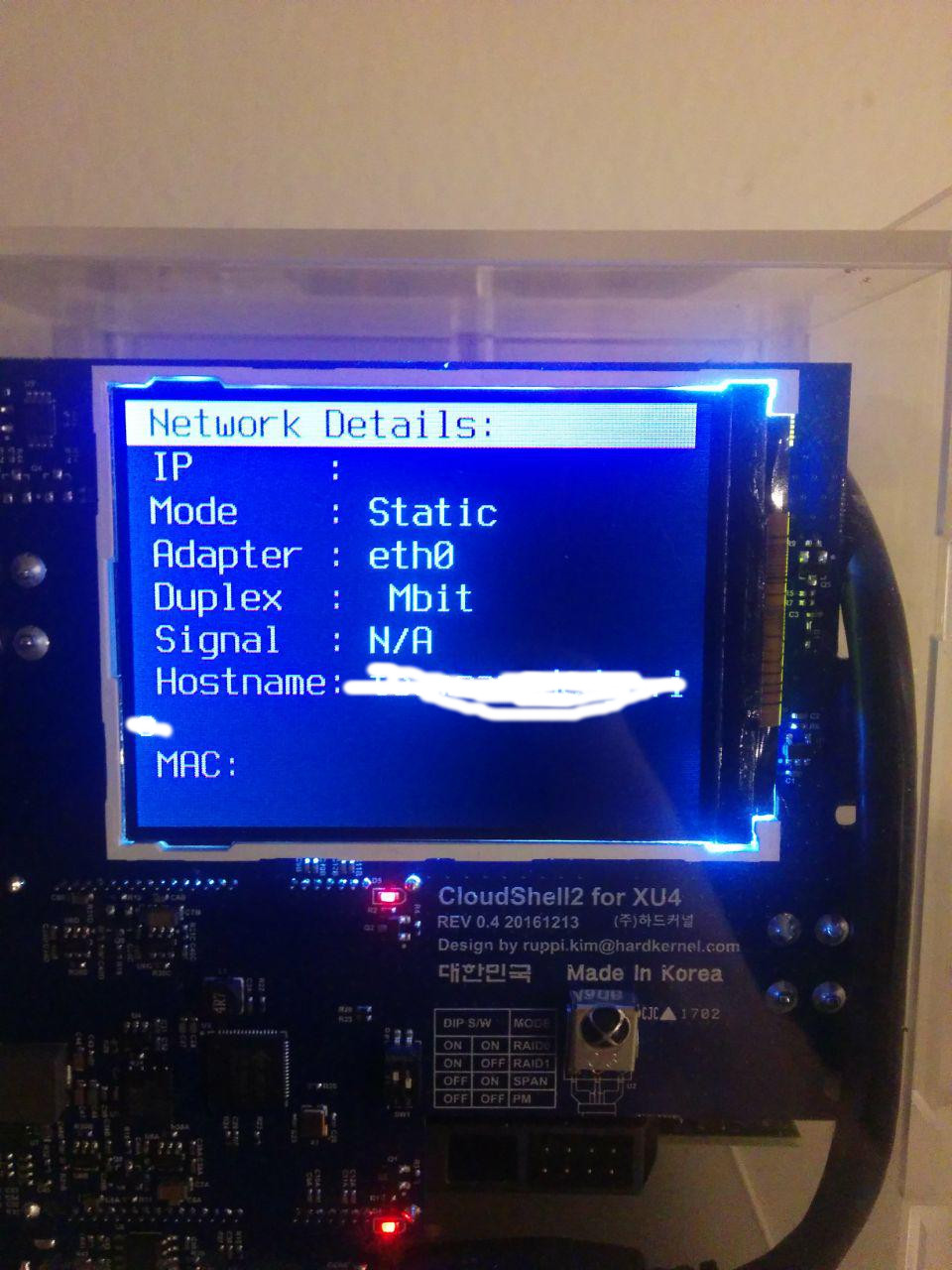
The cloudshell lcd doesn’t show any signs about network activity or even the mac-address. See the attachment…
---
### Author:  [@Fourdee](https://dietpi.com/forum/u/Fourdee)
#### Post date: [27 November 2017 21:49 UTC](https://dietpi.com/forum/t/loosing-network-connection-on-xu4/1672/4 "2017-11-27T21:49:02Z")
> [@Allamur](#):
>
> Well - it was kinda stable before on 3.x - until I crashed the whole system and had to reinstall everything…
> Now it’s mostly in a very unstable state.
Hi,
Unstable ETH is not something i’ve personally seen. I have 3.x and 4.9 XU4’s running 24/7.
The issue could be one of the following:
- Router incompatibility/failure. If the router is dropping the connection, this would cause loss of connection. When this happens try running ifdown eth0; ifup eth0 to reinit the connection.
- Hardware failure on XU4/eth chip. Would need to test other images to verify.
- Ensure sufficient/stable PSU
I personally believe hardware or router failure, especially considering STATIC is having the same issue.
Things to check, when the loss of connection occurs:
- Run dmesg | grep eth and check for any kernel errors
- Run ifconfig, check status of connection
---
### Author:  [@Allamur](https://dietpi.com/forum/u/Allamur)
#### Post date: [29 November 2017 20:02 UTC](https://dietpi.com/forum/t/loosing-network-connection-on-xu4/1672/5 "2017-11-29T20:02:04Z")
Ok, the network connection itself is working fine, so no hardware problem.
Tried that with another SD card with dietpi installed and several hours later, still a working network connection.
But if I plug my “old” card in, it doesn’t boot anymore.
First it changes in the boot.ini the line
```nohighlight
fatload mmc 0:1 0x44000000 exynos5422-odroidxu3.dtb
```
to
```nohighlight
fatload mmc 0:1 0x44000000 exynos5422-odroidxu4.dtb
```
and stops booting, because the dtb-file cannot be found.
(whether I use this [https://github.com/Fourdee/DietPi/blob/dev/boot\_xu4.ini](https://github.com/Fourdee/DietPi/blob/dev/boot_xu4.ini) or the standard boot.ini)
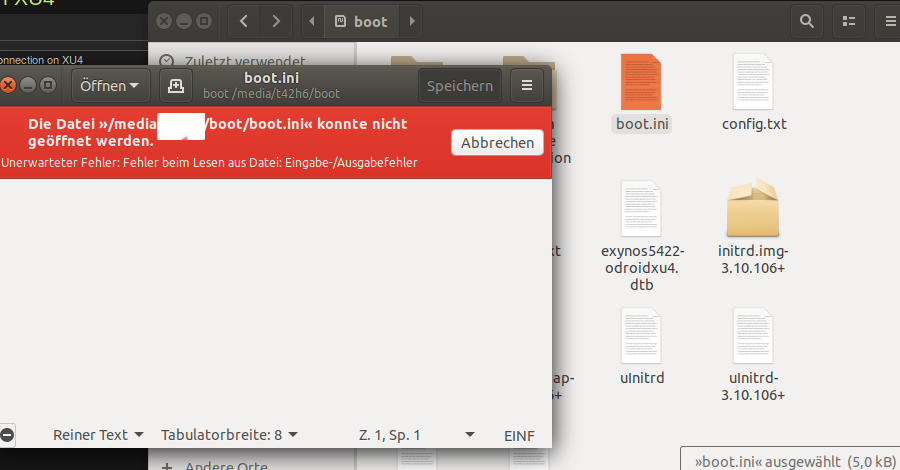
If I change the filename of the dtb-file to “xu4” instead of “xu3” the boot.ini file gets corrupted.
See the screenshot - it’s german but basically it says “input/output” error while opening it. A fsck /dev/mmcblk0p1 results in a corrupted boot.ini file and the correction of it results in an empty boot.ini file.
Is there some kind of automatism to change the content of the boot.ini file?
---
### Author:  [@Allamur](https://dietpi.com/forum/u/Allamur)
#### Post date: [4 December 2017 19:57 UTC](https://dietpi.com/forum/t/loosing-network-connection-on-xu4/1672/6 "2017-12-04T19:57:48Z")
I gave up - the networkchip is working with a new install and I hope this will be the last time I run into such issues…