│
│ │
└─────────────────────────────────────────────────────────────────────────────────────────────────────
```
console output:
```auto
Step: Installing Portainer: Simplifies container management in Docker (standalone host)
[OK] DietPi-Software | docker volume create portainer_data
[INFO] DietPi-Software | Portainer will be deployed now. This could take a while...
[INFO] DietPi-Software | docker run -d -p 9002:9000 --name=portainer --restart=always -v /run/docker.sock:/var/run/docker.sock -v portainer_data:/data portainer/portainer-ce, please wait...
Unable to find image 'portainer/portainer-ce:latest' locally
docker: Error response from daemon: Get "https://registry-1.docker.io/v2/portainer/portainer-ce/manifests/sha256:9fa1ec78b4e29d83593cf9720674b72829c9cdc0db7083a962bc30e64e27f64e": dial tcp: lookup registry-1.docker.io on 192.168.1.1:53: no such host.
See 'docker run --help'.
[FAILED] DietPi-Software | docker run -d -p 9002:9000 --name=portainer --restart=always -v /run/docker.sock:/var/run/docker.sock -v portainer_data:/data portainer/portainer-ce
[INFO] DietPi-Software | docker run -d -p 9002:9000 --name=portainer --restart=always -v /run/docker.sock:/var/run/docker.sock -v portainer_data:/data portainer/portainer-ce, please wait...
Unable to find image 'portainer/portainer-ce:latest' locally
docker: Error response from daemon: Get "https://registry-1.docker.io/v2/portainer/portainer-ce/manifests/sha256:9fa1ec78b4e29d83593cf9720674b72829c9cdc0db7083a962bc30e64e27f64e": dial tcp: lookup registry-1.docker.io on 192.168.1.1:53: no such host.
See 'docker run --help'.
[FAILED] DietPi-Software | docker run -d -p 9002:9000 --name=portainer --restart=always -v /run/docker.sock:/var/run/docker.sock -v portainer_data:/data portainer/portainer-ce
[INFO] DietPi-BugReport | Generating informative command outputs, please wait...
/boot/dietpi/dietpi-bugreport: line 138: aplay: command not found
/boot/dietpi/dietpi-bugreport: line 138: aplay: command not found
Warning: The unit file, source configuration file or drop-ins of docker.service changed on disk. Run 'systemctl daemon-reload' to reload units.
Warning: The unit file, source configuration file or drop-ins of docker.service changed on disk. Run 'systemctl daemon-reload' to reload units.
[INFO] DietPi-BugReport | cp /tmp/G_EXEC_ERROR_REPORT G_EXEC_ERROR_REPORT, please wait...
[OK] DietPi-BugReport | cp /tmp/G_EXEC_ERROR_REPORT G_EXEC_ERROR_REPORT
[OK] DietPi-BugReport | Packing upload archive
[OK] DietPi-BugReport | Sending bug report
[OK] DietPi-BugReport | Your bug report has been successfully uploaded.
- Reference code: 8b6d47d7-097c-4a2b-9a5f-cd5415be7eba
```
---
### Author:  [@Joulinar](https://dietpi.com/forum/u/Joulinar)
#### Post date: [25 February 2023 07:34 UTC](https://dietpi.com/forum/t/docker-portainer-with-errors/6360/6 "2023-02-25T07:34:25Z")
> [@maya95](#):
>
> `tcp: lookup registry-1.docker.io on 192.168.1.1:53: no such host`
@maya95 your issue seems to be completly different. Looks like a DNS issue as you are not able to resolve `registry-1.docker.io`
You could try to pull the image directly.
```auto
docker pull portainer/portainer-ce:latest
```
---
### Author:  [@maya95](https://dietpi.com/forum/u/maya95)
#### Post date: [25 February 2023 09:27 UTC](https://dietpi.com/forum/t/docker-portainer-with-errors/6360/7 "2023-02-25T09:27:38Z")
There is no issue running nslookup for [registry-1.docker.io](http://registry-1.docker.io)
Why wouldn’t it work?
```auto
root@DietPi:~# nslookup
> server 192.168.1.1
Default server: 192.168.1.1
Address: 192.168.1.1#53
> registry-1.docker.io
Server: 192.168.1.1
Address: 192.168.1.1#53
Non-authoritative answer:
Name: registry-1.docker.io
Address: 44.205.64.79
Name: registry-1.docker.io
Address: 3.216.34.172
Name: registry-1.docker.io
Address: 34.205.13.154
```
---
### Author:  [@Joulinar](https://dietpi.com/forum/u/Joulinar)
#### Post date: [25 February 2023 09:55 UTC](https://dietpi.com/forum/t/docker-portainer-with-errors/6360/8 "2023-02-25T09:55:07Z")
> [@maya95](#):
>
> Why wouldn’t it work?
I don’t know but this is what your error messages is telling. Did you tried
```auto
docker pull portainer/portainer-ce:latest
```
---
### Author:  [@cptechnik](https://dietpi.com/forum/u/cptechnik)
#### Post date: [9 March 2023 06:20 UTC](https://dietpi.com/forum/t/docker-portainer-with-errors/6360/9 "2023-03-09T06:20:43Z")
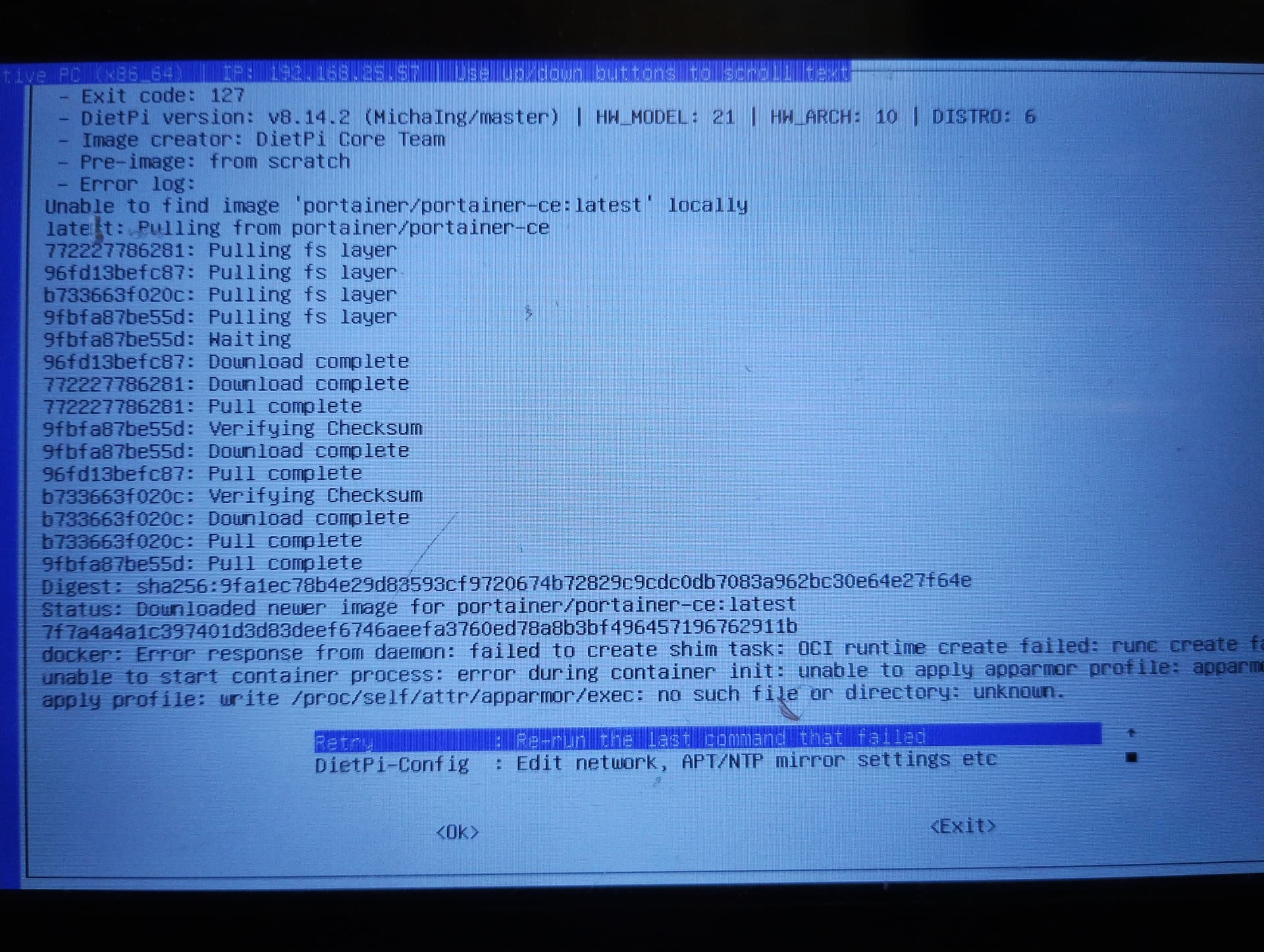
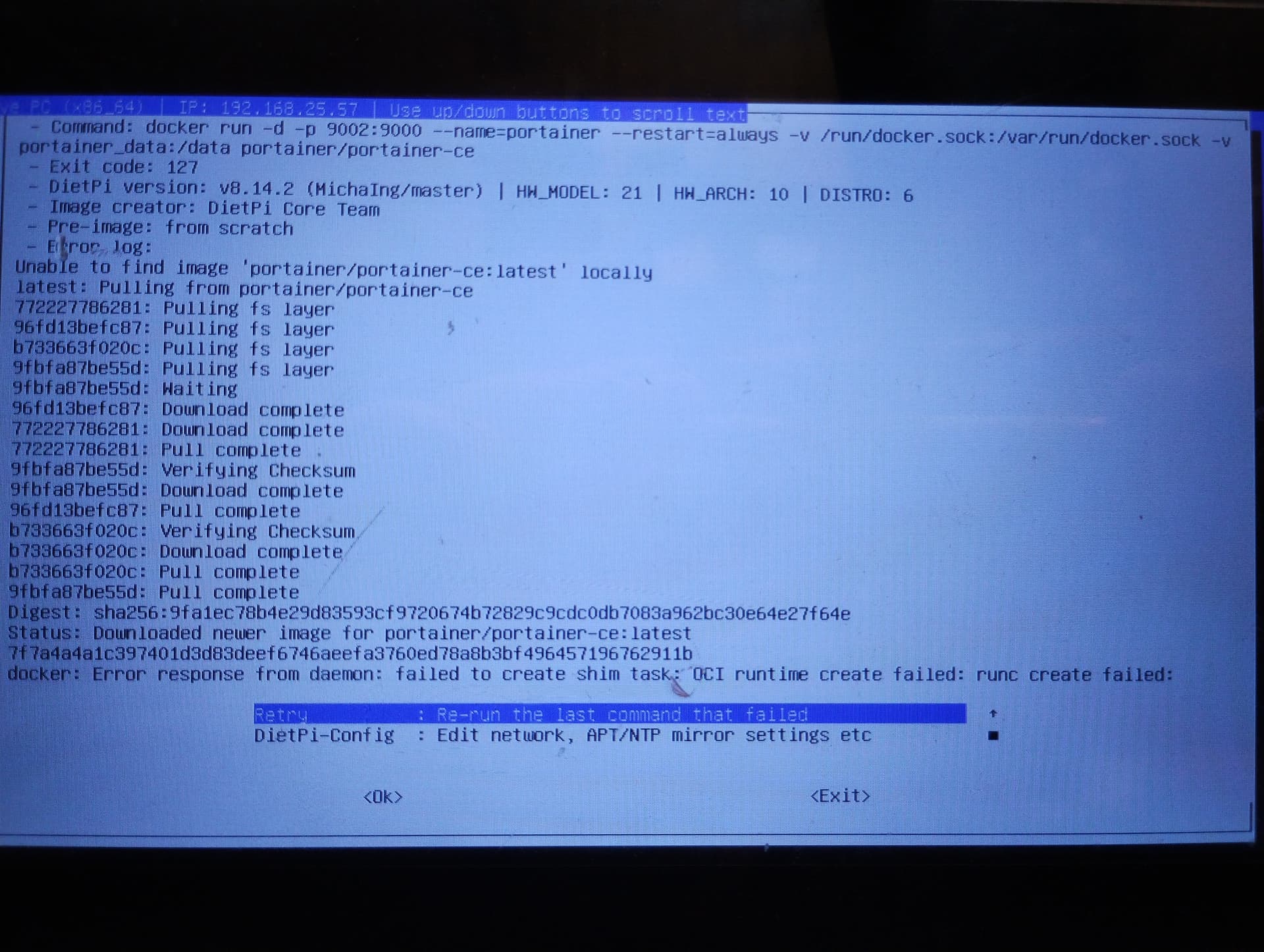
just hanging on…
i installed fresh dietpi on a nuc (Native PC for BIOS/CSM),
then docker portainer … crash
wipe, install dietpi,
install docker, docker portainer… crash…
… ehm…
what should i have done wrong, when i have done nothing else…?
---
### Author:  [@Jappe](https://dietpi.com/forum/u/Jappe)
#### Post date: [9 March 2023 07:00 UTC](https://dietpi.com/forum/t/docker-portainer-with-errors/6360/10 "2023-03-09T07:00:13Z")
Maybe related to this:
[https://github.com/MichaIng/DietPi/issues/6126](https://github.com/MichaIng/DietPi/issues/6126)
---
### Author:  [@Joulinar](https://dietpi.com/forum/u/Joulinar)
#### Post date: [9 March 2023 07:43 UTC](https://dietpi.com/forum/t/docker-portainer-with-errors/6360/11 "2023-03-09T07:43:20Z")
> [@cptechnik](#):
>
> what should i have done wrong
usually, the search function should have reviled following
- [Ever since moving to 8.14.2 I get major docker issues - #2 by Joulinar](https://dietpi.com/forum/t/ever-since-moving-to-8-14-2-i-get-major-docker-issues/16158/2)
- [Portainer keeps restarting after update to latest docker version - #31 by Joulinar](https://dietpi.com/forum/t/portainer-keeps-restarting-after-update-to-latest-docker-version/15848/31)
- [Portainer Fails to Launch, Install, or Re-Install [SOLVED] - #2 by Joulinar](https://dietpi.com/forum/t/portainer-fails-to-launch-install-or-re-install-solved/15862/2)
- [After dietpi update docker does not start - #9 by Joulinar](https://dietpi.com/forum/t/after-dietpi-update-docker-does-not-start/15826/9)
---
### Author:  [@holocron](https://dietpi.com/forum/u/holocron)
#### Post date: [9 March 2023 12:08 UTC](https://dietpi.com/forum/t/docker-portainer-with-errors/6360/12 "2023-03-09T12:08:28Z")
Do you have anything else running on the RPi? Pihole? Unbound?
---
### Author:  [@Joulinar](https://dietpi.com/forum/u/Joulinar)
#### Post date: [9 March 2023 14:36 UTC](https://dietpi.com/forum/t/docker-portainer-with-errors/6360/13 "2023-03-09T14:36:42Z")
> [@holocron](#):
>
> Do you have anything else running on the RPi?
its a Native PC and not an RPi. On x86 Docker has some challenges with missing Apparmor tool. Something Docker guys are aware and hopefully gonna change in future. As workaround you can install Apparmor.
> [@holocron](#):
>
> Pihole? Unbound?
There should be no relation between the issue to start container on x86 and local DNS server tools.
---
### Author:  [@maya95](https://dietpi.com/forum/u/maya95)
#### Post date: [10 March 2023 05:17 UTC](https://dietpi.com/forum/t/docker-portainer-with-errors/6360/14 "2023-03-10T05:17:06Z")
Yep. It’s AppArmor causing the problem. Although I did not see AppArmor error message and the error message always was “dial tcp: lookup [registry-1.docker.io](http://registry-1.docker.io) on xx.xx.xx.xx:53: │
│ no such host.”
I tried to use different DNS settings (Google, Cloudflare, Pi-Hole, Technitium) or use a real PC yet nothing worked.
> [@Portainer Fails to Launch, Install, or Re-Install \[SOLVED\]](https://dietpi.com/forum/t/portainer-fails-to-launch-install-or-re-install-solved/15862):
>
> Workaround: apt install apparmor systemctl disable --now apparmor Also, check out the links provided by Joulinar below… Summary: I noticed a similiar Troubleshooting topic made by someone in this forum, but it doesn’t seem like the same thing so I am posting my issue as well… although he mentions AppArmor as being a potential issue, and as you can see in the logs below AppArmor also seems to be causing havoc? Details: Date | Mon Feb 6 16:01:47 CST 2023 Bug report | 1c7734…
apply the following 2 commands at the console then reinstall Portainer and the installation finally went through without error
> apt install apparmor
> systemctl disable --now apparmor
---
### Author:  [@cptechnik](https://dietpi.com/forum/u/cptechnik)
#### Post date: [10 March 2023 08:29 UTC](https://dietpi.com/forum/t/docker-portainer-with-errors/6360/15 "2023-03-10T08:29:07Z")
> [@maya95](#):
>
> apply the following 2 commands at the console then reinstall Portainer and the installation finally went through without error
>
> > apt install apparmor
> > systemctl disable --now apparmor
the installation runs through… i am watch out for the rest…
thank you very much @maya95 !!!
post-scriptum: “Welcome to Portainer” …well done…
---
### Author:  [@maya95](https://dietpi.com/forum/u/maya95)
#### Post date: [11 March 2023 03:16 UTC](https://dietpi.com/forum/t/docker-portainer-with-errors/6360/16 "2023-03-11T03:16:04Z")
I deleted the DietPi VM and redid the Docker & Portainer installation
Found that not only I have to install apparmor then disable it, I still have to change default DNS that’s issued by router DHCP (which usually will forward to ISP’s DNS) to one of the public DNS, otherwise the Portainer installation will still fail.
There are tons of name resolution issue postings all over the internet for Docker image pulls for different reasons.
---
### Author:  [@WarHawk](https://dietpi.com/forum/u/WarHawk)
#### Post date: [13 March 2023 03:21 UTC](https://dietpi.com/forum/t/docker-portainer-with-errors/6360/17 "2023-03-13T03:21:54Z")
You can install pihole and unbound…then point all your DHCP addresses issued to that machine (wether bare metal or docker)…and it will resolve DNS thru your network…
---
### Author:  [@Joulinar](https://dietpi.com/forum/u/Joulinar)
#### Post date: [28 March 2023 19:51 UTC](https://dietpi.com/forum/t/docker-portainer-with-errors/6360/18 "2023-03-28T19:51:08Z")
Finally, Docker 23.0.2 has been released fixing the issue on x86 [Docker Engine 23.0 release notes](https://docs.docker.com/engine/release-notes/23.0/#2302)