# Change to using old data on external harddrive
**URL:** https://dietpi.com/forum/t/change-to-using-old-data-on-external-harddrive/19424
**Category:** Troubleshooting
**Tags:** raspberry-pi-4
**Created:** [25 February 2024 12:55 UTC](https://dietpi.com/forum/t/change-to-using-old-data-on-external-harddrive/19424 "2024-02-25T12:55:17Z")
**Posts on this page:** 20
**Page:** 1
### Author:  [@silverfox](https://dietpi.com/forum/u/silverfox)
#### Post date: [25 February 2024 12:55 UTC](https://dietpi.com/forum/t/change-to-using-old-data-on-external-harddrive/19424/1 "2024-02-25T12:55:17Z")
Hi,
I had to do a new install of DietPi, as my SD card died. I have installed DietPi on to a new USB stick with Nextcloud. The install of DietPi (on the now dead SD with Dietpi 9.0.2) was set up to use and external harddrive to save Nextcloud settings and data. I would like to set up the new install of DietPi (on the new USB stick) to use the external harddrive and “old” data to set up Nextcloud. I do not want to write over any data that is on the external harddrive.
I have searched the existing open and closed issues but not found a clear explanation on how to do this-
**Required Information**
- DietPi version = v9.1.1
- Distro version = Bookworm
- Kernel version = 6.1.21-v8+
- Architecture = arm64
- SBC model = RPi 4 Model B (aarch64)
- Power supply used | EG: 5V 1A
- USB stick used 64Gb
Additional Information
- Software title Nextcloud
- Fresh install of Dietpi
Please could you help. I am a relative noobie to dietpi. Thank you!
---
### Author:  [@Joulinar](https://dietpi.com/forum/u/Joulinar)
#### Post date: [25 February 2024 13:34 UTC](https://dietpi.com/forum/t/change-to-using-old-data-on-external-harddrive/19424/2 "2024-02-25T13:34:36Z")
do you recall how your HDD was connected before? Did you moved `/mnt/dietpi_userdata/` to that external drive last time?
---
### Author:  [@silverfox](https://dietpi.com/forum/u/silverfox)
#### Post date: [25 February 2024 13:46 UTC](https://dietpi.com/forum/t/change-to-using-old-data-on-external-harddrive/19424/3 "2024-02-25T13:46:28Z")
Hi, yes, I believe I did… though it was a while ago 🙃
---
### Author:  [@Joulinar](https://dietpi.com/forum/u/Joulinar)
#### Post date: [25 February 2024 14:08 UTC](https://dietpi.com/forum/t/change-to-using-old-data-on-external-harddrive/19424/4 "2024-02-25T14:08:48Z")
Nextcloud is already installed on your system?
---
### Author:  [@silverfox](https://dietpi.com/forum/u/silverfox)
#### Post date: [25 February 2024 14:11 UTC](https://dietpi.com/forum/t/change-to-using-old-data-on-external-harddrive/19424/5 "2024-02-25T14:11:44Z")
Yes, it is.
---
### Author:  [@Joulinar](https://dietpi.com/forum/u/Joulinar)
#### Post date: [25 February 2024 14:33 UTC](https://dietpi.com/forum/t/change-to-using-old-data-on-external-harddrive/19424/6 "2024-02-25T14:33:44Z")
can you share following
```auto
lsblk -o name,fstype,label,size,ro,type,mountpoint,partuuid,uuid
ls -la /mnt
```
---
### Author:  [@silverfox](https://dietpi.com/forum/u/silverfox)
#### Post date: [25 February 2024 15:18 UTC](https://dietpi.com/forum/t/change-to-using-old-data-on-external-harddrive/19424/7 "2024-02-25T15:18:54Z")
```auto
NAME FSTYPE LABEL SIZE RO TYPE MOUNTPOINT PARTUUID UUID
sda 58.6G 0 disk
├─sda1
│ vfat 128M 0 part /boot aeecd9eb-01 4E17-76D0
└─sda2
ext4 58.5G 0 part / aeecd9eb-02 58ad7a5b-ca2e-47e7-afa3-88d78fff92fd
sdb 698.6G 0 disk
└─sdb1
ext4 698.6G 0 part 38ce59cf-01 eb96183d-69ca-422f-a187-3f56d706faa0
total 24
```
```auto
drwxr-xr-x 7 root root 4096 Feb 25 12:51 .
drwxr-xr-x 18 root root 4096 Feb 20 00:17 ..
drwxrwxr-x 11 dietpi dietpi 4096 Feb 23 18:49 dietpi_userdata
drwxrwxr-x 2 dietpi dietpi 4096 Feb 19 23:34 ftp_client
drwxr-xr-x 2 root root 0 Feb 25 14:24 hdd
drwxrwxr-x 2 dietpi dietpi 4096 Feb 19 23:35 nfs_client
drwxrwxr-x 2 dietpi dietpi 4096 Feb 19 23:35 samba
```
---
### Author:  [@Joulinar](https://dietpi.com/forum/u/Joulinar)
#### Post date: [25 February 2024 17:46 UTC](https://dietpi.com/forum/t/change-to-using-old-data-on-external-harddrive/19424/8 "2024-02-25T17:46:37Z")
ok before we do anything, can we check what is inside the HDD folder and the current mount options
```auto
ls -la /mnt/hdd
cat /etc/fstab
```
---
### Author:  [@MichaIng](https://dietpi.com/forum/u/MichaIng)
#### Post date: [25 February 2024 17:53 UTC](https://dietpi.com/forum/t/change-to-using-old-data-on-external-harddrive/19424/9 "2024-02-25T17:53:21Z")
Another wry question: Are your previous and current Debian and Nextcloud versions the same, i.e. was it a Bookworm image before and Nextcloud up-to-date?
---
### Author:  [@Joulinar](https://dietpi.com/forum/u/Joulinar)
#### Post date: [25 February 2024 18:04 UTC](https://dietpi.com/forum/t/change-to-using-old-data-on-external-harddrive/19424/10 "2024-02-25T18:04:16Z")
uhh good point.
---
### Author:  [@silverfox](https://dietpi.com/forum/u/silverfox)
#### Post date: [25 February 2024 19:38 UTC](https://dietpi.com/forum/t/change-to-using-old-data-on-external-harddrive/19424/11 "2024-02-25T19:38:31Z")
```auto
total 32
drwxrwx--- 5 root root 4096 Feb 7 11:49 .
drwxr-xr-x 7 root root 4096 Feb 25 12:51 ..
drwxr-xr-x 3 root root 4096 Feb 4 21:17 dietpi-backup
drwxrwxr-x 14 dietpi dietpi 4096 Jan 28 14:16 dietpi_userdata
drwx------ 2 root root 16384 Nov 7 08:58 lost+found
```
```auto
# You can use "dietpi-drive_manager" to setup mounts.
# NB: It overwrites and re-creates physical drive mount entries on use.
#----------------------------------------------------------------
# NETWORK
#----------------------------------------------------------------
#----------------------------------------------------------------
# TMPFS
#----------------------------------------------------------------
tmpfs /tmp tmpfs size=1922M,noatime,lazytime,nodev,nosuid,mode=1777
tmpfs /var/log tmpfs size=50M,noatime,lazytime,nodev,nosuid
#----------------------------------------------------------------
# MISC: ecryptfs, vboxsf, glusterfs, mergerfs, bind, Btrfs subvolume
#----------------------------------------------------------------
#----------------------------------------------------------------
# SWAP SPACE
#----------------------------------------------------------------
#----------------------------------------------------------------
# PHYSICAL DRIVES
#----------------------------------------------------------------
PARTUUID=aeecd9eb-02 / ext4 noatime,lazytime,rw 0 1
PARTUUID=aeecd9eb-01 /boot vfat noatime,lazytime,rw 0 2
UUID=eb96183d-69ca-422f-a187-3f56d706faa0 /mnt/hdd ext4 noatime,lazytime,rw,nofail,noauto,x-systemd.automount
```
---
### Author:  [@silverfox](https://dietpi.com/forum/u/silverfox)
#### Post date: [25 February 2024 19:45 UTC](https://dietpi.com/forum/t/change-to-using-old-data-on-external-harddrive/19424/12 "2024-02-25T19:45:50Z")
hi, the last version of DietPi I was using on the SD card was 9.0.2 I believe what ever version of debian that runs. As for Nextcloud I’m not sure, it would have been a recent release of it. Sorry
---
### Author:  [@Joulinar](https://dietpi.com/forum/u/Joulinar)
#### Post date: [25 February 2024 20:00 UTC](https://dietpi.com/forum/t/change-to-using-old-data-on-external-harddrive/19424/13 "2024-02-25T20:00:46Z")
> [@silverfox](#):
>
> the last version of DietPi I was using on the SD card was 9.0.2 I believe what ever version of debian that runs.
There is no direct relation between DietPi version and Debian version.
> [@silverfox](#):
>
> ```auto
> drwxr-xr-x 3 root root 4096 Feb 4 21:17 dietpi-backup
> drwxrwxr-x 14 dietpi dietpi 4096 Jan 28 14:16 dietpi_userdata
>
> ```
It seems that the `dietpi_userdata` directory was on the hard drive in the past. We can recreate this and link the directory manually. After that, there may be problems with NextCloud. In this case, we may have to adapt the database user to the new situation.
---
### Author:  [@MichaIng](https://dietpi.com/forum/u/MichaIng)
#### Post date: [25 February 2024 20:05 UTC](https://dietpi.com/forum/t/change-to-using-old-data-on-external-harddrive/19424/14 "2024-02-25T20:05:10Z")
> [@Joulinar](#):
>
> We can recreate this and link the directory manually. After that, there may be problems with NextCloud. In this case, we may have to adapt the database user to the new situation.
The problem is that I am not sure whether newer MariaDB gracefully migrates a database directory from an older MariaDB version, hence the question regarding Debian. Newer Nextcloud should migrate an older data directory well, but still it is safer to either assure the versions match 100% or otherwise migrate with a database dump, instead of the raw directory.
But I guess the old system/SD card is not available anymore? If so, it might still work all well, but if possible, better have a backup of this old `dietpi_userdata` directory.
To adjust the data directory link:
```sh
dietpi-services stop
mv /mnt/dietpi_userdata /mnt/dietpi_userdata_backup
ln -s /mnt/hdd/dietpi_userdata /mnt/dietpi_userdata
dietpi-services start
```
Then wait a second and check back database logs:
```sh
journalctl -u mariadb
```
---
### Author:  [@Joulinar](https://dietpi.com/forum/u/Joulinar)
#### Post date: [25 February 2024 20:13 UTC](https://dietpi.com/forum/t/change-to-using-old-data-on-external-harddrive/19424/15 "2024-02-25T20:13:55Z")
before doing any change, we could check MariaDB version from old database folder
```auto
/mnt/hdd/dietpi_userdata/mysql/mysql_upgrade_info
```
---
### Author:  [@silverfox](https://dietpi.com/forum/u/silverfox)
#### Post date: [26 February 2024 09:57 UTC](https://dietpi.com/forum/t/change-to-using-old-data-on-external-harddrive/19424/16 "2024-02-26T09:57:43Z")
I now have two other problems;
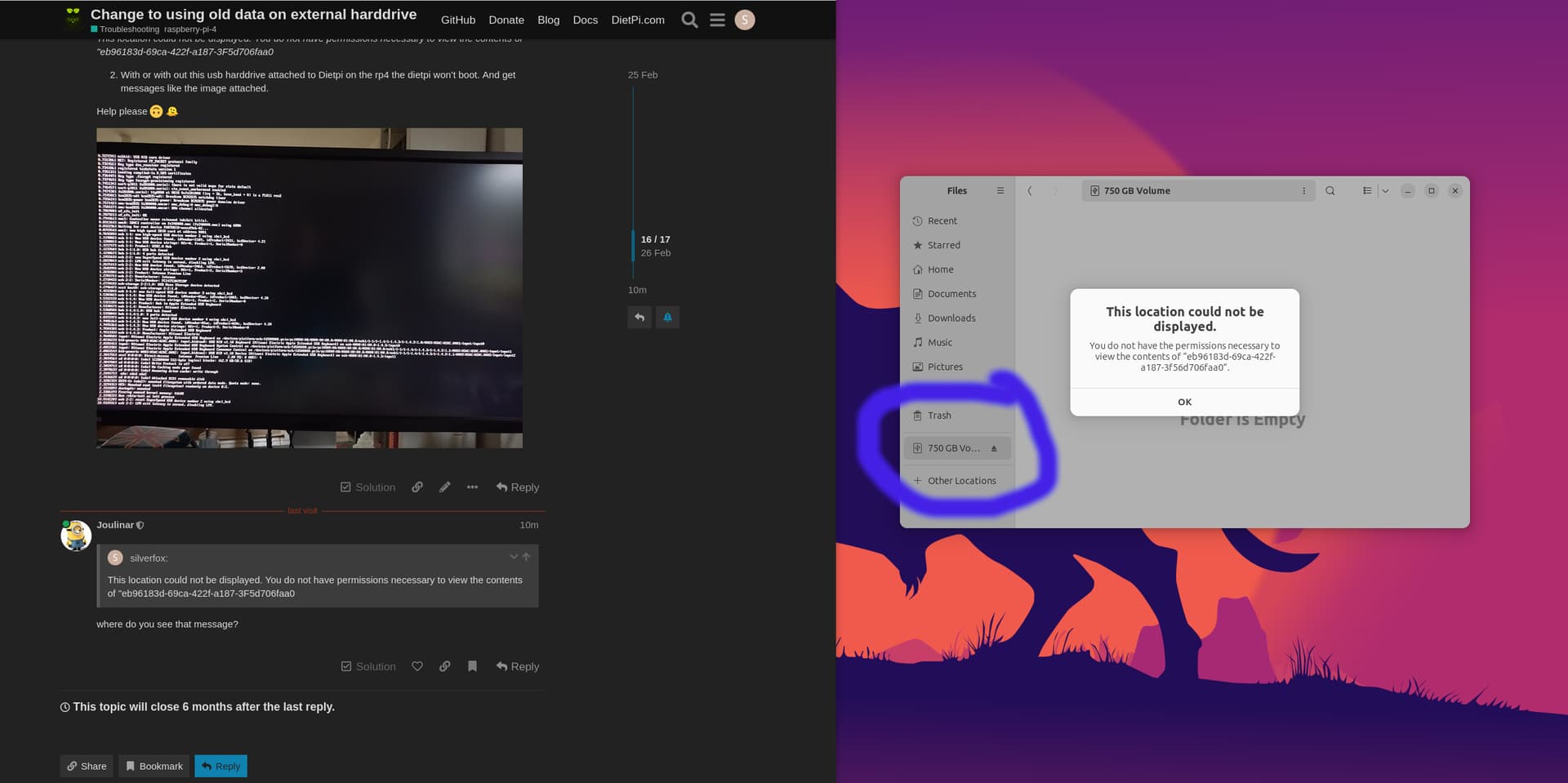
1. i booted down the DietPi on the raspberry pi 4, unpluggted the harddrive and plugged it into my raspberry pi 5, to get some data off of it and get this message:
_This location could not be displayed. You do not have permissions necessary to view the contents of "eb96183d-69ca-422f-a187-3F5d706faa0_
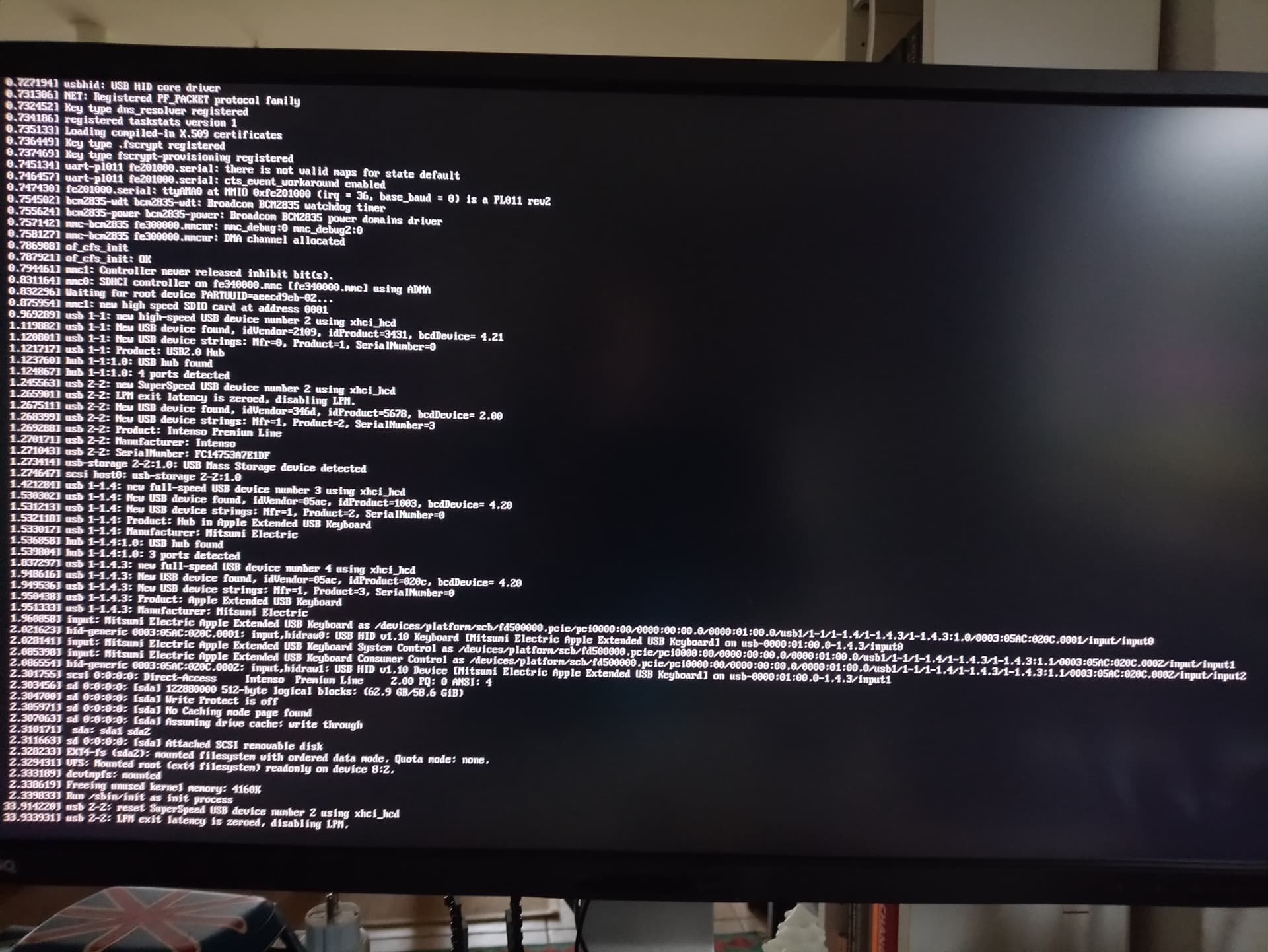
1. With or with out this usb harddrive attached to Dietpi on the rp4 the dietpi won’t boot. And get messages like the image attached.
Help please 🙃 🫠
---
### Author:  [@Joulinar](https://dietpi.com/forum/u/Joulinar)
#### Post date: [26 February 2024 10:13 UTC](https://dietpi.com/forum/t/change-to-using-old-data-on-external-harddrive/19424/17 "2024-02-26T10:13:21Z")
> [@silverfox](#):
>
> This location could not be displayed. You do not have permissions necessary to view the contents of "eb96183d-69ca-422f-a187-3F5d706faa0
where do you see that message?
---
### Author:  [@silverfox](https://dietpi.com/forum/u/silverfox)
#### Post date: [26 February 2024 10:26 UTC](https://dietpi.com/forum/t/change-to-using-old-data-on-external-harddrive/19424/18 "2024-02-26T10:26:40Z")
in ubuntu when I click on the drive in the file manager (see image)
---
### Author:  [@Joulinar](https://dietpi.com/forum/u/Joulinar)
#### Post date: [26 February 2024 10:39 UTC](https://dietpi.com/forum/t/change-to-using-old-data-on-external-harddrive/19424/19 "2024-02-26T10:39:10Z")
> [@silverfox](#):
>
> in ubuntu when I click
ok you login to a desktop. Which user you are? Did you tried `root` user or `sudo` command?
Because the drive might be readable for user root only. You would need to check file system permission. But don’t change them on your HDD, otherwise you will have challenges on DietPi afterwards
---
### Author:  [@silverfox](https://dietpi.com/forum/u/silverfox)
#### Post date: [26 February 2024 10:58 UTC](https://dietpi.com/forum/t/change-to-using-old-data-on-external-harddrive/19424/20 "2024-02-26T10:58:01Z")
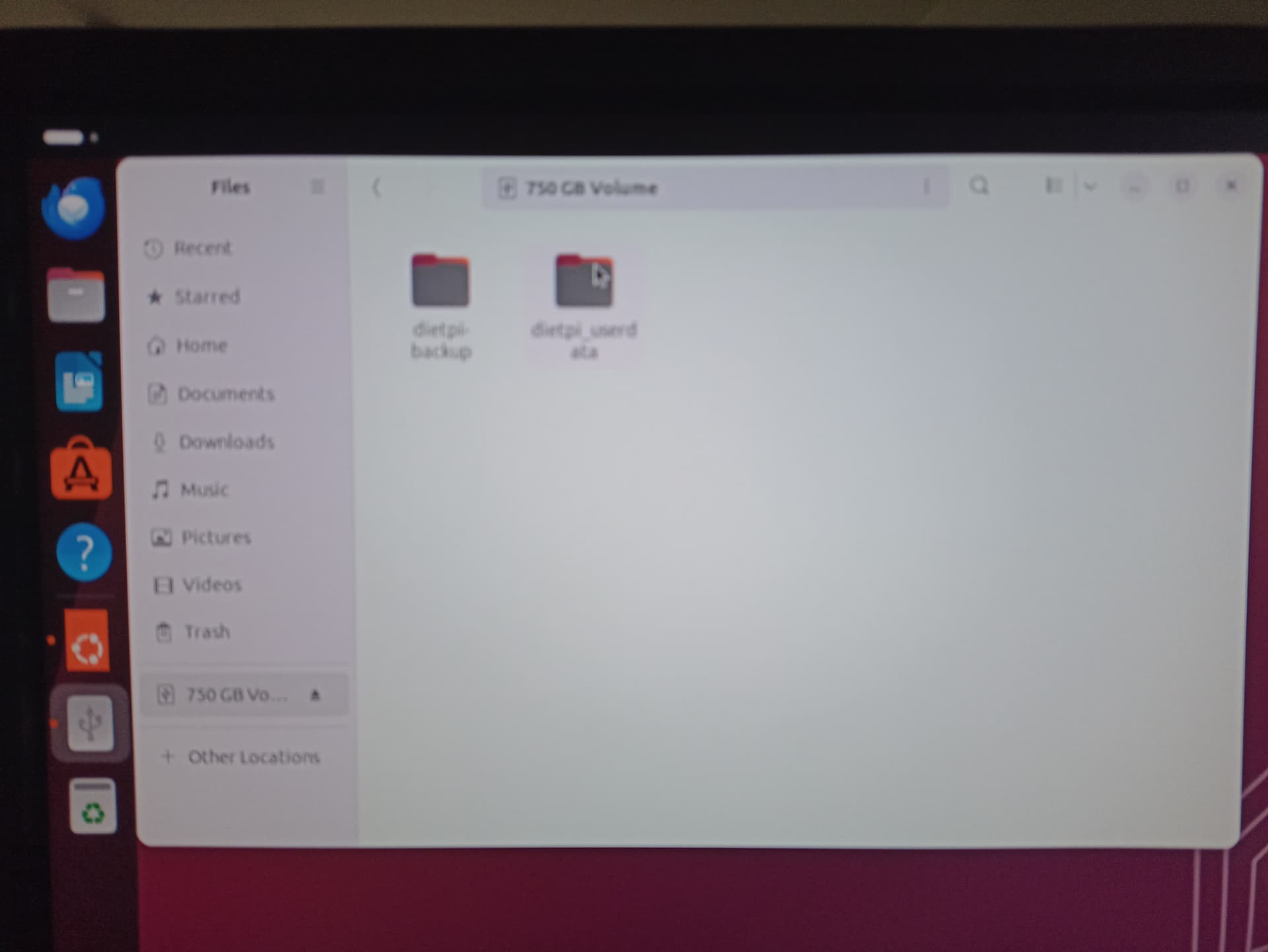
I logged in as root on ubuntu and I could see the data on the drive.
[Next page](https://dietpi.com/forum/t/change-to-using-old-data-on-external-harddrive/19424.md?page=2)